
Screenshots
App details
- Updated
- September 4, 2025
- Requires
- Chrome
- License
- Subscription
- Developer
- Sunny
- Category
- Web Apps
About SuperMaker
Download SuperMaker – AI Video Creation, Editing, and Production Tool
Overview of SuperMaker
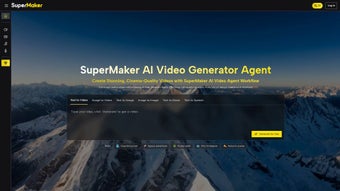
SuperMaker is a comprehensive, web‑based AI video creation platform that turns simple text prompts into polished, high‑quality videos. Built for marketers, educators, content creators, and small‑business owners, the tool offers an end‑to‑end workflow that starts with a script and ends with a fully rendered video ready for publishing. By leveraging advanced natural‑language processing, computer vision, and audio synthesis, SuperMaker generates vivid scenes, realistic voiceovers, custom background music, and synchronized sound effects without the need for manual rendering or expensive studio time. Its intuitive editing interface lets users fine‑tune timing, adjust visual styles, and swap assets on the fly, making professional video production accessible to anyone with an internet connection. Whether you need a product demo, an explainer video, a social media clip, or a full‑length tutorial, SuperMaker provides the tools to create, edit, and export with just a few clicks.
Key Features that Set SuperMaker Apart
- AI‑Driven Script to Video Engine: Write a script in plain language and watch the AI generate a storyboard, scene layouts, and animated sequences automatically.
- AI Voice Maker: Choose from dozens of natural‑sounding voices, adjust tone, speed, and language, and let the AI produce studio‑grade narration.
- AI Music & Sound Effects: Generate royalty‑free background music tailored to the mood of your video, plus dynamic sound‑effects that sync with on‑screen actions.
- Storyboard Generator: Visualize each scene before rendering, with options to rearrange, replace, or edit individual frames.
- Precision Lip‑Sync: The AI matches spoken words to character mouth movements for a lifelike speaking experience.
- Integrated Video Editor: Trim clips, add transitions, overlay text, and apply filters directly within the browser.
- AI Image Maker: Generate custom background images or illustrations to match any script concept.
- Collaboration Tools: Invite team members, leave comments, and track version history for smoother project management.
- One‑Click Export: Output videos in multiple resolutions (720p, 1080p, 4K) and formats (MP4, MOV, GIF) ready for YouTube, Instagram, or internal LMS platforms.
- Secure Cloud Storage: All assets are stored on encrypted servers, with automatic backups and GDPR‑compliant privacy controls.
Installation, Setup, and Everyday Usage
Because SuperMaker is a cloud‑native solution, there is no traditional installation required. Users simply visit supermaker.ai, create an account, and start creating. The onboarding wizard walks new users through the creation pipeline:
- Account Registration: Sign up with an email address or social login (Google, Microsoft). A verification email confirms your identity, ensuring a secure environment.
- Project Initialization: Click “New Project,” name your video, and select a template (e.g., explainer, product demo, tutorial). Templates pre‑populate suggested scene structures to speed up workflow.
- Script Input: Type or paste your script into the text box. The AI analyzes the content, suggests scene breaks, and offers a visual storyboard preview.
- Voice & Audio Selection: Choose a voice from the AI Voice Maker library, adjust pitch or speed, and let the platform generate a voiceover. For background music, select a mood (upbeat, cinematic, calm) and let the AI compose a unique track.
- Scene Customization: Drag‑and‑drop AI‑generated images or replace them with your own assets. Use the built‑in editor to tweak timing, add transitions, or overlay captions.
- Review & Export: Play back the full video, make final adjustments, and click “Export.” Choose resolution and format, then download or publish directly to YouTube, Vimeo, or social platforms via integrated APIs.
The platform runs smoothly on modern browsers (Chrome, Edge, Firefox, Safari) and automatically updates to the latest AI models, so you always benefit from the newest features without manual patches. For power users, a RESTful API is available to automate batch video generation, perfect for large‑scale marketing campaigns.
Compatibility, Pros, and Cons
SuperMaker is a web‑based SaaS product, meaning it works across all major operating systems that support a recent web browser: Windows 10/11, macOS Ventura and later, Linux distributions, as well as mobile browsers on Android 9+ and iOS 13+. No additional downloads are needed, though a stable internet connection is essential for rendering large‑resolution videos.
Pros
- All‑in‑one solution: script writing, AI rendering, editing, and export in a single workflow.
- High‑quality AI voice and music generation eliminates the need for external licensing.
- Intuitive drag‑and‑drop editor reduces the learning curve for non‑technical users.
- Scalable cloud rendering handles 4K video output without taxing local hardware.
- Collaborative features streamline teamwork and version control.
Cons
- Dependence on internet connectivity; offline work is not possible.
- Pricing tiers can be steep for large enterprises needing high‑volume rendering.
- Customization of AI‑generated assets is limited compared to hand‑crafted graphics.
- Advanced users may miss granular control over certain rendering parameters.
- Export speed is tied to server load; peak times can cause longer wait periods.
Frequently Asked Questions
Is SuperMaker free to use?
SuperMaker offers a 14‑day free trial with full feature access. After the trial, you must choose a paid subscription plan (monthly or annual) to continue using the AI rendering and export capabilities.
Can I export videos without a watermark?
Watermarks are removed on all paid plans. The free trial includes a subtle SuperMaker watermark that disappears once you upgrade.
What file formats are supported for export?
SuperMaker supports MP4, MOV, GIF, and WebM. You can also export audio‑only tracks (MP3, WAV) for podcast use.
How secure is my data on SuperMaker?
All files are encrypted at rest and in transit (TLS 1.3). SuperMaker complies with GDPR, CCPA, and ISO‑27001 standards, offering role‑based access controls for team projects.
Can I integrate SuperMaker with my existing CMS?
Yes. SuperMaker provides API endpoints and webhooks that let you push completed videos directly into WordPress, Drupal, or custom CMS platforms.
Conclusion – Is SuperMaker Right for You?
SuperMaker delivers a remarkably complete AI‑powered video production suite that eliminates many of the traditional bottlenecks in content creation. Its blend of script‑to‑video automation, high‑quality voice and music synthesis, and a browser‑based editor makes it especially attractive for small teams and solo creators who need fast turnaround without sacrificing professionalism. While the reliance on a stable internet connection and subscription costs may be a consideration for larger enterprises, the time savings and creative flexibility often outweigh these drawbacks. If you’re looking to produce marketing videos, tutorials, or social‑media clips quickly and securely, SuperMaker is a compelling option worth trying. Start your free trial today, explore the AI tools, and see how much faster you can bring ideas to life.
Guides & Tutorials
How to install SuperMaker
- Click the Download button above.
- Once redirected, accept the terms and click Install.
- Wait for the SuperMaker download to finish on your device.
How to use SuperMaker
This software is primarily used for its core features described above. Open the app after installation to explore its capabilities.
User Reviews
No reviews yet. Be the first to share your experience.
You may also like
more
3D AI Studio
3D AI Studio Overview 3D AI Studio is a web-based AI-powered tool developed by S...

3D textures by Polycam
Generate Realistic 3D Textures Effortlessly 3D Textures by Polycam is an innovat...

3DAiLY
Customizable 3D Modeling Tool: 3DAiLY 3DAiLY is an online platform that harnesse...

3DFY
Revolutionizing 3D Model Creation: 3DFY Review 3DFY is an AI-powered service, de...

AI Dungeon
AI Dungeon: Deep Learning Text Adventure AI Dungeon is an artificial intelligenc...

Alpha3D
A subscription-based program for Web apps, by alpha3d. Alpha3D is a subscription...
