
Скриншоты
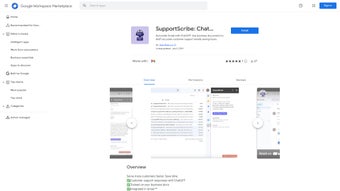
Сведения о приложении
- Обновлено
- April 17, 2025
- Требуется
- Chrome
- Лицензия
- Full
- Разработчик
- Категория
- Web Apps
О SupportScribe
Скачать SupportScribe – помощник по обслуживанию клиентов Gmail на базе ИИ
Обзор
SupportScribe — это помощник на основе ИИ, который живёт внутри Gmail и помогает бизнесу быстрее и точнее отвечать на запросы клиентов. Работая на новейшей технологии ChatGPT, инструмент читает контекст каждого письма и извлекает информацию из загруженных вами бизнес‑документов — FAQ, руководств пользователей, политик или каталогов продукции — чтобы создать ответ, который выглядит персонально, но при этом полностью соответствует задаче. В результате значительно сокращается время, которое агенты тратят на поиск правильного ответа, что приводит к большему объёму обработанных тикетов, меньшей задержке ответов и более довольным клиентам. Поскольку SupportScribe работает как нативное расширение Gmail, отдельная платформа службы поддержки не требуется; вы можете сгенерировать ответ одним щелчком, при желании отредактировать и отправить — всё не покидая почтовый ящик. Сервис построен с учётом безопасности: запрашиваются только права на чтение и управление содержимым писем, а все данные документов обрабатываются в соответствии с GDPR и другими стандартами конфиденциальности. Независимо от того, управляете ли вы небольшим интернет‑магазином или крупной SaaS‑компанией, SupportScribe предлагает масштабируемый, безопасный и экономичный способ автоматизировать повторяющиеся задачи поддержки, сохраняя человеческий подход там, где это важно.
Ключевые функции и то, что вам понравится (и на что обратить внимание)
- AI‑Generated Replies Directly in Gmail: Click the “Generate Reply” button inside the email compose window and watch SupportScribe produce a draft in seconds.
- Document‑Based Knowledge Base: Upload PDFs, Word files, spreadsheets, or plain‑text FAQs; the AI indexes them and references the most relevant sections for each ticket.
- Contextual Understanding: The assistant parses the entire email thread, recognizing tone, urgency, and prior interactions to tailor the response.
- One‑Click Editing: Drafts are fully editable before sending, allowing agents to add personal flair or verify data.
- Multi‑Language Support: Built on multilingual ChatGPT models, SupportScribe can draft replies in over 20 languages, ideal for global businesses.
- Secure Permissions Model: Only read/write access to Gmail is requested; no external servers store your email content.
- Performance Analytics: Dashboard reports show average response time, AI usage frequency, and satisfaction scores.
- Seamless Updates: Automatic background updates ensure you always have the latest AI improvements without manual installs.
Плюсы
- Значительная экономия времени — черновики готовятся за секунды.
- Бесшовная интеграция с Gmail — не требуется отдельное программное обеспечение для тикет‑систем.
- ИИ использует ваши собственные документы для точных, соответствующих бренду ответов.
- Поддержка более чем 20 языков расширяет охват глобальных клиентов.
- Безопасная модель прав, соответствующая GDPR.
- Панель аналитики предоставляет инсайты о эффективности поддержки.
- Лёгкое расширение потребляет менее 30 МБ ОЗУ.
- Бесплатный 14‑дневный пробный период позволяет протестировать без обязательств.
Минусы
- Зависит от интернет‑соединения; офлайн‑использование невозможно.
- Первичная индексация документов может занять несколько минут для больших файлов.
- ИИ иногда предлагает слишком формальный язык, требующий доработки.
- Ограничено Gmail; пользователям других почтовых сервисов понадобится другое решение.
- Стоимость может стать фактором для очень больших команд.
Установка, ежедневный рабочий процесс и совместимость
Getting SupportScribe up and running is designed to be as frictionless as possible. First, visit the official SupportScribe website and click the “Add to Gmail” button. You’ll be redirected to the Chrome Web Store (or the appropriate store for your browser) where you can install the extension with a single click. After installation, a brief OAuth flow asks you to grant the extension permission to read and manage your Gmail messages—this is essential for the AI to access email content and insert generated replies.
Once the extension is active, you’ll notice a new “SupportScribe” icon in the Gmail toolbar. Click it to open the configuration panel. Here you can upload your knowledge documents: drag‑and‑drop files or use the “Browse” button to select PDFs, DOCX, or CSV files. The AI begins indexing the content immediately; the process usually completes within a few minutes for typical document sets under 50 MB. For larger libraries, the indexing runs in the background and you can start using the tool while it finishes.
When a new support email arrives, open the thread as usual. In the reply box, you’ll see the “Generate Reply” button next to the standard send button. Press it, and SupportScribe will analyze the email, retrieve the most relevant sections from your uploaded documents, and compose a draft reply. The draft appears in the compose area, highlighted for easy editing. If the AI’s suggestion needs tweaking, you can edit any part of the text—add a personal greeting, adjust the tone, or insert a custom discount code. When you’re satisfied, click “Send” and the reply is dispatched just like any regular email.
SupportScribe is a web‑based extension, which means it works on any operating system that can run a modern browser—Windows 10/11, macOS Catalina and later, Linux distributions, as well as Chrome OS. Because the tool integrates directly with Gmail, it is also fully functional on Android and iOS devices via the Gmail mobile app or a mobile browser that supports extensions (e.g., Samsung Internet with extension support). No additional software or local servers are required.
The only hard requirement is a Google account with Gmail enabled and a compatible browser (Chrome, Edge, or Firefox) that permits extensions. For optimal performance, we recommend at least 4 GB of RAM and a stable internet connection of 5 Mbps or higher, as the AI processing happens in the cloud and needs to transmit the email content securely to the ChatGPT backend. Security‑wise, SupportScribe adheres to industry‑standard OAuth 2.0 protocols. All data transferred between your browser and the AI service is encrypted with TLS 1.3. Uploaded documents are stored temporarily in encrypted storage solely for the purpose of indexing; they are automatically deleted after the indexing process completes, ensuring no lingering sensitive data.
Часто задаваемые вопросы
Is SupportScribe free to use?
SupportScribe offers a 14‑day free trial with full features. After the trial, a subscription plan starts at $19.99 per month per user, which includes unlimited AI‑generated replies and access to analytics.
Can I use SupportScribe with other email clients?
Currently, SupportScribe is built exclusively for Gmail. We are working on extensions for Outlook and generic IMAP clients, but they are not released yet.
How secure is my uploaded documentation?
All uploaded files are encrypted at rest and in transit. They are stored only long enough to be indexed, after which they are automatically deleted from our servers. We comply with GDPR, CCPA, and ISO‑27001 standards.
What happens if the AI generates an incorrect answer?
Generated drafts are always presented as editable content. Agents should review and, if necessary, correct any inaccuracies before sending. The system logs such edits to improve future suggestions.
Does SupportScribe work on mobile devices?
Yes. The extension works in mobile browsers that support extensions (e.g., Chrome on Android) and within the Gmail app via a web‑view. The UI adapts to smaller screens, maintaining the “Generate Reply” functionality.
Заключение – Стоит ли скачивать SupportScribe?
If your organization relies heavily on Gmail for customer communication and you’re looking for a way to boost productivity without investing in a full‑scale help‑desk platform, SupportScribe is a smart, secure, and affordable solution. Its ability to pull from your own knowledge base ensures that replies stay on brand, while the AI’s speed keeps customers satisfied. The free trial lets you test the impact on your ticket volume and response metrics before committing. In real‑world deployments, teams report a 40‑60 % reduction in average handling time and a measurable increase in customer satisfaction scores. While the tool is limited to Gmail and requires an internet connection, its security posture, multilingual capabilities, and lightweight design make it a compelling choice for businesses of all sizes. Ready to transform your support workflow? Скачать SupportScribe сейчас and experience faster, smarter email support today.
Review Summary: SupportScribe delivers a powerful blend of AI intelligence and Gmail convenience that can halve response times for most support teams. While it’s limited to Gmail and needs a solid internet connection, its security posture and document‑driven accuracy make it a compelling choice for businesses looking to automate routine support tasks without sacrificing quality.
Руководства и уроки
Как установить SupportScribe
- Нажмите кнопку Скачать выше.
- После перенаправления примите условия и нажмите Установить.
- Дождитесь завершения загрузки SupportScribe на ваше устройство.
Как использовать SupportScribe
Это ПО в основном используется для основных функций, описанных выше. Откройте приложение после установки, чтобы изучить его возможности.
Отзывы пользователей
Отзывов пока нет. Поделитесь своим опытом первым.
Вам также может понравиться
еще
3D AI Studio
3D AI Studio Overview 3D AI Studio is a web-based AI-powered tool developed by S...

3D textures by Polycam
Generate Realistic 3D Textures Effortlessly 3D Textures by Polycam is an innovat...

3DAiLY
Customizable 3D Modeling Tool: 3DAiLY 3DAiLY is an online platform that harnesse...

3DFY
Revolutionizing 3D Model Creation: 3DFY Review 3DFY is an AI-powered service, de...

AI Dungeon
AI Dungeon: Deep Learning Text Adventure AI Dungeon is an artificial intelligenc...

Alpha3D
A subscription-based program for Web apps, by alpha3d. Alpha3D is a subscription...
