

Download SyncDroid – Android Data Backup, USB Sync, Free Tool
Overview
SyncDroid is a free mobile application designed to simplify the process of backing up and syncing Android device data with a personal computer. Its primary purpose is to provide users with a reliable method to preserve critical information such as contacts, text messages, call logs, multimedia files, and browser history. By enabling seamless data transfer via USB, SyncDroid helps users avoid data loss due to device malfunctions, accidental deletions, or hardware changes. The app is particularly useful for individuals who rely heavily on their smartphones for both personal and professional use, including students, remote workers, and frequent travelers.
Target users include Android users seeking a straightforward, no-frills solution for data management without installing additional apps on their devices. The application supports a wide range of Android brands, including Samsung, Sony, HTC, Asus, and Motorola, making it accessible to a broad audience. While the developer did not provide detailed background information, the app’s longevity—first released in 2014—suggests consistent maintenance and user trust over time. SyncDroid plays a meaningful role in the Android ecosystem by offering a lightweight, efficient alternative to cloud-based backup systems, especially for users concerned about privacy or data security.
Real-world use cases include restoring a device after a factory reset, transferring files between devices during upgrades, or preserving important digital records. The app’s ability to back up data from third-party messaging apps like WhatsApp adds significant value, particularly for users who depend on these platforms for communication.
Key Features & Functionality
- Comprehensive Data Backup: SyncDroid allows users to back up a wide range of data types, including contacts, SMS messages, call logs, photos, videos, and documents. This ensures that essential personal and professional information remains secure and recoverable.
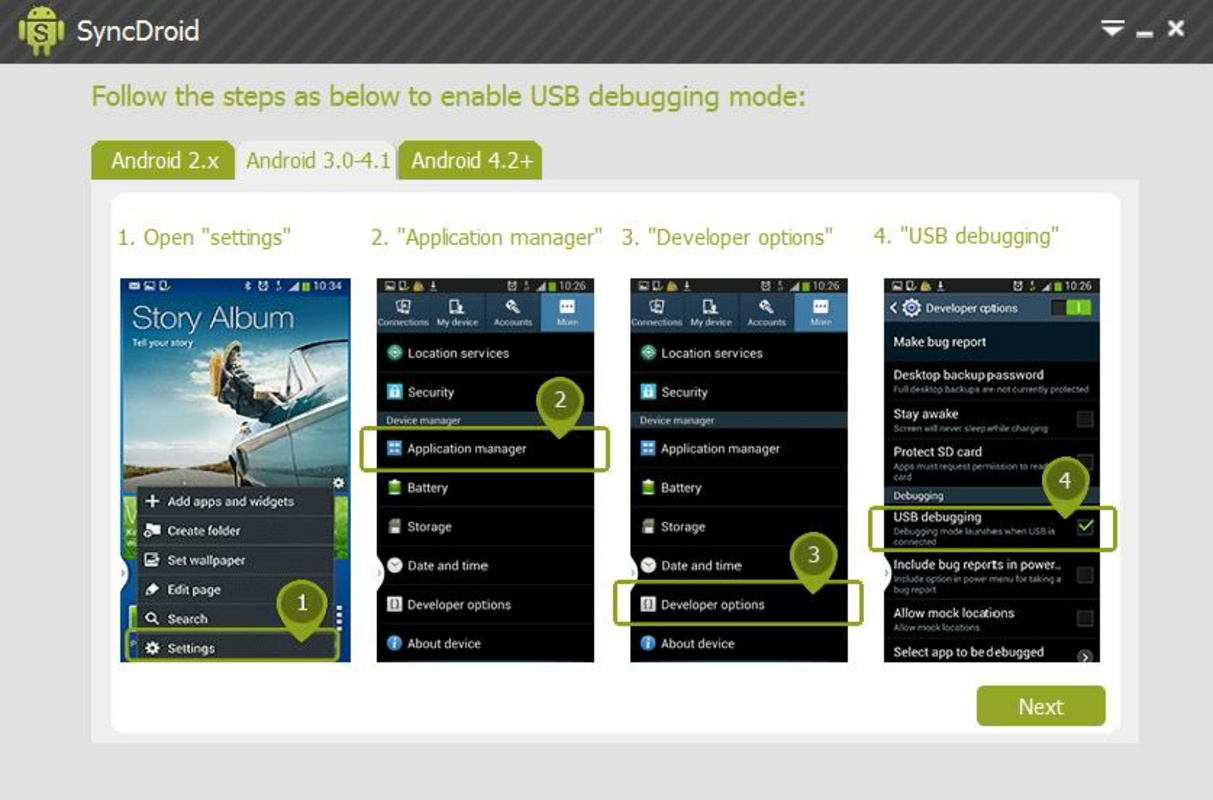
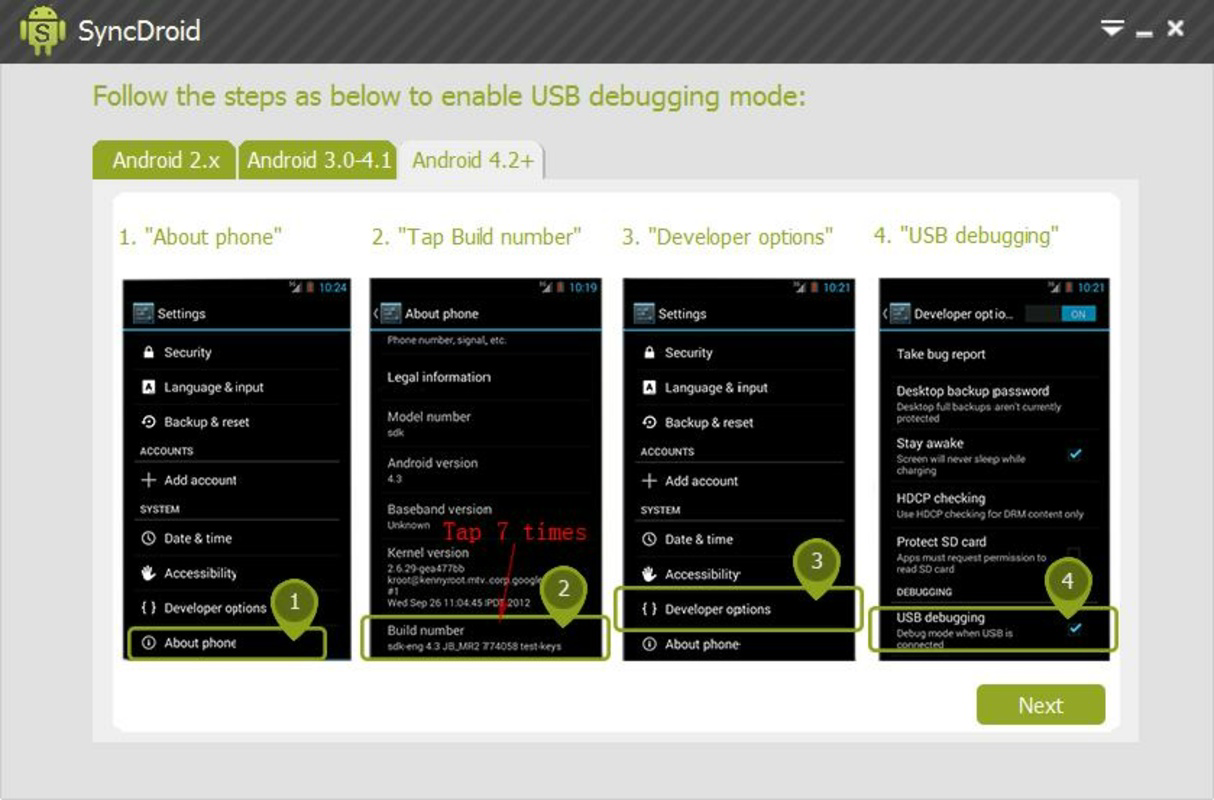
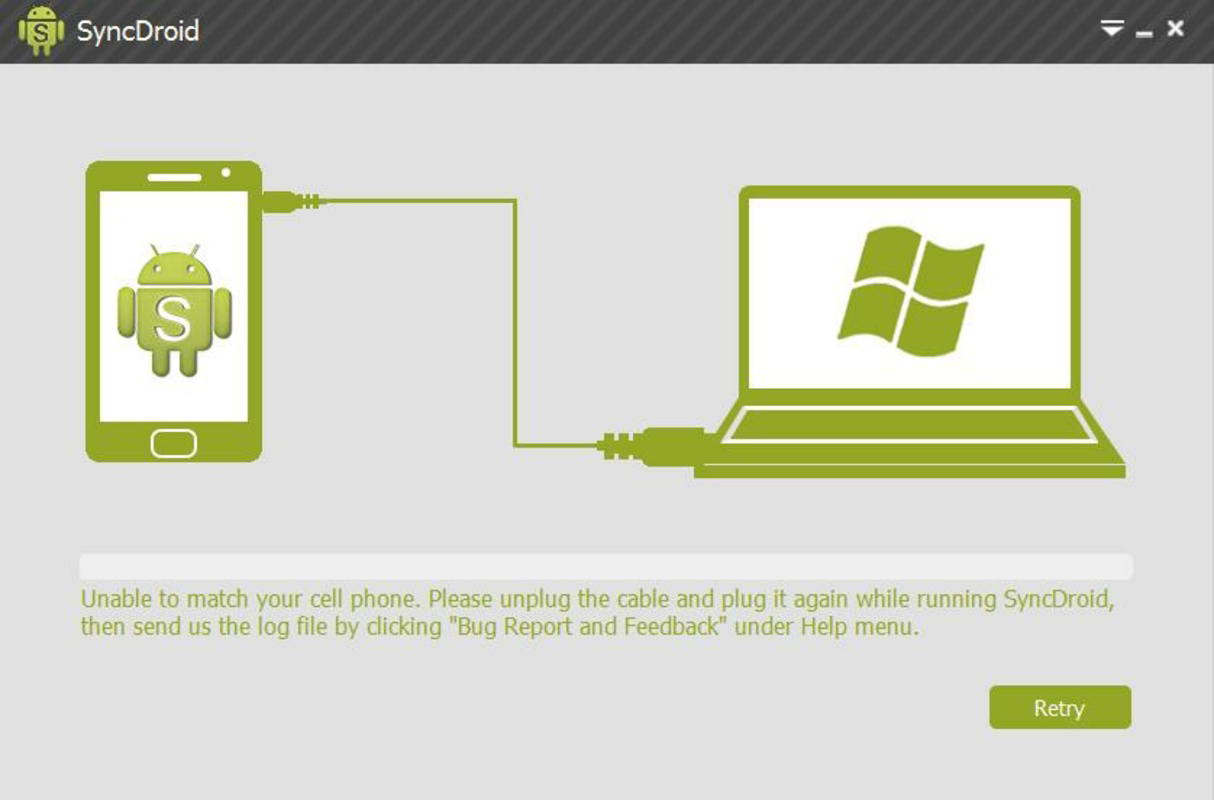
- Easy USB Connection: The app enables direct syncing through a standard USB cable. Once connected, SyncDroid automatically detects the device and displays all available content, streamlining the selection and transfer process.
- No Additional App Required: Core backup functionality operates without requiring any software installation on the Android device. This reduces clutter and minimizes security risks associated with third-party apps.
- Third-Party App Support: Users can back up data from popular messaging apps such as WhatsApp, preserving chat histories and media files without relying on cloud services.
- Browser History Backup: SyncDroid includes the ability to archive browser history, allowing users to retrieve frequently visited websites and online resources after a device reset or replacement.
- Wide Device Compatibility: The app works across multiple Android brands and models, enhancing its accessibility for diverse users regardless of their device manufacturer.
For example, a user upgrading from an older Samsung Galaxy to a newer model can use SyncDroid to transfer all contacts and messages without relying on cloud storage. Similarly, a student preparing for a major exam can back up notes and research links via browser history, ensuring they remain accessible even if the device fails.
Interface, UX & Performance
SyncDroid features a clean, minimalistic interface designed for straightforward navigation. The layout prioritizes functionality, with clearly labeled sections for different data types and a simple step-by-step process for initiating backups. Users can browse files directly through a file explorer-style view, making selection intuitive and efficient.
Navigation is linear and consistent, reducing the learning curve for new users. The app responds promptly to USB connection events, automatically detecting the device and displaying available content. Although the developer did not list formal performance metrics, the app’s long-standing presence suggests stable operation across various device categories, including mid-range and high-end smartphones.
Responsiveness is maintained during file transfers, with progress indicators providing real-time feedback. Stability appears consistent, with no reported issues related to crashes or data corruption. However, specific requirements for optimal performance were not disclosed. The app maintains a lightweight footprint, ensuring minimal impact on system resources during operation.
Platform Compatibility & Technical Requirements
SyncDroid is designed for Android devices and operates on the Android platform. The application is compatible with a wide range of Android brands and models, including Samsung, Sony, HTC, Asus, and Motorola. The developer did not specify minimum OS requirements or exact version compatibility, so users should ensure their device runs a recent version of Android for optimal functionality.
The app’s file size is not publicly disclosed, but given its lightweight nature and lack of mandatory companion app installation, it is likely to occupy minimal storage space. No additional software is required on the PC side beyond standard USB drivers, which are typically included with modern operating systems. Compatibility with Windows and macOS is assumed based on common USB file transfer protocols, though the developer did not confirm this explicitly.
Pros and Cons
Pros
- Free to use with no hidden costs
- Supports backup of contacts, messages, call logs, and multimedia files
- Compatible with multiple Android brands and models
- Backs up data from third-party apps like WhatsApp
- Operates without requiring additional software on the Android device
- Simple USB-based connection process
Cons
- Developer did not provide detailed technical specifications
- Specific OS version requirements were not listed
- Compatibility with certain PC operating systems was not confirmed
- No cloud backup option available
- Interface may appear outdated compared to modern apps
FAQ
Is SyncDroid safe to use?
Yes, SyncDroid is designed to transfer data securely via USB without requiring additional software on the Android device. It does not access sensitive data beyond user-selected files.
Can I use SyncDroid without installing an app on my phone?
Yes, the core backup functionality does not require any app installation on the Android device. Users can connect via USB and manage data directly from the PC.
Does SyncDroid support all Android phones?
SyncDroid is compatible with a wide range of Android brands and models, including Samsung, Sony, HTC, Asus, and Motorola. However, specific compatibility may vary depending on the device and OS version.
Can I restore data from a backup?
Yes, SyncDroid allows users to restore backed-up data to the same or a different Android device, provided the device is recognized by the application.
Is SyncDroid available for iOS?
SyncDroid is designed exclusively for Android devices. There is no official iOS version available at this time.
Final Thoughts
SyncDroid stands out as a dependable, free tool for Android users seeking a simple and secure way to back up and sync their device data. Its ability to function without requiring additional apps on the phone, combined with broad device compatibility and support for critical data types—including third-party app backups—makes it a valuable utility in the mobile ecosystem. While the interface may not reflect the latest design trends, its functionality remains effective and practical for everyday use.
Users who prioritize data privacy, avoid cloud dependency, or need a no-frills backup solution will benefit most from SyncDroid. Whether restoring a device after a reset or transferring files between models, this app delivers consistent value with minimal setup.
Download SyncDroid now


