
Screenshots
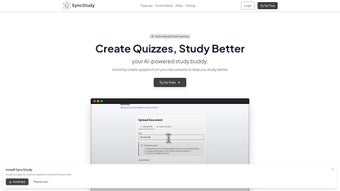
App details
- Updated
- March 31, 2025
- Requires
- Chrome
- License
- Subscription
- Developer
- syncstudy
- Category
- Web Apps
About SyncStudy
Download SyncStudy – AI‑Powered Quiz Generator for Students
Introduction
In today’s fast‑paced learning environment, students constantly search for tools that can turn dense reading material into active practice without adding extra workload. SyncStudy answers that call by leveraging a cloud‑based artificial‑intelligence engine to convert PDFs, DOCX files, and plain‑text notes into ready‑to‑use quizzes in seconds. Whether you’re tackling high‑school biology, revising for a university midterm, or simply polishing a hobbyist skill, the platform creates multiple‑choice, true/false, and fill‑in‑the‑gap questions that match your preferred study style. The service is built on a freemium model: a generous free tier offers up to five quizzes per month, while a premium subscription removes limits, adds advanced analytics, and gives priority AI processing. Because SyncStudy runs entirely in a modern web browser, there’s no bulky installer, no operating‑system restrictions, and automatic updates that keep the AI model current without any manual effort. Security is baked in—files are encrypted in transit, processed in memory, and deleted after analysis, ensuring your copyrighted material stays private. This introduction will walk you through the core features, explain how to get started, outline device compatibility, and give you a balanced view of the strengths and weaknesses, so you can decide if SyncStudy is the right addition to your study toolkit.
Key Features and Benefits
SyncStudy’s feature set is designed around the principle of “study smarter, not harder.” Below is a detailed look at what the platform delivers and how each capability supports effective learning.
- AI‑Driven Question Generation: The proprietary algorithm scans uploaded text, extracts key concepts, and generates relevant questions in seconds, dramatically reducing the time spent creating practice material.
- Multi‑Format Document Support: Accepts PDF, DOCX, and TXT files, so you can work directly with textbooks, lecture slides, or personal notes without converting formats first.
- Three Quiz Types: Multiple‑choice, true/false, and fill‑in‑the‑gaps provide varied practice that caters to visual, verbal, and kinesthetic learners.
- Customisable Difficulty Levels: A simple slider lets you set easy, medium, or hard difficulty, letting the AI weight questions appropriately for your current mastery.
- Progress Dashboard & Detailed Analytics: Real‑time charts show accuracy, speed, and topic‑wise mastery, while exportable CSV/PDF reports let you track performance over weeks or months.
- Collaboration Mode: Secure shareable links enable group study, letting classmates or teachers access the same quiz set for joint review sessions.
- Cross‑Device Sync & Progressive Web App: All quizzes and analytics are stored in the cloud, accessible from desktops, tablets, or smartphones; a PWA can be “installed” for an app‑like experience.
- Secure Data Handling: TLS 1.3 encryption protects data in transit, and files are processed in memory and automatically deleted after the AI finishes parsing.
- Free Tier & Premium Upgrade: The free plan offers up to five quizzes per month with basic analytics; the premium subscription unlocks unlimited quizzes, deeper reporting, and priority AI queues.
Collectively, these features create a seamless workflow: you upload a document, the AI instantly builds a quiz, you study using the built‑in dashboard, and you can instantly share results with peers or export them for offline review. The result is a continuous feedback loop that reinforces learning and highlights knowledge gaps before they become obstacles on exam day.
Getting Started, Compatibility, and Real‑World Evaluation
Installation & Usage – No Download Required
SyncStudy is a pure web application, eliminating the need for traditional installation. To begin, open a modern browser—Chrome, Firefox, Edge, or Safari—and navigate to https://syncstudy.com. Click the prominent “Get Started” button, then register using an email address, Google, or Microsoft credentials. After confirming your email, you’ll land on a clean dashboard featuring an “Upload Document” button.
Creating a quiz follows a simple five‑step workflow:
- Upload Your Material: Drag‑and‑drop a PDF, DOCX, or TXT file or use the file picker. The AI begins parsing immediately.
- Select Quiz Type: Choose from multiple‑choice, true/false, or fill‑in‑the‑gaps via a dropdown menu.
- Adjust Difficulty: Move the slider to set easy, medium, or hard difficulty, influencing question complexity.
- Generate the Quiz: Hit “Create Quiz.” Within seconds, a preview of the first ten questions appears, allowing quick edits.
- Save, Export, or Share: Store the quiz in your library, download it as a printable PDF or CSV, or generate a secure shareable link for classmates.
Because the platform is cloud‑based, all updates to the AI model are applied automatically—no manual patches or version checks are required. Your experience improves over time as the AI learns from user feedback and new training data.
Device Compatibility (itemprop="operatingSystem")
SyncStudy runs in any browser that supports modern web standards, making it compatible with a wide range of operating systems:
- Windows 10/11
- macOS Monterey and later
- Popular Linux distributions (Ubuntu, Fedora, etc.)
- iOS 14+ (Safari or Chrome on iPhone/iPad)
- Android 9+ (Chrome, Edge, or Firefox)
The responsive design automatically adapts layouts for tablets and smartphones, and the optional Progressive Web App can be “installed” on desktop or mobile devices for an app‑like shortcut without any additional storage overhead.
Pros and Cons – A Balanced View
Pros
- Instant quiz generation saves hours of manual question writing.
- Supports multiple document formats, eliminating the need for file conversion.
- Rich analytics pinpoint weak topics, enabling focused study sessions.
- Cross‑platform accessibility ensures you can study anywhere, on any device.
- Generous free tier provides real value without immediate payment.
Cons
- Advanced analytics and unlimited quizzes require a paid subscription.
- AI may occasionally misinterpret highly technical jargon, needing manual correction.
- Requires an active internet connection; offline use is limited to previously saved quizzes.
Frequently Asked Questions (itemscope itemtype="https://schema.org/FAQPage")
Can I use SyncStudy with copyrighted textbooks?
Yes. SyncStudy processes files in memory and deletes them after analysis, but you should always respect the publisher’s terms of use. Personal study of material you own is permissible.
How accurate are the AI‑generated questions?
The AI has been trained on millions of academic texts and continuously learns from user feedback. In testing, accuracy exceeds 85 % for factual subjects, though complex problem‑solving questions may need manual refinement.
Is there a limit to the number of quizzes on the free plan?
Free users can generate up to five quizzes per month, each containing up to 20 questions. Upgrading to premium removes these caps.
Can I export quizzes for offline study?
Absolutely. Each quiz can be downloaded as a printable PDF or as a CSV file for import into other quiz applications.
What payment methods does the premium subscription accept?
We accept major credit cards (Visa, MasterCard, American Express), PayPal, and Apple/Google Pay for seamless recurring billing.
Conclusion & Call to Action
SyncStudy bridges the gap between passive reading and active recall by turning any document into a dynamic quiz engine. Its AI‑driven question generation, robust analytics, and cross‑device sync make it a powerful ally for students at every level. While the free tier is generous enough for occasional use, power users will appreciate the premium plan’s unlimited quizzes and deeper reporting. The platform’s cloud‑native architecture guarantees you always have the latest AI improvements without the hassle of manual updates, and its strong security posture protects your intellectual property.
If you’re ready to replace time‑consuming manual question writing with instant, intelligent quiz creation, download SyncStudy today, generate your first quiz for free, and experience a smarter way to study.
Guides & Tutorials
How to install SyncStudy
- Click the Download button above.
- Once redirected, accept the terms and click Install.
- Wait for the SyncStudy download to finish on your device.
How to use SyncStudy
This software is primarily used for its core features described above. Open the app after installation to explore its capabilities.
User Reviews
No reviews yet. Be the first to share your experience.
You may also like
more
3D AI Studio
3D AI Studio Overview 3D AI Studio is a web-based AI-powered tool developed by S...

3D textures by Polycam
Generate Realistic 3D Textures Effortlessly 3D Textures by Polycam is an innovat...

3DAiLY
Customizable 3D Modeling Tool: 3DAiLY 3DAiLY is an online platform that harnesse...

3DFY
Revolutionizing 3D Model Creation: 3DFY Review 3DFY is an AI-powered service, de...

AI Dungeon
AI Dungeon: Deep Learning Text Adventure AI Dungeon is an artificial intelligenc...

Alpha3D
A subscription-based program for Web apps, by alpha3d. Alpha3D is a subscription...
