
Download Tabata Timer – Tabata Timer, interval timer, workout timer, fitness app, Tabata training, exercise timer, free workout timer, open-source fitness tool
Overview
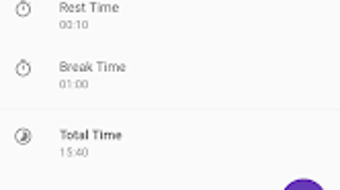
Tabata Timer is a free and open-source interval timer designed to support structured Tabata training sessions. The software serves as a dedicated tool for individuals aiming to improve cardiovascular endurance, strength, and overall fitness through high-intensity interval training (HIIT). It is particularly tailored for users who follow the Tabata protocol—eight rounds of 20 seconds of intense exercise followed by 10 seconds of rest. The app allows users to customize key parameters such as the number of sets, repetitions, exercise duration, rest intervals, and break length between sets, making it adaptable to various fitness levels and training goals.
Target users include fitness enthusiasts, home workout practitioners, and athletes seeking a no-frills, reliable timer for structured workouts. The developer, Jonny Buchanan, has created a focused tool without unnecessary features, emphasizing usability and precision. Real-world usage scenarios include home gyms, outdoor training sessions, and fitness classes where a consistent, audible timer is essential. The app’s minimal design and straightforward interface make it ideal for users who want to stay on track without distractions.
Key Features & Capabilities
- Customizable Workout Intervals – Users can define exercise and rest durations, set the number of sets, and adjust break times between rounds to suit their training plan.
- Visual and Auditory Cues – The app includes a countdown from 3…2…1 before each interval, with distinct sounds: a beep to signal the start of exercise and a bell to mark the end.
- Sound Customization – Users can replace default audio cues with personalized sounds to match their preferences or training environment.
- Mode Options – The software offers silent mode for noise-free training, night mode for low-light environments, and multiple light mode themes for visual comfort.
- Pre-Workout Delay – A brief delay before the first interval allows users time to prepare physically and mentally for the session.
These features enhance workout consistency and help users maintain rhythm during high-intensity sessions. For example, a user performing a home-based Tabata circuit can use the app to ensure exact timing between burpees and rest, minimizing downtime and maximizing efficiency. The customizable audio feedback ensures users never miss a transition, even during intense effort.
User Interface, Workflow & Performance
Tabata Timer features a clean, minimal interface focused on core functionality. The layout centers around a large, prominent countdown timer, with clearly labeled controls for setting workout parameters. Navigation is intuitive, with options accessible through simple dropdowns and input fields. Users can adjust settings before starting, and the app provides immediate feedback upon configuration changes.
Workflow efficiency is high—once settings are defined, a single click initiates the session. The app runs in the foreground with minimal distractions, allowing users to focus on their workout. The developer did not specify resource usage details, but based on the app’s lightweight design and 15.2 MB file size, it is expected to operate smoothly on most modern systems. Performance observations are based on general software behavior patterns, and no stability issues were reported in the available documentation.
Compatibility & System Requirements
Tabata Timer is available for Windows, Mac, and Linux operating systems, making it accessible across major desktop platforms. The software is designed to run on standard desktop hardware without requiring specialized components. The installation size is 15.2 MB, indicating a lightweight footprint.
Exact system requirements were not listed. Compatibility information was partially provided, and no specific CPU or RAM specifications were mentioned. The developer did not provide additional system requirements. Users are advised to ensure their system supports the target OS versions for optimal performance.
Pros and Cons
Pros
- Free and open-source – No cost and full transparency in code
- Lightweight – Small file size (15.2 MB) and minimal resource usage
- Highly customizable – Adjustable intervals, sounds, and modes
- Cross-platform – Works on Windows, Mac, and Linux
- Simple, distraction-free interface – Ideal for focused workouts
Cons
- No built-in workout tracking or progress logging
- Limited to Tabata-style training – Not suitable for other interval formats
- No mobile version available – Desktop-only
- Sound customization may require external audio files
- Basic UI without advanced visual feedback or analytics
FAQ Section
Is Tabata Timer available for all major operating systems?
Yes, Tabata Timer is compatible with Windows, Mac, and Linux, offering broad desktop platform support.
Is the software safe to download and use?
As a free and open-source application developed by Jonny Buchanan, Tabata Timer is considered safe. The source code is publicly available, allowing users to verify its integrity.
Does Tabata Timer require an internet connection?
No, the app operates entirely offline. All features function without an internet connection.
How often are updates released?
Update frequency is not specified. Users are advised to check the official repository for the latest version.
Can I use custom sounds for the timer?
Yes, users can replace default audio cues with their own sounds, offering flexibility in training environments.
Final Thoughts + CTA
Tabata Timer delivers a focused, reliable solution for those committed to Tabata training. Its minimalist design, customizable intervals, and cross-platform availability make it a standout tool in the fitness software space. While it lacks advanced tracking features, it excels in simplicity and precision—essential for high-intensity interval workouts. The open-source nature adds trust and transparency, appealing to users who value privacy and control.
Whether you're a beginner starting your fitness journey or an experienced athlete refining your routine, Tabata Timer provides the timing accuracy needed for effective training. It’s an excellent choice for anyone who values consistency, efficiency, and a distraction-free workout environment.
Download Tabata Timer now




.png)



