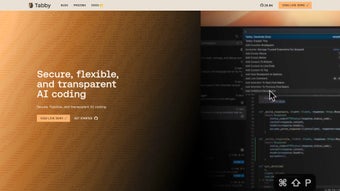

Download Tabby – Open‑Source AI Coding Assistant, Secure Self‑Hosted Tool
Overview
Tabby is an open‑source AI coding assistant built from the ground up to run on your own hardware. Unlike cloud‑based alternatives that ship your code snippets to remote servers, Tabby keeps every keystroke inside a self‑hosted environment, giving developers full control over privacy, compliance, and performance. Powered by Rust, the core engine delivers near‑instant code completions while consuming minimal system resources, making it a perfect fit for both heavyweight workstations and modest laptops. The configuration model relies on a straightforward TOML file, allowing you to fine‑tune model parameters, inference settings, and UI preferences without digging through obscure JSON blobs or proprietary dashboards. Tabby’s open‑source nature means the entire codebase is auditable on GitHub, so security teams can verify that no hidden telemetry or backdoors exist. Comprehensive documentation, step‑by‑step tutorials, and an interactive playground provide a gentle learning curve for newcomers, while the vibrant Slack community offers real‑time support, plugin ideas, and shared best practices. In short, Tabby combines speed, safety, and extensibility into a single package that empowers developers to code faster without sacrificing control. Whether you are building a small personal project or managing a large enterprise codebase, Tabby’s privacy‑first approach ensures that your intellectual property never leaves the premises, while its modular architecture lets you adapt the tool to evolving development workflows.
Key Features
Tabby packs a rich set of capabilities that address the most common pain points of AI‑assisted development. Below you will find a curated list of the most impactful features, each designed to enhance productivity while preserving security and flexibility. These capabilities are not just buzzwords; they are backed by real‑world usage and community contributions that keep Tabby up‑to‑date with the latest advances in large‑language‑model technology.
- Self‑Hosted Deployment: Run Tabby on‑premises, in Docker, or as a native binary, eliminating any dependence on external APIs.
- Rust‑Powered Engine: Leverages Rust’s memory safety and concurrency model for ultra‑low latency completions.
- Simple TOML Configuration: Adjust model size, temperature, token limits, and UI themes via a human‑readable file.
- Multiple Model Support: Compatible with OpenAI‑compatible models, LLaMA, Mistral, and community‑curated checkpoints.
- Cross‑Editor Integration: Plugins available for VS Code, Neovim, JetBrains IDEs, Emacs, and Sublime Text.
- Secure Auditable Codebase: Fully open source on GitHub, enabling security reviews and custom patches.
- Extensive Documentation & Playground: Interactive examples, API reference, and step‑by‑step setup guides.
- Active Community Slack: Real‑time discussion, feature requests, and troubleshooting assistance.
- Low Resource Footprint: Runs comfortably on 2 CPU cores and 4 GB RAM, ideal for development laptops.
- Customizable UI Themes: Light, dark, and high‑contrast themes to match your editor preferences.
Installation & Usage Guide
Getting Tabby up and running is intentionally straightforward. First, choose your preferred deployment method. For Docker users, pull the official image with docker pull ghcr.io/tabbyml/tabby:latest and start a container using the command:
docker run -d -p 8080:8080 \
  -v $(pwd)/tabby-config.toml:/app/config.toml \
  ghcr.io/tabbyml/tabby:latest
If you prefer a native binary, download the latest release for your OS from the GitHub releases page, unzip the archive, and move the executable to a directory in your $PATH. On Windows, you can place tabby.exe in C:\Program Files\Tabby and add it to the system PATH via the Environment Variables dialog.
Next, create a tabby-config.toml file in a convenient location. A minimal configuration might look like this:
[model]
path = "/models/llama-7b.gguf"
temperature = 0.7
max_tokens = 128

[ui]
theme = "dark"
show_inline_completions = true
Launch Tabby with tabby --config /path/to/tabby-config.toml. The service will start an HTTP endpoint (default http://localhost:8080) that your editor plugins can communicate with. Install the appropriate editor extension (e.g., the VS Code “Tabby AI” extension), point it to the local endpoint, and you’re ready to type. As you code, Tabby streams suggestions in real time, allowing you to accept, reject, or edit completions with familiar keyboard shortcuts.
For advanced users, Tabby supports hot‑reloading of the configuration file—simply edit tabby-config.toml and send a SIGHUP signal to the running process to apply changes without a full restart. This makes it easy to experiment with different model parameters on the fly. The official documentation also provides step‑by‑step tutorials for setting up TLS termination, multi‑user authentication, and integration with CI pipelines for automated code review assistance. Whether you are a solo developer or part of a large team, the installation process scales from a single‑command Docker run to a fully orchestrated Kubernetes deployment.
Compatibility & System Requirements
Tabby is designed to be platform‑agnostic. Official binaries are provided for Windows 10 / 11 (x64), macOS 11+ (Intel and Apple Silicon), and major Linux distributions such as Ubuntu 20.04+, Fedora 34+, and Arch Linux. Docker images work on any OS that supports Docker Engine, including Windows Subsystem for Linux 2 (WSL2). The Rust core can also be compiled from source for niche environments, ensuring that even legacy hardware can benefit from AI‑assisted coding. Minimum system requirements are modest: a 64‑bit CPU with at least two cores, 4 GB of RAM, and 1 GB of free disk space for model files. For larger models (e.g., 13 B or 30 B parameters), a GPU with CUDA support or an Apple M‑series GPU can dramatically improve inference speed, but Tabby will still operate on CPU‑only systems—albeit with higher latency. Network connectivity is only required for the initial model download; subsequent usage is completely offline, reinforcing Tabby’s security promise. In addition, Tabby integrates with popular package managers such as Homebrew on macOS and apt on Ubuntu, making updates as simple as a single command. The flexibility to run on everything from a developer’s laptop to a cloud‑based VM ensures that teams can adopt Tabby without overhauling existing infrastructure.
Pros and Cons
Below is a balanced look at the strengths and the current limitations of Tabby. Understanding both sides helps you decide whether Tabby aligns with your project’s needs and your organization’s security policies.
Pros
- Fully self‑hosted, eliminating third‑party data exposure.
- Fast Rust engine delivers low‑latency completions.
- Simple TOML configuration encourages rapid customization.
- Supports a wide range of LLMs, from lightweight 7 B models to larger enterprise‑grade checkpoints.
- Cross‑editor plugins ensure seamless integration into existing workflows.
- Zero licensing cost – truly free and open source.
- Active community on Slack provides real‑time assistance.
- Low resource footprint suitable for laptops and CI runners.
- Transparent codebase enables security audits.
- Extensible via custom middleware and webhook hooks.
Cons
- Initial setup can be intimidating for non‑technical users.
- Large model files may require significant storage (several GB).
- GPU acceleration is optional; CPU‑only inference can feel slower with big models.
- Feature parity with commercial AI assistants (e.g., chat, refactoring) is still evolving.
- Documentation, while thorough, assumes familiarity with command‑line tools.
Frequently Asked Questions
Is Tabby completely free to use?
Yes. Tabby is released under the MIT license, which means you can download, modify, and distribute it without any licensing fees.
Can I run Tabby on a Windows machine without Docker?
Absolutely. Pre‑compiled Windows binaries are provided on the GitHub releases page. After extracting the archive, you can launch the executable directly and point your editor plugin to http://localhost:8080.
What models are compatible with Tabby?
Tabby supports any OpenAI‑compatible checkpoint, including LLaMA, Mistral, and GGUF‑formatted models. The documentation lists the exact file formats and provides conversion scripts for popular model families.
How does Tabby ensure my code stays private?
Because Tabby runs locally, all code never leaves your machine. The open‑source repository on GitHub allows you or your security team to audit the entire codebase for hidden telemetry or vulnerabilities.
Is there a paid “premium” version of Tabby?
No. All features are available in the free community edition. The project is community‑driven, and contributions are welcomed via pull requests or donations to the project’s open‑source fund.
Conclusion & Call to Action
Tabby proves that high‑quality AI‑assisted coding doesn’t have to come with a hefty price tag or obscure data‑sharing agreements. By delivering a lightning‑fast, Rust‑based engine that you can host on any machine, Tabby gives developers the freedom to boost productivity while keeping code secure and compliant. Whether you’re a solo freelancer who wants to keep client code private, a startup needing an auditable tool, or an enterprise IT team looking for a self‑hosted alternative to cloud‑only assistants, Tabby’s modular configuration and broad editor support make it a compelling choice. Don’t let concerns about privacy or cost hold you back—download Tabby today, spin up a container or binary in minutes, and experience the next level of coding efficiency. Join the thriving Slack community, contribute a plugin, or simply enjoy faster completions on your next project. Your code, your rules—let Tabby help you write it better.
Tabby delivers a surprisingly smooth AI coding experience while keeping all data on‑premise. The Rust engine is fast, the TOML config is intuitive, and the community support on Slack is excellent. A perfect fit for privacy‑focused developers.



.png)




