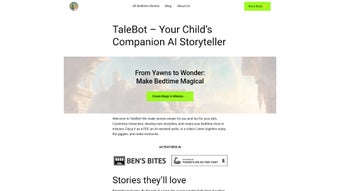

Download TaleBot – AI‑Powered Bedtime Story Creator for Kids
Overview of TaleBot – AI‑Powered Bedtime Story Creator
TaleBot is an innovative, web‑based application that leverages artificial intelligence to help parents, teachers, and caregivers craft one‑of‑a‑kind bedtime stories in just a few clicks. In a world where screen time often dominates the evening routine, TaleBot offers a refreshing alternative: a tool that transforms a child’s favorite characters, interests, and moral lessons into a personalized narrative that can be read aloud, printed as a PDF, or listened to as an AI‑narrated audio file. The platform’s core promise is simplicity combined with depth—users can input a child’s name, select a setting (from enchanted forests to futuristic space stations), choose a moral theme (such as kindness, perseverance, or curiosity), and let the AI spin a tale that feels handcrafted. Because every child is unique, TaleBot’s customization engine ensures that the story resonates on an emotional level, fostering a stronger connection between the listener and the content. Beyond the story itself, TaleBot is built with privacy in mind. The service only stores non‑identifiable data needed for customization, and it never shares personal information with third parties. Future updates are already on the roadmap, promising features like selectable AI voice personas and even video storytelling, which will turn a simple bedtime ritual into an immersive multimedia experience. Whether you are a parent looking to enrich your child’s nightly routine, a teacher preparing a creative assignment, or a grandparent wanting to send a personalized story across the miles, TaleBot provides a secure, user‑friendly, and delightfully creative solution.
Key Features and What Sets TaleBot Apart
- Full Customization Engine: Input child’s name, favorite animals, preferred adventure type, and desired moral lesson.
- AI‑Generated Text: State‑of‑the‑art language model creates fluent, age‑appropriate prose in seconds.
- PDF Export: Instantly download a printable PDF version, perfect for bedtime reading or gifting.
- Audio Narration: Built‑in AI voice reads the story aloud, allowing hands‑free listening.
- Privacy‑First Design: Only non‑identifiable data is stored; no personal identifiers are collected.
- Cross‑Platform Access: Fully web‑based, works on Windows, macOS, Android, and iOS browsers.
- Future‑Ready Roadmap: Upcoming AI voice selection, video storytelling, and multi‑language support.
- One‑Click Sharing: Generate a shareable link so family members can enjoy the story on any device.
Why These Features Matter for Parents and Educators
The real power of TaleBot lies in how each feature addresses a common pain point in children’s bedtime routines. Customization eliminates the “one‑size‑fits‑all” feel of generic storybooks, allowing the narrative to mirror a child’s own world. This personal relevance has been shown to improve comprehension and retention of moral lessons, making bedtime not just entertaining but also educational. The AI‑generated text ensures high linguistic quality without requiring the user to be a professional writer, saving precious time for busy parents. Meanwhile, the PDF export serves as a tangible keepsake that can be added to a child’s personal library, encouraging a habit of reading physical books alongside digital media.
Audio narration is a game‑changer for families that prefer a hands‑free approach or have children with visual impairments. The AI voice is clear, expressive, and can be paused or replayed as needed, mimicking the soothing cadence of a parent’s storytelling. Privacy concerns are increasingly critical in today’s digital landscape; TaleBot’s commitment to storing only non‑identifiable data reassures users that their child’s personal details remain safe. Finally, the cross‑platform nature of the web app means that you can generate a story on a desktop at home, then finish reading it on a tablet while traveling—no installations or updates required.
Installation, Compatibility, and How to Use TaleBot Effectively
Since TaleBot is a cloud‑based web application, there is no traditional “installation” process. Users simply navigate to the official TaleBot website using any modern browser (Chrome, Firefox, Safari, Edge) and create a free account. The onboarding wizard guides you through a short sign‑up using an email address or social login. After confirming your email, you are taken directly to the story creation dashboard.
Step‑by‑Step Guide
- Log In: Enter your credentials or use the “Continue with Google/Apple” option.
- Select a Template: Choose from pre‑set adventure categories (e.g., “Space Quest,” “Forest Magic,” “Ocean Voyage”).
- Enter Custom Details: Fill out fields for child’s name, preferred characters, favorite colors, and the moral you want to emphasize.
- Generate Story: Click “Create My Story.” The AI processes the inputs and produces a 500‑800 word narrative within seconds.
- Review & Edit: Use the built‑in editor to tweak sentences or add personal touches. Changes are saved automatically.
- Export Options: Choose “Download PDF” for a printable copy or “Generate Audio” for an MP3 file.
- Share: Click “Copy Link” to send the story to relatives or classmates.
Compatibility Details
TaleBot is built on responsive web technologies and therefore works seamlessly on:- Windows 10/11 (any modern browser)
- macOS Catalina or later
- Android 8.0+ (Chrome or Firefox)
- iOS 13+ (Safari or Chrome)
Tips for Getting the Most Out of TaleBot
To maximize the storytelling experience, consider these best practices: use vivid, specific details when filling out the customization fields (e.g., “a brave rabbit named Luna who loves stargazing”), as the AI thrives on concrete prompts. Pair the PDF export with a bedtime ritual—read the printed story together, then play the audio version as a “goodnight lullaby.” If you have multiple children, create a library of stories indexed by name, making it easy to retrieve a favorite tale whenever the mood strikes. Finally, keep an eye on the upcoming “voice selection” feature, which will let you choose between soothing narrator styles, further personalizing the auditory experience.
Pros, Cons, and Frequently Asked Questions
Pros
- Highly personalized stories that engage children on a personal level.
- Fast AI generation—stories ready in seconds.
- PDF and audio export options for flexible consumption.
- Privacy‑first architecture, storing only non‑identifiable data.
- Cross‑platform accessibility—no downloads or installations required.
- Free tier available with generous usage limits.
Cons
- Advanced voice‑selection and video storytelling are still in development.
- Limited to English language generation in the current version.
- Internet connection required for story generation and audio rendering.
FAQ – Frequently Asked Questions
Is TaleBot free to use?
TaleBot offers a robust free tier that allows unlimited story generation per month with basic AI voice narration. A premium subscription unlocks high‑resolution audio, priority processing, and future features such as custom voice selection.
Can I generate stories in languages other than English?
Currently, TaleBot supports English only. Multilingual support is on the roadmap and is expected in a future update, allowing parents to create stories in Spanish, French, Mandarin, and more.
How does TaleBot protect my child’s privacy?
TaleBot stores only the non‑identifiable details needed for story customization (e.g., name, favorite animal). No personal identifiers such as email addresses are linked to the generated content, and all data is encrypted in transit and at rest.
Do I need a fast internet connection to use TaleBot?
A stable broadband or 4G/5G connection is recommended for quick story generation and audio rendering. The web app itself is lightweight, so slower connections will still work, albeit with slightly longer processing times.
Can I share the generated stories with friends or family?
Yes. After creating a story, you can generate a shareable link, download a PDF, or export an MP3 audio file. These files can be sent via email, messaging apps, or printed for a physical keepsake.
Our review finds TaleBot to be an exceptionally creative tool for families seeking personalized bedtime content. The ease of use, combined with high‑quality AI‑generated prose, earns it a strong rating. While language expansion and advanced voice options are still pending, the current feature set already delivers significant value for both free and premium users.
Conclusion – Why You Should Download TaleBot Today
In an age where screen time dominates evenings, TaleBot offers a refreshing, secure, and highly customizable alternative that turns bedtime into an interactive storytelling adventure. By harnessing AI, the platform delivers unique narratives that reflect each child’s interests and values, fostering imagination, moral development, and a love for reading. The seamless PDF and audio export options make it easy to integrate TaleBot into any family routine, whether you prefer reading together, listening to a soothing narrated story, or preserving a cherished tale as a physical keepsake. With its privacy‑first design, cross‑platform accessibility, and a roadmap that promises even richer multimedia experiences, TaleBot stands out as a must‑have tool for modern parents, educators, and caregivers.
Ready to make bedtime magical? Download TaleBot now for free, create your first personalized story in seconds, and watch your child’s eyes light up with wonder. The future of bedtime storytelling is here—don’t miss out on the opportunity to give your child a nightly adventure that’s truly their own.



.png)




