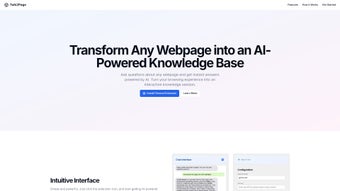

Download Talk2Page – AI‑Powered Webpage Summarizer & Knowledge‑Base Builder
Overview
Talk2Page is a cloud‑based web application that turns any publicly accessible webpage into a concise, AI‑driven knowledge base. By simply pasting a URL, the platform scans the page, extracts the most relevant paragraphs, and produces a clear summary that captures the core ideas, facts, and actionable insights. This capability makes Talk2Page an indispensable tool for researchers, students, journalists, and busy professionals who regularly face information overload. The AI engine behind Talk2Page understands diverse content formats—blog posts, academic articles, product pages, and even forum discussions—ensuring that the generated knowledge base is accurate and context‑aware. The service is offered as a full‑version, secure, and regularly updated solution that respects user privacy while delivering fast, reliable results. Whether you need to build a personal study guide, compile market research, or create a quick reference for a client presentation, Talk2Page streamlines the entire workflow from raw web data to a ready‑to‑use knowledge repository.
Key Features & Benefits
- One‑Click URL Input: Paste any web address and let the AI do the heavy lifting.
- Smart Summarization: Generates concise abstracts that preserve the original meaning.
- Multi‑Format Support: Works with articles, PDFs embedded in pages, product listings, and forum threads.
- Knowledge‑Base Export: Export summaries to Markdown, PDF, or plain text for offline use.
- Customizable Length: Choose short bullet‑point summaries or detailed paragraph‑style outputs.
- Secure Cloud Processing: All data is encrypted in transit and never stored permanently.
- Collaboration Tools: Share generated knowledge bases via unique links or integrate with team workspaces.
- Continuous Learning: The AI model receives regular updates to improve accuracy and stay current with web trends.
These features combine to create a powerful, user‑friendly experience that eliminates the manual note‑taking and copy‑paste routine traditionally required for web research. By automating extraction and summarization, Talk2Page helps you focus on analysis and decision‑making rather than data gathering. The export options also mean you can incorporate the knowledge base directly into presentations, reports, or learning management systems without additional formatting work. Overall, Talk2Page saves time, reduces cognitive overload, and improves the quality of information you retain from the internet.
Installation, Usage Instructions & Compatibility
Getting Started – No Download Required
Talk2Page is delivered as a web‑application, which means there is nothing to install on your local machine. Simply navigate to the official Talk2Page website, create a free account, and you are ready to start converting webpages. The onboarding wizard guides you through the first URL submission, letting you choose summary length and export format. Because it runs entirely in the browser, the tool is compatible with any modern operating system that supports a recent version of Chrome, Edge, Firefox, or Safari.
Step‑by‑Step Workflow
- Log in to your Talk2Page dashboard.
- Click the “New Summarization” button.
- Paste the target webpage URL into the input field.
- Select your preferred summary style (bullet points, paragraph, or hybrid).
- Press “Generate”. The AI processes the page within seconds.
- Review the generated knowledge base; edit manually if needed.
- Export to your desired format or share via a secure link.
Operating System Support
- Windows 10/11 (any recent browser)
- macOS Monterey and later
- Linux distributions with Chromium‑based browsers
- Android 8.0+ (mobile browser)
- iOS 13+ (Safari or Chrome)
Because Talk2Page relies on cloud processing, performance is consistent across devices. The only requirement is a stable internet connection. For power users, an API key is available, enabling integration with custom scripts, LMS platforms, or corporate knowledge‑management solutions. This flexibility makes Talk2Page a scalable choice for both individual learners and enterprise teams.
Pros and Cons
What Users Love About Talk2Page
- Instant, high‑quality summaries without manual effort.
- Broad compatibility across browsers and operating systems.
- Secure, privacy‑first handling of web content.
- Export options that fit most workflow needs.
- Free tier available for occasional users.
Areas for Improvement
- Limited offline capability – requires internet access.
- Advanced customization (e.g., weighting specific sections) is not yet supported.
- Pricing for premium features can be higher than some competitors.
- Occasional formatting quirks with heavily script‑laden pages.
- No native mobile app; mobile use depends on browser performance.
Frequently Asked Questions
Is Talk2Page free to use?
Talk2Page offers a free tier that allows up to 10 summarizations per month. For unlimited access, advanced export formats, and API usage, a paid subscription is required.
How secure is my data when I submit a URL?
All communications are encrypted via HTTPS, and the service does not retain the original webpage content after the summary is generated. Summaries can be stored temporarily for your session but are deleted after 24 hours unless you explicitly save them.
Can Talk2Page handle pay‑walled or login‑protected pages?
The free version works only with publicly accessible URLs. Premium plans include a browser‑extension that can capture content from authenticated sessions, allowing you to summarize internal documents or subscription sites.
What export formats are available?
Talk2Page supports plain text, Markdown, PDF, and JSON. The API also returns raw JSON objects for developers who wish to integrate the output into custom applications.
Is there an API for developers?
Yes. Paid subscribers receive an API key that grants programmatic access to the summarization engine. Documentation includes endpoints for batch processing, language selection, and custom summary length.
Talk2Page stands out for its ease of use and the quality of its AI‑generated summaries. While it lacks a native mobile app, the responsive web interface works well on tablets and smartphones. The free tier is generous enough for occasional students, and the premium plan justifies its cost for professionals who need high‑volume processing and API integration. Overall, the platform delivers on its promise to transform webpages into actionable knowledge bases.
Conclusion & Call to Action
In a digital landscape flooded with articles, reports, and endless scrolls, Talk2Page offers a practical, AI‑driven shortcut to knowledge acquisition. Its intuitive web interface, robust summarization engine, and flexible export options make it a must‑have tool for anyone who regularly turns web content into study material, client briefs, or research dossiers. While a few limitations—such as the need for an internet connection and the absence of a dedicated mobile app—remain, the overall value proposition is strong, especially for power users who can leverage the API for custom workflows.
Ready to turn chaotic web pages into clean, searchable knowledge bases? Create your free account today and experience the speed and accuracy of Talk2Page’s AI summarizer. Upgrade to the premium plan whenever you need unlimited summarizations, advanced export formats, or API access, and keep your research pipeline flowing without interruption.



.png)




