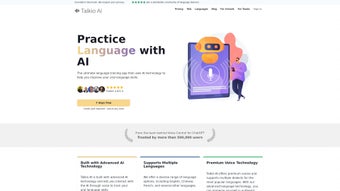

Download Talkio – AI‑Powered Language Training Software, Free Trial, Secure
Overview
In an increasingly interconnected world, speaking a foreign language fluently is no longer a nice‑to‑have skill; it’s a career‑builder and a passport to cultural immersion. Talkio AI answers that demand by delivering a web‑based language‑training platform that blends advanced artificial‑intelligence with a conversational, voice‑first design. Powered by more than 400 uniquely styled AI Tutors built on the latest ChatGPT models, Talkio supports 134 languages and dialects, ranging from globally dominant tongues such as English, Mandarin, and Spanish to regional variants like Brazilian Portuguese and Taiwanese Mandarin. The core of Talkio’s value proposition lies in its real‑time voice interaction: learners speak into their microphone, receive instantaneous pronunciation feedback, and see side‑by‑side translations that keep the conversation flowing naturally. Beyond the spoken exchange, the platform generates a detailed proficiency dashboard after each session, highlighting fluency, accuracy, and vocabulary usage while offering actionable improvement tips. New users can test the entire ecosystem risk‑free with a 7‑day free trial; after the trial, subscription plans start at $9 USD per month and rise to $49 USD for premium access, each backed by a money‑back guarantee. Whether you’re a university student prepping for an exchange program, a sales professional negotiating with overseas clients, or a traveler seeking confidence before a flight, Talkio promises a secure, continuously updated environment that nurtures oral proficiency across a broad linguistic spectrum.
Key Features
- 400+ AI Tutors: Each tutor carries a distinct personality and teaching style, allowing learners to match tone, formality, and cultural nuance to personal preferences.
- 134 Languages & Dialects: Comprehensive coverage includes major world languages and regional variants, ensuring relevance for both global and local communication.
- Real‑Time Voice Conversations: Powered by WebRTC, the platform captures speech, processes it instantly, and replies with natural, context‑aware dialogue.
- Precision Pronunciation Feedback: Phonetic analysis highlights mispronounced phonemes, provides visual waveforms, and offers step‑by‑step correction guidance.
- Dynamic Proficiency Dashboard: After each session users receive scores on fluency, accuracy, and vocabulary, plus personalized study recommendations.
- 500+ Conversation Topics: Curated themes span business negotiations, travel scenarios, everyday chit‑chat, and cultural deep‑dives to keep practice fresh.
- Side‑by‑Side Real‑Time Translation: Learners can view instant translations without breaking conversational flow, fostering quicker comprehension.
- Gamified Progress Tracking & Badges: Milestones, streaks, and achievement badges motivate daily practice and celebrate skill growth.
- Secure Cloud Sync & GDPR Compliance: All audio streams and session data are encrypted, stored securely, and accessible from any device.
- Progressive Web App (PWA) Support: Add Talkio to your desktop or mobile home screen for an app‑like experience with offline caching of lesson assets.
- Flexible Subscription Model: Monthly, quarterly, and annual plans with a 7‑day free trial and a 30‑day money‑back guarantee.
- Enterprise API & SSO Integration: Supports Azure AD, Google Workspace, and Okta for seamless rollout in schools and corporations.
Installation & Compatibility
Talkio is built as a true web application, eliminating the need for bulky installers. To get started, simply visit talkio.ai, create an account, and begin speaking. For users who prefer a desktop‑like experience, the platform offers Progressive Web App (PWA) functionality: click “Add to Home Screen” in Chrome, Edge, or Safari, and the service behaves like a native app while caching previously loaded lessons for limited offline use.
Supported Operating Systems (itemprop="operatingSystem"): Talkio runs flawlessly on any modern browser across Windows 10/11, macOS Monterey or later, major Linux distributions, as well as mobile operating systems Android 8.0+ and iOS 13+. Because the service relies on WebRTC for voice capture and WebGL for visual feedback, performance remains smooth even on modest devices, though a stable broadband connection of at least 5 Mbps is recommended for low latency.
Step‑by‑Step Setup:
- Navigate to the official website and click “Start Free Trial.”
- Enter your email address, create a strong password, and confirm your account via the verification link.
- Grant microphone access when prompted – this permission is essential for real‑time voice interaction.
- Select your target language and choose an AI tutor from the dropdown menu.
- Pick a conversation topic or let the AI suggest one based on your current proficiency level.
- Press “Start Conversation,” speak naturally, and watch the AI respond instantly.
- After the session, review the feedback panel, note improvement suggestions, and save the session to your learning history.
- For enterprise deployments, request an API key from the admin console and configure SSO via Azure AD, Google Workspace, or Okta.
Because Talkio is cloud‑centric, updates and new tutor personalities roll out automatically, ensuring you always have the latest AI capabilities without manual patching. The platform also respects privacy regulations: data is encrypted in transit and at rest, and GDPR‑compliant data‑deletion requests are processed within 48 hours.
Pros, Cons, FAQ & Conclusion
Pros
- Extensive language catalog with regional dialects, making it suitable for both global and niche learners.
- Real‑time voice feedback accelerates speaking confidence far beyond text‑only apps.
- AI tutors adapt tone, difficulty, and cultural context based on individual performance.
- No heavy installations; works on any browser and offers optional PWA for an app‑like feel.
- End‑to‑end encryption, GDPR compliance, and regular third‑party security audits keep data safe.
- Flexible pricing, generous 7‑day free trial, and a 30‑day money‑back guarantee reduce purchasing risk.
- Enterprise‑ready API and SSO streamline large‑scale deployments in schools and corporations.
Cons
- Requires a stable internet connection; full voice interaction is unavailable offline.
- Pronunciation analysis is highly accurate for major languages but may be less refined for very rare dialects.
- Subscription cost is higher than basic vocabulary flash‑card apps, though justified by AI depth.
- Mobile UI, while functional, lacks some desktop‑only features such as multi‑window dashboards.
- Initial learning curve for users unfamiliar with voice‑first interfaces.
Frequently Asked Questions
How does Talkio generate pronunciation feedback?
Talkio combines speech‑to‑text (STT) with phonetic comparison algorithms. Your spoken input is transcribed, each phoneme is matched against native‑speaker models, and mismatches are highlighted with colored waveforms and text cues, allowing you to see exactly which sounds need correction.
Can I use Talkio without an internet connection?
Talkio is primarily cloud‑based; real‑time AI processing requires an active connection. The PWA can cache lesson assets for offline review of vocabulary or transcripts, but live voice interaction and feedback need internet access.
Is my personal data protected?
Yes. Talkio adheres to GDPR, encrypts all audio streams and stored data with AES‑256, salts and hashes passwords, and undergoes quarterly third‑party security audits to ensure ongoing protection.
What payment methods are accepted?
Talkio accepts major credit cards (Visa, MasterCard, American Express), PayPal, Apple Pay, and Google Pay. Enterprise customers can arrange invoicing or bulk licensing through the sales team.
Can I switch or add languages after I’ve subscribed?
Absolutely. You can add new languages or change existing ones at any time from your dashboard without incurring extra fees. Progress data is stored per language, so you can monitor each skill set independently.
Conclusion – Take the Leap and Speak Like a Native
Talkio AI delivers a compelling blend of cutting‑edge artificial intelligence, extensive linguistic coverage, and a user‑centric, voice‑first design that few language tools can match. Its real‑time pronunciation coaching and instant translation keep learners engaged and accelerate oral fluency far beyond what traditional text‑based apps offer. While a reliable internet connection is essential and the premium tier is priced higher than basic flash‑card programs, the depth of AI interaction, secure cloud sync, and flexible enterprise options provide strong value for serious learners, educators, and businesses alike. Start your 7‑day free trial today, explore multiple languages, and experience the confidence boost that comes with speaking fluently in real conversations.
Start Free Trial – Download Talkio Now
Talkio stands out for its AI‑driven speaking practice and extensive language coverage. The pronunciation feedback is precise, the interface feels modern and secure, and the platform scales well from individual learners to enterprise deployments. Minor drawbacks include the need for constant internet and a slightly higher price point for premium plans, but overall it’s an excellent investment for serious language learners.



.png)




