
Download TaskPaper – Simple, Secure To‑Do List for Windows, Mac, iOS & Android
Overview
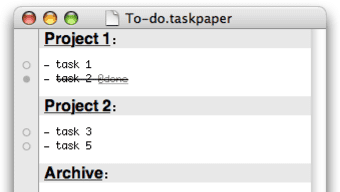
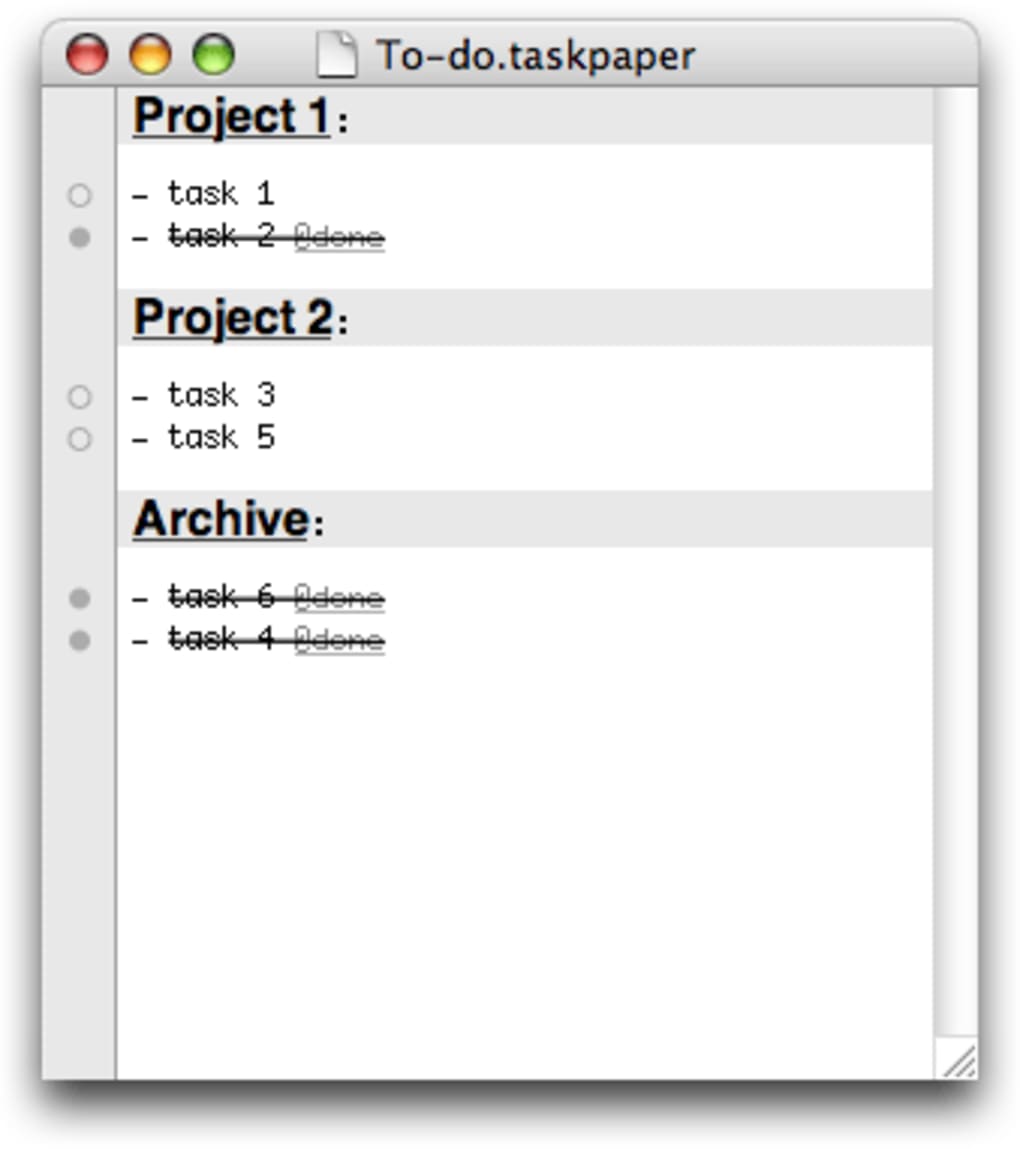
TaskPaper is a lightweight, text‑based to‑do list application designed for people who prefer a no‑frills, fast‑acting productivity tool. Unlike many heavyweight project‑management suites, TaskPaper keeps everything in plain text, letting you jot down ideas, tasks, and projects with a single keystroke. The app automatically formats entries based on simple punctuation: a line ending with a colon becomes a project, a line beginning with a hyphen is interpreted as a task, and any word prefixed by @ turns into a tag. This visual hierarchy makes it easy to scan large lists and locate specific items at a glance.
One of the strongest selling points is its cross‑platform flexibility. Because the data is stored in plain‑text .txt files, you can open, edit, or back up your lists with any text editor, email client, or cloud service. This eliminates vendor lock‑in and ensures your notes are always portable. TaskPaper also supports basic GTD (Getting Things Done) workflows, allowing you to capture “next actions,” assign contexts, and review completed items without the overhead of complex tagging systems.
The recent update introduces a customizable paper‑view background, a refined search‑result popup, and a few visual tweaks that enhance readability while preserving the app’s minimalist ethos. Whether you’re a freelancer juggling client deliverables, a student tracking assignments, or simply someone who enjoys a clean digital notebook, TaskPaper offers a secure, fast, and distraction‑free environment for managing daily work.
Key Features of TaskPaper
- Plain‑Text Storage: All notes are saved as simple
.txtfiles, ensuring compatibility with any editor and long‑term accessibility. - Automatic Formatting: Projects, tasks, and tags are recognized instantly based on punctuation, eliminating the need for manual styling.
- Tagging System: Use
@tags to add context, priority, or custom labels; tags can be filtered instantly. - Search Functionality: Fast, incremental search with a popup that lets you jump directly to the selected result in paper view.
- Customizable Appearance: New options for paper‑view background color and search‑result background let you personalize the workspace.
- Cross‑Platform Sync: Sync your plain‑text files via Dropbox, iCloud, or any cloud service for seamless access on Windows, macOS, iOS, and Android.
- Keyboard‑Centric Workflow: Full control through shortcuts; you can add, edit, and move items without ever touching the mouse.
- Export & Import: Export to Markdown, CSV, or keep the native text format; import existing notes with a simple drag‑and‑drop.
TaskPaper’s design philosophy revolves around speed and simplicity. By stripping away visual clutter, the app encourages users to focus on the content of their tasks rather than the interface. The built‑in search pane works in real time, highlighting matching terms as you type and offering a context‑aware popup that reveals the exact line in the main paper view. This makes it easy to locate a specific task among hundreds of entries without scrolling endlessly.
Another subtle but powerful feature is the ability to nest tasks under projects using indentation. This hierarchical structure mirrors natural thought patterns, allowing you to break down large initiatives into manageable steps. Because everything remains plain text, you can apply external scripts or automation tools (e.g., AppleScript, PowerShell) to batch‑process tasks, generate reports, or integrate with other productivity suites.
Installation, Usage & Compatibility
Getting Started on Different Platforms
TaskPaper is available for Windows, macOS, iOS, and Android. The installation process follows the standard conventions for each operating system:
- Windows: Download the
.exeinstaller from the official website, run it, and follow the on‑screen prompts. The installer places a shortcut on the desktop and registers the program with the Start menu. - macOS: Grab the
.dmgfile, open it, and drag the TaskPaper icon into the Applications folder. macOS Gatekeeper may ask you to confirm the download; simply approve it as a trusted source. - iOS: Search for “TaskPaper” in the App Store, tap “Get,” and the app installs automatically. iOS users benefit from iCloud sync, which is enabled by default.
- Android: Locate TaskPaper on Google Play, press “Install,” and the app will appear in your app drawer. Android devices can sync via Dropbox or Google Drive.
Once installed, launch the application and you’ll be greeted with a clean, white paper view. Start typing a project name followed by a colon (e.g., Marketing Campaign:), press Enter, then add tasks underneath using a hyphen (e.g., - Draft copy). To add a tag, type @urgent anywhere in the line. The app instantly colors tags and indents tasks, providing visual separation without any additional steps.
Operating System Details
TaskPaper supports the following operating systems:
- Windows 10 and later (64‑bit)
- macOS 10.13 High Sierra and later
- iOS 13 and later (iPhone & iPad)
- Android 8.0 Oreo and later
Because the core data format is plain text, you can open your TaskPaper files on virtually any device, even on Linux or older versions of macOS, using a basic text editor. This ensures long‑term accessibility and eliminates the risk of losing data due to discontinued operating‑system support.
Best Practices for Efficient Use
To make the most of TaskPaper, consider the following workflow tips:
- Use Consistent Tagging: Adopt a limited set of tags (
@today,@next,@waiting) to keep your list searchable. - Leverage Keyboard Shortcuts: Press Cmd/Ctrl + N to create a new project, Tab to indent a task, and Shift + Cmd/Ctrl + F to open the search pane.
- Sync Regularly: Store the
.txtfile in a cloud‑synced folder to ensure changes are reflected across all devices instantly. - Archive Completed Projects: Move finished projects to a separate “Archive” folder to keep the main paper view uncluttered.
Pros and Cons
What Users Love
- Ultra‑lightweight and fast; launches instantly even on older hardware.
- Plain‑text format guarantees future‑proof data storage.
- Minimal learning curve; most users become productive within minutes.
- Highly customizable appearance with new background color options.
- Robust cross‑platform sync via any cloud service.
Areas for Improvement
- Lacks advanced project‑management features such as Gantt charts or Kanban boards.
- No native reminders or calendar integration; relies on manual tagging.
- Search results popup is functional but could benefit from richer preview options.
- Collaboration features are limited; no real‑time multi‑user editing.
- Mobile apps have fewer customization settings compared to desktop versions.
Overall Rating: 4 out of 5 stars
TaskPaper delivers on its promise of a simple, secure to‑do list that works everywhere. The plain‑text approach is both its greatest strength and its primary limitation for power users. For anyone seeking a fast, distraction‑free way to capture tasks, it’s an excellent choice.
FAQ
Is TaskPaper really free?
TaskPaper offers a free basic version with core features. A paid “Pro” license unlocks premium themes, advanced search filters, and priority support for a one‑time fee.
Can I sync my tasks across devices?
Yes. Because all data is stored in a plain‑text file, you can place it in any cloud‑sync folder (Dropbox, iCloud, Google Drive). Each device will read the same file, keeping your lists up to date.
Does TaskPaper support keyboard shortcuts?
Absolutely. Shortcut keys for creating new projects, indenting tasks, toggling tags, and opening the search pane are built‑in and fully customizable in the preferences.
How secure is my data?
Since TaskPaper stores information as plain text, the security depends on how you protect the file. You can encrypt the sync folder with tools like VeraCrypt or enable device‑level encryption (BitLocker, FileVault) for added safety.
Can I import existing to‑do lists?
Yes. Any text file that follows the TaskPaper syntax (projects ending with a colon, hyphenated tasks, @tags) can be opened directly. You can also drag‑and‑drop CSV or Markdown files, which the app will convert automatically.
Conclusion – Should You Download TaskPaper?
If you value speed, simplicity, and the assurance that your notes will remain readable for decades, TaskPaper is an excellent choice. Its plain‑text foundation means you can edit your lists anywhere, from a full‑featured desktop IDE to a simple phone text editor. The recent UI tweaks—custom paper‑view backgrounds and an intuitive search‑result popup—enhance usability without sacrificing the app’s minimalist charm.
While power users may miss built‑in reminders or collaboration tools, the core functionality covers the majority of personal productivity needs. For freelancers, students, or anyone looking for a secure, cross‑platform to‑do list that won’t bog down system resources, downloading TaskPaper today will give you a reliable, future‑proof productivity companion.
Download TaskPaper now and start organizing your ideas with a tool that’s as simple as a plain‑text file, yet powerful enough to keep your life on track.








