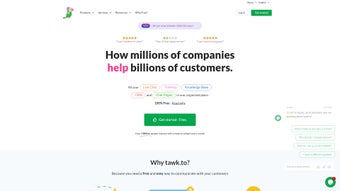

Download Tawk – Free Live Chat, CRM & AI Assist for Websites
Overview
Tawk is a comprehensive, free live‑chat suite designed to transform how businesses interact with website visitors. Built around a real‑time messaging engine, Tawk lets you monitor traffic, answer questions instantly, and nurture leads without the need for complex phone systems or costly support desks. What sets Tawk apart is its integrated Customer Relationship Management (CRM) module, which automatically captures visitor data, tags conversations, and stores interaction history for future follow‑up. The platform also includes a self‑service Help Center, enabling customers to find answers on their own, reducing support workload. A standout feature is AI Assist, an intuitive bot builder that lets you create, train, and deploy AI‑powered agents to handle routine queries, qualify leads, and even schedule appointments. Tawk’s team‑chat capability ensures internal collaboration stays fluid—agents can tag each other, share notes, and transfer chats without breaking the visitor experience. Whether you’re a solo entrepreneur, a growing e‑commerce store, or a large enterprise, Tawk’s zero‑cost model and quick‑setup wizard make it easy to embed a professional chat widget on any site and start engaging visitors within minutes. The platform’s focus on security, regular updates, and cross‑device compatibility means you can trust Tawk to deliver reliable, secure, and scalable communication for today’s fast‑paced digital landscape.
Key Features, Pros & Cons
- Live Chat Dashboard – Real‑time visitor monitoring, customizable widgets, and instant messaging.
- Integrated CRM – Automatic contact capture, tagging, and conversation history for seamless follow‑up.
- AI Assist Bot Builder – Drag‑and‑drop interface to create, train, and deploy AI chatbots without coding.
- Help Center & Knowledge Base – Self‑service portal that lets customers browse articles, tutorials, and FAQs.
- Team Chat & Collaboration – Internal messaging, agent tagging, and chat transfer to keep support fluid.
- Agent Marketplace – Hire vetted virtual assistants or freelance chat agents directly from the platform.
- Multi‑Channel Support – Combine website chat, Facebook Messenger, and WhatsApp in a single inbox.
- Security & GDPR Compliance – End‑to‑end encryption, data residency options, and privacy controls.
- Analytics & Reporting – Detailed metrics on response time, chat volume, conversion rates, and bot performance.
- Free Forever Plan – No hidden fees, unlimited agents, and unlimited chats for small to medium businesses.
Pros
- Zero‑cost entry makes it ideal for startups and SMEs.
- AI Assist reduces repetitive workload and improves response speed.
- Integrated CRM eliminates the need for separate contact‑management tools.
- Highly customizable widget fits any website design.
- Cross‑platform support (web, mobile, social) centralizes communication.
Cons
- Advanced automation rules are limited on the free tier.
- Some users report a learning curve with the AI bot trainer.
- Phone support is not available for free users.
- Customization of the Help Center UI can be restrictive.
- Exporting chat history requires manual CSV download.
Installation, Usage & Compatibility
Getting Tawk up and running is designed to be as frictionless as possible. After you create a free account on the Tawk website, you’ll be guided through a short wizard that asks for your domain, preferred widget style, and basic branding colors. Once completed, Tawk generates a small JavaScript snippet that you paste directly before the closing tag of your site’s HTML. For popular CMS platforms like WordPress, Shopify, and Wix, Tawk offers dedicated plugins that automatically insert the code and let you configure settings from the admin dashboard—no manual editing required.
After the widget is live, you can log into the Tawk dashboard from any modern browser. The interface is divided into three main panels: Live Chat (real‑time conversations), CRM (contact list and notes), and AI Assist (bot builder). To start a chat, simply click on a visitor’s name in the visitor list, type your response, or use pre‑written quick replies. If you enable the AI bot, you can train it by feeding sample questions and tagging the correct answers; the bot will then automatically handle similar queries and hand off to a human agent when confidence drops below a set threshold.
Tawk is built on a responsive web architecture, meaning the chat widget works seamlessly on desktop browsers, tablets, and mobile devices. The underlying JavaScript is compatible with all major browsers, including Chrome, Firefox, Safari, and Edge. Because the service is cloud‑based, there are no OS‑specific installations—your agents can access the dashboard from Windows, macOS, Linux, Android, or iOS devices using a standard web browser. For teams that prefer a native app experience, Tawk also provides dedicated mobile apps for Android and iOS, allowing agents to respond to chats on the go, receive push notifications, and manage the CRM from their smartphones. All data is stored securely on Tawk’s servers, with SSL encryption in transit and at rest, ensuring that both you and your customers enjoy a safe, reliable chat experience.
Supported operating systems: Web (all browsers), Windows 10+, macOS 10.13+, Linux (any modern distro), Android 6.0+, iOS 12+.
Frequently Asked Questions
Is Tawk really free for unlimited users?
Yes. Tawk’s core live‑chat, CRM, AI Assist, and team‑chat features are available on a free‑forever plan with no limits on the number of agents, chats, or website pages. Premium add‑ons such as advanced automation, custom branding, and priority support are offered as paid upgrades.
Can I integrate Tawk with my existing e‑commerce platform?
Absolutely. Tawk provides native plugins for Shopify, WooCommerce, Magento, and BigCommerce. If your platform isn’t listed, you can still embed the JavaScript widget manually or use Zapier to connect Tawk with hundreds of third‑party apps.
How secure is the data stored in Tawk’s CRM?
Tawk complies with GDPR and CCPA. All data is encrypted with TLS 1.3 during transmission and stored in encrypted databases. You can also configure data‑retention policies and request data deletions at any time.
Do I need any technical knowledge to set up the AI Assist bot?
No coding is required. The AI Assist interface uses a visual flow builder where you drag question nodes, define possible answers, and assign intents. Tawk also offers ready‑made bot templates for common use‑cases such as order tracking, FAQ handling, and appointment scheduling.
Can I export chat transcripts for analysis?
Yes. Tawk lets you export chat logs, CRM contacts, and bot interaction reports as CSV or JSON files. This can be automated via the API for regular data pulls into BI tools.
Conclusion & Call to Action
Tawk delivers a robust, free‑of‑charge live‑chat ecosystem that packs everything a modern website needs: real‑time visitor engagement, an integrated CRM, AI‑driven automation, and a self‑service Help Center. Its intuitive setup, cross‑device compatibility, and zero‑cost entry make it a compelling choice for startups, agencies, and larger enterprises alike. While the free tier already offers a generous feature set, businesses that require deeper automation or premium support can upgrade without disrupting their existing workflow. If you’re looking to boost conversion rates, improve customer satisfaction, and streamline support operations, Tawk is a powerful tool you can implement today—no credit card required.
Ready to see the impact for yourself? Download Tawk now, install the widget in under five minutes, and start chatting with real visitors. Join thousands of businesses that have already turned website traffic into meaningful conversations.



.png)




