









Custom AI Connections

Connect Any LLM to Any API
In Minutes

Stop using AI that can’t access your business data. TeamAI lets you create custom plugins that connect any LLM to any API, turning your AI from a chat tool into a business execution engine.

Start Building Your Plugins in TeamAI

Image

Trusted by 1,000+ Businesses for Next-Gen AI Integration

Every LLM. Every API. Fully Connected.

The Problem: Your AI Can’t Access What It Needs

Gray Circled X icon Pull live customer data from your CRM

Gray Circled X icon Update records in real-time

Gray Circled X icon Query your databases for instant insights

Gray Circled X icon Trigger workflows in Zapier, Make, or n8n

Gray Circled X icon Access internal APIs and proprietary systems

Gray Circled X icon Sync data across multiple platforms

Gray Circled X icon Automate complex processes with AI reasoning

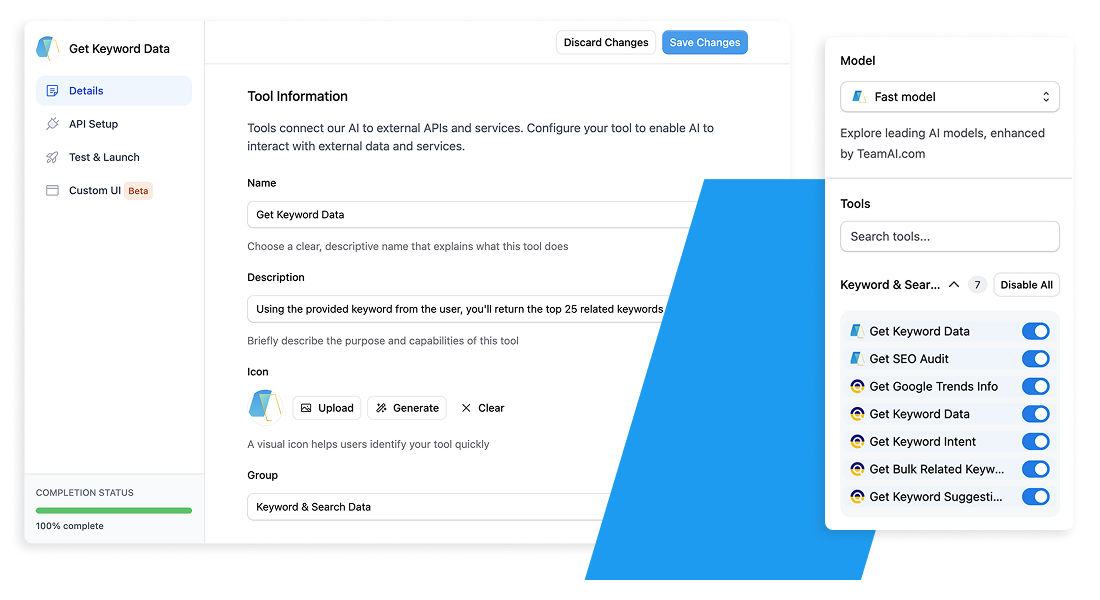
Custom Plugins with toggles

The Solution:
Custom AI Plugins Built in Minutes, Not Months
TeamAI’s custom plugin builder lets you connect any LLM (GPT-4, Claude, Gemini, Llama) to any API your business uses — without writing code.

What Your Custom Plugins Can Do:

Blue Circle Checkmark Pull live customer data from your CRM

Blue Circle Checkmark Update records in real-time

Blue Circle Checkmark Query your databases for instant insights

Blue Circle Checkmark Trigger workflows in Zapier, Make, or n8n

Blue Circle Checkmark Access internal APIs and proprietary systems

Blue Circle Checkmark Sync data across multiple platforms

Blue Circle Checkmark Automate complex processes with AI reasoning

Image


See it in Action

Customizable AI Interactions

Image

Customizable AI Interactions

Nutshell Superpowers it’s Marketing Team

“TeamAI is like a superpowered ChatGPT. It gave our team a way to work together using tools like GPT-4 and Claude 2.”

What Makes TeamAI Different

AI That Doesn’t Just Think — It Takes Action

Connect with Anything
Slack, HubSpot, Salesforce, QuickBooks, Zapier, databases, internal APIs — if it has an endpoint, TeamAI connects to it.

Choose Any LLM for Any Job
Use the best model per task: Claude, GPT-5, Gemini, Kimi K2, Qwen

Build powerful integrations using simple fields
TeamAI handles the complexity. You just describe what you want.

Unified Workspace for the Whole Company
Agents, workflows, integrations, data sources — all in one collaborative AI environment.

From Idea to Working Plugin
6 Simple Steps


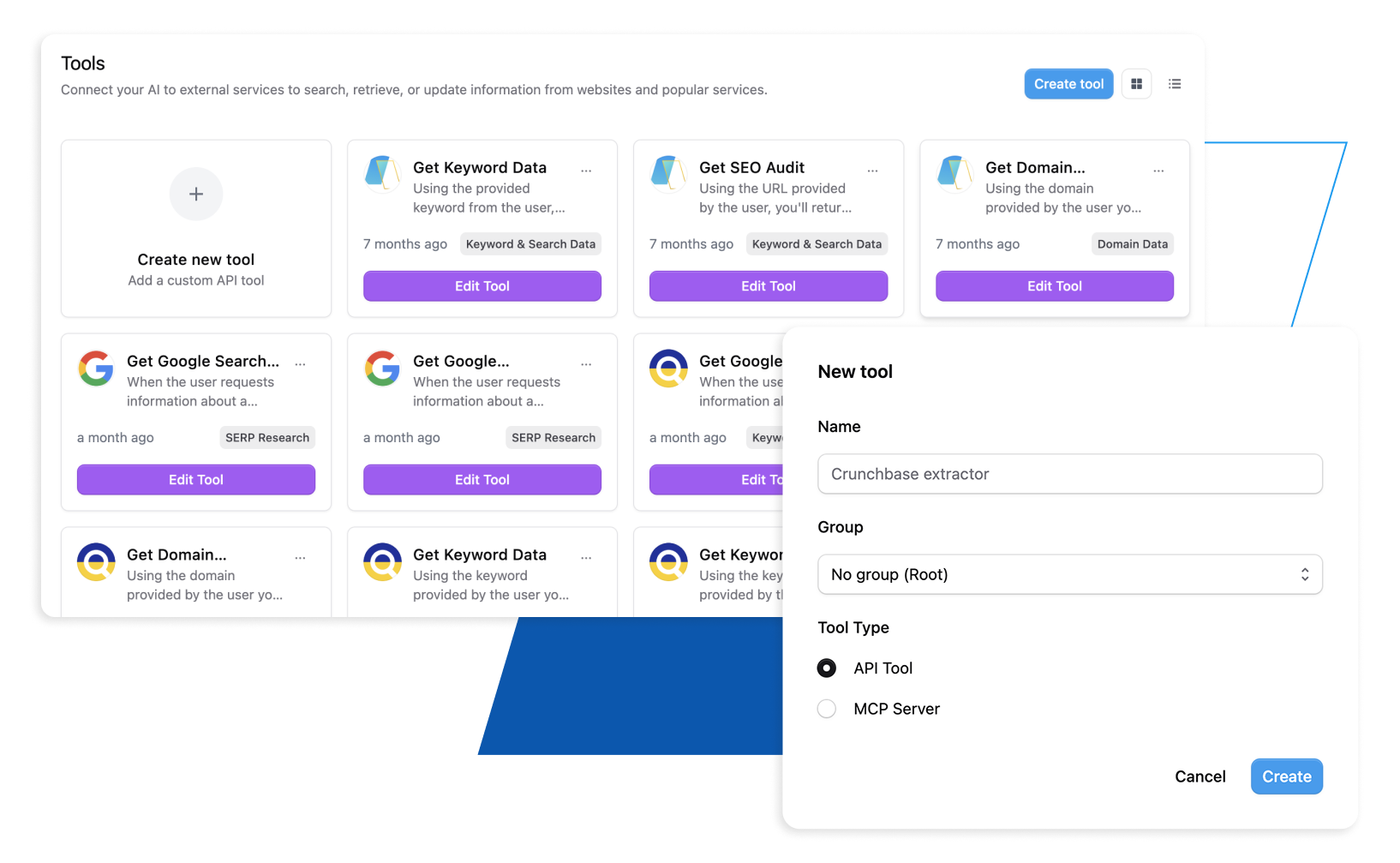
Create Your Plugin

Image Open TeamAI’s Plugin Builder and name your integration. Whether you’re connecting to Salesforce, your internal database, or a custom API — start with a clear purpose for what your plugin will accomplish.

Image Start with a clear purpose for what your plugin will accomplish.

Configure the Connection

Image Enter your API endpoint URL, select the method (GET, POST, PUT, DELETE), and add authentication headers.

Image TeamAI’s visual interface guides you through required parameters, data formatting, and security setup — no technical expertise required.

Choose Your AI Models

Image Select which LLMs can access this plugin. Use Claude for complex data analysis, GPT-4 for creative tasks, or Gemini for document processing.

Image You can assign different models based on the type of work each plugin performs.

Test with Real Data

Image Validate your plugin instantly using live data from your systems.

Image TeamAI shows you exactly what data flows in and out, catches errors before deployment, and ensures your plugin works perfectly with your business logic.

Deploy to Your Team

Image Launch your plugin across your organization with one click.

Image Team members can immediately start using it in AI conversations — no training required. Monitor usage, gather feedback, and iterate as needed.


Total time: 5-30 minutes depending on API complexity


Start Building Your First Custom Plugin Today

Ready to Build AI That Actually Does Things?

Get Started Today

Create a fully connected AI workspace in 30 seconds and start executing tasks across your business — instantly.

Get Started Today

Implementation options across teams

Image Sales
Image Pull customer history instantly


Image Update stages + send follow-ups


Image Generate deal summaries


Image Analyze pipeline patterns


Start your Deployment Today

Image
Image Marketing
Image Retrieve campaign metrics


Image Build content calendars


Image Analyze trends


Image Automate reporting


Start your Deployment Today

Image
Image HR & Hiring
Image Sync candidate data


Image Summarize interviews


Image Track onboarding steps


Image Monitor employee sentiment


Start your Deployment Today

Image
Image Design
Image Analyze feedback


Image Auto-organize assets


Image Sync brand guidelines


Image Speed up revision cycles


Start your Deployment Today

Image
Image Business Development
Image Pull market insights


Image Summarize proposals


Image Analyze competitors


Image Prepare client briefings


Start your Deployment Today

Image
Slanted BG
Image

Tailor your chat experience

Whether you seek to analyze your company data more effectively or streamline the process of using your favorite apps in TeamAI using Zapier, do it all with Custom Plugins. This feature allows you to personalize TeamAI to meet your business needs, enhancing efficiency and enabling you to work more effectively. See what you can do with this feature. Get Started With TeamAI »

Integrate TeamAI With Your Favorite Apps Using Zapier

Try TeamAI Today

Create your AI-driven workspace in just 30 seconds

Create a Workspace