
Download Tempest – Private, Secure, and Free Search Engine
Overview
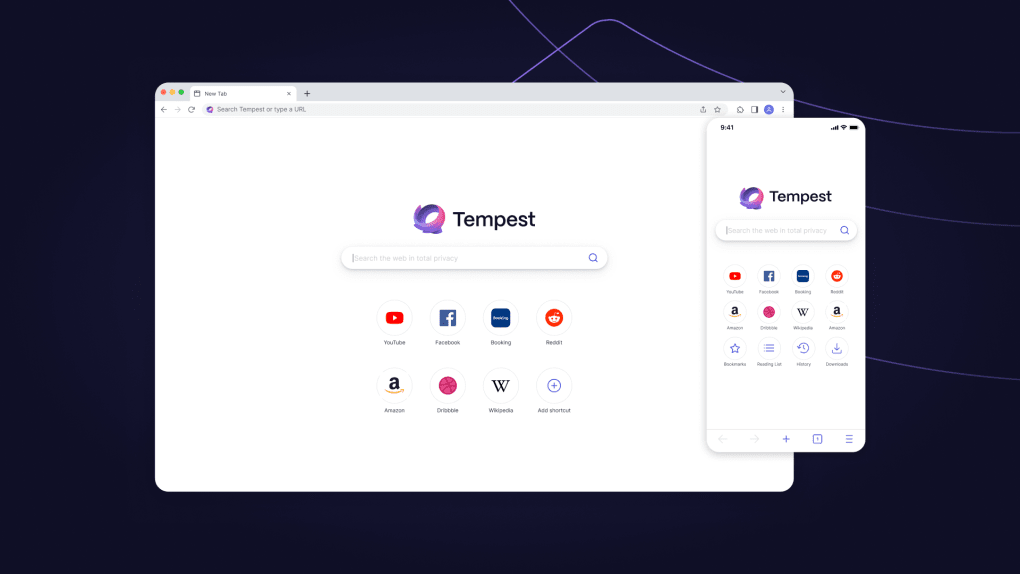
Tempest is a free‑to‑use web search engine built from the ground up with privacy as its core principle. Unlike mainstream services that harvest every click, Tempest encrypts every query and strips out tracking cookies, ensuring that your browsing history never becomes a data commodity. When you type a question—whether it’s the latest sports score, a news headline, or a simple “how to bake sourdough” query—Tempest returns results that are not filtered by your personal profile or advertising interests. The engine still delivers the familiar mix of links, images, videos, maps, and news articles, but each result is presented without the hidden “why you’re seeing this” bias that other platforms inject. A standout feature is the real‑time privacy report, which shows you any trackers, cookies, or fingerprinting scripts present on the pages you click. This transparency lets you instantly see which sites are trying to monitor you and decide whether to proceed. Tempest also offers quick infocards for weather, game scores, and time zones, making it a handy one‑stop shop for everyday information. While some location‑based services require you to enable approximate location sharing, the overall experience remains secure, ad‑free, and completely under your control.
Key Features
- End‑to‑end encryption: All search queries are encrypted in transit, preventing eavesdropping.
- Zero‑tracking policy: No cookies, no IP profiling, and no personal data storage.
- Privacy report: After each search, a detailed breakdown of trackers and cookies found on visited links.
- Infocards for instant data: Weather forecasts, sports scores, and time‑zone conversions appear directly in the results.
- Advanced filters: Narrow results by region, date range, or content type (images, videos, news).
- Location‑aware searches (optional): Enable approximate location to receive local news, maps, and nearby services.
- Ad‑free experience: No sponsored links or invasive advertisements clutter the results page.
- Cross‑platform accessibility: Works in any modern browser on Windows, macOS, Linux, Android, and iOS.
These features combine to create a search environment where accuracy and privacy coexist. Tempest’s encryption ensures that no third party can intercept your queries, while the privacy report empowers you with knowledge about the sites you visit. The optional location feature respects your consent, turning on only when you explicitly allow it, which is a stark contrast to other engines that assume consent by default. By delivering infocards directly in the results, Tempest reduces the number of clicks needed to get essential information, saving time and limiting exposure to potentially unsafe sites. The ad‑free design not only improves page load speed but also eliminates the distraction of sponsored content, letting you focus on what truly matters—your search query.
Installation & Usage Instructions
Getting started with Tempest is as simple as visiting its website. There is no traditional “installation” process because Tempest runs entirely in the cloud and is accessed through any modern web browser. Follow these steps for a smooth first‑time experience:
- Open your preferred browser (Chrome, Firefox, Edge, Safari, or any Chromium‑based mobile browser).
- Navigate to tempestsearch.com. The homepage loads instantly, thanks to the engine’s lightweight design.
- Review the brief privacy notice on the landing page and click “Accept” to acknowledge the terms.
- Enter your search term in the central search bar and press Enter or click the magnifying glass icon.
- Browse the results. If you click a link, Tempest automatically generates a privacy report that appears at the bottom of the page, summarizing any trackers or cookies detected.
- To enable location‑aware searches, click the “Enable Location” toggle. A browser prompt will ask for permission; grant it only if you’re comfortable sharing approximate location data.
- Use the filter icons next to the search bar to limit results by date, region, or content type.
For mobile users, the same steps apply. Tempest’s responsive layout adjusts to small screens, and the privacy report collapses into a swipe‑up panel to keep the interface uncluttered. Because the service is web‑based, you always have the latest version without manual updates—Tempest continuously rolls out security patches and feature enhancements on the server side. If you prefer a dedicated shortcut, you can add Tempest to your browser’s bookmarks bar or create a home‑screen icon on Android or iOS for instant access. The process is quick, secure, and requires no personal information, aligning perfectly with the tool’s privacy‑first ethos.
Compatibility, Pros & Cons
Tempest works flawlessly on all major operating systems, including Windows 10/11, macOS Ventura and later, popular Linux distributions (Ubuntu, Fedora, Debian), as well as Android 8.0+ and iOS 13+. Since it runs in a browser, the only requirement is a recent, standards‑compliant web browser that supports HTTPS and modern JavaScript features.
Pros
- Strong encryption protects every query.
- No tracking, cookies, or data profiling.
- Comprehensive privacy report after each search.
- Ad‑free and distraction‑free results page.
- Instant infocards for weather, sports, and time zones.
- Cross‑platform accessibility without downloads.
- Optional location services respect user consent.
Cons
- Search index may be smaller than Google’s, leading to fewer niche results.
- Advanced AI‑driven suggestions are limited compared to larger engines.
- Location‑based features require manual permission each session.
- No native desktop or mobile app (browser‑only).
Tempest delivers a refreshing alternative for users who value privacy above all else. While its search breadth isn’t as exhaustive as the market leaders, the transparent privacy report and zero‑tracking policy make it an essential tool for security‑conscious internet users.
- Encrypted searches
- Privacy report
- Ad‑free experience
- Smaller index
- No dedicated apps
FAQ – Frequently Asked Questions
Is Tempest really free to use?
Yes, Tempest is completely free. There are no hidden subscription fees or premium tiers. The service is funded through voluntary donations and optional non‑intrusive sponsorships that do not affect search results.
How does Tempest protect my searches from being intercepted?
All queries are sent over HTTPS with end‑to‑end encryption. This means that even your ISP or network administrator cannot read the content of your searches.
Do I need to create an account to use Tempest?
No account is required. Tempest does not store personal identifiers, so you can start searching instantly without signing up.
Can I use Tempest on my mobile device?
Absolutely. Tempest’s responsive design works on Android and iOS browsers. You can also add a shortcut to your home screen for one‑tap access.
What happens if I enable location services?
When you turn on approximate location, Tempest can provide localized results such as nearby news, weather, and map listings. The permission is asked per session, and you can revoke it at any time in your browser settings.
Conclusion & Call to Action
Tempest stands out as a privacy‑centric alternative that does not compromise on core search functionality. If you’re tired of being profiled by giant search engines, give Tempest a try—simply visit the website, start searching, and enjoy the peace of mind that comes with encrypted, tracker‑free results. Download Tempest now and experience a safer, cleaner way to explore the web.



.png)




