
Download Tera Term – terminal emulator, telnet, SSH, serial port, open-source, free, DEC VT100, DEC VT382, command line, remote access
Overview
Tera Term is a powerful and versatile open-source terminal emulator designed for users who require reliable access to remote systems and legacy terminal environments. Built with a focus on compatibility and functionality, it serves as a comprehensive tool for connecting to various types of computer terminals, including DEC VT100 and DEC VT382, which are widely used in industrial, academic, and network administration settings. The app enables users to establish secure and stable connections through multiple protocols such as telnet, SSH 1 & 2, and serial port interfaces, making it suitable for a wide range of technical workflows.
Primarily targeted at system administrators, network engineers, developers, and IT professionals, Tera Term addresses the need for a lightweight yet feature-rich terminal client that operates without licensing costs. Its open-source nature ensures transparency and community-driven development, fostering trust and long-term usability. Real-world use cases include configuring network devices, managing remote servers, debugging embedded systems via serial connections, and accessing legacy infrastructure that relies on older terminal standards.
As part of the utilities category, Tera Term plays a critical role in the ecosystem of developer and system management tools. While the developer did not provide additional technical details about the project’s origins or team structure, its continued availability and active development cycle reflect its enduring relevance. For users seeking a free, secure, and reliable terminal interface, Tera Term offers a dependable solution that bridges modern computing with established terminal protocols.
Key Features & Functionality
- Wide Range of Terminal Emulation – Supports emulation of DEC VT100, DEC VT382, and other legacy terminal types, ensuring compatibility with older systems and environments that rely on specific terminal behaviors and escape sequences.
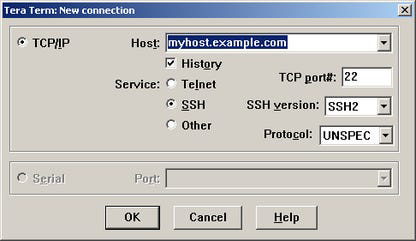
- Multiple Connection Protocols – Offers native support for telnet, SSH 1 & 2, and serial port connections, enabling users to securely access remote servers or interface with embedded devices using a single unified interface.
- Built-in Macro Scripting Language – Includes a customizable scripting engine that allows users to automate repetitive tasks such as login sequences, command execution, and data parsing, significantly improving workflow efficiency.
- Extensible Plugin Architecture – Provides support for additional plugins that enhance functionality, such as enhanced logging, terminal color schemes, and advanced session management tools.
- Open-Source and Free – Released under an open-source license, Tera Term is completely free to use, modify, and distribute, making it accessible to individuals, educational institutions, and organizations with budget constraints.
For example, a network administrator can use the macro scripting feature to automate login and configuration commands across multiple routers. A developer working on embedded systems can leverage the serial port support to monitor device output in real time. The ability to emulate different terminal types ensures that users can interact with diverse systems without compatibility issues, preserving operational continuity in complex IT environments.
Interface, UX & Performance
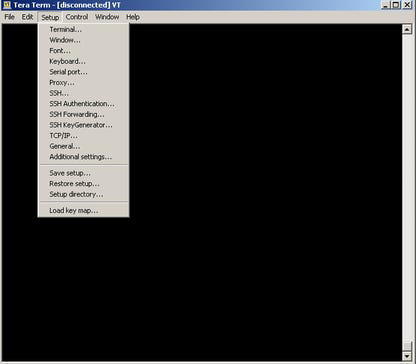
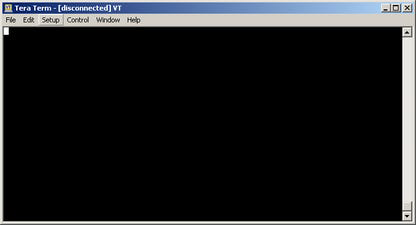
The user interface of Tera Term follows a classic terminal layout, featuring a text-based console window with minimal visual distractions. Navigation is straightforward, relying on keyboard shortcuts and context menus, which is typical for command-line tools. The layout prioritizes functionality over aesthetics, catering to experienced users who value efficiency over graphical polish.
Although the developer did not list formal performance metrics, the app’s lightweight file size of 3.6 MB suggests optimized resource usage. It is designed to run efficiently on a range of Windows systems, including older hardware, without significant impact on system performance. Responsiveness is expected to be high during active sessions, particularly for text-based interactions and command execution.
Stability appears to be a core design principle, given the app’s long-standing presence in the open-source community. While no specific information was provided about crash rates or update frequency, the continued availability of version 4.105 indicates ongoing maintenance. Users can expect consistent behavior during extended sessions, especially when managing remote connections or executing scripts.
Platform Compatibility & Technical Requirements
Tera Term is available exclusively for the Windows platform. The current version, 4.105, is designed to operate on modern Windows operating systems, though specific OS version requirements were not disclosed by the developer. The file size is 3.6 MB, indicating a lightweight installation that requires minimal disk space.
Compatibility information was not fully disclosed, so users should verify system requirements based on their environment. The developer did not specify minimum RAM, CPU, or disk space needs. However, given the app’s nature as a terminal emulator, it is likely to function on systems with modest hardware specifications.
Pros and Cons
Pros
- Open-source and completely free to use
- Supports multiple terminal types including DEC VT100 and VT382
- Native integration with telnet, SSH 1 & 2, and serial port connections
- Includes a built-in macro scripting language for automation
- Lightweight with a small file size of 3.6 MB
- Extensible through plugins and community contributions
Cons
- No official mobile or cross-platform support beyond Windows
- Interface lacks modern visual design elements
- Developer did not provide detailed system requirements
- Limited documentation for beginners
- Updates may not be frequent or widely announced
FAQ
Is Tera Term safe to download and use?
Yes, Tera Term is open-source and widely used in professional environments. It is distributed through official project channels and does not contain known malware or tracking components.
Can I use Tera Term on macOS or Linux?
As of now, Tera Term is only officially available for Windows. There is no native version for macOS or Linux, though some users may attempt cross-platform compatibility through emulators or compatibility layers.
Does Tera Term support SSH encryption?
Yes, Tera Term supports both SSH 1 and SSH 2 protocols, providing secure encrypted connections for remote access and data transmission.
Is there a mobile version of Tera Term?
No mobile version has been released. The app is designed for desktop use on Windows systems only.
How often is Tera Term updated?
The developer has released version 4.105, but specific update frequency or release schedule was not disclosed. Users are encouraged to check the official project page for the latest version.
Final Thoughts
Tera Term stands out as a reliable, free, and feature-rich terminal emulator tailored for technical professionals who work with legacy systems and remote infrastructure. Its ability to emulate multiple terminal types, support secure protocols like SSH, and automate tasks through scripting makes it a valuable tool in network and system administration workflows. While its interface may appear dated to casual users, its efficiency and performance are well-suited for power users who prioritize functionality over aesthetics.
For developers, engineers, and IT specialists managing remote servers, embedded devices, or older network equipment, Tera Term offers a cost-effective and dependable solution. Its open-source foundation ensures transparency, long-term viability, and community support. Whether you're setting up a new network, debugging a device, or managing legacy systems, this terminal client delivers robust performance without financial or licensing barriers.
Download Tera Term now


