Screenshots
App details
- Size
- 1.12 MB
- Updated
- December 2, 2008
- Requires
- Windows XP
- Language
- English
- License
- Trial version
- Developer
- Nordic River Software
- Category
- Windows OS
About TextFlow
Download TextFlow – Free, Secure Collaborative Writing Tool for Windows, Mac, iOS & Android
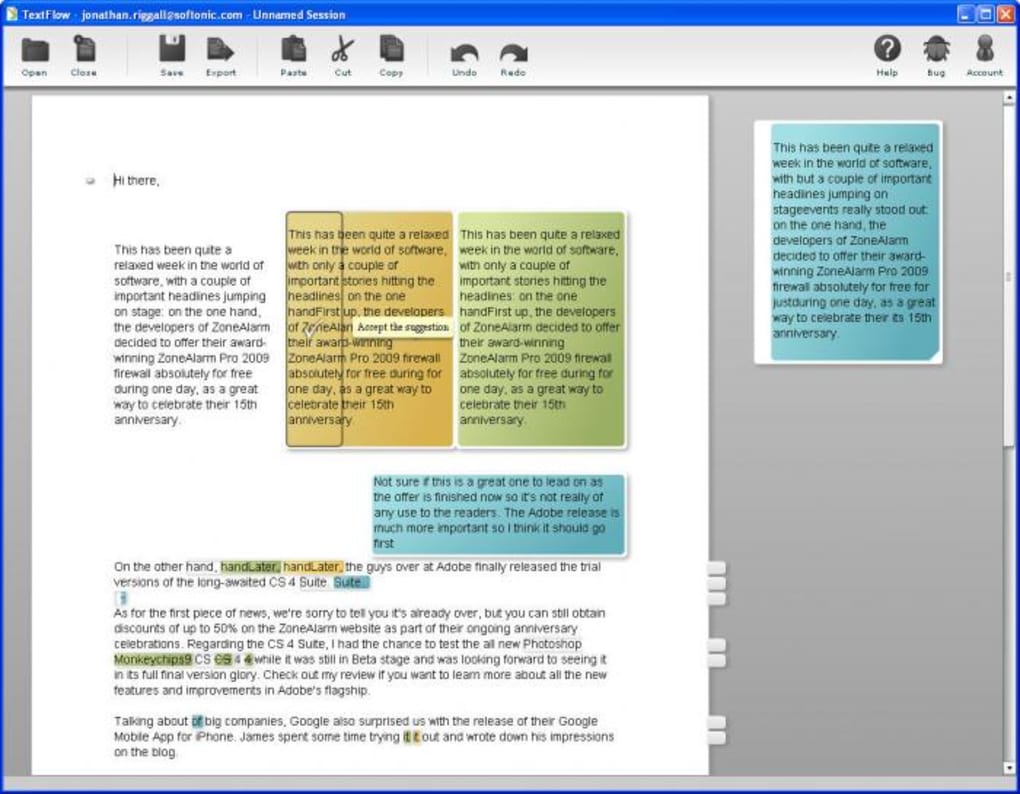
TextFlow is a revolutionary parallel word processor that transforms the way teams and students handle collaborative writing. Unlike traditional word processors that rely on confusing track changes or lengthy comment threads, TextFlow presents multiple versions of the same document side by side in a visually intuitive interface. This allows users to instantly see differences, accept or reject edits, and maintain full transparency across all contributors. Whether you're working on a group essay, research paper, or business proposal, TextFlow streamlines the editing process with color-coded changes and a clean, distraction-free layout. The software is currently in beta, but already shows immense promise. It requires Adobe AIR to run, but once installed, the setup is quick and straightforward. Simply drag and drop your documents into the window, and within seconds, TextFlow generates a side-by-side comparison with clear visual cues for every edit. This makes it ideal for academic and professional teams that need to review contributions without losing context or clarity.
Key Features of TextFlow – A Game-Changer for Team Writing
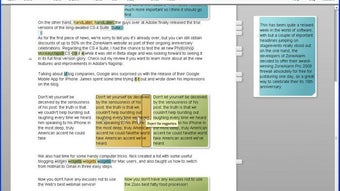
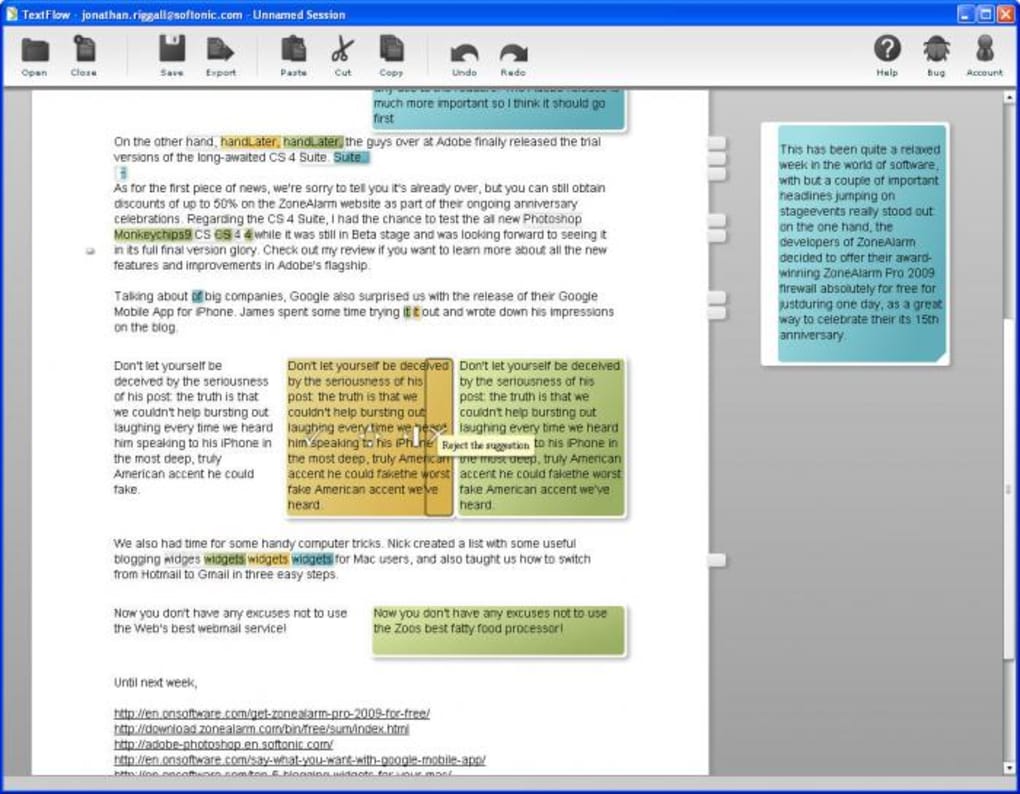
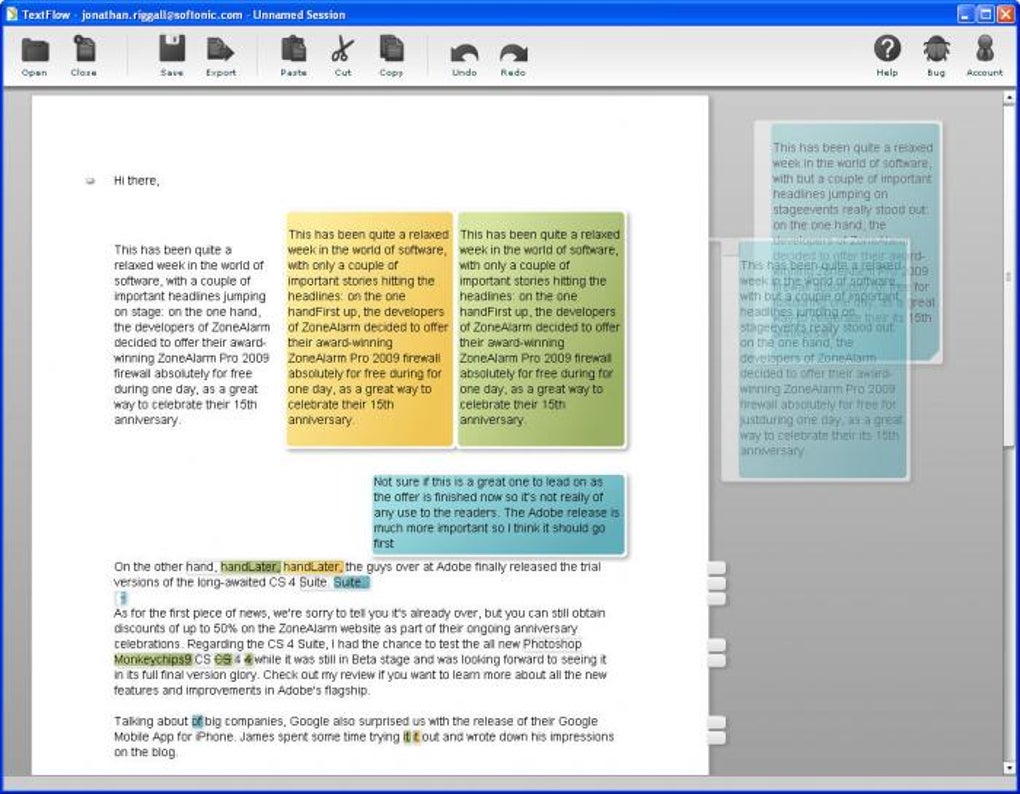
TextFlow stands out from standard word processors with its unique approach to collaborative editing. One of its most powerful features is the parallel document view, which displays multiple versions of the same document in the same window. This visual comparison eliminates the need to manually scroll between versions or rely on confusing redline tracking. Every change is color-coded—green for additions, red for deletions, and blue for edits—making it instantly clear what has been modified and by whom. This level of transparency is invaluable for group projects where accountability and clarity are essential.
Another standout feature is the intuitive editing interface. Hovering over any edit reveals a set of actionable options: accept the change, reject it, hide it temporarily, or move it to a "scrapboard" for later review. This gives users full control over the revision process without cluttering the main document. The scrapboard feature is particularly useful for saving ideas or alternative phrasings for future consideration. Additionally, TextFlow supports version history tracking, allowing teams to revert to earlier drafts if needed. This is a critical safety net for long-term projects where mistakes can easily be introduced.
Although still in beta, TextFlow also offers cross-platform compatibility through Adobe AIR, meaning users on Windows, Mac, iOS, and Android can all work on the same document. While the app doesn’t yet support images or charts, its focus on text-based collaboration ensures high performance and responsiveness. For students and professionals who frequently collaborate on written content, TextFlow provides a faster, cleaner, and more engaging editing experience than traditional tools like Microsoft Word or Google Docs. Its lightweight design and minimal system requirements make it a secure and efficient choice for modern teamwork.
How to Install and Use TextFlow for Seamless Collaboration
Getting started with TextFlow is simple and requires only a few steps. First, visit the official TextFlow website and download the Adobe AIR installer. Adobe AIR is a runtime environment that allows desktop applications to run across multiple platforms, and it’s free to install. Once Adobe AIR is set up on your device, proceed to download the TextFlow application package. The installation process is quick—just follow the on-screen prompts, and the app will be ready to launch in minutes.
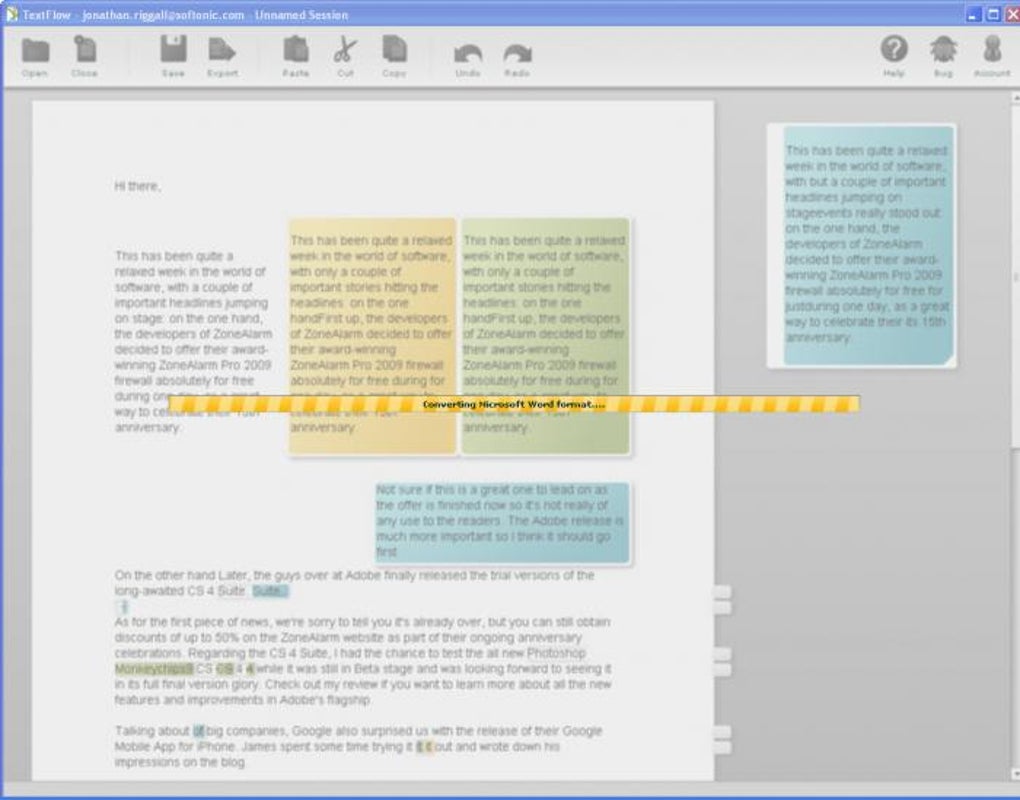
After installation, open TextFlow and you’ll be greeted with a clean, minimalist interface. To begin editing, simply drag and drop your documents into the main window. TextFlow automatically detects the files and begins processing them. Within 5–10 seconds (depending on file size), the app displays the documents side by side with changes clearly marked. You can now compare the versions, hover over edits to see contributor details, and use the action menu to accept, reject, or hide changes.
For teams, the workflow becomes even more efficient. Multiple users can upload their versions of the same document, and TextFlow will align them for side-by-side review. This is especially helpful during peer reviews or group writing sessions. To export your final document, click the export button and choose to save the updated text as a Microsoft Word (.docx) file. While direct text input isn’t supported yet, this export feature ensures compatibility with standard word processors. The app also saves your project locally, so you can resume editing later. With its straightforward setup and user-friendly interface, TextFlow is accessible even for those with minimal technical experience.
Compatibility: Works on Windows, Mac, iOS, and Android
TextFlow is designed with cross-platform accessibility in mind. Thanks to the Adobe AIR runtime, it runs smoothly on a wide range of devices, including Windows 10/11, macOS (Intel & Apple Silicon), iPhone, and Android tablets. This flexibility makes it an excellent choice for teams with diverse device preferences. Whether you're working on a desktop at school, a laptop during a meeting, or a tablet on the go, TextFlow ensures a consistent experience across all platforms.
While the app is fully functional on all supported systems, users should note that performance may vary slightly depending on device specifications. On older or low-memory devices, loading large documents may take longer. However, TextFlow is optimized to handle documents up to approximately 10 pages efficiently. For larger projects, it’s recommended to split the document into sections for smoother editing. The app also works offline, meaning you don’t need an internet connection to use it—ideal for students in areas with limited connectivity.
For iOS and Android users, TextFlow is available via the Adobe AIR app store or direct download. The mobile version offers a responsive interface that adapts to screen size, though the full editing experience is best on larger screens like tablets. Overall, the broad compatibility ensures that no team member is left behind, regardless of their preferred device. This makes TextFlow a truly inclusive tool for modern, distributed collaboration.
Pros and Cons of TextFlow – Honest Review
- Pros:
- Intuitive side-by-side document comparison with color-coded changes
- Easy drag-and-drop interface for quick file loading
- Supports version history and rollback for safe editing
- Available on Windows, Mac, iOS, and Android via Adobe AIR
- Lightweight, secure, and runs offline
- Perfect for students, researchers, and small teams
- Cons:
- Only supports text-based documents—no image or chart support
- Cannot input new text directly; must export to Word for editing
- Currently limited to ~10-page documents
- Requires Adobe AIR, which some users may find unnecessary
- Still in beta—may have occasional bugs or crashes
Frequently Asked Questions (FAQ)
Is TextFlow free to download and use?
Yes, TextFlow is currently available as a free beta tool. There are no subscription fees or hidden costs. You can download and use it indefinitely during the beta phase.
Can I use TextFlow on my iPhone or Android device?
Absolutely. TextFlow is compatible with iOS and Android devices through the Adobe AIR runtime. Simply download the app from the official site or Adobe’s app store.
Why does TextFlow require Adobe AIR?
Adobe AIR enables the app to run across multiple platforms without needing separate versions. It’s a lightweight runtime that supports cross-platform desktop and mobile applications.
Can I edit text directly in TextFlow?
Not yet. TextFlow is designed for reviewing and comparing document versions. To add new text, you must export the final version to Microsoft Word or another word processor.
What file types does TextFlow support?
TextFlow supports .doc, .docx, and .txt files. It does not currently support PDFs, images, or embedded charts.
Final Thoughts: Why You Should Try TextFlow Today
Despite being in beta, TextFlow is one of the most promising collaborative writing tools available today. Its ability to visually compare document versions in real time makes it a standout choice for students, researchers, and professionals working in teams. The clean interface, intuitive controls, and cross-platform support create a seamless editing experience that’s far superior to traditional track changes.
While it has limitations—such as no direct text input and a 10-page document cap—the potential for future updates is huge. With continued development, TextFlow could become the go-to tool for collaborative writing. If you’re tired of confusing revision histories and want a faster, clearer way to work with others on documents, download TextFlow now and experience the future of team writing.
CTA: Click here to download TextFlow for free and join the beta community today!
Guides & Tutorials
How to install TextFlow
- Click the Download button above.
- Once redirected, accept the terms and click Install.
- Wait for the TextFlow download to finish on your device.
How to use TextFlow
This software is primarily used for its core features described above. Open the app after installation to explore its capabilities.
User Reviews
No reviews yet. Be the first to share your experience.
You may also like
more
Llama 2
Free-to-use large language model As the new addition to Meta’s arsenal of langua...

NotebookLM
Revolutionizing the note-taking and idea-generation process NotebookLM is an exp...

Github co pilot
AI-inspired software development and coding platform GitHub Copilot is a browser...

Google Gemma
Google’s lightweight AI models Introducing Google Gemma , a family of cutting-ed...

AI Image Enlarger
A free app for Windows, by ai-image-larger. AI Image Enlarger is a free software...

DALL E
AI-driven text-to-image transformation engine DALL·E is a free graphic and desig...
