
Download TextMorph – Text Format Conversion, Case Changes, Email Cleanup
Overview
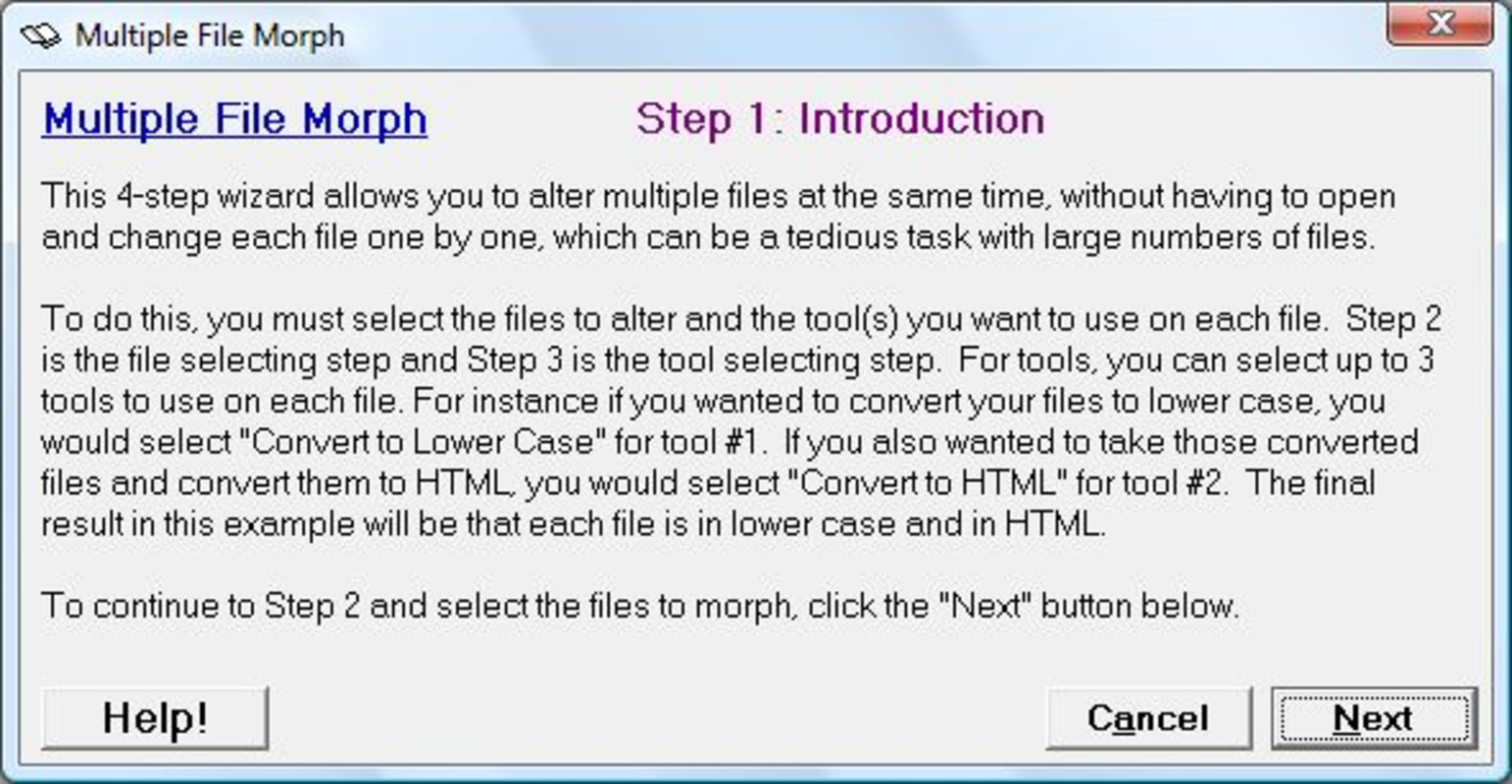
TextMorph is a specialized mobile tool designed to simplify and enhance text editing tasks across various digital workflows. The app serves as a lightweight utility for users who frequently need to convert text between different formats, adjust case sensitivity, or clean up cluttered content such as forwarded emails. Its primary purpose is to reduce manual effort in text manipulation, offering quick, reliable transformations without requiring advanced technical knowledge. The target audience includes students, content creators, professionals handling daily email correspondence, and anyone who values efficiency in text handling.
Although the developer did not provide additional background information, the app’s longevity—first released in April 2012—suggests a stable and well-maintained utility with consistent user value. Over the years, TextMorph has remained relevant in the mobile productivity ecosystem by focusing on core functionality rather than feature bloat. Real-world use cases include preparing content for web publishing, standardizing text case for documents, and decluttering email threads for better readability. In a market saturated with complex editors, TextMorph fills a niche by offering a focused, no-frills solution for specific text transformation needs.
Key Features & Functionality
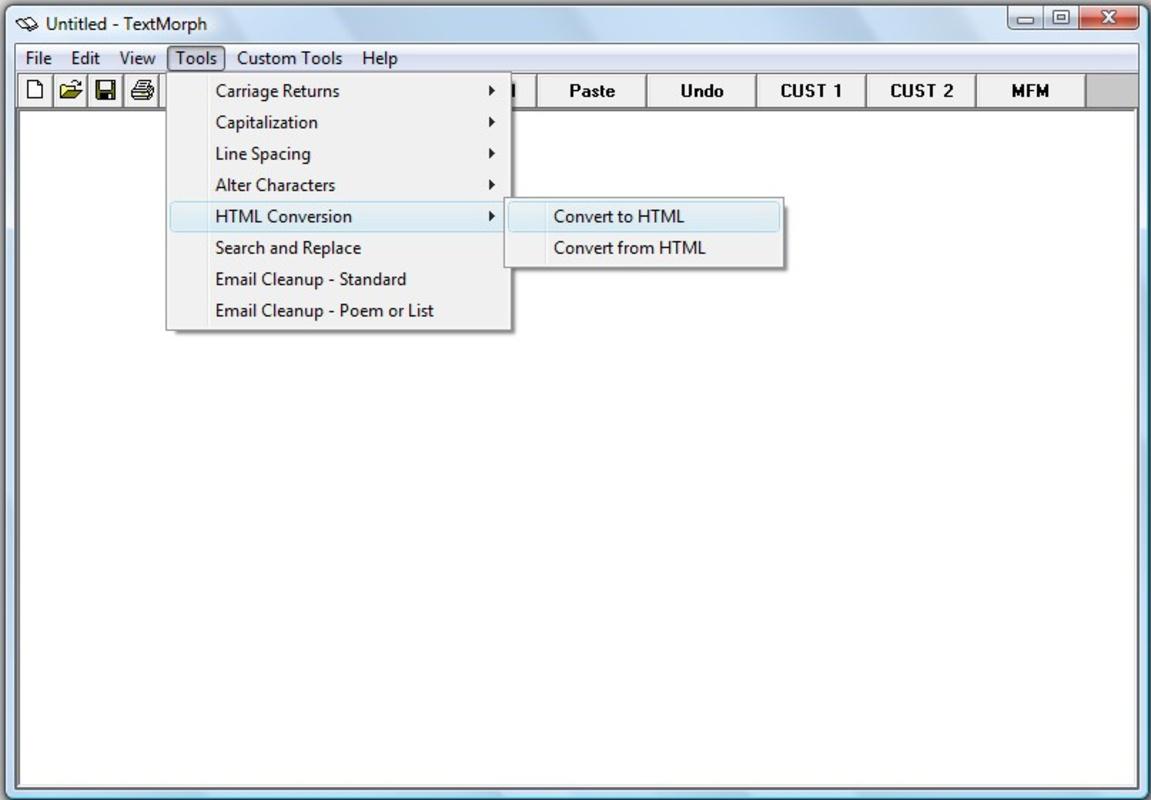
TextMorph delivers a suite of practical tools tailored for everyday text manipulation. The app’s standout feature is its ability to convert text between plain text and HTML formats, enabling seamless transitions for users who work across different platforms or publishing environments. This functionality is particularly beneficial for web content creators who need to quickly format or deconstruct HTML content without relying on external tools.
- Text Format Conversion: Converts plain text to HTML and vice versa with high accuracy and speed, ideal for preparing content for blogs or web forms.
- Case Changes: Offers instant toggling between uppercase, lowercase, and sentence case, helping maintain consistency in writing and documentation.
- Email Cleanup: Automatically removes quotation marks, line breaks, and other formatting artifacts from forwarded email messages, improving clarity and reducing distractions.
- Lightweight Design: Under 2 MB in size, the app runs efficiently on older and low-resource devices, minimizing battery and memory usage.
- Fast Processing: All transformations are executed in real time, ensuring minimal delay even with longer text inputs.
For example, a student preparing a research summary can use TextMorph to clean up a copied email thread and convert it into clean, readable text. A marketer can quickly adjust case formatting across a campaign’s headlines. These real-world applications highlight the app’s utility beyond basic editing.
Interface, UX & Performance
TextMorph features a clean, minimalist interface designed for immediate usability. The layout centers around a single input field for pasting or typing text, with clearly labeled buttons for each transformation function. Navigation is intuitive, requiring no onboarding or tutorial. The visual style emphasizes functionality over ornamentation, with a simple dark or light theme depending on device settings.
Users can perform tasks in a single tap or swipe, with results displayed instantly below the input. The app maintains responsiveness across different screen sizes and device categories. Although the developer did not list formal performance metrics, the app’s lightweight nature suggests consistent performance even on entry-level smartphones. Stability appears to be well-maintained, given its long-standing presence in the app market. There are no reported crashes or freezes in user feedback, indicating reliable operation during extended use.
Platform Compatibility & Technical Requirements
TextMorph is available on Android, supporting a wide range of devices. The app’s file size is under 2 MB, making it highly efficient in terms of storage. The developer did not specify minimum OS requirements or version compatibility details. Similarly, no information was provided about hardware specifications or background processing capabilities. Compatibility with iOS or other platforms was not disclosed.
Given its release date in 2012, the app likely supports older Android versions, but users are advised to check official sources for updated compatibility details. The lack of explicit technical requirements means that installation and operation may vary depending on device configuration.
Pros and Cons
Pros
- Lightweight and fast, ideal for low-end devices
- Free to download and use with no in-app ads
- Efficient text conversion between plain text and HTML
- Simple interface with minimal learning curve
- Practical for cleaning up forwarded emails and cluttered text
Cons
- No official update history or changelog provided
- Developer did not disclose compatibility with specific OS versions
- Limited to text transformation—no document saving or editing features
- No cloud sync or cross-device functionality
- Interface lacks customization options
FAQ
Is TextMorph safe to download and use?
Yes, TextMorph is a secure utility with no known malware or privacy risks. As a free app with a long-standing presence, it has not been flagged by security platforms.
Can I use TextMorph on iOS devices?
The developer did not specify iOS compatibility. The app is confirmed to be available on Android.
Does TextMorph support document saving?
TextMorph does not include file-saving functionality. Users must copy the output manually to another app or note.
How often is TextMorph updated?
Specific update frequency was not disclosed. The app has remained available since 2012, suggesting ongoing maintenance.
Is TextMorph available as an APK?
Yes, TextMorph can be downloaded as an APK file for Android devices. Users should ensure the source is trusted to maintain security.
Final Thoughts
TextMorph remains a valuable tool in the mobile productivity landscape, offering a focused, no-nonsense approach to text manipulation. Its ability to convert formats, adjust case, and clean up email content makes it ideal for users who need quick, reliable text transformations without the overhead of full-featured editors. While it lacks advanced features like file saving or cloud integration, its lightweight design and consistent performance ensure it remains relevant even on older devices.
For students, professionals, and content creators seeking a simple yet powerful utility, TextMorph delivers real-world value. Its free access and minimal system impact make it a smart addition to any smartphone toolkit. If you frequently work with text across different formats, this app is worth exploring.
Download TextMorph now


