
Download TextQL – AI‑Powered Data Analysis Tool for Enterprises
Overview: AI‑Driven Data Analysis Made Simple
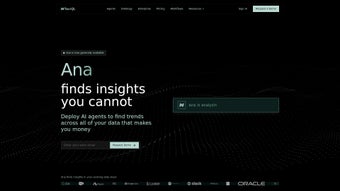
TextQL is an advanced, AI‑powered platform that acts as a personal virtual data analyst for enterprises of any size. Powered by the conversational AI named Ana, TextQL lets business users extract actionable insights simply by typing natural‑language queries. Whether you need a quick metric, a complex trend analysis, or a fully‑fledged data model, Ana translates your request into optimized SQL or Python code, runs it against your data warehouse, and returns results in an instantly understandable format.
The platform’s true differentiator is its deep integration with existing collaboration ecosystems such as Slack, Microsoft Teams, and major BI tools. Instead of opening a separate dashboard, users can ask Ana for the latest sales numbers right inside their chat window, and receive a visual chart or a downloadable report within seconds. This reduces context‑switching, accelerates decision‑making, and democratizes data access across departments that traditionally rely on specialist analysts.
Beyond ad‑hoc queries, TextQL maintains a searchable enterprise data catalog that indexes metadata from multiple storage locations—data lakes, warehouse schemas, and even third‑party APIs. By surfacing definitions, data lineage, and verified links, it prevents the costly redundancy of recreating dashboards that already exist elsewhere. Teams can instantly discover whether a KPI has already been visualized, saving weeks of work and ensuring consistency across the organization.
Security and compliance are baked into the core architecture. TextQL respects role‑based access controls, encrypts data in transit and at rest, and offers audit logs that satisfy GDPR, CCPA, and industry‑specific regulations. Its modular workflow engine allows administrators to define custom approval steps, data masking rules, or automated alerts, making it a trustworthy partner for highly regulated sectors such as finance, healthcare, and manufacturing.
In short, TextQL transforms raw data into clear business narratives, eliminates dashboard duplication, and embeds analytics directly into the tools teams already use—all while maintaining enterprise‑grade security and governance. This combination of conversational ease, catalog depth, and compliance focus positions TextQL as a strategic asset for data‑driven organizations seeking to empower every employee with instant insight.
Key Features that Set TextQL Apart
- Natural‑Language Query Engine: Ask questions in plain English; Ana converts them to optimized SQL or Python scripts.
- Instant Visualizations: Auto‑generated charts, tables, and heatmaps appear within seconds, with options to export PNG, PDF, or embed code.
- Enterprise Data Catalog: Indexes metadata across data lakes, warehouses, and SaaS APIs; surfaces definitions, lineage, and usage statistics.
- Dashboard Redundancy Guard: Detects existing dashboards, suggests reuse, and prevents duplicate effort across teams.
- Collaboration Integration: Native bots for Slack, Microsoft Teams, and Google Chat; supports one‑click sharing of insights.
- Custom Workflow Builder: Drag‑and‑drop interface for approval steps, data masking, and automated alerts.
- Compliance & Security Suite: Role‑based access, end‑to‑end encryption, audit trails, and built‑in GDPR/CCPA compliance.
- Extensible API & SDK: Connect to any data source, embed TextQL functionality into proprietary apps, or build custom connectors.
- Multi‑Language Support: While English is default, the platform supports localized query parsing for Spanish, French, and German.
- Continuous Learning: Ana improves over time by analyzing user feedback and query success rates, delivering increasingly accurate results.
Each feature is designed to reduce friction in the data‑to‑insight pipeline. For example, the natural‑language engine eliminates the need for analysts to write repetitive SQL snippets, while the data catalog ensures that every team works from a single source of truth. The integration bots mean that a sales leader can request “last month’s pipeline growth” directly from a Teams channel, receive a polished line chart, and forward it to executives without ever leaving the conversation.
From a technical perspective, TextQL’s architecture is microservice‑based, allowing organizations to scale the AI inference layer independently from the data processing engine. This separation ensures that high‑volume query bursts—common during month‑end reporting—do not degrade the responsiveness of the conversational interface. Moreover, the platform supports both on‑premise deployments and cloud‑native instances (AWS, Azure, GCP), giving IT departments flexibility to meet internal policies.
Overall, the feature set delivers a holistic data experience: it streamlines discovery, accelerates analysis, safeguards governance, and embeds insights where the business actually works. By combining conversational AI with enterprise‑grade cataloging and compliance, TextQL creates a unified analytics layer that can grow with the organization’s data maturity.
Installation, Setup, and Daily Usage Guide
Getting TextQL up and running is straightforward, whether you choose a cloud SaaS subscription or an on‑premise container deployment. Follow these steps for a typical enterprise rollout:
- Choose Your Deployment Model: For most organizations, the managed cloud option provides the fastest time‑to‑value. Download the installer package for Windows, macOS, or Linux from the official portal, or pull the Docker image
textql/engine:latestfor on‑premise installations. - Provision Resources: Allocate at least 8 GB RAM and 4 vCPU cores for the AI inference service. Connect the engine to your data warehouse (Snowflake, Redshift, BigQuery, or Azure Synapse) using secure credentials stored in a vault (HashiCorp, Azure Key Vault, etc.).
- Run the Installer: On Windows, execute
TextQLSetup.exeand follow the wizard. On macOS, double‑click the.dmgand drag the app to/Applications. Linux users can runsudo apt install textql(Debian/Ubuntu) oryum install textql(RHEL/CentOS). - Configure Integration Bots: In the admin console, enable the Slack and Teams connectors. Provide the bot token generated from each platform, then map the bot to the appropriate channels (e.g., #analytics, #sales‑ops).
- Define Access Policies: Use the role‑based matrix to grant read, write, or admin privileges per department. Upload compliance templates if needed, and enable audit logging.
- Populate the Data Catalog: Run the “Catalog Sync” wizard to scan your data sources. TextQL automatically extracts schema, column descriptions, and lineage, creating a searchable knowledge base.
- Start Querying: Open the web UI at
https://your‑textql‑instance.comor launch the desktop client. Type a question like “What was the total revenue for Q2 2024 by region?” and watch Ana generate the SQL, execute it, and display an interactive bar chart.
Daily usage is designed for non‑technical users. The UI provides three primary panes: a query input box, a results view, and a “history” tab that saves past queries for quick reuse. Users can pin favorite dashboards, set alerts on threshold breaches, and export results to CSV or PowerBI directly from the results pane.
For power users, TextQL offers an “Advanced Mode” where you can edit the auto‑generated SQL before execution, add custom Python transformations, or schedule recurring analyses. The platform also supports webhook callbacks, enabling automated reporting pipelines that push data to downstream systems such as Tableau Server or Looker.
Support resources include an online knowledge base, video tutorials, and a dedicated customer success manager for enterprise plans. Regular updates are pushed automatically for cloud instances, while on‑premise customers receive quarterly patch releases that can be applied with a single command: textql update. This ensures you always have the latest AI models and security enhancements without disrupting daily operations.
Compatibility, Pros & Cons, and Frequently Asked Questions
Supported Operating Systems
TextQL runs natively on Windows 10/11, macOS 12 and newer, and major Linux distributions (Ubuntu 20.04+, RHEL 8+, Debian 10+). For containerized environments, the Docker image is OS‑agnostic and can be deployed on any platform that supports Docker Engine 20.10 or higher. Mobile access is provided through responsive web design; no separate iOS or Android apps are required, though the web UI works perfectly on tablets and smartphones.
Pros
- Natural‑language querying removes the need for SQL expertise.
- Instant visualizations accelerate insight sharing.
- Enterprise data catalog prevents duplicate dashboards.
- Deep integration with Slack, Teams, and major BI tools.
- Robust security: RBAC, encryption, audit logs, compliance ready.
- Scalable microservice architecture supports high query volume.
- Custom workflow builder adapts to regulated environments.
- Multi‑language support broadens user adoption across regions.
- Continuous learning improves answer accuracy over time.
- Extensible API enables embedding into proprietary applications.
Cons
- Initial catalog sync can be resource‑intensive for very large warehouses.
- Advanced customization (e.g., custom Python scripts) requires moderate technical skill.
- On‑premise deployment demands dedicated infrastructure and maintenance.
- License pricing is tiered; small teams may find the enterprise tier costlier than simple BI tools.
- Learning curve for administrators configuring complex access policies.
FAQ – Frequently Asked Questions
Can TextQL connect to multiple data warehouses simultaneously?
Yes. TextQL supports simultaneous connections to Snowflake, Redshift, BigQuery, Azure Synapse, and on‑premise SQL Server. You can switch contexts in the query UI or combine data from different sources using federated queries.
How does TextQL ensure data privacy when using the cloud SaaS version?
All traffic is encrypted with TLS 1.3, and data at rest is encrypted using AES‑256. Role‑based access controls enforce the principle of least privilege, and the platform provides detailed audit logs for every query and data export.
Is there a free trial or a community edition?
TextQL offers a 14‑day free trial with full feature access. A limited‑feature community edition is also available for individual developers, but it lacks enterprise cataloging and compliance tools.
Can I embed TextQL visualizations into external dashboards?
Yes. Each visualization can be exported as an embed code (iframe) or as a static image. API endpoints also allow you to pull chart data programmatically for custom dashboard solutions.
What kind of support is included with an enterprise license?
Enterprise customers receive 24/7 phone and email support, a dedicated success manager, priority bug fixes, and quarterly on‑site training sessions if required.
Final Verdict & Call to Action
TextQL stands out in a crowded analytics market by merging conversational AI with robust enterprise governance. Its ability to turn everyday language into precise data queries democratizes insights, while the built‑in catalog and redundancy guard safeguard the organization from wasted effort. For companies that already rely on Slack or Teams for collaboration, TextQL’s native bots turn those channels into powerful analytics workspaces, reducing the latency between question and answer dramatically.
The platform’s flexibility—support for multiple warehouses, extensible APIs, and custom workflow automation—means it can grow alongside your data strategy. While the initial setup may require coordination with IT, the long‑term payoff in reduced reporting cycles, higher data consistency, and stronger compliance is substantial.
If you’re ready to empower every team member to ask data‑driven questions without learning SQL, and you need a secure, enterprise‑grade solution that integrates seamlessly into your existing tools, download TextQL today. Start with the free trial, explore the AI analyst capabilities, and experience how natural‑language analytics can transform your decision‑making process.



.png)




