
Download Tip Tracker – Tip TraQ Pro, Track Your Income, Cash Earnings, Finance Tool, Android App, Free Finance Software
Overview
Tip Tracker, also known as Tip TraQ Pro, is a dedicated finance application designed to help individuals who receive cash-based income track their earnings efficiently. The software is tailored for professionals such as waiters, bartenders, delivery drivers, and other service workers who rely on tips as a significant portion of their income. Its primary purpose is to simplify the process of logging daily tips and other cash income, enabling users to gain insights into their earnings patterns, averages, and trends over time. The app supports quick data entry with just two simple steps, minimizing friction and encouraging consistent use. While it is not intended to replace full accounting software, Tip Tracker serves as a practical utility for personal income monitoring. It offers features like daily, weekly, and monthly earnings summaries, performance analytics, and visual charts to illustrate income fluctuations. The application is available for free on Android, with a premium version offering enhanced functionality, including direct tip entry via a home screen widget. The developer encourages user feedback and community engagement through social platforms, suggesting an ongoing commitment to improvement. Real-world use cases include daily tip logging at the end of a shift, monthly income review before tax planning, or tracking performance across different days of the week.
Key Features & Capabilities
- Fast Tip Entry: Users can record a new tip in just two steps, streamlining the process and reducing the likelihood of missed entries.
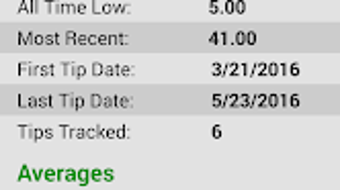
- Earnings Analytics: The app provides detailed insights such as average daily earnings, most profitable day of the week, and top-performing month of the year.
- Visual Charts: Interactive charts display income trends over time, helping users visualize increases or decreases in earnings.
- Customizable Workweek: Users can set the first day of the workweek to align with their schedule, improving data organization.
- Currency Settings: The ability to change the default currency allows for flexibility across different regions and income sources.
- Notification Reminders: Customizable alerts help users remember to log their tips regularly.
- Auto-Backup & Export: Data can be automatically backed up and exported to cloud storage or emailed, ensuring data safety and portability.
- Home Screen Widget (Premium): The premium version enables direct tip entry from the home screen, enhancing accessibility and workflow efficiency.
These capabilities support real-world workflows such as logging tips immediately after a shift, reviewing weekly performance, or preparing income summaries for personal financial planning. The combination of simplicity and insight makes Tip Tracker a practical tool for those seeking clarity in irregular cash income streams.
User Interface, Workflow & Performance
The user interface of Tip Tracker is designed with simplicity and speed in mind. Navigation is straightforward, focusing on core functions like logging new tips and viewing earnings summaries. The layout prioritizes quick access to key metrics, reducing the number of taps required to complete common tasks. Workflow efficiency is enhanced by the two-step entry system, which minimizes user effort while maintaining data accuracy. The app uses clean visual elements and intuitive icons, supporting fast comprehension across different user skill levels. Performance observations are based on general software behavior patterns; no specific details on CPU or RAM usage were provided by the developer. The application appears to run smoothly on Android devices, with no reported issues related to stability or crashes. The developer did not specify resource usage details, so actual performance may vary depending on device hardware and background processes. Auto-backup and export functions operate in the background, suggesting reliable execution. Overall, the app maintains a responsive feel during routine use, supporting consistent tracking without noticeable delays.
Compatibility & System Requirements
Tip Tracker is available for Android devices. The developer did not specify exact system requirements or minimum hardware specifications. The application’s installation size is not provided. Compatibility information is limited to the Android platform, with no indication of support for other operating systems such as iOS or desktop environments. The app is designed for mobile use and integrates with Android’s native features like widgets and notifications. Users should ensure their device runs a supported version of Android, though the exact version range was not disclosed. The developer did not provide information on whether the app supports tablets or foldable devices. For users seeking cross-platform access, current availability is restricted to Android-only devices. The lack of detailed system requirements means users should rely on standard app store compatibility checks when installing.
Pros and Cons
Pros
- Simple, fast tip entry in just two steps
- Provides valuable income insights and trends
- Visual charts for tracking earnings over time
- Customizable workweek and currency settings
- Auto-backup and data export options for safety
- Notification reminders to encourage consistent logging
- Free version available with essential features
- Premium version offers home screen widget access
Cons
- No information on system requirements or device compatibility
- Not available on desktop or iOS platforms
- Limited to Android-only users
- Performance and resource usage details not disclosed
- Full accounting features not included
- Reliance on cloud or email for data backup
FAQ Section
Is Tip Tracker available for iOS or desktop?
Tip Tracker is currently available only on Android. There is no information indicating support for iOS or desktop operating systems.
Is the app safe to use with personal financial data?
The app includes auto-backup and export features, which help protect user data. However, the developer did not provide specific details on data encryption or security protocols.
Can I use Tip Tracker without an internet connection?
Yes, the app supports offline use. Users can log tips and view data without an internet connection, though backup and export functions require connectivity.
How often are updates released?
The developer states that Tip Tracker is constantly updated with new features. However, the frequency of updates was not specified.
What is the difference between the free and premium versions?
The free version includes core features like tip logging, analytics, and export options. The premium version adds the ability to enter tips directly from a home screen widget.
Final Thoughts + CTA
Tip Tracker stands out as a focused, user-friendly tool for individuals managing irregular cash income. Its streamlined interface, fast data entry, and insightful analytics make it ideal for service workers who need clarity on their earnings without the complexity of full accounting software. While it lacks desktop or iOS support and does not disclose detailed system requirements, its core functionality is well-executed and purpose-built. The inclusion of auto-backup, export options, and customizable settings enhances reliability and personalization. For those on Android seeking a no-frills way to track tips and cash income, Tip Tracker delivers tangible value. The free version offers strong utility, while the premium upgrade provides convenience for frequent users. Overall, it is a practical, secure, and efficient tool for real-world income tracking.
Download Tip Tracker now




.png)



