

Açıklama
WDesignKit, WordPress için nihai tasarımcı aracıdır ve tasarımcıların dakikalar içinde çarpıcı web siteleri oluşturmasını sağlar. Bir WordPress web sitesi oluşturmanın en hızlı yoludur ve bu da onu her WordPress tasarımcısı veya ajans sahibi için olmazsa olmaz bir araç haline getirir.
WDESIGNKIT WEB SİTESİNİ ZİYARET EDİN
Quick Navigation Links
Web Sitesini Ziyaret Edin | Video Eğitimleri| Belgeler | Yol Haritası | Facebook Topluluğuna Katılın | Ücretsiz Destek | Premium Destek | AI Sohbet (Anında Yanıtlar)
WDesignKit Özelliklerinin Tamamı 4 Dakikada Keşfedin Şimdi İzleyin
Neden WDesignKit?
- 1600+ Elementor Page Templates, Kit & Sections
- 1500+ Gutenberg Templates & Patterns
- 80+ Elementor Widgets Library
- 30+ Gutenberg Blocks Library
- 30+ Bricks Elements Libary
- Elementor Araç Oluşturucu (Elementor Araçlarına Özel Kod)
- Gutenberg Blok Oluşturucu(Gutenberg Bloklarına Özel Kod)
- Bricks Element Oluşturucu (Bricks Elementleri için Özel Kod)
- 1- Click Widget Convertor — Easily Convert Elementor Widgets to Gutenberg Blocks or Bricks Elements & Vice Versa
- Bulut Çalışma Alanı — Ekibinizle İşbirliği Yapın ve Bulut Üzerindeki Sayfa Şablonlarını, Figma Tasarımlarını veya Özel Araçları Depolayın
- 60+ Figma Designed Websites
🔍 ÜRÜNLERİMİZ
🥇 Elementor için The Plus Addons – Elementor Araçlarını Kolayca Oluşturmak İçin 120’den Fazla Elementor Aracı.
🥇 NexterWP Teması, Blokları ve Eklentileri – 22’den fazla WordPress Uzantısı ve 90’dan fazla Gutenberg Bloku ile WordPress için En İyi Başlangıç Teması.
🥇 UiChemy – Figma’dan Elementor’a ve Bricks Dönüştürücü – Figma Şablonlarınızı ÜCRETSİZ Figma Eklentimizi kullanarak Canlı Elementor Web Sitenize Dönüştürün.
Dış hizmetler
- wdesignkit.com API: Bu API, eklentiyle ilgili verileri yerleştirme ve güncellemeler için almak için kullanılır. Etkinleştirme, güncellemeler veya belirli eklentiyle ilgili istekler sırasında eklenti sürümünü ve tanımlayıcıyı gönderir. Daha fazla ayrıntı için Gizlilik Politikası ve Hizmet Şartları‘nı inceleyebilirsiniz.
- api.wordpress.org : Bu API, eklenti meta verilerini ve uyumluluk bilgilerini WordPress.org’dan alır. Güncellemeler sırasında veya uyumluluğu kontrol ederken eklenti tanımlayıcısını gönderir. Daha fazla bilgi Gizlilik Politikası ve Hizmet Şartları‘nda bulunabilir.
- api.posimyth.com: Eklenti bu API’ye iki amaçla bağlanır: devre dışı bırakma sırasında isteğe bağlı geribildirim toplamak ve katılım sırasında anonimleştirilmiş verileri depolamak. Devre dışı bırakma geri bildirimi için, anonimleştirilmiş veriler kullanıcılar tarafından gönüllü olarak gönderilirken, katılım etkileşimleri asgari düzeyde anonimleştirilmiş istatistikler iletir. Bu API’lere yalnızca geribildirim gönderimi veya katılım sırasında erişilir. Daha fazla ayrıntıyı Gizlilik Politikası ve Hizmet Şartları‘nda bulabilirsiniz.
Ekran Görüntüleri
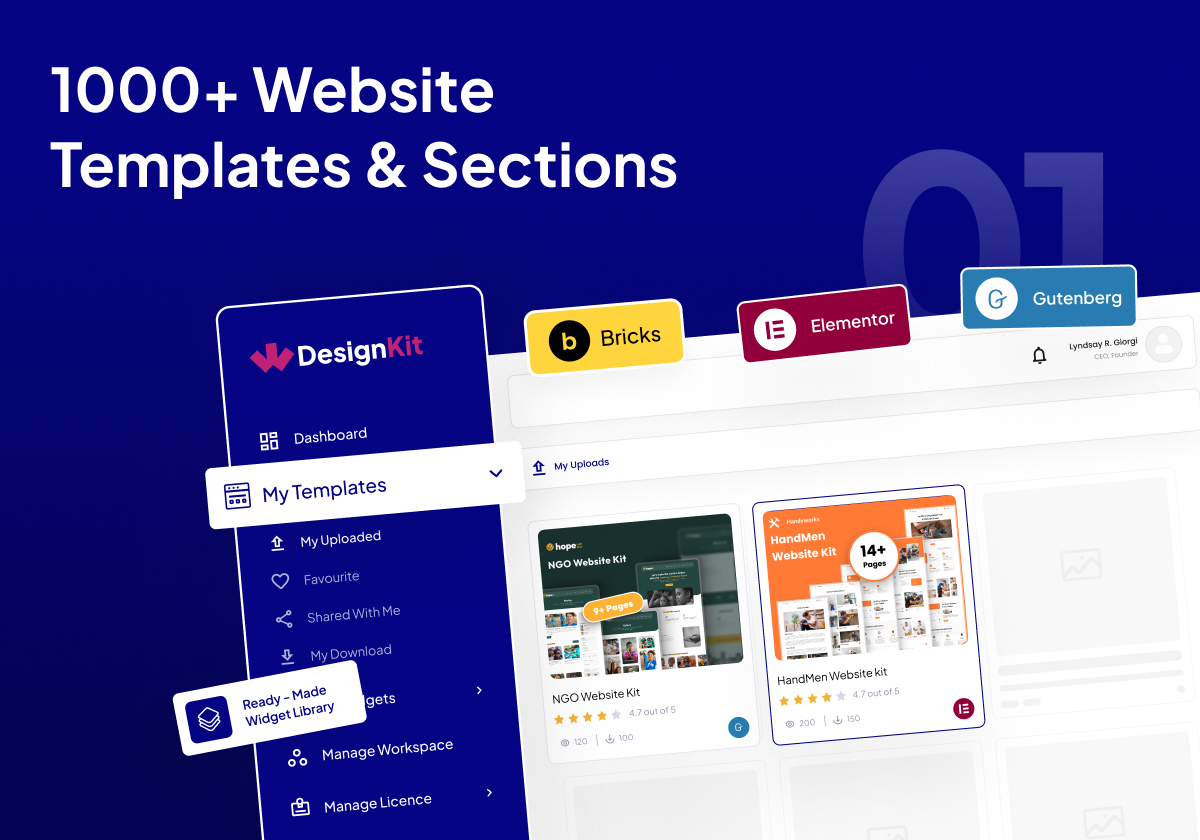
3000’den fazla Web Sitesi Şablonu ve Bölümü 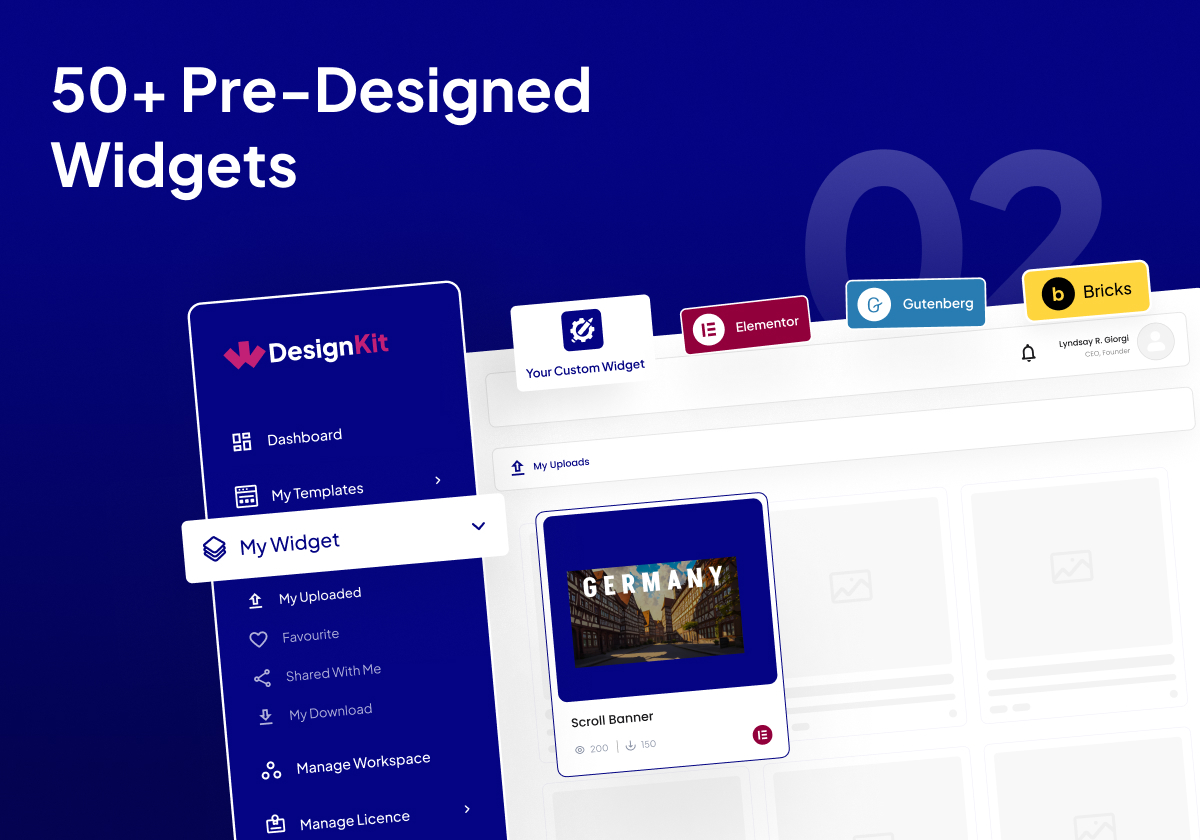
160+ Önceden Tasarlanmış Gereç 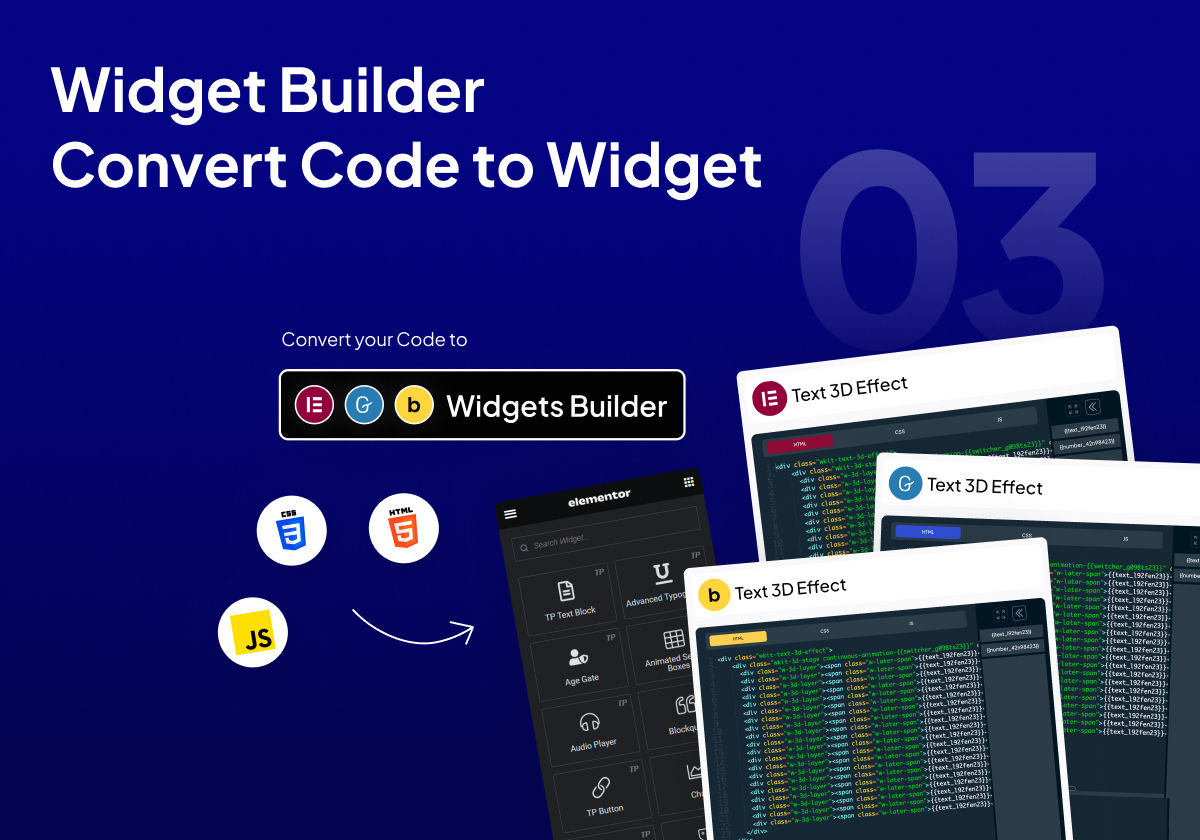
Araç Oluşturucu: Kodu Araca Dönüştür 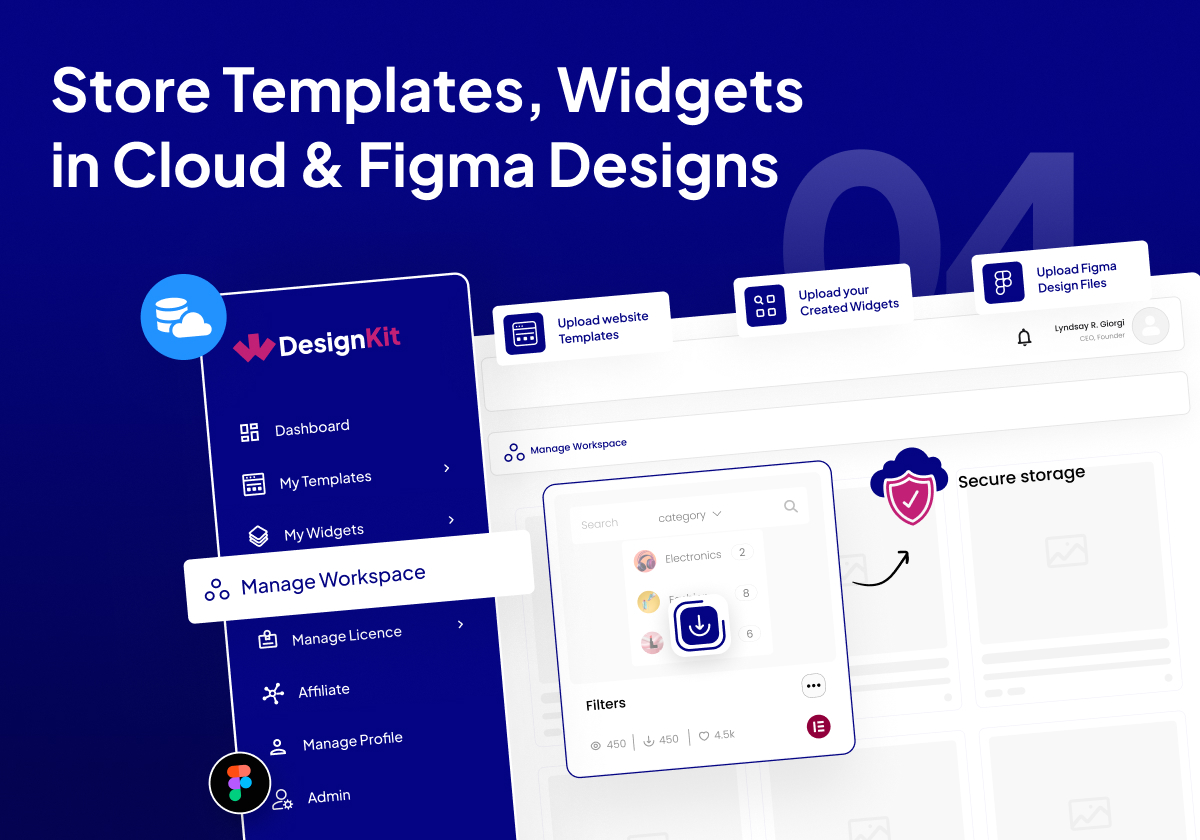
Şablonları, Araçları ve Figma Dosyalarını Bulutta Saklayın 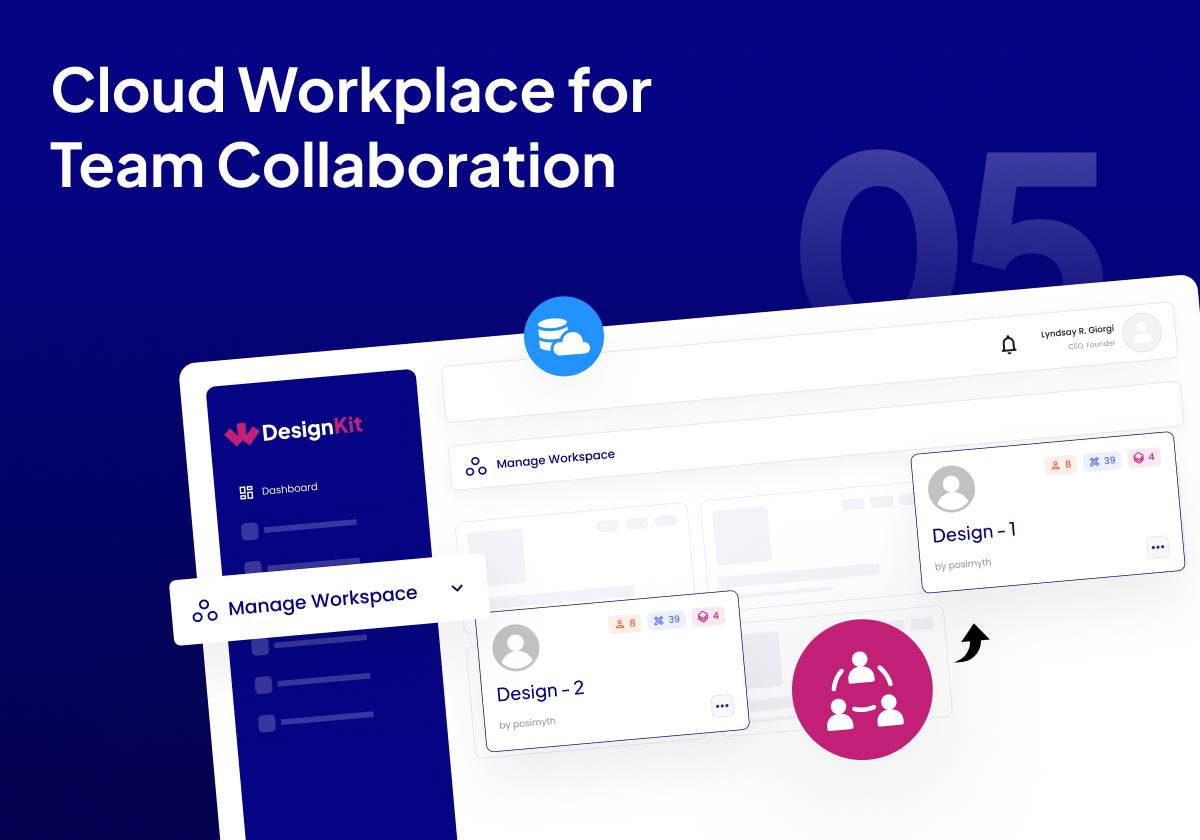
Ekip İş Birliği için Bulut Çalışma Alanı 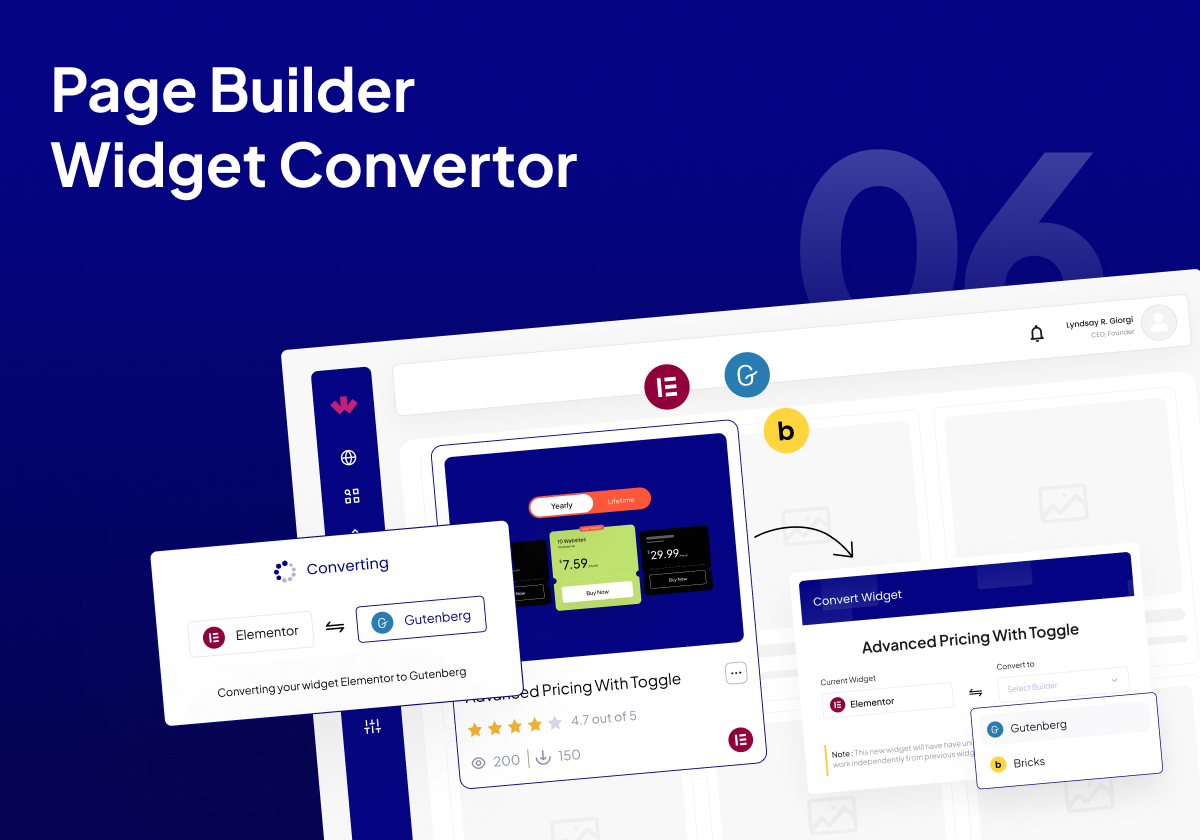
Sayfa Oluşturucu Gereç Dönüştürücü 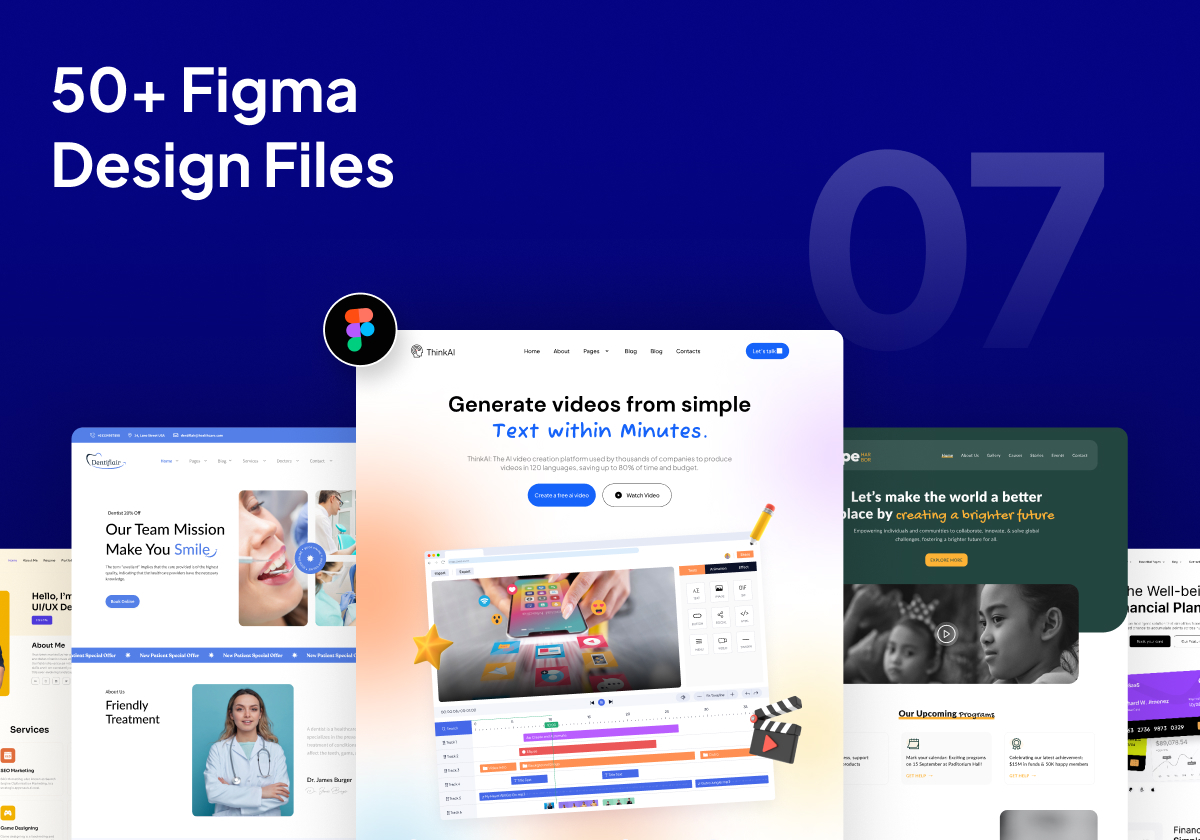
60’den Fazla Önceden Tasarlanmış Figma Tasarım Dosyası


SSS
-
Herhangi Bir WordPress Teması ile Çalışır Mı?
-
Evet, bu tüm Temalarla çalışır, ancak Nexter WordPress Temamızla senkronize olarak en iyi şekilde çalışır.
-
Araç Oluşturucuyu kullanmak ücretsiz mi?
-
Evet. Elementor Araç Oluşturucumuz, Bricks Element Oluşturucumuz ve Gutenberg Blok oluşturucumuz ve gelecekteki Oluşturucularımız %100 ücretsiz olarak kullanılabilir. Ücretsiz planda oluşturabileceğiniz araç sayısında bazı sınırlamalar vardır.
-
WDesignKit’i kullanarak hem Elementor Ücretsiz hem de Pro’daki şablonları kaydedebilir miyim?
-
Evet, Elementor Ücretsiz ve Pro şablonlarının her ikisini de kaydedebilir ve kullanabilirsiniz.
-
WDesignKit şu anda hangi sayfa oluşturucuları destekliyor?
-
Şu anda Şablonlar için Elementor ve Gutenberg desteğimiz var. Araç oluşturucu ve Hazır araçlarda Elementor’u destekliyoruz. Gutenberg, Bricks ve daha fazlası çok yakında geliyor.
-
Eklentiyi kullanmak için herhangi bir Elementor eklentisine ihtiyacım var mı?
-
WDesignKit’in herhangi bir Elementor Eklentisine doğrudan bağımlılığı yoktur, ancak bazı Elementor Şablonları ve Gutenberg Blokları, web sitesinin tam içe aktarımı için Elementor’da The Plus Addons’a veya Gutenberg için Nexter Bloklarına ihtiyaç duyar.
-
Güvenlik hatalarını nasıl bildirebilirim?
-
Güvenlik hatalarını Patchstack Güvenlik Açığı Açıklama Programı aracılığıyla bildirebilirsiniz. Patchstack ekibi, tüm güvenlik açıklarını doğrulamaya, sınıflandırmaya ve ele almaya yardımcı olur. Bir güvenlik açığı bildirin.
İncelemeler


Katkıda Bulunanlar ve Geliştiriciler
“WDesignKit – Elementor ve Gutenberg Başlangıç Şablonları, Modeller, Bulut Çalışma Alanı ve Gereç Oluşturucu” açık kaynaklı yazılımdır. Aşağıdaki kişiler bu eklentiye katkıda bulunmuşlardır.
Katkıda bulunanlar


“WDesignKit – Elementor ve Gutenberg Başlangıç Şablonları, Modeller, Bulut Çalışma Alanı ve Gereç Oluşturucu” 10 dile çevrildi. Katkıda bulundukları için çevirmenlere teşekkürler.
Geliştirmeyle ilgilenir misiniz?
Kodu görüntüleyin, SVN deposuna göz atın ya da RSS ile geliştirme günlüğüne abone olun.
Değişiklik Kaydı
2.2.5 – 23 Jan 2026
Added: AI compatibility on the License page.
Added: Code snippet compatibility on the Workspace page.
Compatibility : Compatibility with the latest Nexter Extension update, ensuring seamless support for the new file-based code snippet execution system.
Improved: Added a tooltip on the error page during Kit import.
Fixed: Required plugin installation issue during the Blog Post import process.
Fixed: Minor Bug Fixes & Improvements.
2.2.4 – 13 Jan 2026
Improved: Import Blog Post with Kit.
Improved: Allowing the “Need Help?” section to be hidden when white label mode is enabled In Nexter.
Improved: Removed unnecessary borders from the Database Remove toggle.
Improved: Removed the extra “Select Workspace” label.
Improved: Hidden links when white label mode is enabled.
Improved: Enqueued CSS to hide the WDK logo from the widgets list and the “Need Help?” section from the widget panel.
Improved: Updated the broken chat link to redirect to the Home page.
Improved: Image selection process in the AI Kit import.
Fixed: Gutenberg Builder issue Where wp was undefined.
Fixed: Wordfence Security issue about widget Push ajax.
Fixed: Privacy Policy Broken link issue.
Fixed: Capitalization issue for “Add More” button.
Fixed: Page import error in the AI Kit import process.
Fixed: Continuous loading issue when the widget name is empty.
Fixed: Capitalization inconsistencies across the UI for better readability.
Fixed: An issue where a widget error prevented subsequent widgets from registering.
Fixed: A crash that occurred when converting a widget from Elementor to Bricks and clicking on a section of the converted widget.
Fixed: Duplicate notification messages.
Fixed: Minor Bug Fixes & Improvements
2.2.3 – 1 Jan 2026
Fixed: AI Template Import License Issue
Fixed: Minor Bug Fixes & Improvements
2.2.2 – 30 Dec 2025
Added: Add Filter AI Compatibility in browse template page.
Added: Clear all filters feature in all browse pages.
Added: AI logo in Template Card
Fixed: Minor Bug Fixes & Improvements
2.2.1 – 26 Dec 2025
Fixed: Minor Bug Fixes & Improvements
2.2.0 – 24 Dec 2025
New: Widget Builder: Gutenberg Core Widget Builder.
New: Widget Builder: Widget Update feature.
New: AI-Powered Kit Import.
Fixed: Minor Bug Fixes & Improvements
2.1.6 – 17 Dec 2025
Added: Winter Sale banner.
Improved: Updated Theme Builder page side design for improved usability and consistency.
Improved: Increased name length support for existing widgets.
Improved: Enhanced Overall UI Consistency and Usability.
Improved: Restricted access to advanced Widget Builder controls to Pro users only, including: Textarea, WYSIWYG, Popover, Gallery, Repeater, Icons Control, Slider, Text Shadow, Box Shadow, Background, CSS Filter, Select Template, Post Listings, Product Listing, Taxonomy, Choose, Datetime, Normal / Hover, Raw HTML, Preview.
Fixed: Resolved logo display issue in Gutenberg block panels.
Fixed: Resolved Scrollbar issue in Popups.
Fixed: Resolved Theme Builder redirect issue when clicking the logo.
Fixed: Resolved Widget Search Malfunction.
Fixed: Minor Bug Fixes & Improvements
2.1.5 – 11 Dec 2025
Fix : Pro notice displaying on the Builder page even when the Pro plugin was already activated.
Fix : Minor Bug Fixes & Improvements
2.1.4 – 1 Dec 2025
Improved: SSL compatibility for all asset URLs in the Widget Builder.
Improved: Added a common provider to ensure stable mounting and unmounting of popups.
Improved: Updated Forgot Password title and description for better user understanding.
Improved: Replaced static WDesignKit text with a dynamic product name on the Remove License Key popup.
Fixed: Skeleton loading issue on the Theme Builder page.
Fixed: Design issues in dark mode on the Theme Builder page.
Fixed: Issue on the editor side where importing templates for Gutenberg/Elementor created a new template instead of importing content.
Fixed: Resolved JavaScript selector issue in the Gutenberg editor affecting responsive mode
2.1.3 – 21 Nov 2025
Fixed: Minor bugs and overall improvements.
2.1.2 – 21 Nov 2025
Fixed: Minor bugs and overall improvements.
2.1.1 – 17 Nov 2025
Added: Theme Builder page with full integration to the Nexter Extension – Theme Builder module.
Fixed: Initial Loading Issue Fixed.
Fixed: Tab selection issue on the templates page with no templates.
Fixed: License activation issue in ThePlus Addons and Nexter blocks.
Fixed: Minor bugs and overall improvements.
2.1.0 – 14 Nov 2025
Compatibility: Server compatibility enhancements & Additional Functionality Updatesz
Fixed: Browse Widget Height Issue.
Fixed: Save Template Redirection Delay issue after close popup
Fixed: Minor bugs and overall improvements.
2.0.12 – 28 Oct 2025
Improved: Removed Unnecessary Notice from the Snippet Bundle.
Improved: Loader Design for Better user Experience.
Fixed: Theplus Addons displayed the wrong preset.
Fixed: Cursor Pointer Missing on the Save Template Button.
Fixed: Resolved Brick Widget Download issue (unable to download when child theme active).
Fixed: Server Widget Import Loading issue.
Fixed: Manage License — Page loader issue.
Fixed: My Templates — Status Color not Showing Properly During Download.
Fixed: Unwanted Header Menu Options Showing in Popup with Nexter plugin.
Fixed: Grammatical Error in Snippet download steps.
Fixed: Minor bugs and overall improvements.
2.0.11 – 16 Oct 2025
Improved: Template import speed.
Improved: Removed Result Counter from My Snippets Page.
Improved: Added Result Counter in Preset Page.
Improved: Template note for clarity and accuracy.
Improved: Removed Dynamic Controller Card Variable.
Improved: Individual Builder Hover Color for Controller Card.
Improved: Hover Effect in Widget Editor.
Improved: Changed text display style from small to capitalized for better readability.
Improved: Favorite Snippet flow — data now fetched via API.
Improved: Added pagination for favorite snippets.
Improved: Browse Snippet filter skeleton created.
Improved: Step icons in snippet and snippet kit download process.
Improved: Snippet note updated to match the template for consistency.
Improved: Pagination number & content display on preset popup.
Improved: Controller color in widget builder for dark mode.
Improved: Single snippet redirection in code editor.
Improved: Removed notice in full page & section while importing template.
Improved: Removed pagination content in My Snippet page.
Improved: Cursor pointer added in snippet cards.
Improved: Loader performance during snippet download.
Improved: Loader design in snippet pages.
Improved: Import snippet status loader design.
Improved: Product name capitalization in filter panel.
Improved: Skeleton design in snippet section.
Improved: Added comma in support feature list.
Improved: Widget delete loader in My Widget.
Improved: License delete button color.
Improved: TPAE & Nexter widget download popup UI/UX.
Fixed: Code Snippets Tag Issue — When tags are already selected and a search is made for unavailable tags, a “No results found” message is now displayed instead of showing the selected tags.
Fixed: Divider Controller Dropdown Issue — Dropdown in the divider controller now closes properly.
Fixed: Popup Closing on ESC Key Press (Widget Editor).
Fixed: Controller Colors in Dark Mode.
Fixed: Consistent Checkbox Color Across Builders.
Fixed: Loading Issue for Pro Snippet.
Fixed: Console error on widget side.
Fixed: Favorite Snippet icon issue after API flow update.
Fixed: Placeholder image issue in import template pages.
Fixed: Page refresh issue in code editor side without importing any snippet.
Fixed: Snippet tag search issue.
Fixed: My Snippet download and required plugin install issue.
Fixed: Favorite snippet visibility issue on the favorite page.
Fixed: Critical error and site crash issue when downloading multiple snippet bundles followed by a template download.
Fixed: Console error while downloading widget and redirecting using that button.
Fixed: Grammatical mistakes and letter capitalization issue in Manage License.
Fixed: Letter capitalization issue in Preset plugin name.
Fixed: Minor bugs and overall improvements.
2.0.10 – 6 Oct 2025
Improvements: Updated toast message for Move Template in Workspace.
Improvements: Added retry button for better error handling.
Improvements: Added full-click functionality on editor side.
Improvements: Updated pagination content.
Improvements: Added hover effects for improved interactivity.
Improvements: Updated tag colors in Browse Snippet.
Improvements: Updated font and button colors in TPAE & Nexter popups.
Improvements: Product logo and name toast updated.
Improvements: Removed extra dots and spacing inconsistencies in content.
Improvements: Widget Builder: Updated alignment controller design.
Improvements: Widget Builder: Updated controller color scheme.
Improvements: Widget builder: Improved tooltip design and behavior.
Improvements: Widget Builder: YouTube banner text color refined for better visibility — changed from light to dark.
Improved: Updated “Installing” and “Installed” text to reflect changes according to the snippet download steps.
Improved: Removed unnecessary console logs.
Fixed: Added loader in Snippet Bundle.
Fixed: Preset filter button color issue.
Fixed: Constant loading issue resolved — after token expiration, users are now redirected to the login page.
Fixed: Snippets Filter selection now persists when navigating back — previously selected options no longer reset.
Fixed: Widget Builder: Push Button shake issue.
Fixed: Widget Builder: Multiple scroll issue.
Fixed: Widget Builder: Console error occurrences.
Fixed: Widget Builder: CPT Controller error in Gutenberg Builder.
Fixed: Redirection issues in multiple modules in snippet import.
Fixed: Browse Snippet – Full button area now clickable for Download/View link.
Fixed: Button cut and scroll issues in Create Widget popup.
Fixed: Snippet working inconsistencies and added missing Re-download option.
Fixed: Disabled switcher color issue in dark mode.
Fixed: Downloading snippets again in My Snippet now works correctly.
Fixed: Snippet Download Plugins now download correctly when downloading a snippet from My Snippet.
Fixed: Widget enable/disable toggle in settings panel now auto-enables on import if it was off.
Fixed: Widget Popup Close issue resolved after downloading a widget.
Fixed: Preset tick mark, black dot, and spacing issues.
Fixed: Missing loader visibility on Snippet Bundle button.
Fixed: Header & footer condition logic issue.
Fixed: Solve conflict with ACF builder.
Fixed: Button overlay issue resolved when activating the loader.
Fixed: TPAE & Nexter popup alignment issue fixed, with updated design matching the new UI.
Fixed: Immediate close issue for the “Delete Widget” popup fixed.
Fixed: Minor bugs and overall improvements.
2.0.9 – 3 Oct 2025
Improvement: Added loader with a proper skeleton effect in the workspace popup.
Improvement: Widget Builder: Updated design for save button in widget builder.
Improvement: Updated the template loader to align with the widget loader.
Improvement : Added Template Meta Settings in Gutenberg JSON.
Fixed: Solve Retry option error in Import Kit process.
Fixed: Resolved the redirection issue on both Gutenberg and Elementor editor side.
Fixed: Immediate close issue on the workspace widget’s move and copy popup.
Fixed: Radio button issue on the editor side.
Fixed: Deactivate widgets show issue in widget listing page.
Fixed: Widget Builder: Alignment issue in align controllers in bricks widget builder.
Fixed: Button shake issue.
2.0.8 – 30 Sep 2025
New: Added cancel button in My Widget popup.
New: Changed content in Save Template popup.
New: Updated login slider content.
Improvement: Added icon in widget builder.
Improvement: Plugin side link changes implemented.
Fixed: Widget builder scroll issue fixed.
Fixed: Snippet auto-enable issue fixed.
Fixed: Tick mark alignment issue.
Fixed: Checkbox color issue.
Fixed: Button shake in snippet deletion.
Fixed: Loader shake issue.
Fixed: Scroll issues in TPAE & Nexter popup.
Fixed: Font color issue in plugin notice.
Fixed: Gutenberg popup multiple refresh issue.
Fixed: Single workspace count issue.
Fixed: Kit redirection issue.
Fixed: Extra plugin download issue removed.
Fixed: Save Template popup image card issue.
Fixed: Elementor side blank page save issue.
Fixed: CDN content updated.
Fixed: Background color issue.
Fixed: Extra toast messages removed.
Fixed: Push widget loader issue resolved.
Fixed: Workspace page showing a blank page.
Fixed: Widget Builder : Controller dropdown issue.
Fixed: Widget Builder : Variable panel responsive ness issue.
Fixed: Minor bugs and overall improvements.
2.0.7 – 26 Sep 2025
New: Added Retry option in Kit Import process.
New: Widget Builder : Added Raw HTML support in the info controller of Bricks.
Improvement: Default category pre-selected in the Browse Template popup.
Improvement: Widget Builder : Added WDesignKit logo on widgets in the page editor.
Fixed: Prevented popup from closing while a process is ongoing.
Fixed: Removed Category & Tag filters from the Gutenberg Template Import process.
Fixed: Minor bugs and overall improvements.
2.0.6 – 19 Sep 2025
Improvement: Added Download Popup for Widgets.
Improvement: Changed Template Import Flow to load Templates one by one.
Fixed: URL Controller and Icons Controller Default Value Error in Bricks Controller.
Fixed: CDN load Issue in Widget of Gutenberg Editor.
Fixed: Nexter block preset import bug where blocks were not being replaced.
Fixed: Bug where the selected category remained selected during import.
Fixed: Minor bugs and overall improvements
2.0.5 – 19 Sep 2025
Fixed: Minor bugs and overall improvements
2.0.4 – 15 Sep 2025
Fixed: Template import where Nexter Builder template include & exclude page conditions were not applied correctly.
Fixed: Site name Incorrectly appended to Elementor & Gutenberg Template name and slug During Import.
Fixed: Minor bugs and overall improvements
2.0.3 – 13 Sep 2025
Fixed: Gutenberg Widget Enable issue
Fixed: Minor bugs and overall improvements
2.0.2 – 12 Sep 2025
Fixed: Elementor Widget enable issue
Fixed: Minor bugs and overall improvements
2.0.1 – 11 Sep 2025
Fixed: Gutenberg Import Template Issue
Fixed: Minor bugs and overall improvements
2.0.0 – 11 Sep 2025
Major Release: This is a major release with a new UI/UX and overall product enhancements.
New: Revamped dashboard UI/UX
New: Code Snippet Cloud connection with Nexter Extension
New: Dashboard dark mode
New: Enhanced template import process
New: Redesigned widget builder
New: Improved settings panel
Improved: Performance and security optimizations
Improved: Optimized code and file structure
Fixed: Minor bugs and overall improvements
For older changelog entries, please see the additional changelog.txt file delivered with the plugin.
