
Download TraderSync – Portfolio Tracker, Trade Journal, Stock, Crypto, Forex, Options, Futures
Overview
TraderSync is a specialized desktop and mobile application designed to assist active traders in monitoring their investment performance and refining their trading strategies. The software serves as a comprehensive portfolio tracker and trade journal, catering primarily to professionals and serious retail traders in the stock, cryptocurrency, forex, options, and futures markets. Its core purpose is to provide detailed insights into trading behavior by recording and analyzing trade executions, performance metrics, setups, notes, and mistakes. By centralizing this data, TraderSync enables users to identify patterns, assess risk, and improve decision-making over time. The tool is especially useful for traders seeking to build a disciplined approach through systematic review and performance tracking. While the app is available on Android devices, the full functionality—including the ability to enter trades in non-stock markets—is accessible via the web interface. This dual-access model ensures flexibility for users who prefer mobile convenience or desktop-level control. The software was released on January 1, 2023, and is currently free to download and use, with optional premium features available through subscription. The developer did not provide additional details about the company or background.Key Features & Capabilities
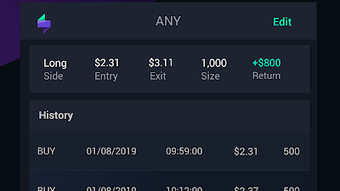
TraderSync offers a suite of reporting and tracking tools tailored to the needs of active traders. Key features include detailed performance reports such as account accumulative performance, daily P/L, and trade management summaries, which allow users to evaluate their financial outcomes over time. The software provides specialized reports like setup report, mistake report, market report, volume report, share report, price report, month report, and weekly report—each designed to analyze different aspects of trading activity. Users can log trades quickly through the mobile app (for stocks) or the web interface (for all asset types), entering critical data such as execution prices, positions, P/L, notes, and even screenshots. The app supports tracking of trade setups and mistakes, helping traders identify recurring issues and refine their strategy. Additionally, users can maintain a detailed journal of their trading sessions, including observations and reflections. These capabilities enable a structured review process, which is essential for long-term performance improvement. The system is built to handle complex trading data across multiple markets, though only stock trades are supported directly within the Android app. For other asset classes, the web interface is required. The developer did not specify additional features beyond those listed.User Interface, Workflow & Performance
The user interface of TraderSync is designed for clarity and efficiency, focusing on quick access to core functions like trade logging and report viewing. Navigation is structured around a central dashboard that displays key performance metrics, with menu options leading to detailed reports, trade entries, and journal sections. The workflow prioritizes speed and simplicity—traders can enter a trade in a few seconds using predefined fields and intuitive input methods. The mobile app emphasizes usability on smaller screens, with touch-optimized controls and streamlined data entry. On the web interface, users benefit from a more expansive layout suitable for detailed analysis and bulk data entry. The software’s performance is expected to be stable given its focused scope and lightweight design, though exact performance metrics were not specified. The developer did not provide information on CPU or RAM usage, nor did they detail stability under prolonged use. General software behavior patterns suggest consistent operation during regular use, but real-world performance may vary based on device capabilities and data volume. No known bugs or crashes were reported in the available documentation.Compatibility & System Requirements
TraderSync is available on the Google Play Store and is compatible with Android devices running Android 7.0 and above. The app’s installation size and specific hardware requirements were not disclosed. For traders using non-Android platforms or requiring full access to all features, the web interface is available and likely supports modern browsers on Windows, Mac, and other desktop operating systems. However, the developer did not provide explicit information about desktop OS compatibility, browser requirements, or system specifications. Exact system requirements were not listed, and compatibility details for older or low-end devices remain unclear. Users are advised to ensure their device meets standard Android requirements for app functionality. The developer did not specify whether offline mode is available or how data is synchronized across devices.Pros and Cons
- Free to download and use with optional premium subscription
- Comprehensive reporting suite for performance analysis
- Fast trade logging via mobile app (stock trades only)
- Web interface supports all asset types (crypto, forex, options, futures)
- Supports detailed trade notes, screenshots, and setup tracking
- Non-stock trades require web interface, limiting mobile functionality
- No detailed system requirements provided
- Performance and resource usage details not disclosed
- Android-only mobile access; no native desktop app mentioned
- Limited information on offline capabilities and data sync




.png)



