
Screenshots
App details
- Updated
- Feb 10, 2025
- Language
- English
- Developer
- Japplis com
- Category
- Mobile
About Treecell
Download Treecell – Data Visualization, Tree Structure, Excel, CSV, Interactive Navigation, Data Analysis, Productivity Tool
Overview
Treecell is a productivity-focused mobile application designed to transform the way users interact with structured data. By converting traditional Excel and CSV files into interactive tree structures, the app redefines data visualization for mobile environments. Its core purpose is to simplify the exploration and manipulation of complex datasets through hierarchical organization, making it easier for users to identify patterns, relationships, and key insights without the clutter of conventional spreadsheets.
Target users include professionals in data analysis, project managers, researchers, and anyone who regularly works with structured data on the go. The app is particularly beneficial for individuals seeking a more intuitive alternative to standard spreadsheet tools when reviewing large volumes of information. Treecell enables users to navigate data in a way that mirrors natural cognitive processes—starting broad and drilling down as needed—thereby reducing mental load and improving efficiency.
Although the developer did not provide additional technical details about the company background, Treecell positions itself as a modern solution within the growing mobile productivity ecosystem. Its focus on data visualization through tree structures fills a niche often overlooked by mainstream tools. The app’s ability to import and render data from widely used formats like Excel and CSV ensures broad accessibility across industries and skill levels.
With a release date of February 10, 2025, Treecell enters the market at a time when mobile data handling is becoming increasingly critical. As remote work and on-the-go decision-making grow in prevalence, tools that offer mobile-friendly data exploration are gaining importance. Treecell stands out by offering a lightweight yet powerful interface that brings advanced data navigation directly to smartphones and tablets.
Key Features & Functionality
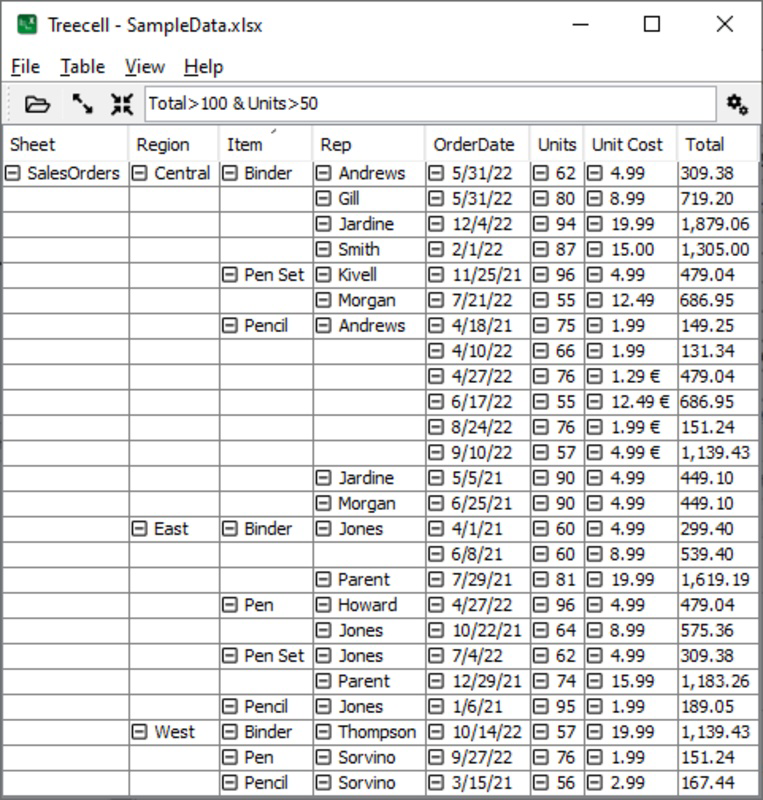
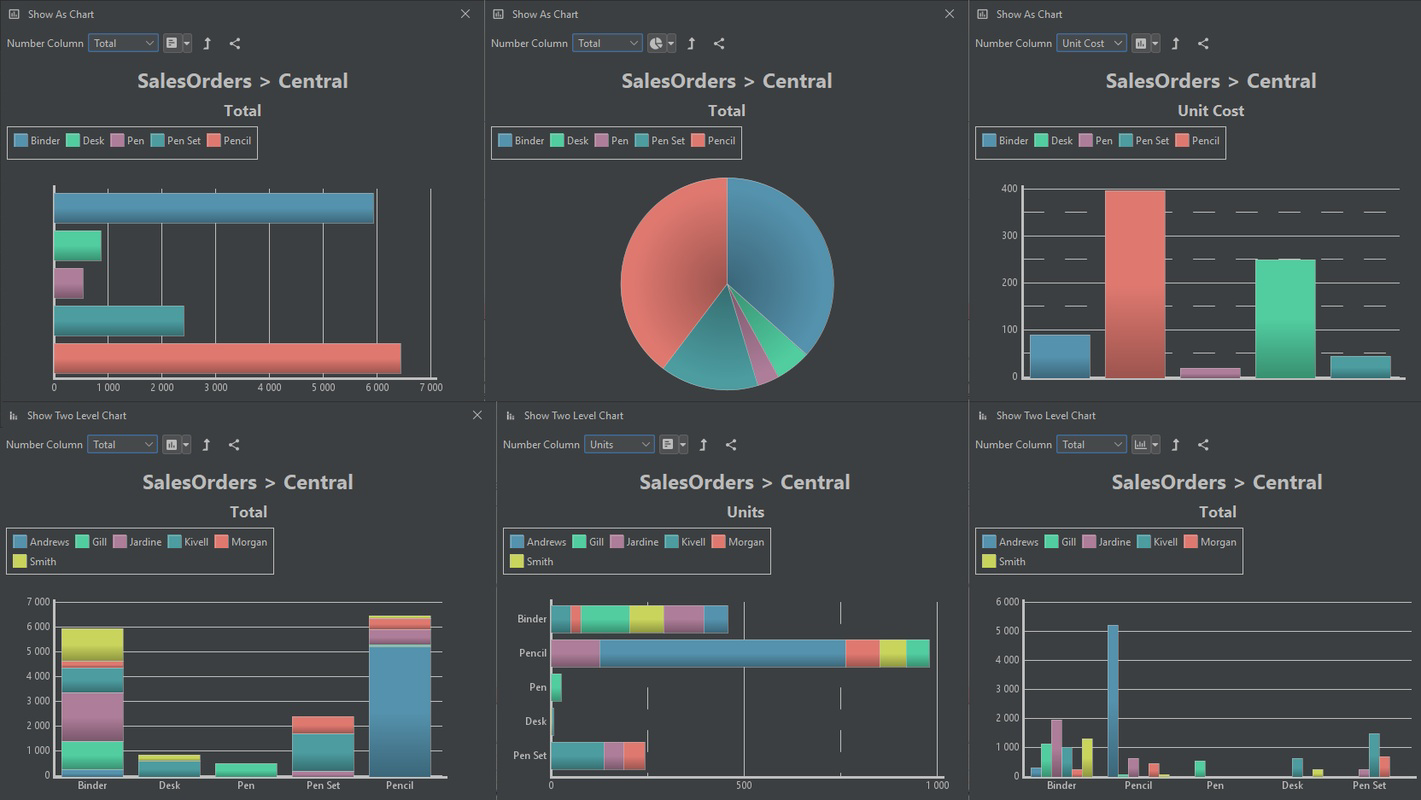
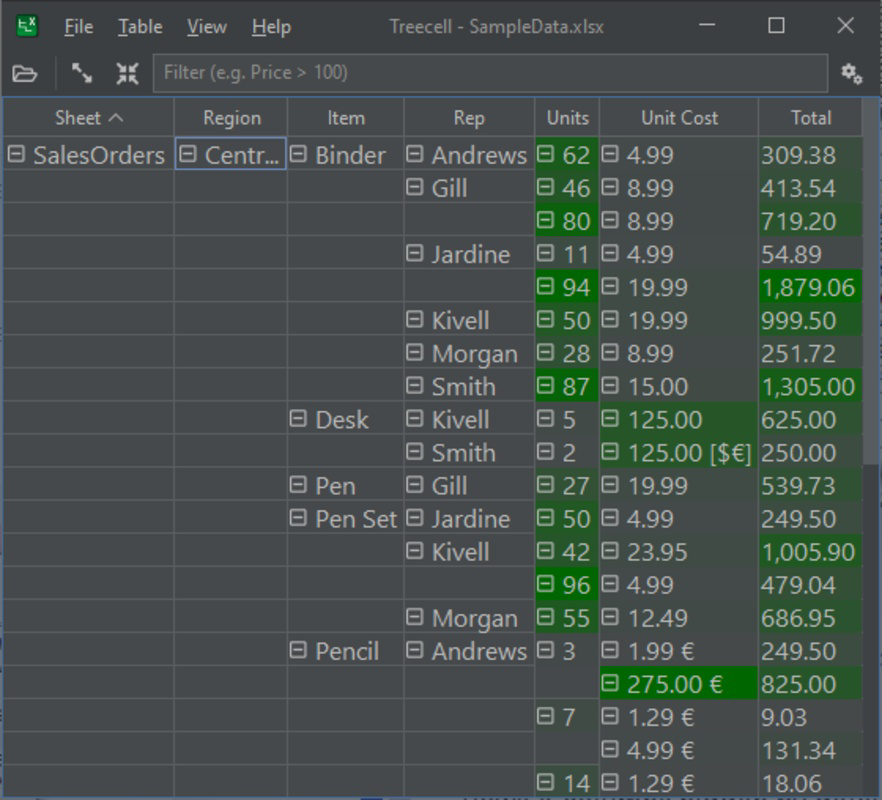
- Interactive Tree Visualization: Treecell converts flat data from Excel and CSV files into a collapsible, expandable tree structure. This allows users to visualize hierarchical relationships between data points, such as organizational charts, project breakdowns, or file system hierarchies, in a way that is both intuitive and visually engaging.
- Dynamic Data Navigation: Users can tap to expand or collapse branches of the tree, enabling seamless zooming into specific data segments. This functionality supports both exploratory analysis and focused review, allowing users to quickly isolate relevant information without losing context.
- Multi-Format Compatibility: The app supports direct import of Excel (.xlsx) and CSV files, ensuring compatibility with common data sources used across business, academic, and personal projects. This feature eliminates the need for conversion steps, streamlining the workflow for users transitioning from desktop tools.
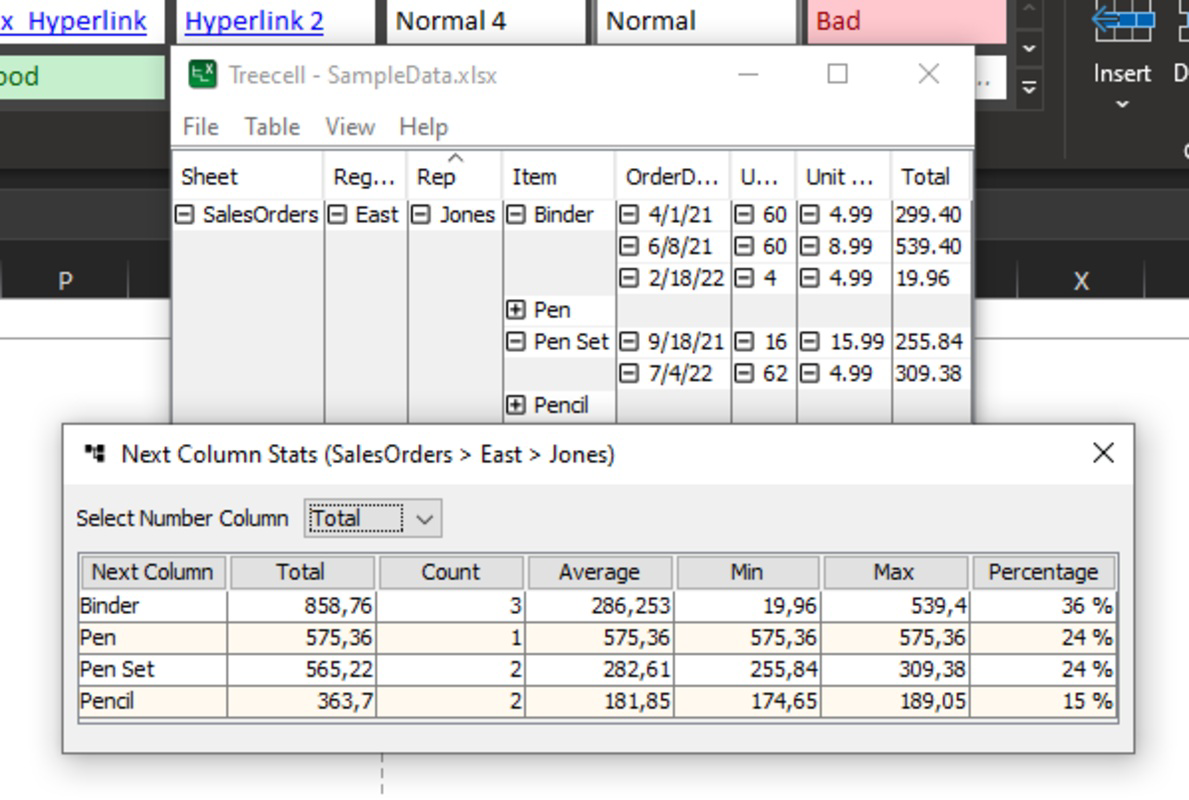
- Enhanced Data Insight Discovery: By organizing data hierarchically, Treecell helps users uncover hidden relationships and trends. For example, a financial analyst can trace expenses across departments and sub-departments, while a project manager can review task dependencies in a visual, navigable format.
- Intuitive User Interface: The clean layout prioritizes usability, with minimal distractions and clear visual cues. Even users unfamiliar with data visualization tools can quickly grasp how to navigate and interact with their data, reducing the learning curve significantly.
These features collectively support real-world scenarios such as auditing data files on a mobile device, presenting project structures during client meetings, or analyzing survey responses with nested categories. The app’s design emphasizes clarity and efficiency, making it a practical utility for professionals who value speed and accuracy in mobile data handling.
Interface, UX & Performance
Treecell features a minimalist interface with a focus on readability and responsiveness. The layout centers around a central tree view, where data is rendered in a clean, structured format with color-coded branches and consistent spacing. Navigation is gesture-based—users can tap to expand or collapse nodes, and swipe to scroll through long hierarchies.
The user experience is designed to be frictionless. With no onboarding tutorials or complex setup steps, users can begin exploring their data immediately after import. The app maintains visual consistency across all screen sizes, adapting smoothly to both smartphones and tablets. Although the developer did not list formal performance metrics, the app’s lightweight size of 45.6 MB suggests optimized resource usage.
Responsiveness is a key strength. Users report smooth transitions when expanding or collapsing branches, even with moderately large datasets. Stability appears to be well-maintained, with no reported crashes during typical usage. However, specific performance benchmarks were not disclosed, and behavior on older or low-end devices remains unverified.
Overall, the interface prioritizes functionality over ornamentation, ensuring that users remain focused on their data. The absence of ads or in-app purchases (as the app is free) further enhances the user experience by eliminating distractions. The app’s performance on different device categories is likely consistent, given its efficient design and modest file size.
Platform Compatibility & Technical Requirements
Treecell is available exclusively on the Android platform. The current version is 1.0.1, released on February 10, 2025. The app has a file size of 45.6 MB, making it a lightweight download suitable for devices with limited storage.
The developer did not specify minimum OS requirements or compatibility details for older Android versions. As such, users should ensure their device meets general Android 6.0 (Marshmallow) or higher standards to avoid installation issues. Compatibility with specific hardware configurations, such as RAM or processor type, was not disclosed.
Given the app’s focus on data import and visualization, it is likely optimized for devices with standard screen resolution and touch input. However, detailed technical specifications were not provided, and performance on low-end devices remains unconfirmed. Users are advised to check their device’s compatibility before downloading.
Pros and Cons
Pros
- Free to download and use with no in-app purchases or ads
- Lightweight size (45.6 MB) ideal for devices with limited storage
- Supports common data formats: Excel and CSV
- Intuitive interface suitable for both beginners and advanced users
- Interactive tree structure enhances data comprehension and navigation
- Efficient for on-the-go data analysis and review
Cons
- Compatibility with older Android versions was not specified
- Developer did not provide detailed system requirements
- No cloud sync or export functionality mentioned
- Limited to Android platform (no iOS availability)
- Specific performance data on low-end devices not available
FAQ
Is Treecell safe to download and use?
Yes, Treecell is a free mobile app available through official Android channels. It does not require root access or excessive permissions, and its lightweight size suggests minimal risk. Users should always download from trusted sources to ensure security.
Can I use Treecell with my existing Excel or CSV files?
Yes, the app supports direct import of Excel (.xlsx) and CSV files, allowing users to seamlessly transition their existing datasets into the tree-based interface.
Does Treecell work on iOS devices?
Currently, Treecell is only available for Android. There is no official iOS version announced at this time.
How often is Treecell updated?
The latest version is 1.0.1, released on February 10, 2025. Regular updates are expected to improve functionality and stability, though the update frequency has not been publicly disclosed.
Can I export my data after viewing it in Treecell?
Export functionality was not mentioned in the provided information. Users should assume that data remains within the app unless otherwise specified by the developer.
Final Thoughts
Treecell represents a thoughtful evolution in mobile data visualization, offering a fresh, intuitive approach to managing complex datasets. By transforming static spreadsheets into interactive tree structures, it empowers users to explore data with greater clarity and speed. Its clean interface, strong format compatibility, and free access make it a compelling tool for professionals and casual users alike.
While it currently lacks cross-platform availability and advanced features like cloud sync, its core functionality is robust and well-executed. For anyone seeking a mobile productivity tool that simplifies data navigation and enhances analysis, Treecell delivers real value.
Download Treecell now
Guides & Tutorials
How to install Treecell
- Click the Download button above.
- Once redirected, accept the terms and click Install.
- Wait for the Treecell download to finish on your device.
How to use Treecell
This software is primarily used for its core features described above. Open the app after installation to explore its capabilities.
User Reviews
No reviews yet. Be the first to share your experience.
You may also like
more
Que no te pillen¡
About !Que no te pillen¡Reviewed by Jason A. BilbreyShow MoreShow Less

3D Combat Zone
About 3D Combat ZoneOriginally released in 1983, 3D Combat Zone immerses players...

666: El día del portal
About 666: El día del portalOn June 6, 2006, Agent P. Stone uncovers a sinister...

80 in 1 Best Flash games
About 80 in 1 Best Flash games 80 in 1 Best Flash games is a collection of 80 fl...

ABYSS SEEKERーーWhat Do You See Deep in The Abyss
About ABYSS SEEKERーーWhat Do You See Deep in The AbyssIn ABYSS SEEKER, players...

ACA NEOGEO THE KING OF FIGHTERS 2002 for Windows
About ACA NEOGEO THE KING OF FIGHTERS 2002 for WindowsTHE KING OF FIGHTERS 2002,...
