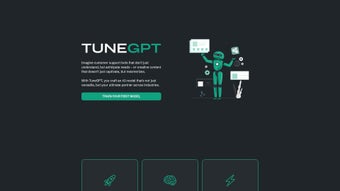

Download TuneGPT – Personalized AI Chatbots for Customer Service & Analytics
Overview
TuneGPT is a next‑generation, cloud‑native AI platform that empowers businesses, developers, and even non‑technical teams to build custom ChatGPT‑style chatbots without writing a single line of code. The service is engineered for three core use cases: customer‑service assistants that can triage tickets and answer FAQs, sales‑enablement bots that guide prospects through product catalogs, and analytics assistants that turn raw data queries into natural‑language insights. By collapsing the traditionally complex model‑training pipeline into a three‑step workflow—upload your data, configure a few intuitive parameters, and launch the bot—TuneGPT eliminates the need for GPU provisioning, Python environments, or deep‑learning expertise. The entire stack runs on auto‑scaling Kubernetes clusters behind a zero‑trust security perimeter, ensuring that spikes in traffic are handled gracefully while keeping data encrypted at rest and in transit. During its current beta phase, TuneGPT is offered at a flat $12 / month, providing unlimited training runs, version control, and a full suite of monitoring tools. Email support, a detailed knowledge base, and live chat assistance are included to help users overcome any hiccup quickly. Whether you run a boutique e‑commerce store aiming to cut support ticket volume by half, a mid‑size SaaS company looking to boost first‑response times, or an analytics team that needs instant answers from a data warehouse, TuneGPT delivers a secure, fast, and affordable pathway to bring conversational AI in‑house.
Key Features & Benefits
- Three‑Step Model Builder: Upload CSV, JSON, or plain‑text datasets, set a few high‑level parameters, and let the platform spin up a customized language model in minutes.
- Unlimited Training Runs: Unlike many pay‑per‑token services, TuneGPT lets you iterate freely during the beta, encouraging experimentation and fine‑tuning without hidden costs.
- Instant Deployment Options: Deploy bots to web widgets, Slack, Microsoft Teams, or via API endpoints with a single click, reducing time‑to‑value.
- Analytics Dashboard: Real‑time metrics on conversation volume, sentiment, and resolution rates help you measure ROI and continuously improve the bot.
- Role‑Based Access Control: Teams can assign edit, view, or admin permissions, ensuring that only authorized users can modify training data or model settings.
- Secure Data Handling: All uploads are encrypted at rest and in transit, and models are isolated per tenant, meeting GDPR and CCPA requirements.
- Scalable Cloud Infrastructure: Built on auto‑scaling Kubernetes clusters, TuneGPT handles spikes in traffic without performance degradation.
- Developer‑Friendly API: For power users, a RESTful API provides programmatic control over model versioning, inference, and webhook integrations.
Beyond the feature list, TuneGPT’s biggest advantage lies in its ability to democratize AI. Traditional model training demands expertise in data preprocessing, GPU provisioning, and hyper‑parameter tuning—skills that are scarce and expensive. TuneGPT abstracts those complexities, allowing product managers, support leads, and marketers to launch a conversational assistant that speaks their brand’s voice. The platform also offers native connectors for popular CRM tools such as HubSpot, Zendesk, and Salesforce, enabling you to pull ticket histories directly into the training pipeline and push bot responses back into the workflow. In practice, early adopters report a 30‑40 % reduction in first‑response time and a measurable uplift in customer satisfaction scores (CSAT) after deploying a TuneGPT‑powered chatbot. For analytics use‑cases, the bot can answer ad‑hoc queries against a data warehouse, turning raw numbers into natural‑language insights within seconds. The combination of unlimited training, multi‑channel deployment, and robust security makes TuneGPT a compelling choice for organizations of any size that want to accelerate digital transformation without inflating their technology budget.
Installation, Compatibility & Usage Guide
Getting Started – No Software to Install
TuneGPT is a fully web‑based SaaS solution, which means there is nothing to download or install on your local machine. Simply navigate to tunegpt.com, click “Sign Up,” and register with your work email. After confirming your address, you’ll be directed to an intuitive onboarding wizard that walks you through the three‑step process:
- Data Upload: Drag‑and‑drop your CSV, JSON, or plain‑text files into the “Data” tab. The platform automatically parses column headers, detects common intents, and suggests example utterances to accelerate model building.
- Model Training: Choose a preset (Customer Service, Sales Assistant, Analytics) or configure custom parameters such as temperature, max tokens, and training epochs. Click “Start Training” and watch a progress bar—most small datasets finish in under 10 minutes, while larger corpora may take up to an hour.
- Deployment: After training, select a deployment channel (Web Widget, Slack, Microsoft Teams, API). TuneGPT instantly generates the embed code, webhook URL, or API key required to integrate the bot into your existing digital touchpoints.
System Compatibility
Because TuneGPT runs entirely in the cloud, it is compatible with any modern operating system that supports a web browser—Windows 10/11, macOS Monterey or later, most Linux distributions, as well as mobile browsers on Android 12+ and iOS 15+. The platform is optimized for Chrome, Edge, and Safari, and its responsive design ensures a seamless experience on tablets and smartphones.
Managing Your Bot
Once deployed, you can return to the dashboard at any time to monitor performance, edit training data, or roll back to a previous model version. The “Analytics” tab displays interactive charts for conversation volume, average handling time, sentiment trends, and top‑ranked intents. If you need to tweak the bot’s tone or add new knowledge, simply append example dialogs in the “Fine‑Tune” section and retrain—the process is incremental and does not require downtime. For enterprises that need stricter governance, TuneGPT offers audit logs, SSO integration via SAML, and IP‑whitelisting to restrict access to trusted networks.
Pros & Cons
- Pros
- Fast, three‑step setup eliminates technical barriers for non‑engineers.
- Unlimited training during beta encourages iterative improvement.
- Robust security and compliance (GDPR, CCPA) protect sensitive data.
- Multi‑channel deployment covers web, chat, and API use‑cases.
- Transparent flat‑rate pricing at $12 / month with no hidden token fees.
- Native CRM connectors streamline data ingestion and response routing.
- Cons
- Beta stage may present occasional UI glitches and a limited template library.
- Advanced customizations (e.g., custom tokenizers or model architectures) are not yet supported.
- No built‑in voice‑to‑text or text‑to‑voice capabilities; requires third‑party services.
- Exporting trained models for on‑premise deployment is not currently available.
Overall, TuneGPT delivers a compelling mix of ease‑of‑use, affordability, and powerful AI capabilities that make it a strong contender for businesses looking to automate customer interactions and data queries.
FAQ & Conclusion
Is TuneGPT suitable for non‑technical users?
Absolutely. The three‑step workflow is designed for marketers, support managers, and product owners who may not have a background in machine learning. The UI guides you through data preparation, training, and deployment with clear prompts and contextual help.
What types of data can I upload for training?
TuneGPT accepts CSV, JSON, TSV, and plain‑text files. It can also ingest data directly from Google Sheets, Microsoft Excel Online, or through an API webhook for dynamic data sources.
How secure is my data during training?
All uploads are encrypted using TLS 1.3 in transit and AES‑256 at rest. Models are sandboxed per tenant, and you can enable additional IP‑whitelisting, role‑based access, and audit logging for extra protection.
Can I integrate TuneGPT with my existing CRM?
Yes. TuneGPT offers native connectors for HubSpot, Zendesk, Salesforce, and Freshdesk, allowing you to pull ticket histories into the training set and push bot responses back into the CRM workflow automatically.
What happens after the beta period ends?
Pricing is expected to transition to a tiered model based on usage volume, but the core three‑step builder and unlimited training will remain available. Existing users will receive a grace period to adjust to any new plans, and all data will be migrated seamlessly.
In summary, TuneGPT is a powerful yet approachable AI platform that brings the capabilities of large language models to teams without requiring deep technical expertise. Its affordable flat‑rate pricing, secure cloud infrastructure, intuitive UI, and extensive integration ecosystem make it a strong candidate for any organization looking to automate customer service, accelerate sales conversations, or provide on‑demand analytics through natural language. Ready to cut down support tickets, boost response speed, and turn raw data into conversational insights? Start your free trial today and experience the future of personalized AI chatbots.



.png)




