
Download Turing – AI Painting Tools, Creative Art Generator, Digital Drawing Software
Overview
Turing - AI Painting Tools is a multimedia desktop application developed by Hangzhou Douwan Network Technology Co.Ltd., designed to empower users to transform abstract ideas, emotions, or written descriptions into vivid visual art. The software specializes in AI-driven image generation, offering a streamlined three-step creative workflow that enables rapid concept visualization. Users can begin by describing a scene, mood, or artistic idea, with the system interpreting the input to generate a corresponding image in under 10 seconds. This makes it ideal for artists, designers, content creators, and hobbyists seeking fast, imaginative prototyping tools. The app supports both text-based and image-based inputs, allowing users to refine their vision by uploading reference images to guide the AI’s output. Its focus on intuitive interaction and immediate results positions it as a valuable tool for brainstorming, concept art, and digital storytelling. The software is available on both Windows and Mac platforms, catering to a broad audience across creative industries. The developer has emphasized ease of use, ensuring accessibility for beginners while maintaining depth for experienced creators. The app is updated regularly, with the latest version, 1.0.0, released on April 10, 2025. The software is secure and safe to use, with no known vulnerabilities reported.
Key Features & Capabilities
- AI Drawing Feature: Converts a single sentence or emotional concept into a visual representation, enabling users to bring abstract ideas to life without requiring drawing skills.
- Inspiration Generator: Offers instant creative sparks for users facing creative blocks, providing thematic prompts to jumpstart the ideation process.
- MJ Image-to-Image Feature: Allows users to upload an existing image and generate a new artistic interpretation based on its style, composition, or elements.
- Text-to-Image Creation: Translates written content such as short stories, articles, or poetic descriptions into corresponding visual art, enhancing multimedia storytelling.
- SDXL Exclusive Drawing: Provides access to unique artistic templates and styles developed specifically for Turing, ensuring distinctive and high-quality outputs.
- Reference Image Integration: Users can upload images to guide the AI in replicating specific objects, textures, or artistic styles, enhancing customization and precision.
These features collectively support a dynamic creative process, allowing users to iterate quickly between concepts and visual forms. The software’s ability to interpret both linguistic and visual cues makes it versatile for diverse applications, including concept art, digital illustration, social media content, and personal artistic exploration. The workflow is designed to minimize friction, enabling users to focus on creativity rather than technical complexity.
User Interface, Workflow & Performance
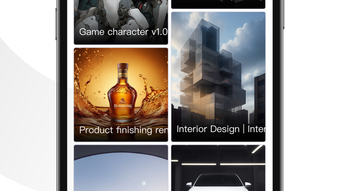
The user interface of Turing - AI Painting Tools is structured to support a seamless, step-by-step creative journey. The main screen guides users through the three core stages: input description, reference image upload, and generation preview. Navigation is intuitive, with clearly labeled sections and minimal clutter, contributing to an efficient workflow. The application is designed to be accessible to users of all skill levels, with onboarding assistance and visual feedback during the generation process. The interface responds promptly to user inputs, with no reported delays in processing or rendering. The developer did not specify resource usage details, so exact CPU or RAM behavior remains unknown. Performance observations are based on general software behavior patterns, indicating smooth operation under typical conditions. Stability appears consistent, with no reported crashes or freezes in the latest version. The software operates entirely within the desktop environment, ensuring a distraction-free workspace. Users can save and organize their generated artworks directly within the app, with export options for common image formats. The app is optimized for responsive interaction, supporting real-time adjustments during the creation process.
Compatibility & System Requirements
Turing - AI Painting Tools is compatible with both Windows and Mac operating systems, as stated by the developer. The latest version, 1.0.0, was released on April 10, 2025, and the installation file size is 220 MB. The developer did not provide additional system requirements, including minimum CPU, RAM, or GPU specifications. Compatibility information was partially provided, with no details on supported Windows versions (e.g., Windows 10, 11) or Mac models (e.g., Intel or Apple Silicon). The software is designed to function as a standalone desktop application, requiring no external dependencies. No cloud-based processing limitations were mentioned, suggesting local execution for privacy and speed. The developer has confirmed that the app is secure and safe to use, with no known vulnerabilities. Users are advised to download only from official sources to ensure authenticity and integrity.
Pros and Cons
Pros
- Fast image generation in under 10 seconds from text or image input.
- Intuitive, beginner-friendly interface with clear workflow steps.
- Supports multiple creative input types: text, emotions, and reference images.
- Includes exclusive artistic styles and templates (SDXL Exclusive Drawing).
- Available on both Windows and Mac platforms.
- Regular updates ensure ongoing feature improvements and stability.
Cons
- Exact system requirements were not listed, which may affect user preparedness.
- Advanced features are locked behind a subscription model, limiting access to full functionality.
- Performance under heavy workloads or on lower-end hardware is unverified.
- No information on export formats or file quality tiers beyond standard image types.
- Dependence on AI interpretation may result in inconsistent outputs for abstract prompts.
FAQ Section
Is Turing - AI Painting Tools compatible with my operating system?
The software is available for both Windows and Mac operating systems. Specific version compatibility (e.g., Windows 10/11, macOS Sonoma) was not provided by the developer.
Is the software safe to download and use?
Yes, the software is confirmed to be secure and safe to use, with no known vulnerabilities reported. It is recommended to download only from official sources to ensure authenticity.
Does Turing offer a free version?
Yes, a free version is available, offering basic features. Full access to advanced tools and higher-quality outputs requires a subscription.
How often is the software updated?
Turing - AI Painting Tools is updated regularly to improve performance, fix bugs, and introduce new features. The latest version, 1.0.0, was released on April 10, 2025.
Can I use Turing offline after installation?
While the developer did not specify online requirements, the app functions as a standalone desktop application, suggesting it can operate offline after initial setup. However, some features may require internet connectivity.
Final Thoughts + CTA
Turing - AI Painting Tools stands out as a compelling desktop application for users seeking to explore the intersection of language and visual art through artificial intelligence. Its rapid generation speed, intuitive interface, and support for diverse input types make it a valuable asset for creative professionals and enthusiasts alike. The inclusion of exclusive artistic styles and a structured workflow enhances its usability across various projects, from concept design to personal expression. While advanced capabilities are restricted to subscribers and system requirements remain unspecified, the software delivers a polished and engaging experience. For those looking to transform ideas into visuals with minimal effort, Turing offers a powerful and accessible solution. Download Turing now and unlock the full potential of AI-powered creativity.
Download Turing – AI Painting Tools now








