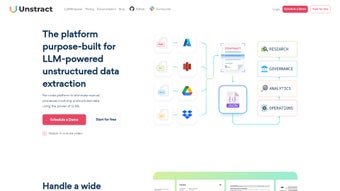

Download Unstract – No‑Code AI Tool for Secure Data Automation
Overview of Unstract
Unstract is a cutting‑edge, no‑code AI platform that converts chaotic, unstructured data into clean, searchable, and actionable information. It was built for industries where accuracy, speed, and compliance matter—such as finance, insurance, healthcare, and legal services. By automating document‑intensive workflows like claims processing, Know‑Your‑Customer (KYC) verification, regulatory reporting, and invoice reconciliation, Unstract reduces manual effort, eliminates costly transcription errors, and speeds up decision‑making. The engine works behind the scenes to extract tables, text blocks, and key entities, then presents them in formats that Large Language Models (LLMs) can understand. What truly differentiates Unstract from other automation tools is its relentless focus on data security and privacy. Every transformation step follows strict compliance standards, ensuring that sensitive information never leaves a protected environment. Whether you are a data analyst looking for rapid insights, a compliance officer needing auditable processes, or a developer seeking a plug‑and‑play solution, Unstract delivers a secure, fast, and scalable way to bring order to unstructured content without writing a single line of code. The platform also supports collaborative workspaces, version‑controlled pipelines, and role‑based access, making it suitable for both small teams and large enterprises.
Key Features That Power Modern Data Pipelines
- LLMWhisperer – Optimizes data formatting for Large Language Models, improving response relevance and reducing token waste.
- LLMEval – Provides real‑time validation of extracted data, flagging inconsistencies before they propagate downstream.
- LLMObservability – Tracks every interaction between your data and LLMs, offering insights into latency, accuracy, and usage patterns.
- Drag‑and‑Drop ETL Pipelines – Build extract‑transform‑load flows for PDFs, images, and legacy systems in minutes without coding.
- Secure API Deployments – Publish data‑processing logic as RESTful endpoints, enabling seamless integration with existing applications.
- Automation Hub – Library of pre‑built automations for common document types such as invoices, claim forms, and KYC packets.
- Prompt Studio – Craft and test prompts that guide LLMs to produce the exact structured output you need.
- DocDialog – Conversational interface that lets users ask natural‑language questions directly to documents, receiving instant, context‑aware answers.
- Compliance & Security Suite – End‑to‑end encryption, role‑based access control, immutable audit logs, and built‑in GDPR, HIPAA, and ISO‑27001 compliance checks.
These capabilities combine to form a complete ecosystem for data automation. For example, a claims department can ingest scanned claim forms, run them through the ETL pipeline, validate the extracted fields with LLMEval, and expose the results via an API for downstream claims‑adjustment software. The entire flow is observable through LLMObservability, giving managers confidence that the AI is acting as intended. Because everything is no‑code, business users can iterate on pipelines without waiting for IT, while developers can still extend functionality through custom scripts or external APIs. Additionally, Unstract supports multi‑language OCR, batch processing, and scheduled jobs, enabling enterprises to handle thousands of documents per day while maintaining a consistent level of accuracy and compliance.
Installation, Usage & Compatibility
Getting started with Unstract is intentionally straightforward. The platform is offered as a cloud‑hosted SaaS solution, so there is no heavy client download required for most users. However, for organizations with strict data‑residency requirements, Unstract also provides Docker images that run on Windows Server, macOS, and major Linux distributions. Follow these steps to launch Unstract on a typical Windows 10 workstation:
- Visit the official Unstract website and click Download Free Trial. You will receive a secure link to the Docker installer.
- Install Docker Desktop for Windows (minimum version 20.10). Ensure that the Hyper‑V feature is enabled.
- Open a PowerShell prompt with administrator rights and run:
docker pull unstract/engine:latest - Start the container using:
docker run -d -p 8080:80 --name unstract unstract/engine:latest - Open a web browser and navigate to
http://localhost:8080. Sign up with your corporate email to create an admin account.
Unstract’s cloud version works on any modern browser (Chrome, Edge, Safari, Firefox) and is fully responsive on Android and iOS devices, allowing field agents to capture documents with their mobile phones. The API layer is language‑agnostic, supporting calls from Python, Java, JavaScript, and C#. For enterprises that prefer on‑premises deployment, the Docker option guarantees that all processing stays behind the firewall, meeting data‑sovereignty policies.
Once the platform is up, the intuitive user interface guides you through Prompt Studio and Automation Hub with step‑by‑step wizards. Import a sample PDF, select the “Invoice” template from the hub, and watch the system automatically map fields like invoice number, date, and total amount. With a single click, you can publish the result as an API endpoint, test it with Postman, and integrate it into your ERP system. The entire workflow can be versioned, rolled back, or cloned for new projects, ensuring that your data pipelines remain agile and future‑proof. Advanced users can also leverage the built‑in CLI to automate container management, schedule nightly batch jobs, and monitor performance metrics through the integrated dashboard.
Pros and Cons
Pros
- Zero‑code interface accelerates deployment for non‑technical teams.
- Robust LLM‑focused features (Whisperer, Eval, Observability) improve AI reliability and reduce token costs.
- Comprehensive compliance suite protects sensitive data across regulated industries.
- Docker‑based on‑premises option satisfies strict data‑residency and security policies.
- Extensive library of pre‑built automations reduces time‑to‑value for common document types.
- Scalable cloud architecture handles high‑volume workloads with auto‑scaling.
- Multi‑platform accessibility (web, Android, iOS) enables field work and remote collaboration.
Cons
- Advanced customizations may still require scripting knowledge or developer assistance.
- Enterprise pricing is not publicly listed, necessitating a sales quote that can delay procurement.
- Performance of very large PDFs (over 100 MB) can be impacted on modest hardware or limited cloud tiers.
- Initial learning curve for non‑technical users unfamiliar with AI concepts, though wizards mitigate this.
- Limited offline functionality for the pure SaaS version; on‑premises Docker is required for full offline use.
FAQ & Conclusion
Frequently Asked Questions
Can Unstract process handwritten documents?
Yes. Unstract includes an OCR engine that converts handwritten text into digital characters before applying its extraction logic. Accuracy improves with clear handwriting and proper lighting, and the platform offers a confidence score so users can manually verify low‑certainty results.
Is there a free tier for small teams?
Unstract offers a 14‑day free trial with full feature access. After the trial, a limited “Starter” plan provides up to 500 document processes per month at no cost, making it ideal for freelancers or small startups.
How does Unstract ensure data privacy?
All data is encrypted at rest and in transit using AES‑256 and TLS 1.3. Role‑based access controls, immutable audit logs, and regular third‑party security audits meet GDPR, HIPAA, and ISO‑27001 standards. On‑premises deployments keep data behind the firewall at all times.
Can I integrate Unstract with existing ERP systems?
Absolutely. Unstract’s API can be called from any system that supports HTTP/HTTPS. Pre‑built connectors for SAP, Oracle, Microsoft Dynamics, and NetSuite are available in the Automation Hub, and custom connectors can be created via the low‑code SDK.
What support options are provided?
Enterprise customers receive 24/7 priority support, a dedicated account manager, and access to a private knowledge base. Community forums, weekly webinars, and extensive documentation are open to all users.
Conclusion & Call to Action
Unstract bridges the gap between raw, unstructured information and the structured data that modern AI and analytics tools require. Its no‑code environment, combined with powerful LLM‑centric utilities, makes it a compelling choice for organizations seeking to automate data‑heavy processes while staying compliant. Whether you aim to speed up insurance claim handling, streamline KYC onboarding, reduce manual invoice entry, or simply improve data quality across the enterprise, Unstract delivers a secure, scalable, and user‑friendly solution. Ready to transform your document workflows? Download Unstract today and start your free trial—experience the future of data automation without writing a single line of code.
Overall Rating: 4.5 / 5



.png)




