Aboard updates
Aboard updates
www.aboardhr.com

Events: department targeting and updated description editor


Improvement


Target events by department

You can now restrict events to specific departments. Use the new Department field when creating or editing an event to select who gets invited, or leave it as Everyone to invite the whole company or office.
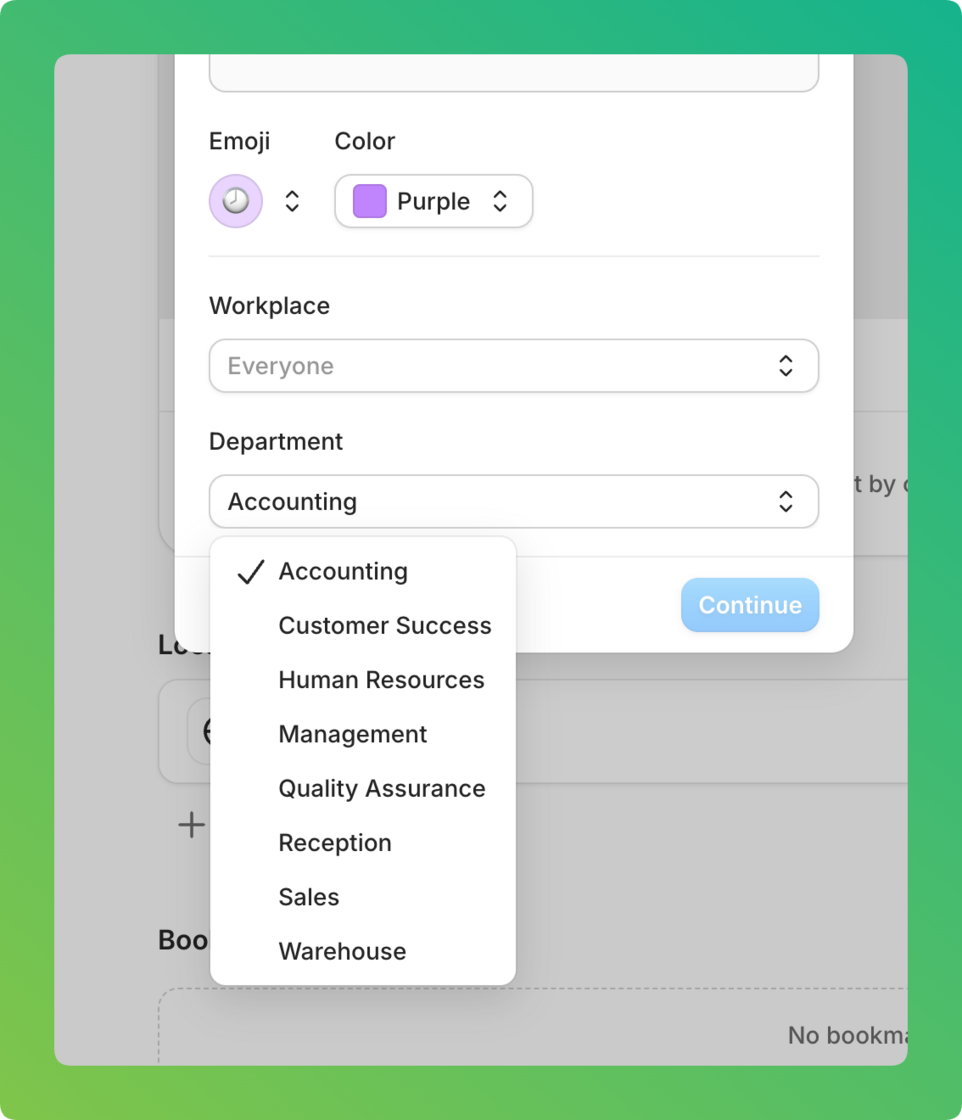
image.png

Updated description editor

The event description editor has been upgraded for clearer formatting and more reliable display. Existing event content stays the same.
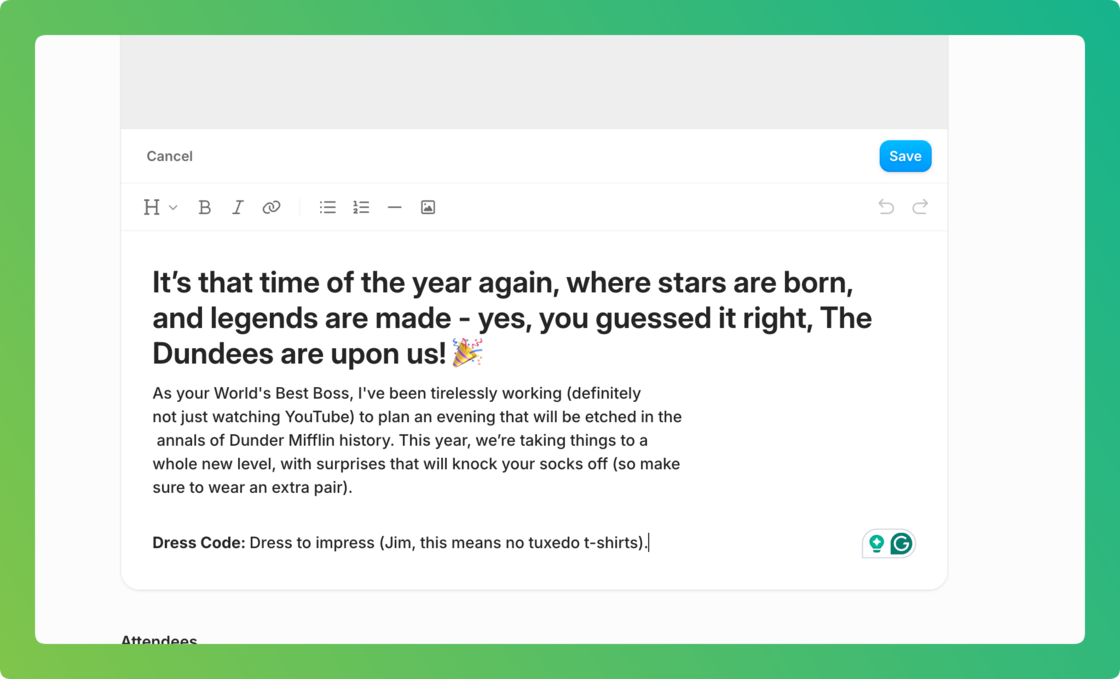
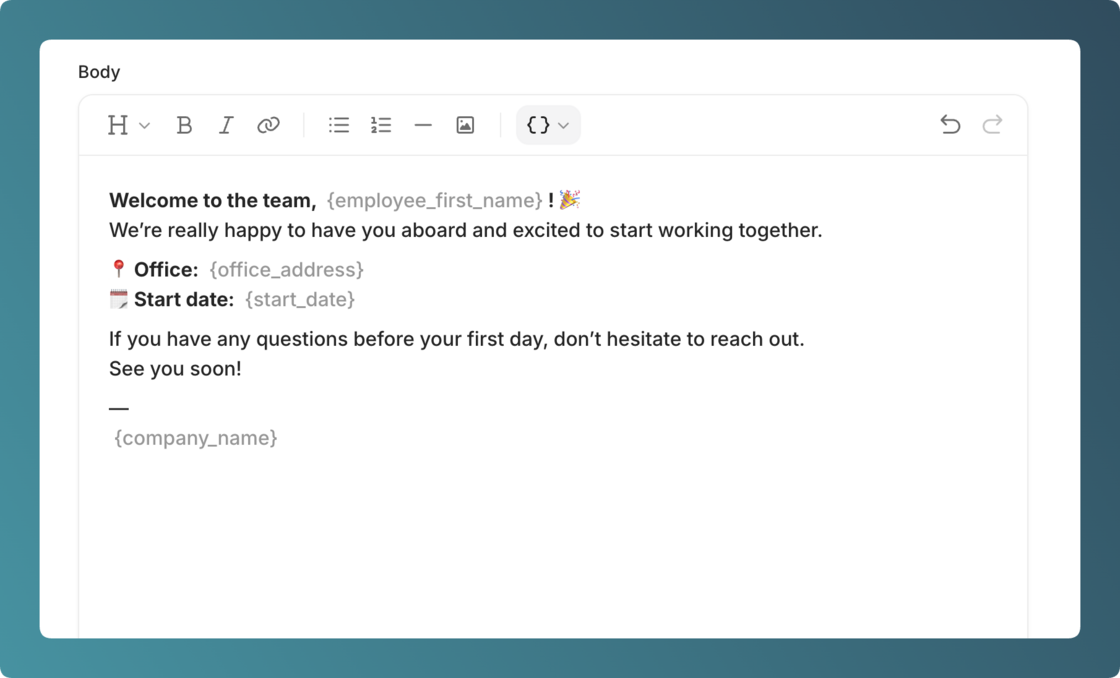
image.png

Placeholders in onboarding messages


Improvement


Onboarding message templates now support placeholders that are replaced with real data when a message is sent.

Use placeholders like {Employee first name}, {Job title}, {Start date}, and more. Add them from the editor toolbar with the curly brackets icon ({ }). Each placeholder is replaced with the correct value for that employee when the message is sent or previewed.

Available placeholders:

  • Employee name (first, last, full)
  • Job title
  • Manager name (first, last, full)
  • Company name
  • Start date
  • Salary
  • Office address
  • Employment type
  • Probation end date

pasted-image-framed-2026-02-10T13-21-52.png

New text editor for onboarding messages


Improvement


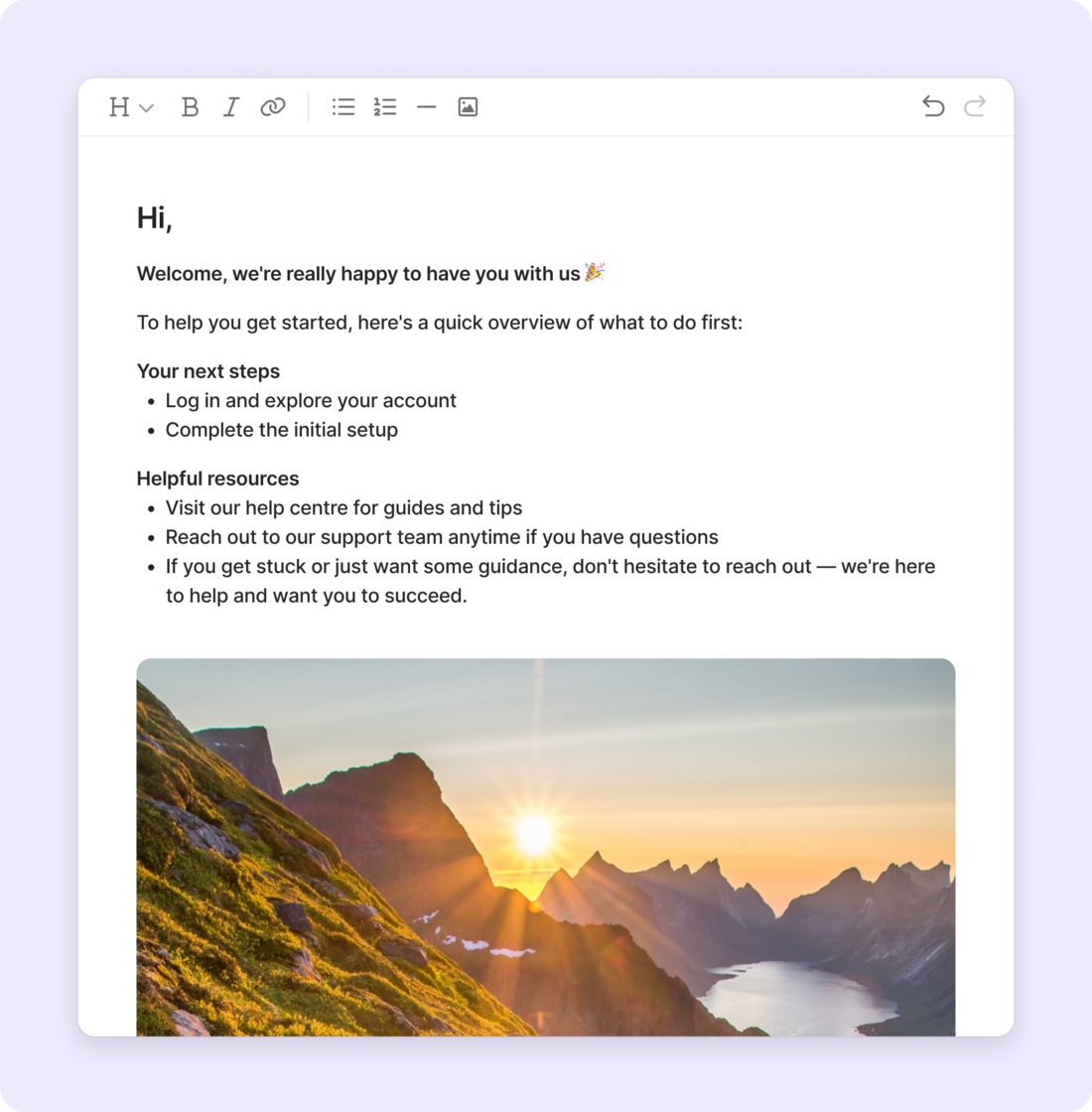
We've upgraded the message editor in your onboarding workflows with a fresh, modern design that makes creating welcome messages easier and more flexible.

What's new:

  • Rich formatting – Bold, italic, headings, bullet lists, and numbered lists
  • Images – Add screenshots or welcome graphics directly into your messages
  • Links – Easily add clickable links to resources or documents

The new editor works in both onboarding templates and individual messages to new hires. Any existing messages will automatically be converted to the new format.

image.png

New text editor for employee notes


Improvement


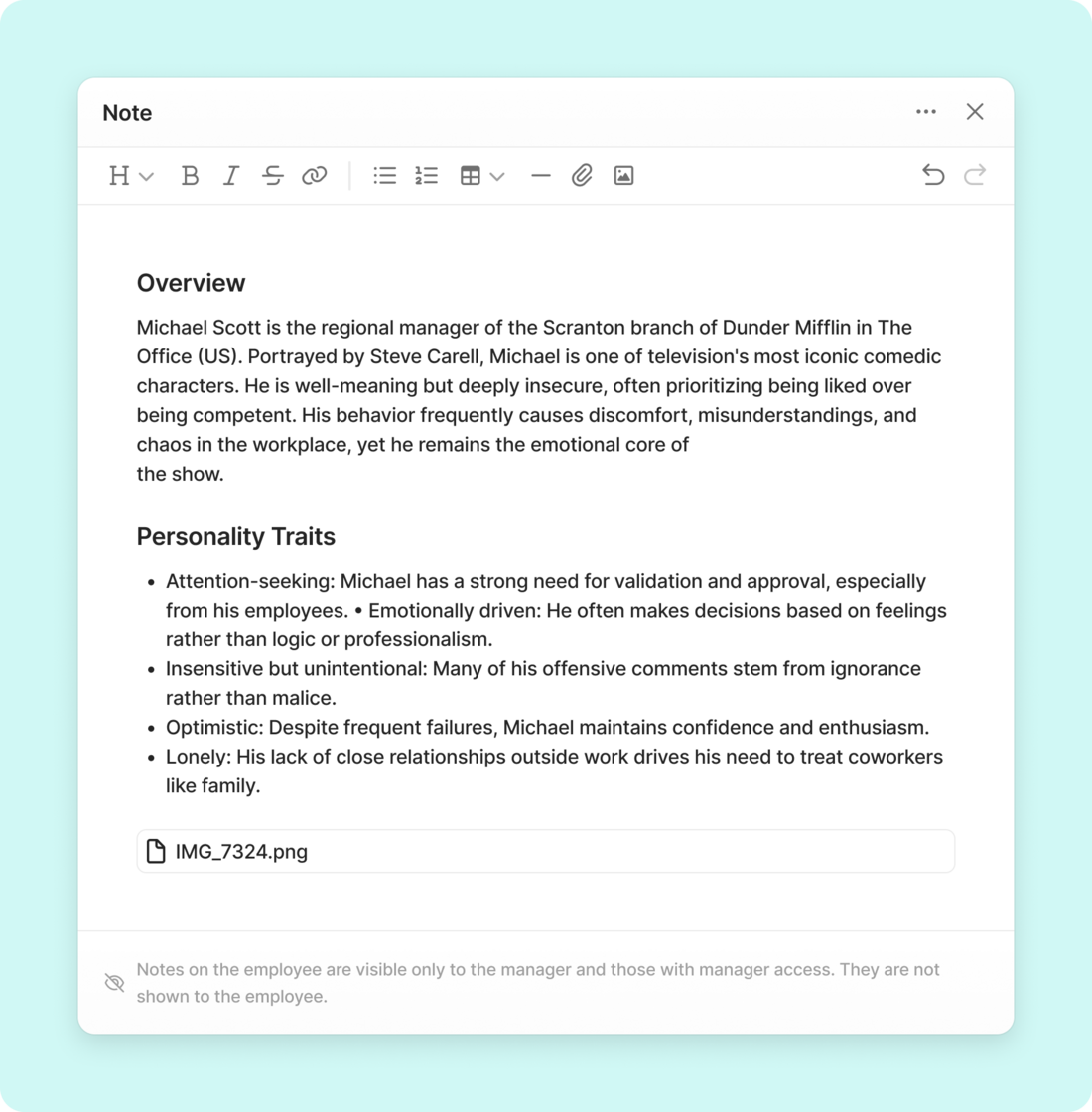
We've upgraded the note editor with a fresh, modern design that makes documenting employee information easier and more flexible.

What's new:

  • Rich formatting – Bold, italic, headings, bullet lists, numbered lists, and tables
  • Images and attachments – Add files and screenshots directly into your notes
  • Auto-save – Your notes save automatically as you type, so you never lose your work

note.png

As always, notes remain private and visible only to managers – never shown to the employee.

Performance review summary


Improvement


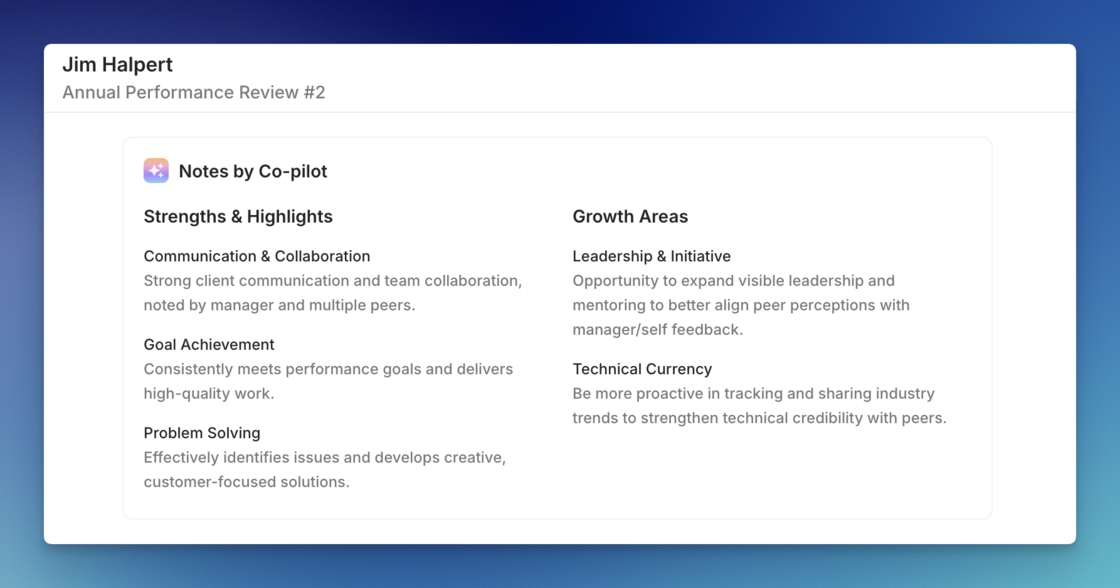
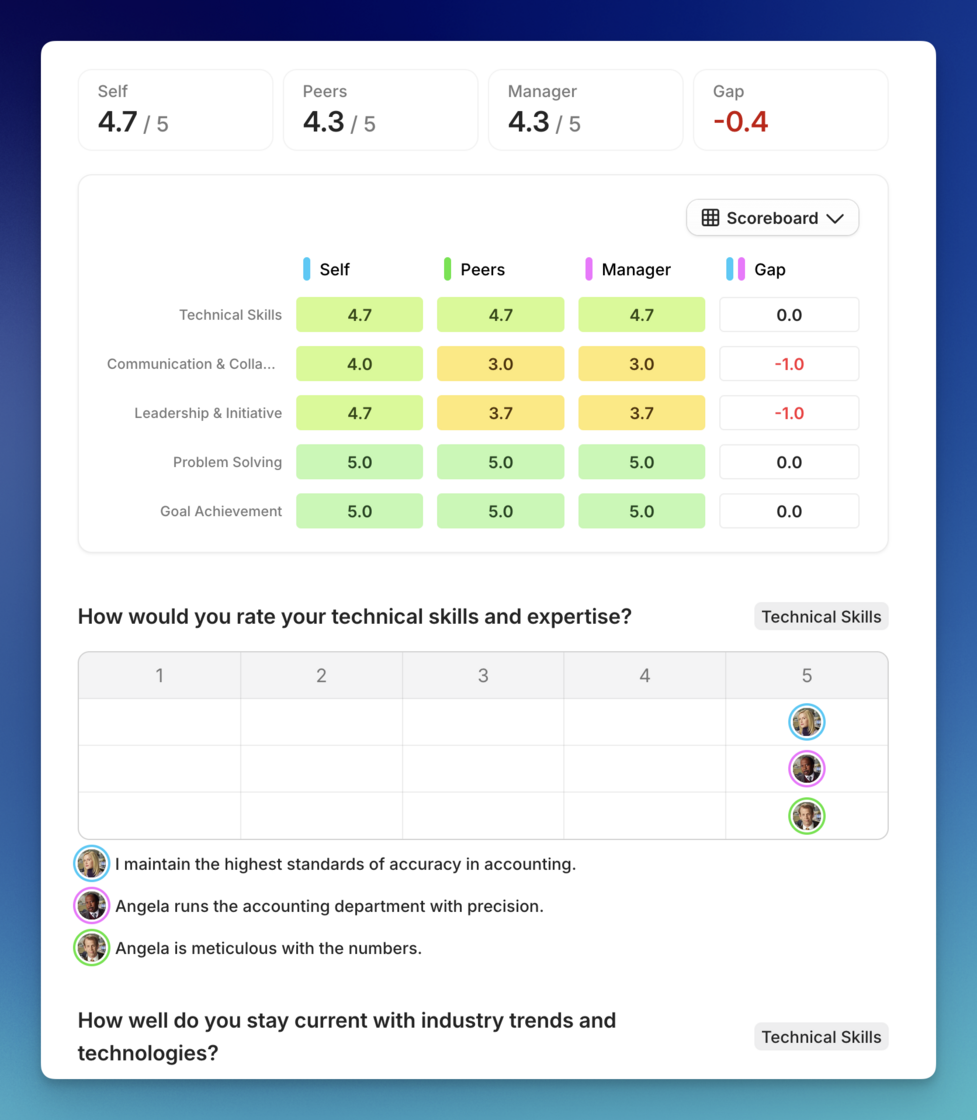
We’ve introduced Notes by Co-pilot to help you get a head start on performance review cycles. Instead of reading through every single peer and manager comment to find the key takeaways, Co-pilot now automatically generates a concise summary as soon as a review is completed.

review-sum.png

The summary identifies an employee’s top strengths and key growth areas based on all the feedback and scores collected. Ensuring managers can quickly grasp the most important signals before their 1-on-1 conversations.

You can enable this feature for your organization in your settings under AI Co-pilot Add-ons.

Performance Reviews 🎯


New


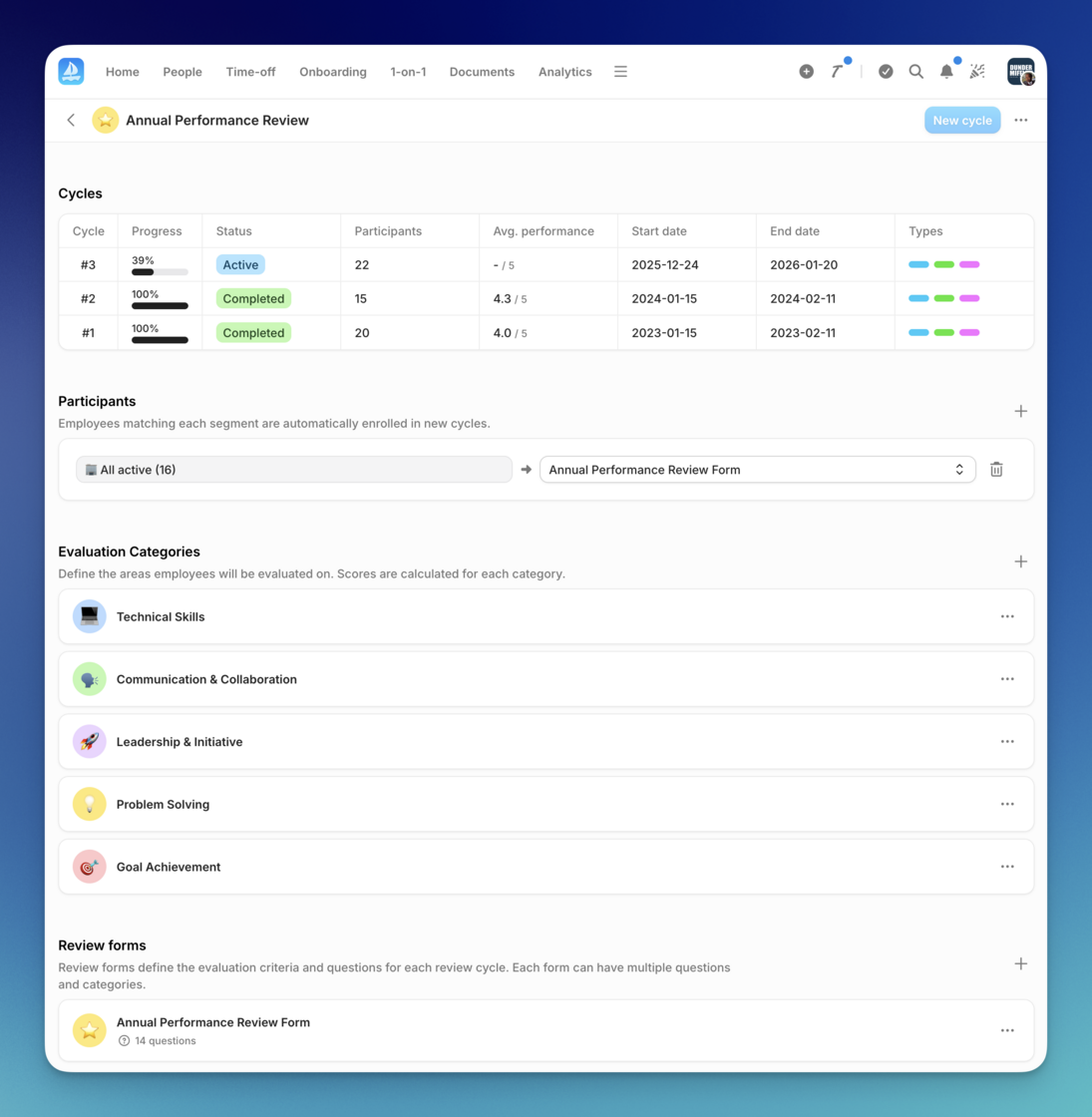
You can now run structured performance reviews directly in Aboard.

Enable the feature in Settings → Performance Reviews, then create a review project. Each project lets you configure which types of feedback to collect – self reviews, peer reviews, manager reviews, or any combination.

Set up who participates based on department, workplace, or custom segments. When you’re ready, start a review cycle and track completion as employees submit their feedback.

This gives you a single place to manage reviews, gather feedback, and support employee development – without spreadsheets or separate tools.

performance-overview.png

performance-review.png

Column picker also now available in analytics reports


Improvement


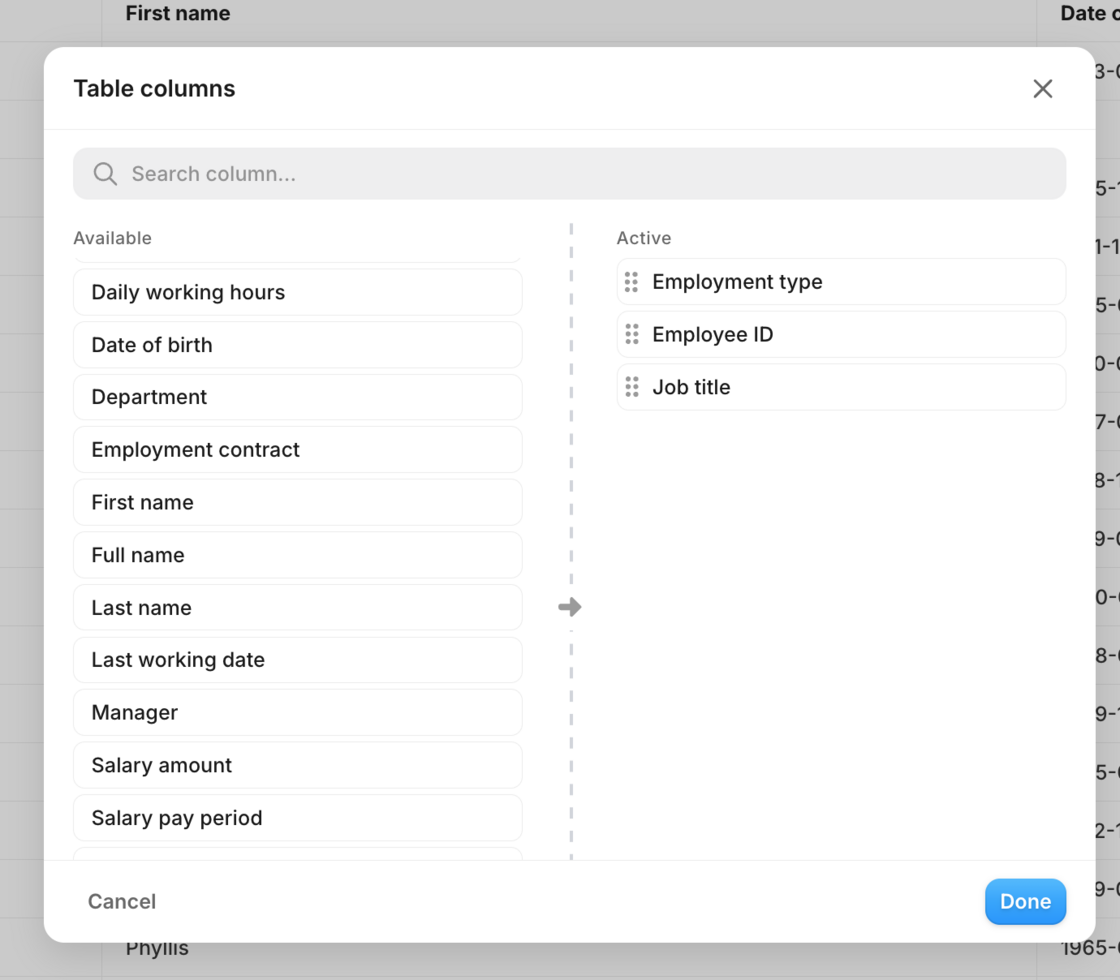
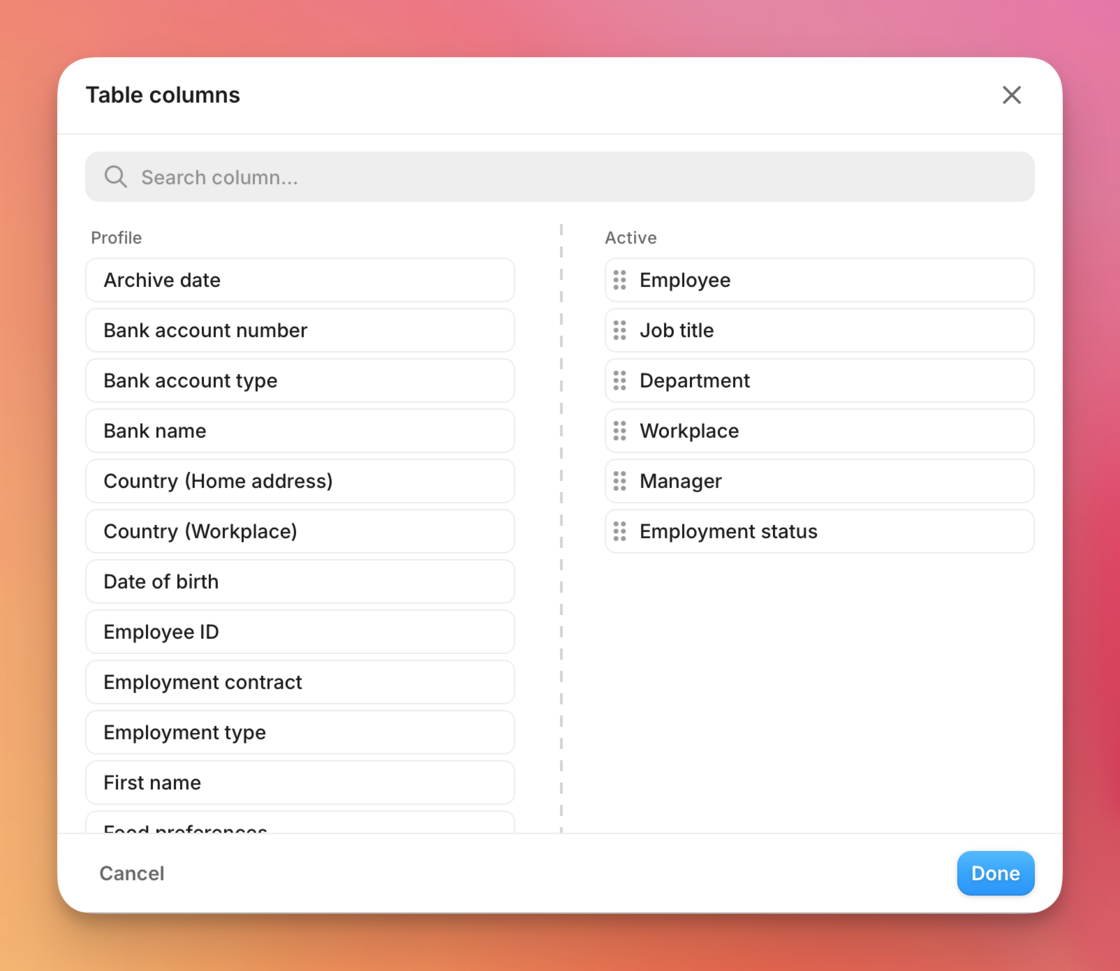
The new Columns modal is now available for analytics reports too. Search, select, and reorder columns the same way you do in employee views.

image.png

Easier column choices for your employee views


Improvement


We’ve refreshed how you customize and save user list views, making it clearer and faster for HR teams to tailor columns without digging through checkboxes.

  • A dedicated "Columns" modal now groups fields by type, lets you search, and reorder columns with simple drag-and-drop before applying them.

  • Saving is smoother: choose to update an existing view or save a new one directly from the dropdown—no extra steps required.

CleanShot 2025-12-09 at 16.05.21@2x.png

Smarter employee search


Improvement


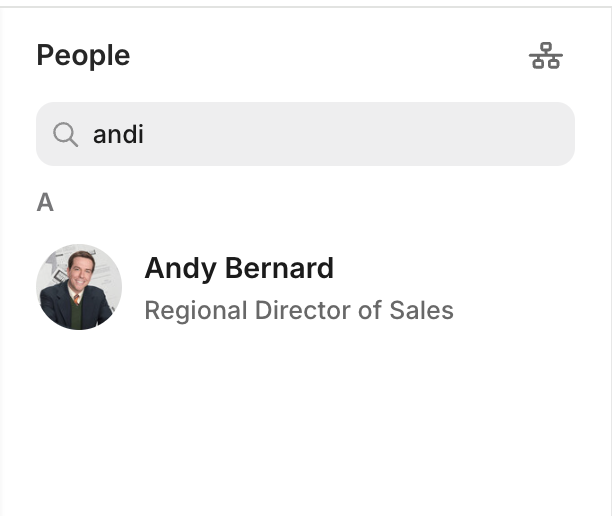
We've made searching for employees smarter and more forgiving, so you can find people even when you're not sure about the exact spelling of their name.

Previously, you needed to type names exactly as they appear in the system. If you weren't sure how to spell a name, especially names from different languages or with unusual spellings, you might not find the person you were looking for.

Now, our search understands that names can be spelled in different ways. Whether you're searching for "Johansson" or "Johanson", "Maria" or "María", or even if you make a small typo, the search will still find the right person. It works by recognizing how names sound, not just how they're spelled

image.png

Deliver scheduled reports in PAXml


Improvement


Scheduled employee, time off, and time tracking reports can now be delivered as PAXml. Pick the file type while configuring the report, and the attachment arrives in your payroll contact’s inbox, giving them the data they need without logging into Aboard.

This keeps sensitive payroll workflows outside the app while still sharing the right files automatically.

image.png