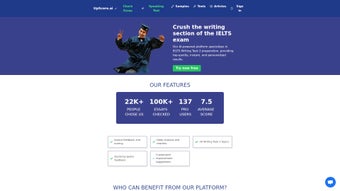

Download Upscore – AI-Powered IELTS Writing Assistant for Free
Enhance Your IELTS Writing with AI: A Deep Dive into Upscore
Upscore is a next-generation, AI-powered web application that’s transforming how students and professionals prepare for the IELTS Writing Task 2 section. Unlike traditional study tools that offer generic tips or delayed feedback, Upscore delivers real-time, personalized insights based on advanced natural language processing (NLP) algorithms. This makes it an ideal companion for anyone aiming to boost their IELTS writing score efficiently and effectively. Whether you're a high school student preparing for university admission, a job seeker needing a strong English proficiency certificate, or a language educator looking for dynamic teaching tools, Upscore adapts to your needs.
What sets Upscore apart is its ability to analyze content not just for grammar and vocabulary, but also for task response, coherence, lexical resource, and grammatical range—four key criteria assessed in IELTS Writing Task 2. After submitting your essay, the AI instantly evaluates your response, highlighting strengths and identifying weaknesses such as underdeveloped arguments, repetitive phrasing, or inappropriate sentence structures. More impressively, it doesn’t stop at critique—it provides actionable rewriting suggestions, helping you understand how to improve each paragraph.
Additionally, Upscore offers a library of 30 high-frequency IELTS Writing Task 2 topics, covering a broad spectrum of academic and social issues like education, technology, environment, and global migration. These mock tests simulate real exam conditions, allowing users to practice under timed settings and receive performance analytics. With continuous updates and a secure cloud-based infrastructure, Upscore ensures your data is protected while delivering consistent, reliable results. It’s a free-to-download tool that works seamlessly across Windows, Mac, Android, and iOS devices—making it one of the most accessible and powerful IELTS prep tools available today.
Key Features That Make Upscore a Must-Have IELTS Writing Tool
- Real-time AI-powered essay evaluation based on official IELTS band descriptors
- Personalized feedback on task response, coherence, lexical resource, and grammar
- Instant rewriting suggestions to improve clarity, tone, and structure
- 30 curated mock test topics covering common IELTS Writing Task 2 themes
- Performance analytics with score predictions and improvement tracking
- Secure cloud-based platform with automatic data backup and privacy protection
- Accessible from any device with internet access—Windows, Mac, Android, iOS
- Free to download and use with optional premium upgrades for advanced features
One of the standout features of Upscore is its deep content analysis engine. It doesn’t just flag errors—it explains why a particular sentence might not meet the IELTS standard. For example, if your argument lacks sufficient development, Upscore will suggest adding a supporting example or rephrasing your thesis to better align with the prompt. This educational approach ensures that users don’t just fix mistakes—they learn how to write better essays in the long term.
Another major advantage is the mock test functionality. Each test comes with a timer, helping users simulate real exam pressure. After submission, the platform generates a detailed report showing your predicted band score, strengths, and areas for improvement. Over time, you can track your progress through a built-in dashboard, which visualizes your score trends and highlights growth in specific areas like vocabulary or paragraph structure.
The user interface is clean, intuitive, and responsive. Whether you're using a desktop browser or a mobile app, navigation is smooth and feedback is delivered in a clear, digestible format. The AI also adapts to different writing styles, making it suitable for both beginner and advanced learners. With regular updates to its algorithm and content library, Upscore remains current with the latest IELTS trends and scoring criteria.
How to Install and Use Upscore: A Step-by-Step Guide
Getting started with Upscore is quick and hassle-free. Since it’s a web-based application, there’s no need to download a bulky installer or manage system compatibility issues. Simply visit the official Upscore website using any modern browser—Chrome, Safari, Firefox, or Edge—and create a free account in under two minutes. The registration process requires only an email address and a password, with optional social login via Google or Apple for added convenience.
Once logged in, you’ll be directed to your dashboard, where you can choose from several options: start a new mock test, upload a previously written essay, or explore the library of 30 IELTS writing topics. To begin a mock test, select a topic, set the timer (typically 40 minutes), and start writing directly in the text editor. The editor supports rich text formatting, spell-check, and auto-save features, so you won’t lose your work due to accidental browser crashes.
After completing your essay, click the “Submit & Analyze” button. Within seconds, Upscore’s AI processes your response and returns a detailed report. The report includes a predicted band score, a breakdown of your performance across the four IELTS criteria, and specific feedback on each paragraph. You’ll also see suggested rewrites for key sentences, helping you understand how to express your ideas more effectively.
For ongoing improvement, use the “Track Progress” feature to review your past essays and compare your scores over time. The platform also sends weekly email summaries with tips and reminders, encouraging consistent practice. If you prefer mobile access, download the Upscore app from the Apple App Store or Google Play. The mobile version mirrors the desktop experience, allowing you to write and get feedback on the go.
Compatibility & System Requirements for Seamless Use
Upscore is designed with cross-platform compatibility in mind, ensuring that users can access the tool from virtually any device. It runs smoothly on Windows 10 or later, macOS 10.15 or higher, Android 8.0+, and iOS 13+. There are no specific hardware requirements—just a stable internet connection and a modern web browser. This makes it accessible to students in remote areas or those using older devices.
For educators, Upscore offers a classroom integration option. Teachers can create class groups, assign writing tasks, and monitor student progress through a shared dashboard. This feature is particularly useful for language schools or universities incorporating digital tools into their curriculum. The platform supports multiple languages for interface settings, though the primary language for writing and feedback is English.
Security is a top priority. All user data—including essays, scores, and personal information—is encrypted both in transit and at rest. Upscore complies with GDPR and other privacy regulations, ensuring that your work remains confidential. The platform also allows users to delete their accounts and data permanently at any time.
Updates are automatic and frequent, ensuring that the AI model stays up-to-date with the latest IELTS scoring standards and common writing pitfalls. There’s no need to manually install patches or restart the app—everything happens in the background. This seamless update process keeps the tool reliable and future-ready.
Pros and Cons of Using Upscore for IELTS Writing Preparation
Pros
- Instant, AI-driven feedback tailored to official IELTS band descriptors
- 30 high-quality mock test topics with real exam-like conditions
- Personalized rewriting suggestions that improve writing quality
- Free to download and use with optional premium features
- Works across Windows, Mac, Android, and iOS devices
- Secure, privacy-compliant platform with automatic backups
- Progress tracking and performance analytics for long-term improvement
Cons
- Advanced features require a subscription (premium plan)
- AI may occasionally misinterpret nuanced arguments or sarcasm
- Best results require consistent practice and user engagement
- Limited offline functionality (requires internet connection)
- Feedback is text-based; lacks audio or video explanations
Frequently Asked Questions (FAQ)
Final Verdict: Is Upscore Worth Downloading?
If you're serious about improving your IELTS Writing Task 2 score, Upscore is one of the most effective tools available today. Its combination of instant AI feedback, comprehensive mock tests, and personalized rewriting suggestions offers a learning experience that’s both efficient and engaging. The platform is secure, user-friendly, and accessible across all major operating systems, making it ideal for students, professionals, and educators alike.
While the premium features offer added value, the free version is already powerful enough to deliver meaningful results. With regular updates and a strong focus on user growth, Upscore continues to evolve as a leading AI-powered writing assistant. Whether you're aiming for a Band 7 or higher, this tool can help you get there faster.
Ready to boost your IELTS score? Download Upscore today and start writing with confidence.



.png)




