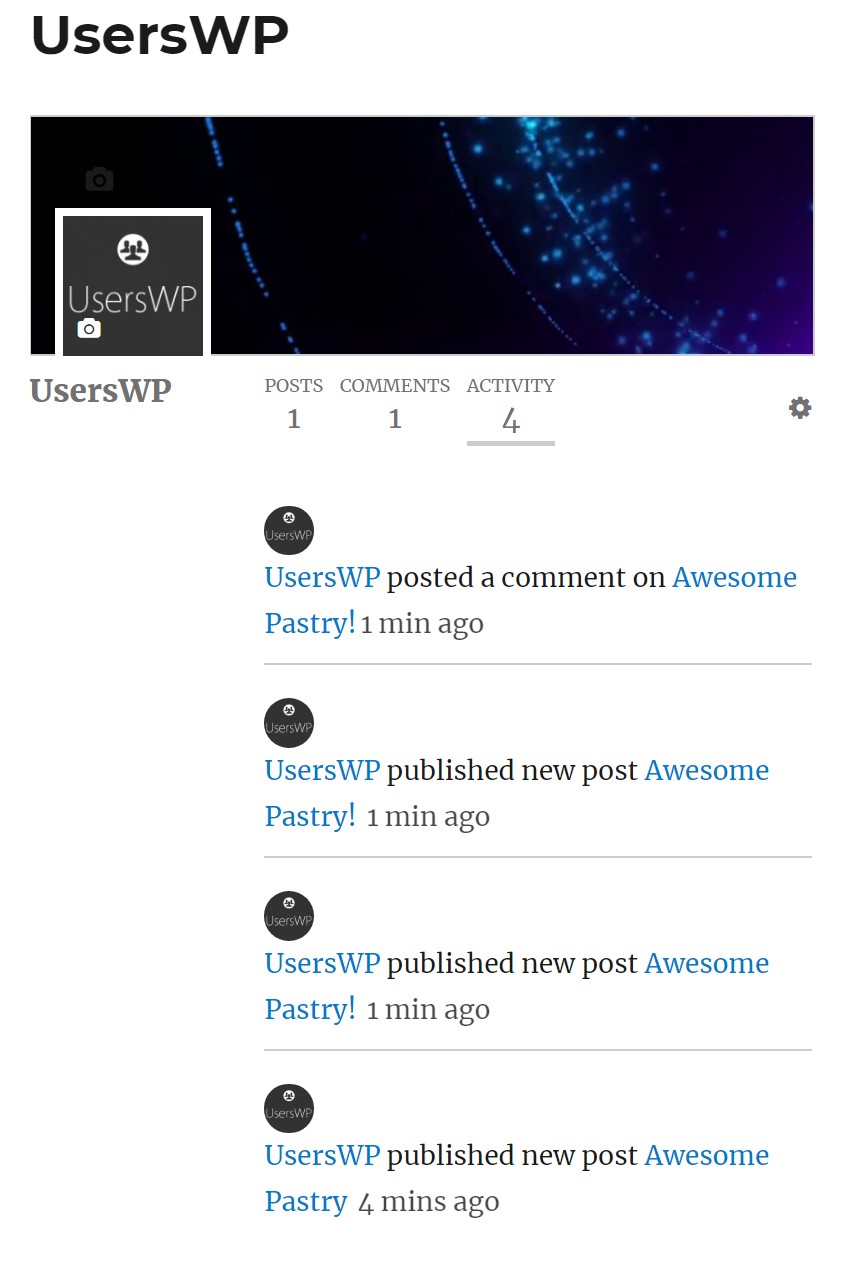
Activity
Introduction
Installation
Setup
Settings
Profile
Introduction
The Activity Addon adds a new profile tab to display the recent activity of your users.
Installation
- Install and activate UsersWP.
- Install and activate the Addon for UsersWP (see Installing Addons).
Setup
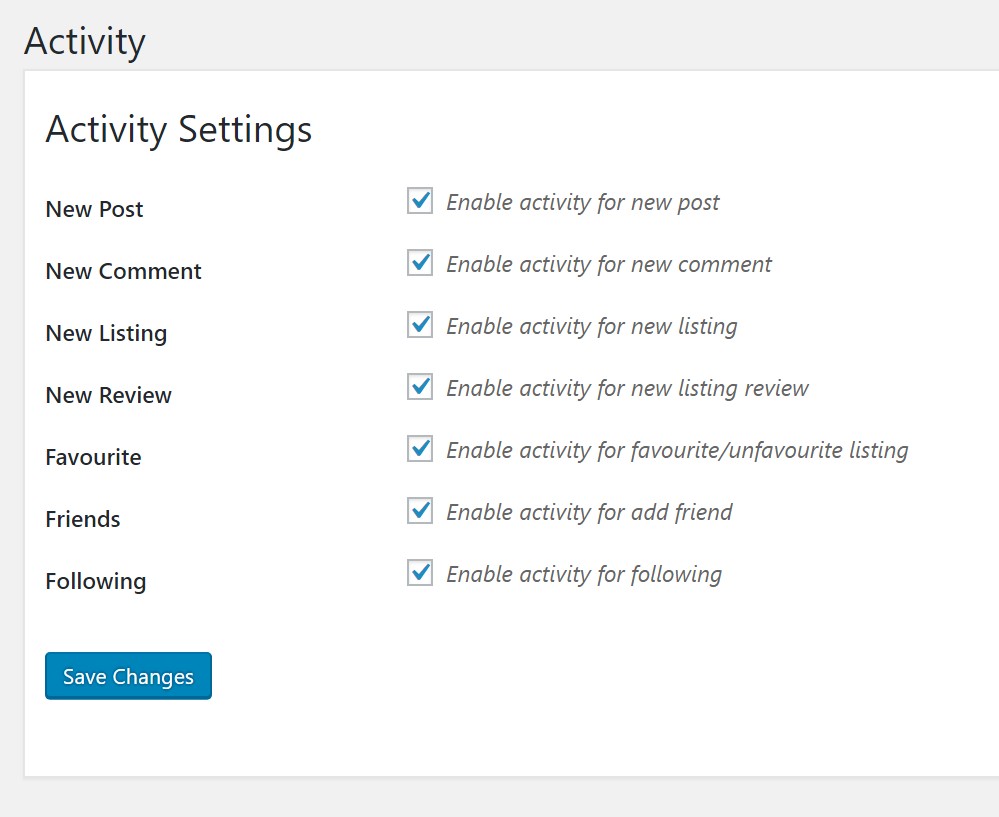
Upon install you will be directed to the settings page. Review the settings and adjust to your liking, and then save.
Settings
Profile
Once setup, add a comment and a post, then visit the profile to view the activity tab.