
Screenshots
App details
- Updated
- Mar 23, 2007
- Language
- Spanish,English
- Developer
- University of Illinois/NCSA
- Category
- Mobile
About Virtual Microscope
Download Virtual Microscope – Virtual Microscope, Biology, Education, Science, Learning Tool, Microscope Simulation, Research, High-Resolution Images, Digital Microscope, Student Tool
Overview
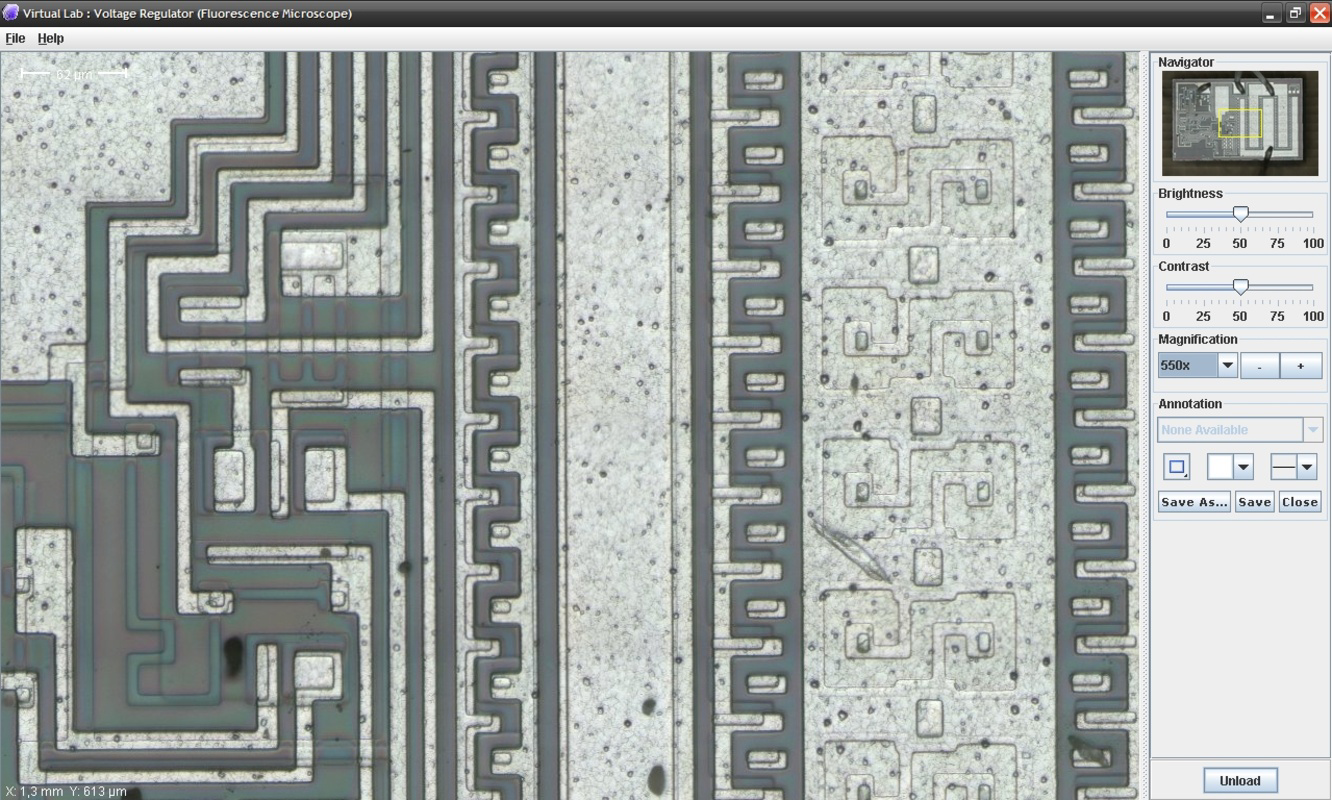
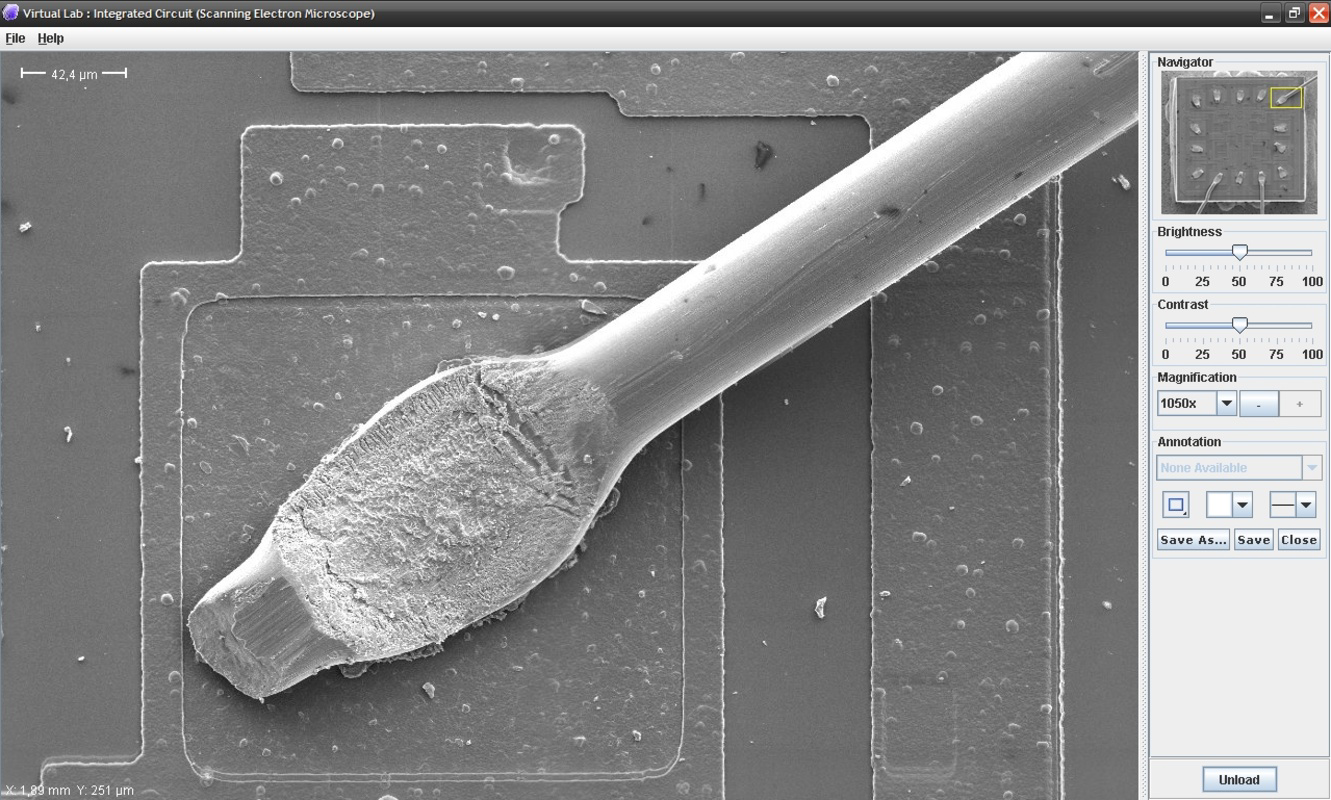
The Virtual Microscope is a specialized mobile application designed to simulate the experience of using a real optical microscope, offering users access to a comprehensive library of high-resolution images. Targeted primarily at students, educators, and independent researchers, the app serves as a digital learning tool that enhances scientific understanding through interactive exploration. By replicating the functionality of physical microscopes—such as zooming, adjusting focus, and modifying contrast—the app enables users to examine microscopic and celestial subjects in detail without requiring physical equipment. This makes it especially valuable in educational environments where access to lab equipment may be limited.
Real-world use cases include classroom instruction, remote learning, self-directed study, and preliminary research. The app supports in-depth analysis of microorganisms, mineral structures, and other scientific specimens, allowing users to study complex visual data at their own pace. Its focus on realism and educational utility positions it as a meaningful addition to the mobile science education ecosystem. The developer, Science Interactive, has not provided additional technical or background details beyond the app’s release date and functionality. Despite the absence of further information, the app’s long-standing presence since 2007 suggests a sustained commitment to educational technology.
Key Features & Functionality
- High-Resolution Imagery: The app provides access to a wide range of real, high-quality images covering biological, geological, and astronomical subjects. These images are optimized for detailed visual inspection, supporting in-depth study and analysis.
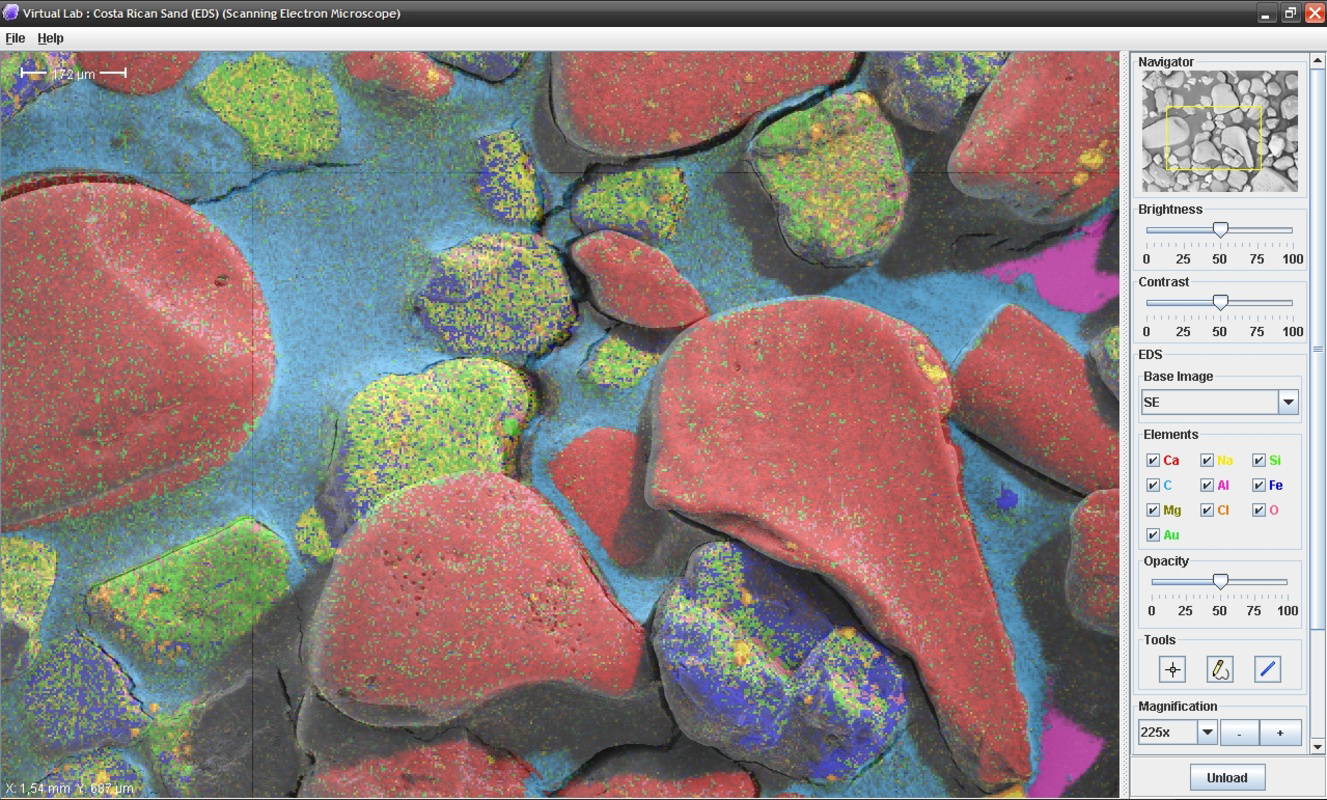
- Realistic Microscope Simulation: Users can navigate through specimens using virtual focus and stage controls, mimicking the tactile experience of adjusting a physical microscope. This simulation enhances immersion and learning retention.
- Advanced Navigation Tools: Built-in zoom, brightness, and contrast controls allow users to explore fine details within images. These tools are essential for identifying structural features and patterns in complex visuals.
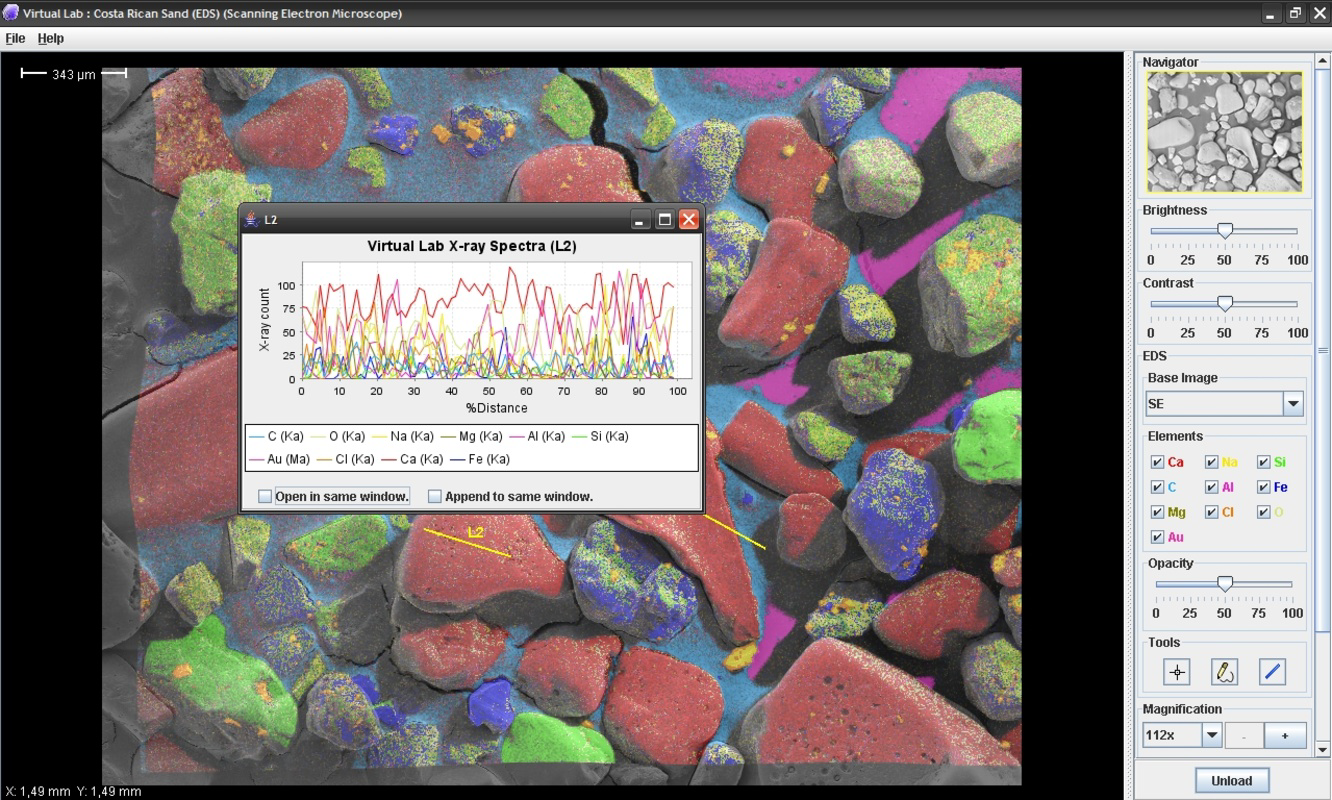
- Image Customization: The app enables users to apply color overlays to highlight specific chemical elements or components within an image, improving visual differentiation and conceptual understanding.
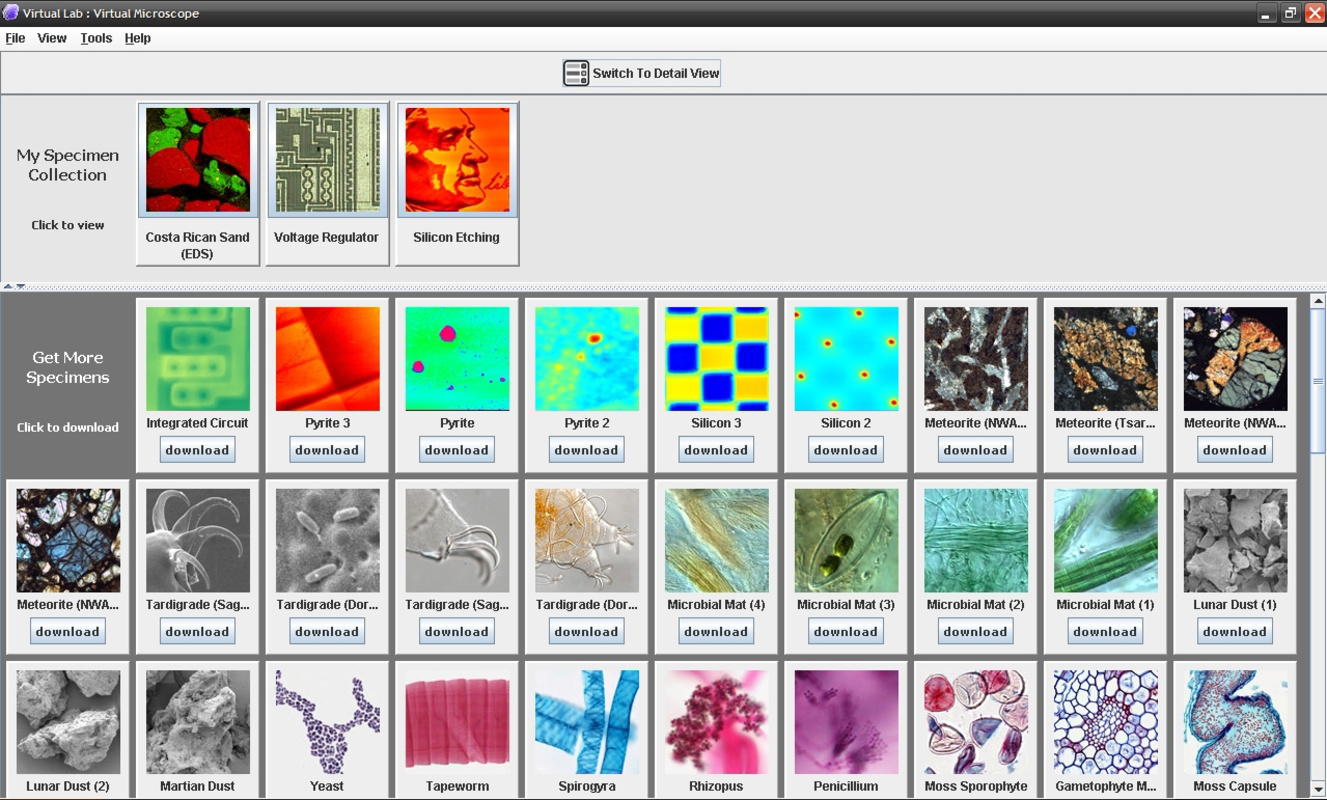
- Downloadable Images: Users can save images for offline access, although the large file sizes may require patience during the download process. This feature supports personal study libraries and offline research.
For example, a biology student studying cell structures can use the zoom and contrast features to identify organelles, while a geology enthusiast might analyze mineral crystal patterns. The customization tool can help distinguish between different elements in a rock sample, turning abstract data into visual insights. These capabilities make the app a versatile tool for both structured learning and independent exploration.
Interface, UX & Performance
The user interface of Virtual Microscope is designed with functionality and clarity in mind, prioritizing ease of navigation for educational users. The layout centers around a large image display area, with intuitive controls positioned for quick access—such as zoom sliders, brightness dials, and contrast adjusters. The visual style is minimalistic, focusing on the content rather than decorative elements, which helps reduce distractions during study sessions.
Navigation is straightforward: users can pan across images, zoom in and out using touch gestures, and adjust visual parameters with simple taps or drags. The responsiveness of the interface appears consistent across device types, although the developer did not list formal performance metrics. Although the app’s file size is 150 MB, the loading time and frame rate during image manipulation were not specified. Stability during prolonged use remains unconfirmed, but the app’s long availability suggests a level of reliability. The absence of reported crashes or bugs in public records indicates a stable core experience. Overall, the UX is tailored to educational needs, with an emphasis on precision and control over visual exploration.
Platform Compatibility & Technical Requirements
Virtual Microscope is available exclusively on the Android platform. The current software version is 1.2, with a file size of 150 MB. The app’s release date was March 23, 2007, indicating a long-standing presence in the mobile education space. Specific minimum OS requirements or device compatibility details were not listed by the developer. As such, compatibility with newer Android versions or specific hardware configurations remains uncertain. Users are advised to ensure their device meets general Android system standards for running educational applications. The developer did not specify whether the app supports tablet devices or requires specific permissions for image access or storage.
Pros and Cons
Pros
- Offers high-resolution, real-world images for accurate scientific study
- Provides a realistic simulation of physical microscope operations
- Includes customizable visualization tools for enhanced learning
- Supports offline access via downloadable images
- Long-standing availability suggests proven reliability
Cons
- Large file sizes may slow down image downloads
- Specific system requirements were not disclosed
- No information on tablet or device compatibility
- No details on update frequency or future development plans
- Android-only availability limits cross-platform access
FAQ
Is Virtual Microscope available on iOS?
The app is currently available only on the Android platform. There is no publicly available information indicating iOS compatibility.
Can I use Virtual Microscope offline?
Yes, users can download images for offline study. However, due to the high resolution and large file sizes, downloads may take time and require sufficient storage space.
Does the app require internet access after installation?
While the app can be used offline after downloading images, initial access to the image library and updates may require an internet connection.
Is the app safe to download and install?
Virtual Microscope is developed by Science Interactive and is available through official Android channels. As with any app, users should ensure they download from trusted sources to maintain device security.
How often is the app updated?
The developer has not provided information on update frequency. The last version was released in 2007, but no recent updates have been publicly announced.
Final Thoughts
Virtual Microscope stands as a dedicated educational tool that brings the precision and depth of scientific observation into the palm of a user’s hand. Its realistic simulation, high-resolution imagery, and customizable features make it a powerful asset for students, educators, and researchers seeking to explore microscopic and astronomical phenomena. While its Android-only availability and lack of updated technical details present limitations, the app’s core functionality remains relevant and effective. For anyone invested in science education or digital learning, the ability to study complex visuals with real-world accuracy offers substantial value. Despite its age, the app continues to serve as a reliable companion in scientific exploration.
Download Virtual Microscope now
Guides & Tutorials
How to install Virtual Microscope
- Click the Download button above.
- Once redirected, accept the terms and click Install.
- Wait for the Virtual Microscope download to finish on your device.
How to use Virtual Microscope
This software is primarily used for its core features described above. Open the app after installation to explore its capabilities.
User Reviews
No reviews yet. Be the first to share your experience.
You may also like
more
Que no te pillen¡
About !Que no te pillen¡Reviewed by Jason A. BilbreyShow MoreShow Less

3D Combat Zone
About 3D Combat ZoneOriginally released in 1983, 3D Combat Zone immerses players...

666: El día del portal
About 666: El día del portalOn June 6, 2006, Agent P. Stone uncovers a sinister...

80 in 1 Best Flash games
About 80 in 1 Best Flash games 80 in 1 Best Flash games is a collection of 80 fl...

ABYSS SEEKERーーWhat Do You See Deep in The Abyss
About ABYSS SEEKERーーWhat Do You See Deep in The AbyssIn ABYSS SEEKER, players...

ACA NEOGEO THE KING OF FIGHTERS 2002 for Windows
About ACA NEOGEO THE KING OF FIGHTERS 2002 for WindowsTHE KING OF FIGHTERS 2002,...
