
Screenshots
App details
- Version
- 2.6
- Size
- 1.49 MB
- Updated
- February 27, 2011
- Requires
- Mac OS X
- Language
- English
- License
- Trial version
- Developer
- Clickontyler
- Category
- Mac OS
About VirtualHostX
Download VirtualHostX – Free, Secure Local Web Server Manager for Mac
Overview – Why VirtualHostX Is a Must‑Have Tool for Mac‑Based Web Designers
VirtualHostX is a lightweight yet powerful utility that lets you host and test multiple websites directly on your Mac. Designed with web designers and developers in mind, it simplifies the creation, configuration, and management of Apache virtual hosts with just a few clicks. Whether you’re using MAMP, XAMPP, or Apple’s built‑in Apache server, VirtualHostX works seamlessly, offering fine‑grained control over server settings, custom IP address mapping, and even the ability to share your local sites across a LAN. The interface is clean, intuitive, and backed by an extensive help system, making it accessible to beginners while still providing depth for seasoned professionals. By allowing you to simulate production environments locally, VirtualHostX reduces the risk of surprises when you push a site live, saving time, money, and headaches.
Key use‑cases include:
- Testing new domains against live sites before launch.
- Running multiple client projects on a single machine without port conflicts.
- Sharing staging sites with teammates or stakeholders over a local network.
- Learning virtual hosting concepts in a sandboxed environment.
The latest version introduces custom IP resolution, automatic detection of mis‑configured httpd.conf files, and direct access to critical configuration files from the app’s menu. These enhancements make VirtualHostX not only a convenience tool but also a safety net, warning you before potential server issues arise.
Features & Benefits – What Sets VirtualHostX Apart
- One‑Click Virtual Host Creation: Add new sites instantly without manual editing of Apache files.
- Custom IP Address Assignment: Map each host to a unique IP for realistic domain testing.
- Full Compatibility with MAMP, XAMPP & Built‑in Apache: Seamlessly integrates with the most popular Mac web‑server stacks.
- LAN Sharing: Publish local sites to other devices on the same network for collaborative reviews.
- Automatic “AllowOverride All” Insertion: Ensures .htaccess files work out of the box for each virtual host.
- Configuration File Shortcuts: Quick access to
httpd.conf,httpd‑vhost.conf, and the hosts file directly from the menu. - Built‑In Validation Alerts: Real‑time warnings if your Apache setup isn’t ready for virtual hosting.
- Extensive Help Documentation: Step‑by‑step guides, video tutorials, and searchable FAQs.
- Lightweight & Secure: No background services; the app only interacts with Apache when you need it.
Pros
- Intuitive UI reduces the learning curve for new developers.
- Works with multiple server environments, avoiding lock‑in.
- Custom IP feature mirrors real‑world DNS scenarios.
- Free for personal use, with optional paid support for enterprises.
- Low system overhead – no extra daemons running.
Cons
- Limited to macOS; Windows users need alternative tools.
- Advanced Apache tuning still requires manual editing.
- No built‑in SSL certificate manager (requires external tools).
Installation & Usage Guide – Getting VirtualHostX Up and Running in Minutes
Installing VirtualHostX is straightforward. Follow these steps to start hosting your sites locally:
- Download the Installer: Visit the official website and click the Download VirtualHostX for macOS button. The file is a signed
.dmgpackage, ensuring a secure download. - Mount the Disk Image: Double‑click the
.dmgto open it, then drag the VirtualHostX app into your/Applicationsfolder. - Grant Permissions: macOS may ask for permission to access your system’s Apache configuration files. Approve the request so the app can read and write
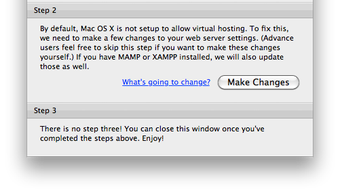
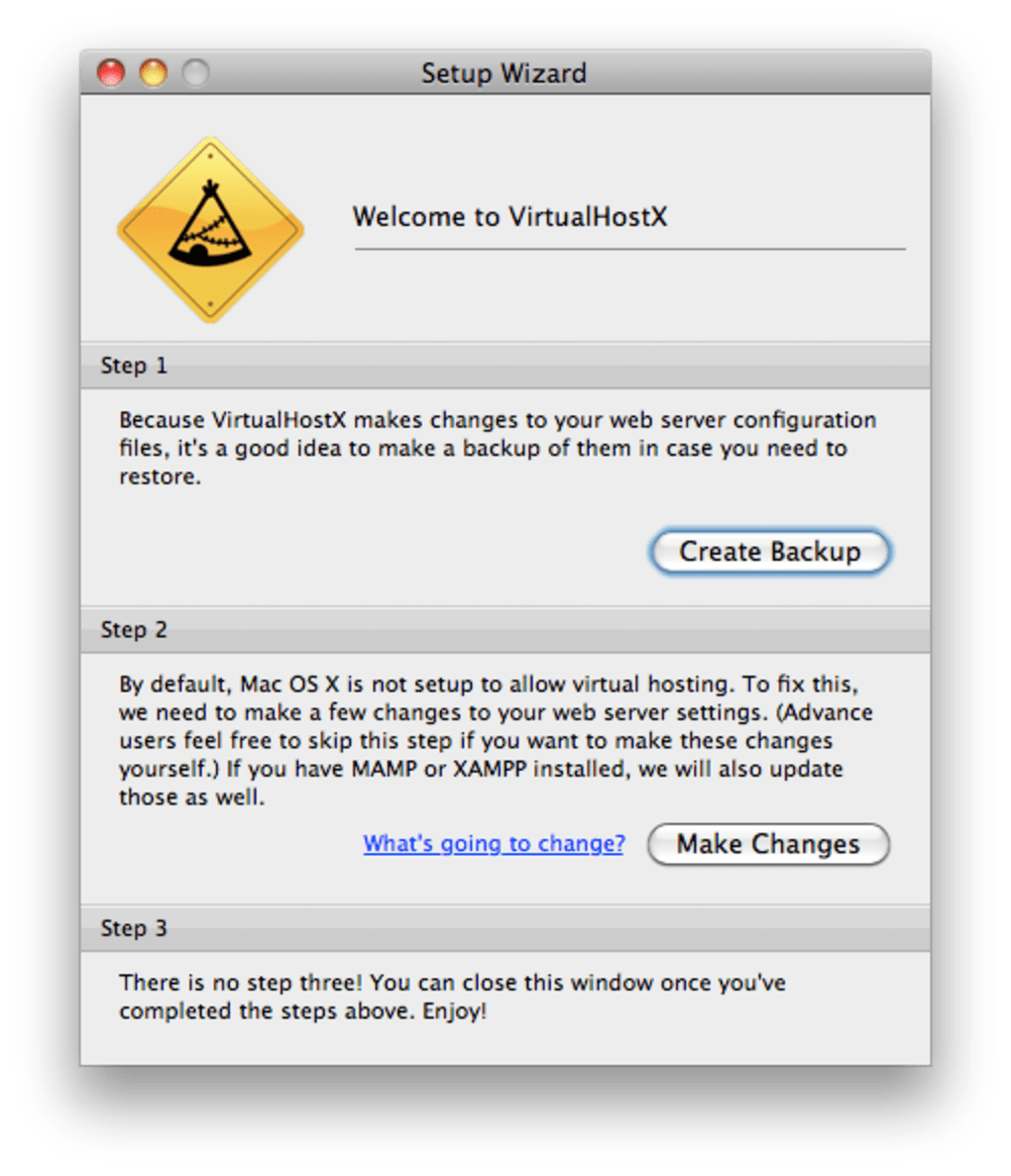
httpd.conf,httpd‑vhost.conf, and the/etc/hostsfile. - Launch the Application: Open VirtualHostX from Launchpad or the Applications folder. The first‑time wizard detects your current web‑server stack (MAMP, XAMPP, or native Apache) and prompts you to confirm the path.
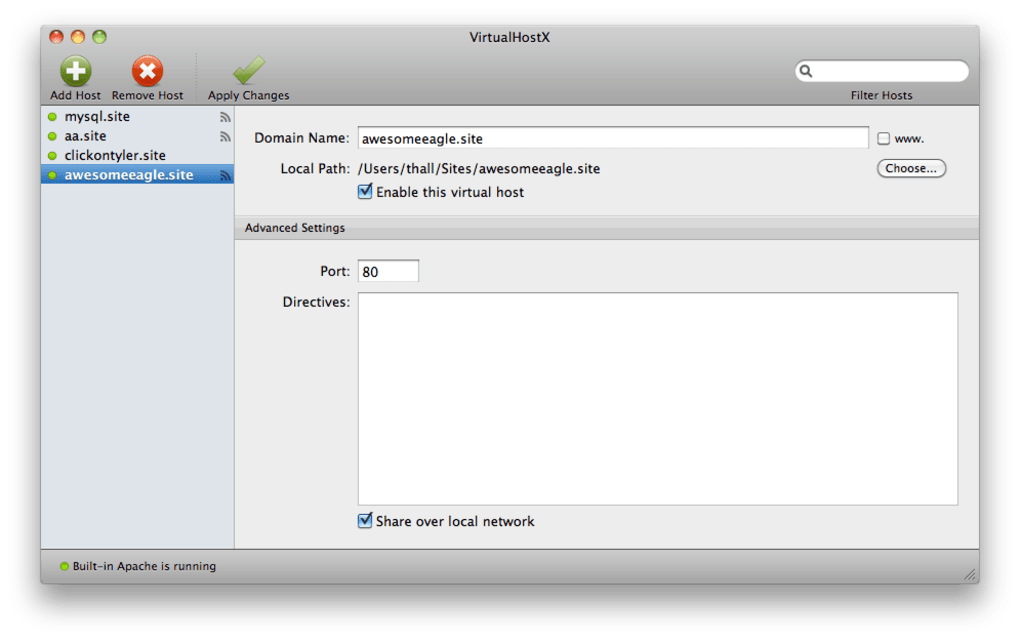
- Create a New Virtual Host: Click the + Add Host button, fill in the domain name (e.g.,
myproject.local), select the document root folder, and optionally assign a custom IP address. Press Save. - Apply Changes: VirtualHostX updates the necessary configuration files and prompts you to restart Apache. Click Restart Server or use your server’s control panel.
- Test the Site: Open a browser and navigate to the domain you just created. If you set a custom IP, ensure that the IP is reachable (you may need to add an entry to your
/etc/hostsfile, which VirtualHostX does automatically).
For power users, the Web Server menu provides direct links to the configuration files, allowing manual tweaks such as enabling modules, adjusting Directory directives, or adding SSL virtual hosts. The app also logs each action in a lightweight console, helping you track changes and troubleshoot issues.
Updating VirtualHostX is just as easy: when a new version is released, the app notifies you via a banner. Click Download Update, replace the old app bundle, and restart. All your existing virtual hosts remain intact because the configuration files are stored outside the app bundle.
Compatibility, System Requirements & Limitations
VirtualHostX runs on macOS 10.13 (High Sierra) and later, including macOS Ventura and macOS Sonoma. It leverages the native Apache installation that ships with macOS, but it also supports the Apache binaries bundled with MAMP and XAMPP, making it flexible for developers who prefer those environments.
Hardware Requirements:
- Minimum 2 GB RAM (4 GB recommended for multiple concurrent sites).
- At least 200 MB of free disk space for the application and temporary logs.
- Intel or Apple Silicon (Rosetta 2 ensures compatibility on M1/M2 Macs).
Software Dependencies:
- Apache 2.4.x (built‑in or from MAMP/XAMPP).
- PHP (optional, but most developers use it alongside Apache).
- Optional: MySQL/MariaDB if your projects require a database.
While VirtualHostX excels at local development, it does not replace a full production server. It lacks built‑in SSL certificate generation and advanced load‑balancing features. For production deployments, you’ll still need to configure a real web server or cloud service. Additionally, because it modifies system files like /etc/hosts, you must have administrator privileges; this can be a hurdle in tightly controlled corporate environments.
Overall, VirtualHostX provides a solid, secure, and free solution for Mac users who need a quick way to spin up multiple development sites without diving into the command line.
FAQ & Final Thoughts – Your Most Common Questions Answered
Can I use VirtualHostX with my existing MAMP installation?
Yes. During the initial setup, VirtualHostX detects MAMP’s Apache configuration and automatically points to the correct httpd.conf and httpd‑vhost.conf files. You can switch between MAMP, XAMPP, or the native Apache at any time from the app’s preferences.
Do I need to edit the /etc/hosts file manually?
No. When you create a new virtual host, VirtualHostX automatically adds the domain and its associated IP address to the /etc/hosts file. If you later delete a host, the entry is removed as well.
Is VirtualHostX free for commercial use?
The core application is free for both personal and commercial use. A paid “Pro” license is available that adds priority support, automatic backups, and a built‑in SSL helper for local HTTPS testing.
What happens if my httpd.conf is misconfigured?
VirtualHostX scans the configuration each time it launches. If it detects missing directives (e.g., Include httpd‑vhost.conf), a warning appears in the lower‑right corner, guiding you to the exact line that needs fixing.
Can I share my virtual hosts with other devices on the same network?
Yes. By enabling the “LAN Sharing” option, VirtualHostX advertises each host’s IP address on your local subnet. Other Macs, Windows PCs, or mobile devices can then access the site using the same .local domain, making client reviews painless.
In summary, VirtualHostX delivers a balanced mix of simplicity and depth for macOS developers who need to manage multiple local sites. Its one‑click workflow, custom IP support, and built‑in validation make it stand out from generic Apache editors. If you regularly test designs before launch, the time saved by avoiding manual config edits is significant. Download VirtualHostX today, set up your first virtual host within minutes, and experience a smoother, more reliable development workflow.
Ready to streamline your local development? Click the download button below, install the app, and start creating virtual hosts instantly. Your next flawless website launch is just a few clicks away.
VirtualHostX provides an elegant solution for macOS developers who need quick, reliable virtual hosting. The UI is clean, the custom IP feature is a game‑changer, and the built‑in alerts prevent common pitfalls. While it lacks native SSL management, its free core functionality and seamless integration with MAMP and XAMPP make it a top pick for local testing.
Guides & Tutorials
How to install VirtualHostX
- Click the Download button above.
- Once redirected, accept the terms and click Install.
- Wait for the VirtualHostX download to finish on your device.
How to use VirtualHostX
This software is primarily used for its core features described above. Open the app after installation to explore its capabilities.
User Reviews
No reviews yet. Be the first to share your experience.
You may also like
more
DiffusionBee
Generate unique art with this app DiffusionBee is a free and accessible artifici...

Excire Foto Light
Organize your snapshots Excire Foto Light is a free-to-download AI -powered phot...

Topaz Photo AI
Photo enhancement tool with AI Topaz Photo AI is a premium AI image editor for P...

anonymoX
Surf anonymously with Firefox anonymoX for Firefox is an add-on that gives you f...

DownThemAll
Download Them All! Downloading anything or everything on a webpage can be a labo...
.webp)
DuckDuckGo Privacy Essentials
A free program for Mac, by DuckDuckGo, Inc.. DuckDuckGo Privacy Essentials is a...
