
Download VJmachine – PC Software, Desktop Application, VJ Tool, Music Visualizer, Music Video Creator
Overview
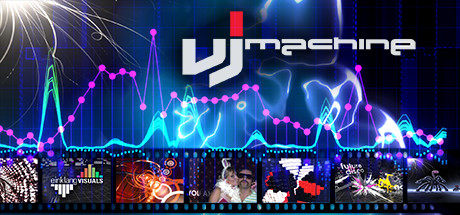
VJmachine is a plug & play desktop application designed for creating dynamic, music-synced visuals in real time. Built for both live performances and content creation, it enables users to generate Full HD music videos and visualizers that automatically sync with audio input. Ideal for DJs, live performers, event organizers, and digital artists, VJmachine bridges the gap between music and visual storytelling. The software supports the integration of custom videos and images, which are dynamically aligned with music tempo and rhythm. This makes it a versatile tool for stage visuals, YouTube content, or personal creative projects. The developer, VJmachine, positions the software as a streamlined solution for those seeking immediate visual impact without complex setup. With a focus on accessibility, the software aims to deliver professional-grade results with minimal learning curve. It is suitable for both beginners exploring visual artistry and experienced creators looking for a fast, reliable tool. Real-world use cases include live club performances, streaming events, music video production, and social media content creation.
Key Features & Capabilities
- Real-time Music Visualization – Automatically generates dynamic visuals that respond to audio input, syncing with tempo and beat for immersive visual experiences.
- Full HD Output – Supports high-definition video output, ensuring crisp visuals on screens and for digital publishing.
- Custom Media Integration – Allows users to import personal videos, images, and graphics, which are synchronized with music in real time.
- Plug & Play Setup – Designed for immediate use; minimal configuration required to start visualizing music.
- YouTube-Ready Output – Enables seamless export of visual content optimized for platforms like YouTube, supporting creative content distribution.
These features empower users to transform any music source into a live or recorded visual experience. For instance, a DJ can connect their laptop to a projector and instantly generate visuals during a set, while a content creator can produce engaging music videos for social media. The automatic sync functionality reduces manual editing, saving time and effort. The ability to use custom media ensures personalization, allowing artists to maintain brand or artistic identity. The software’s focus on simplicity makes it accessible to users without advanced technical skills, while still offering enough depth for more experienced creators.
User Interface, Workflow & Performance
The user interface of VJmachine appears to prioritize simplicity and intuitive navigation, aligning with its plug & play philosophy. Users can expect a streamlined layout with essential controls accessible from the main dashboard. Navigation likely centers around audio input selection, media library access, and output configuration. The workflow is designed to minimize setup time, allowing users to connect their music source and screens and begin visualizing immediately. While specific interface details are not provided, the emphasis on ease of use suggests a clean, uncluttered design focused on core functionality. Performance is expected to be stable for real-time rendering, though exact CPU and RAM usage were not specified. The developer did not provide detailed performance benchmarks or resource consumption data. General software behavior patterns suggest that the application will run efficiently on modern systems, particularly when using standard Full HD output. Stability during long sessions or high-load scenarios remains unconfirmed, as no user reports or testing data were included in the release materials.
Compatibility & System Requirements
VJmachine is compatible with both Windows and Mac operating systems, making it accessible to a broad user base across desktop platforms. The software is available in version 1.0 and has a download size of 150 MB, indicating a lightweight installation. The developer did not specify exact system requirements, such as minimum RAM, processor speed, or graphics card capabilities. As a result, compatibility with older hardware or specific configurations cannot be confirmed. The software may require a modern GPU for smooth Full HD rendering, but this is not explicitly stated. Users are advised to ensure their system supports video output to external displays or projectors, as this is essential for live performance use. The developer did not provide information on whether the software supports multiple monitors or specific video output formats. Platform compatibility information is limited to the operating systems listed.
Pros and Cons
Pros
- Plug & play setup enables immediate use with minimal configuration
- Supports Full HD output for high-quality visual experiences
- Automatically syncs custom videos and images with music
- Designed for both live performance and content creation
- Free to download and use, lowering the barrier to entry
Cons
- No detailed system requirements were provided
- Exact performance and resource usage data were not disclosed
- Limited information on advanced customization options
- Compatibility with older systems or specific hardware is unconfirmed
- No mention of update frequency or future development roadmap
FAQ Section
Is VJmachine compatible with Windows and Mac?
Yes, VJmachine is designed to run on both Windows and Mac operating systems.
Can I use my own videos and images with VJmachine?
Yes, the software supports the integration of custom videos and pictures, which are automatically synced to the music.
Is VJmachine safe to download and use?
As a desktop application from the official developer, VJmachine is intended to be secure. Users are advised to download from trusted sources to ensure integrity.
Does VJmachine require an internet connection?
The software can be used offline after installation. However, updates may require internet access.
What kind of license does VJmachine have?
VJmachine is available for free, with no specified license type beyond the free download model.
Final Thoughts + CTA
VJmachine delivers a compelling solution for creators and performers seeking a straightforward way to generate music-synced visuals. Its plug & play design, combined with Full HD output and support for custom media, makes it a strong choice for live events, YouTube content, and personal creative projects. While detailed system requirements and performance metrics are not available, the software’s lightweight size and broad OS compatibility suggest accessibility across modern systems. The free pricing model enhances its appeal, especially for beginners and hobbyists. For professionals, the real-time sync and ease of use may serve as a valuable complement to more complex tools. Overall, VJmachine stands out as a capable, accessible VJ tool that balances simplicity with creative potential. Download VJmachine now.







