
Screenshots
App details
- Updated
- June 12, 2025
- Requires
- Chrome
- License
- Full
- Developer
- vlex
- Category
- Web Apps
About vLex
Download vLex – AI Legal Research Platform, Secure, Fast, Cloud‑Based
Overview – Why vLex Is Shaping the Future of Legal Research
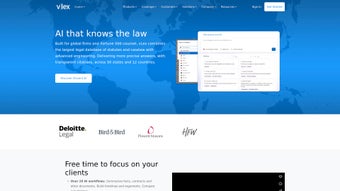
In an industry where precision, speed, and reliability are non‑negotiable, vLex emerges as a comprehensive AI‑driven legal research platform that transforms how attorneys, paralegals, and scholars access case law, statutes, and analytical insights. Built on a robust cloud infrastructure, vLex aggregates more than 140 million primary legal documents from over 190 jurisdictions, ensuring that users never have to sift through fragmented sources again. What truly distinguishes vLex from traditional legal databases is its seamless integration of three core engines: vLex Legal Research, DocketAlarm, and FastCase Legal Research. Each engine leverages natural language processing (NLP) and machine‑learning algorithms to surface the most relevant authorities within seconds, dramatically reducing the time spent on manual keyword searches.
Beyond raw research, vLex offers a suite of data‑management tools—vLex Cloud for secure document storage and Vincent AI for intelligent data tagging—that keep critical files organized and instantly retrievable. The platform’s analytics modules, such as Docket Alarm Analytics and vLex Analytics, empower firms to mine litigation trends, monitor opponent activity, and forecast case outcomes with data‑backed confidence. Whether you’re a solo practitioner needing a lightweight Chrome extension, a mid‑size firm looking for a Word plugin that auto‑populates citations, or a multinational corporation demanding enterprise‑grade security, vLex scales to fit every scenario.
Security is baked into every layer of vLex. All data in transit is protected by TLS 1.3, while data at rest benefits from AES‑256 encryption and regular third‑party security audits that meet ISO 27001 and SOC 2 standards. The platform also supports multi‑factor authentication and role‑based access controls, allowing administrators to define granular permissions for each user or team. These safeguards ensure that confidential client information remains protected, a critical requirement for any law firm handling sensitive matters.
The user experience is further enriched by an extensive library of training resources, video tutorials, and live webinars that guide both beginners and seasoned litigators through the platform’s capabilities. In short, vLex is not just a research tool; it is a holistic ecosystem that centralizes legal intelligence, enhances productivity, and safeguards data—all while staying compliant with the highest security standards. For legal professionals who demand a fast, free‑from‑clutter, and continuously updated research environment, vLex sets a new benchmark in the market.
Key Features & Tools That Make vLex Stand Out
- AI‑Powered Search Engine: Natural language queries return contextual results, with relevance ranking based on precedent, jurisdiction, and citation frequency.
- vLex Legal Research: Access to statutes, regulations, case law, and secondary sources across 190+ jurisdictions, all updated in real‑time.
- DocketAlarm: Real‑time docket monitoring, calendar alerts, and litigation analytics for federal and state courts.
- FastCase Integration: Seamless bridge to FastCase’s extensive library, providing an extra layer of breadth for niche practice areas.
- vLex Cloud: Encrypted cloud storage that syncs documents across desktop, web, and mobile devices, with granular permission controls.
- Vincent AI: Automated tagging, summarization, and classification of legal documents using deep‑learning models.
- Analytics Suite: Docket Alarm Analytics and vLex Analytics deliver visual dashboards, trend analysis, and predictive modeling.
- Chrome Extension & Word Plugin: One‑click citation insertion, document preview, and instant access to vLex’s search bar from within the browser or Microsoft Word.
- Mobile Apps (iOS & Android): Full‑featured mobile access for on‑the‑go research, docket alerts, and document review.
- Training & Support: 24/7 live chat, dedicated account managers, user guides, and a searchable knowledge base.
Each feature is designed with the end‑user in mind. For example, the AI‑powered search engine does more than match keywords; it understands legal concepts, allowing attorneys to type natural questions like “What are the latest rulings on data‑privacy breaches in California?” and instantly receive a curated list of cases, statutes, and commentary. The DocketAlarm component is particularly valuable for litigation teams, offering customizable alerts when a case they’re tracking receives a new filing or judgment. Meanwhile, Vincent AI reduces the administrative burden of document management by auto‑generating metadata, making future retrieval as simple as a single click.
The analytics modules are another differentiator. By aggregating docket data across thousands of cases, vLex Analytics can illustrate litigation patterns—such as an increase in patent disputes within a specific industry—allowing firms to allocate resources proactively. These insights are presented via interactive charts and heat maps, which can be exported for presentations or internal reports. In addition, the platform’s reporting engine supports custom dashboards, enabling users to combine multiple data sources into a single, shareable view that aligns with firm‑wide performance metrics.
Finally, the cross‑device synchronization ensures that any annotation, bookmark, or search history created on a desktop automatically appears on mobile and web clients. This continuity eliminates the friction of switching contexts and guarantees that every team member works from the most current data set, whether they are drafting a brief in the office or reviewing evidence in the courtroom.
Installation, Usage & Compatibility – Getting Started with vLex
Step‑by‑Step Installation Guide
Getting vLex up and running is straightforward, regardless of your operating system. Begin by visiting the official vLex website and clicking the Download button for your platform. For Windows and macOS users, a standard installer (.exe or .dmg) is provided. Mobile users can locate “vLex Legal Research” in the Apple App Store or Google Play Store. After downloading, run the installer and follow the on‑screen prompts—accept the license agreement, choose an installation directory, and let the wizard complete the setup. The desktop client automatically syncs with vLex Cloud, ensuring your library is available the moment you log in.
For the Chrome extension, simply navigate to the Chrome Web Store, search for “vLex Chrome Extension,” and click Add to Chrome. A small icon will appear next to the address bar, granting instant access to the search bar on any web page. The Word plugin can be installed via a downloadable .msi file; after installation, a new “vLex” tab appears in the Word ribbon, enabling you to insert citations, open the research pane, and launch the analytics dashboard without leaving your document.
First‑Time Usage Tips
Upon launch, you’ll be prompted to create a vLex account or sign in with your existing credentials. The onboarding wizard walks you through setting up your practice area preferences, which tailors the default search filters and analytics dashboards to your needs. Take advantage of the “Quick Tour” video that demonstrates how to perform a natural‑language search, save documents to vLex Cloud, and configure docket alerts. For power users, the “Advanced Settings” panel allows you to define custom citation styles, adjust AI relevance weights, and integrate third‑party document management systems via API keys.
Throughout the day, the platform’s AI learns from your interactions, suggesting frequently accessed authorities and pre‑populating search queries based on your recent activity. The mobile app mirrors this experience, offering push notifications for docket updates, secure document viewing, and the ability to annotate PDFs directly on your tablet or smartphone. All changes synchronize instantly across devices, ensuring continuity whether you’re in the office, courtroom, or traveling.
Compatibility Across Devices
vLex is built to be truly cross‑platform. It supports Windows 10/11, macOS 12 and newer, major Linux distributions (via a web‑based client), iOS 15 and newer, and Android 10 and newer. The web client runs on all modern browsers, including Chrome, Firefox, Safari, and Edge, delivering the same feature set without the need for additional installations. This universal compatibility guarantees that firms with mixed‑OS environments can standardize on a single legal research solution, reducing training overhead and IT complexity.
Pros, Cons & Frequently Asked Questions
Pros & Cons – A Balanced View
- Pros:
- AI‑driven natural language search dramatically reduces research time.
- Extensive coverage of jurisdictions and primary sources.
- Integrated docket monitoring and analytics for proactive litigation strategy.
- Secure cloud storage with granular access controls.
- Cross‑platform compatibility (Windows, macOS, Linux, iOS, Android).
- Chrome extension and Word plugin streamline citation workflow.
- Robust training resources and 24/7 support.
- Regular data updates ensure the most current statutes and case law.
- Customizable dashboards let firms track metrics that matter to them.
- API access enables integration with existing case‑management systems.
- Cons:
- Higher price point compared to some niche databases.
- Learning curve for advanced analytics features.
- Internet connection required for full cloud functionality.
- Some smaller jurisdictions may have less frequent updates.
- Initial configuration of custom citation styles can be time‑consuming.
- Desktop client may consume notable system resources during large data imports.
FAQ – Quick Answers to Common Queries
Is there a free trial available for vLex?
Yes. vLex offers a 14‑day free trial that provides full access to all research tools, analytics, and cloud storage. You can sign up on the website without a credit card, and the trial can be extended upon request for larger firms.
How secure is the data stored in vLex Cloud?
vLex Cloud uses AES‑256 encryption at rest and TLS 1.3 for data in transit. Access is controlled by role‑based permissions, multi‑factor authentication, and regular security audits compliant with ISO 27001 and SOC 2 standards.
Can I integrate vLex with my existing case‑management system?
Absolutely. vLex provides RESTful APIs and pre‑built connectors for popular case‑management platforms such as Clio, MyCase, and PracticePanther, allowing seamless document import/export and docket synchronization.
What types of analytics does vLex offer for litigation trends?
vLex Analytics delivers visual dashboards that track filing volumes, win‑rate statistics, judge‑specific rulings, and opposing counsel activity. Users can filter by jurisdiction, practice area, or date range, and export data in CSV or PDF formats.
Is technical support available outside of business hours?
Yes. vLex offers 24/7 live chat and email support, with priority response times for enterprise customers. Phone support is available during standard business hours in major time zones.
Structured Review Object
vLex delivers a powerful blend of AI‑enhanced research, comprehensive jurisdictional coverage, and intuitive workflow tools that collectively boost legal productivity. While the price may be a consideration for solo practitioners, the time saved and the depth of analytics justify the investment for most firms.
Conclusion – Why vLex Is the Smart Choice for Modern Law Practices
After examining its extensive feature set, security posture, and integration capabilities, it’s clear that vLex stands out as a forward‑looking solution designed for the complexities of today’s legal landscape. The platform not only accelerates the research phase but also adds strategic value through predictive analytics and real‑time docket intelligence—tools that were once reserved for the largest firms are now accessible to midsize practices and even solo attorneys.
By choosing vLex, you invest in a system that continuously evolves. The AI models are regularly retrained on newly filed opinions, ensuring that the relevance engine improves over time. Moreover, the commitment to frequent data refreshes means you’ll never rely on outdated statutes or missed precedents, a risk that can jeopardize case outcomes.
If you’re ready to modernize your research workflow, reduce billable‑hour waste, and provide your clients with the highest level of informed advocacy, the next step is simple: click the download button, start your free trial, and experience firsthand how vLex can reshape your day‑to‑day operations. Join the growing community of law firms that have already made the switch and discover the measurable productivity gains that come from an AI‑powered, secure, and fully integrated legal research platform.
Guides & Tutorials
How to install vLex
- Click the Download button above.
- Once redirected, accept the terms and click Install.
- Wait for the vLex download to finish on your device.
How to use vLex
This software is primarily used for its core features described above. Open the app after installation to explore its capabilities.
User Reviews
No reviews yet. Be the first to share your experience.
You may also like
more
3D AI Studio
3D AI Studio Overview 3D AI Studio is a web-based AI-powered tool developed by S...

3D textures by Polycam
Generate Realistic 3D Textures Effortlessly 3D Textures by Polycam is an innovat...

3DAiLY
Customizable 3D Modeling Tool: 3DAiLY 3DAiLY is an online platform that harnesse...

3DFY
Revolutionizing 3D Model Creation: 3DFY Review 3DFY is an AI-powered service, de...

AI Dungeon
AI Dungeon: Deep Learning Text Adventure AI Dungeon is an artificial intelligenc...

Alpha3D
A subscription-based program for Web apps, by alpha3d. Alpha3D is a subscription...
