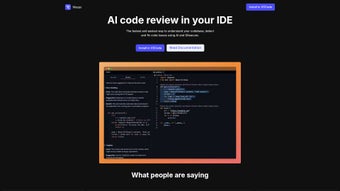

Download Wasps – AI‑Powered Code Review Tool for VSCode
Overview
Wasps is an AI‑driven code‑review extension that lives inside Visual Studio Code (VSCode) and turns the editor into a proactive security and quality guard. From the moment you type a line of JavaScript, Python, Java, C#, Go, or TypeScript, the extension silently analyses the syntax tree, compares it against millions of open‑source patterns, and surfaces potential vulnerabilities, performance bottlenecks, or style violations. The momentary feedback appears as underlines, gutter icons, and hover tooltips, allowing you to correct an issue before you even hit Save. Wasps does more than a classic linter; it offers context‑aware fix suggestions, automatically generated code snippets, and an optional auto‑fix button that inserts the recommended change while preserving indentation and project‑specific formatting rules. The core strength of Wasps lies in its tight integration with Gitsecure, a policy‑engine that stores organization‑wide security standards. By pulling these policies into the IDE, Wasps can flag code that violates compliance requirements long before a CI pipeline rejects a pull request. This early‑stage enforcement reduces the number of failed builds, accelerates release cycles, and helps junior developers learn best practices in real time. Wasps runs the AI model locally, meaning no source code ever leaves your machine. This sandboxed execution protects intellectual property and satisfies strict data‑privacy regulations that many enterprises require. While the extension currently supports only VSCode, its developers have announced plans to explore compatibility with other popular editors in future releases. For freelancers, startups, and large engineering teams that already rely on VSCode as their primary development environment, Wasps provides a secure, fast, and intelligent companion that can dramatically lower the cost of manual code inspections and improve overall code health.
Key Features & Benefits
- Instant Code Feedback: Real‑time analysis of the active file with severity‑based highlights.
- Actionable Fix Suggestions: One‑click auto‑fix snippets that respect project formatting.
- Gitsecure Policy Integration: Aligns suggestions with organization‑wide security standards.
- Multi‑Language Support: JavaScript, TypeScript, Python, Java, C#, Go out‑of‑the‑box.
- Customizable Rule Sets: JSON‑based configuration to enable, disable, or prioritize checks.
- Local AI Engine: Runs in a sandboxed environment, keeping code private and analysis fast.
- Native VSCode UI: Side panel, status‑bar badge, and inline decorations for a seamless experience.
- Monthly Updates: New vulnerability patterns and language improvements delivered automatically.
Why Those Features Matter
Instant feedback eliminates the “write‑then‑review” delay that often creates technical debt. When a developer sees a security warning the moment the risky line is typed, the mental context is still fresh, making the correction almost reflexive. Actionable fix suggestions further reduce the cognitive load; instead of searching documentation or copying snippets from external sources, the developer can accept a vetted solution with a single click, preserving workflow momentum.
Deep Gitsecure integration brings organization‑level policies directly to the developer’s desk. Teams no longer need to rely solely on post‑commit scans; policy violations are caught early, preventing costly re‑work and ensuring compliance with standards such as OWASP, PCI‑DSS, or internal guidelines. Multi‑language support means polyglot teams avoid the fragmentation that occurs when each language requires a separate linter or plugin. A single extension can safeguard front‑end JavaScript, back‑end Python services, and JVM‑based micro‑services simultaneously, fostering a consistent quality baseline across the codebase.
Customizable rule sets empower teams to enforce both industry best practices and project‑specific conventions. The JSON configuration is straightforward, allowing DevOps engineers to ship a shared rule file alongside the repository. Performance is another decisive factor: because the AI model runs locally, analysis results appear within milliseconds, avoiding the latency that plagues cloud‑only solutions. Finally, the commitment to monthly updates ensures that Wasps stays ahead of emerging threats, continuously expanding its knowledge base as new vulnerability patterns surface in the wild.
Installation, Usage & Compatibility
Step‑by‑Step Installation
- Launch Visual Studio Code and open the Extensions view (Ctrl + Shift + X).
- Search for “Wasps – AI Code Review”.
- Click Install. The extension downloads the core AI model (≈150 MB) and required binaries.
- When prompted, reload VSCode to activate the extension.
- Open the Command Palette (Ctrl + Shift + P) and run
Wasps: Initialize. This creates a.waspsrc.jsonfile in the workspace root. - If you use Gitsecure, add your API token to the
gitsecureTokenfield inside.waspsrc.jsonto enable policy‑aware analysis. - Optional: adjust the JSON configuration to enable or disable specific rule categories, set severity thresholds, or add custom language parsers.
First‑Time Usage
After installation, Wasps begins scanning any file you open. Issues appear as colored squiggles (blue for info, yellow for warnings, red for errors) and as icons in the gutter. Hovering over an icon reveals a concise description and a “Fix” button. Clicking “Fix” inserts the suggested snippet directly into the editor, preserving indentation and line endings. For a broader view, open the Wasps side panel (View → Wasps) to see a sortable table of all detected issues, filter by severity, and jump to the exact line of code with a single click.
The extension also provides a command Run Wasps Review that scans the entire workspace and generates a summary report. This report can be exported as JSON or Markdown, making it easy to attach to pull‑request comments or feed into CI pipelines. In headless mode, the same command can be executed from a terminal on build servers, ensuring that the same quality gates are enforced both locally and in CI/CD environments.
Compatibility
Wasps is built exclusively for Visual Studio Code on Windows 10/11 (64‑bit), macOS 10.15 (Catalina) and later, and Linux distributions that support VSCode (Ubuntu 20.04+, Debian, Fedora). The extension requires VSCode 1.70 or newer, at least 2 GB of free RAM, and a CPU that supports SSE4.2 instructions. No external runtimes (such as Node.js) are needed because Wasps bundles its own runtime environment.
Remote development setups—including VSCode Remote‑SSH, Remote‑Containers, and GitHub Codespaces—are fully supported. Wasps automatically detects the remote operating system, downloads the appropriate binary, and continues to provide real‑time analysis as long as the remote host meets the same hardware requirements. This flexibility ensures that developers working on cloud‑based or containerized environments enjoy the same level of protection as those on local machines.
Pros and Cons
Pros
- Real‑time, AI‑driven feedback directly inside VSCode.
- Deep integration with Gitsecure for organization‑wide policy enforcement.
- Supports multiple popular programming languages out of the box.
- One‑click fix suggestions reduce context switching.
- Customizable rule sets let teams enforce internal standards.
- Local analysis keeps source code private and improves performance.
- Lightweight impact on IDE responsiveness.
- Monthly updates keep vulnerability detection current.
Cons
- Limited to Visual Studio Code; no native support for JetBrains, Sublime, or Atom.
- Missing real‑time collaboration features such as shared review sessions.
- Full Gitsecure policy integration requires a paid Gitsecure account.
- Initial model download (~150 MB) can be large on slow connections.
- Advanced configuration may present a learning curve for beginners.
Overall rating: 4.5/5 – Wasps delivers a compelling AI‑powered code review experience for VSCode users, balancing speed, security, and usability.
FAQ & Conclusion
Below you will find answers to the most common questions about Wasps, followed by a quick recap of why this extension might be the perfect addition to your development toolkit.
Is Wasps free to use?
Wasps offers a free tier that includes core code‑review features and support for up to three projects. For unlimited projects, advanced rule customization, and priority updates, a paid “Professional” plan is available.
Can Wasps analyze code in private repositories?
Yes. All analysis happens locally on your machine, so no source code is transmitted to external servers. Integration with Gitsecure only sends metadata required for policy checks, not the actual code.
Which programming languages does Wasps support?
Out‑of‑the‑box support includes JavaScript, TypeScript, Python, Java, C#, and Go. Additional language packs can be added via the extension marketplace, and custom parsers can be integrated through the configuration file.
How does Wasps differ from traditional linters?
Traditional linters rely on static rule sets and often miss context‑aware issues. Wasps leverages a trained AI model that understands code patterns, detects subtle security flaws, and offers intelligent fix suggestions, going beyond the capabilities of rule‑based linters.
Is there a way to run Wasps in a CI/CD pipeline?
Yes. Wasps includes a headless CLI mode that can be invoked in build scripts. The CLI generates JSON reports that can be consumed by CI tools like Jenkins, GitHub Actions, or GitLab CI to enforce quality gates before merging.
Final Thoughts & Call to Action
Wasps fills a critical niche in modern development workflows by bringing AI‑driven, security‑focused code review directly into the IDE where developers spend the majority of their time. Its real‑time feedback, seamless Gitsecure integration, and locally‑executed AI engine make it a powerful ally for teams that value speed, privacy, and code quality. While the exclusive VSCode support and lack of collaborative features may be a limitation for some, the trade‑off is a tightly integrated, high‑performance experience that reduces the overhead of manual reviews.
If you’re ready to catch bugs early, enforce security policies, and streamline your review process, Wasps is worth a try. Download Wasps now from the VSCode Marketplace, follow the quick setup steps, and let the AI handle the heavy lifting while you focus on building great software.



.png)




