
Wavecade: Retro Arcade Adventure with Time Control
Is Wavecade available for Windows and Mac?
The software is compatible with both Windows and Mac operating systems.
Is the game safe to download and install?
Wavecade is developed by Andrew Spalato and distributed as a legitimate desktop application. No security threats were reported during distribution.
Does Wavecade require an internet connection to play?
While the game supports online multiplayer and leaderboards, it can be played offline in single-player mode.
What type of license does Wavecade use?
Wavecade is available as a free-to-play desktop application with no subscription or in-app purchase requirements.
How often are updates released for Wavecade?
Updates are released periodically to improve gameplay, fix bugs, and introduce new content, though release frequency is not specified.
Overview
Wavecade is a retro-inspired arcade shooter developed by Andrew Spalato, designed to deliver a nostalgic yet modern gaming experience. The software blends classic arcade mechanics with contemporary visual flair, offering players a vibrant and dynamic gameplay loop centered around speed, precision, and strategic timing. Built for both casual players and dedicated enthusiasts, Wavecade supports single-player and multiplayer modes, enabling cooperative play and competitive scoring via integrated leaderboards.
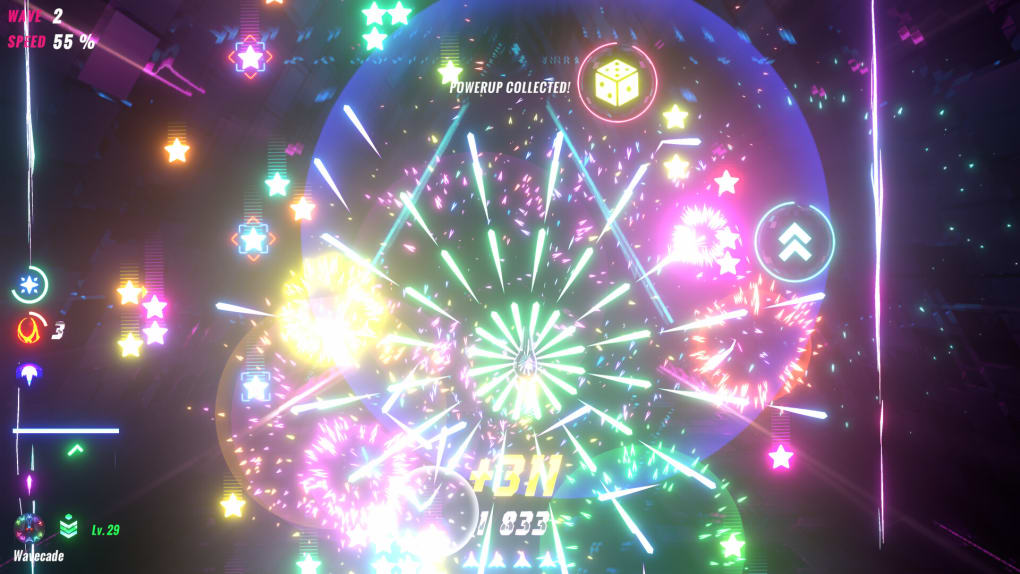
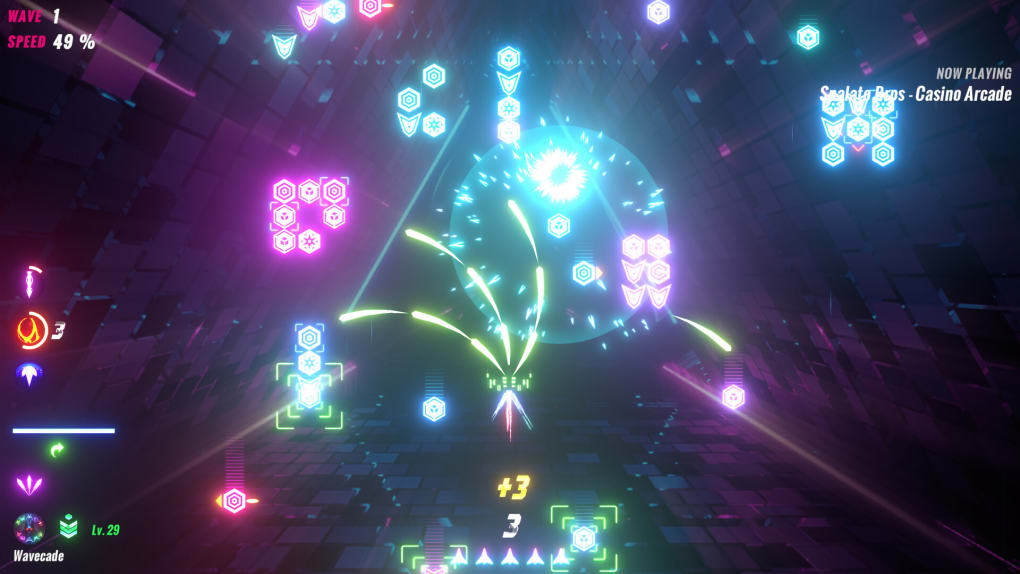
Players navigate a retro-futuristic battlefield where blocks descend from the top of the screen, requiring quick reflexes and tactical decision-making. The game introduces time manipulation mechanics, allowing players to slow down or rewind time during critical moments—a unique feature that adds depth to fast-paced action. Power-ups are scattered throughout levels, offering temporary boosts such as armor, lane-switching abilities, and enhanced propulsion. These elements combine to create a layered experience that rewards both reflexes and long-term strategy.
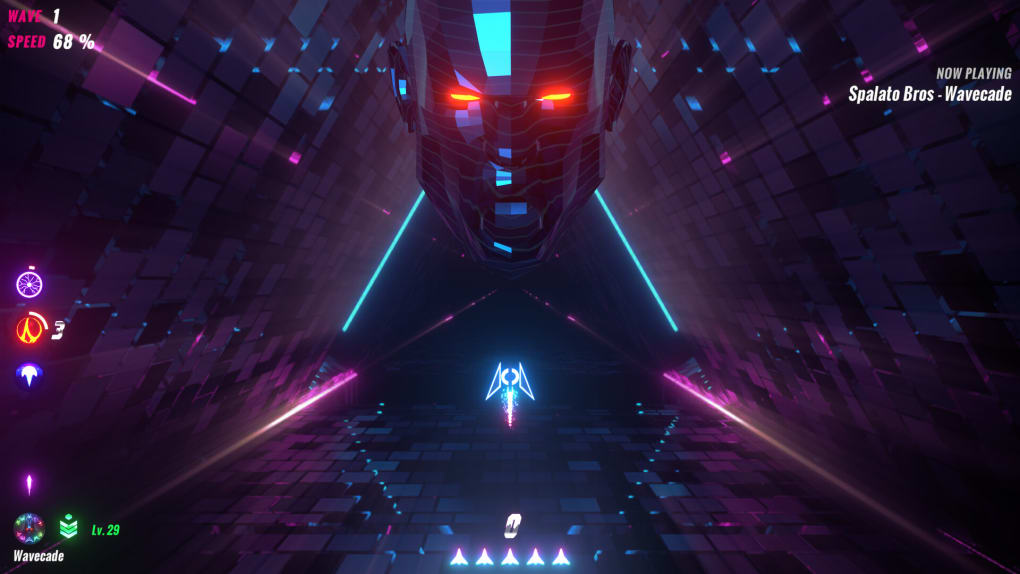
With a chic retrowave aesthetic featuring bright neon colors and fluid animations, Wavecade delivers a visually striking experience that stands out in the indie arcade space. The game’s design emphasizes rhythm and flow, encouraging players to adapt their pace as the difficulty escalates. It’s particularly well-suited for speedrunners due to customizable ship settings and performance tracking. The developer did not provide additional system requirements, and no specific user demographics were detailed beyond general gaming audiences.
Key Features & Capabilities
- Retro-Style Arcade Gameplay – Inspired by classics like Space Invaders and Galaga Wars, Wavecade delivers fast-paced shooting mechanics with a modern twist, including dynamic block movement and responsive controls.
- Time Manipulation Mechanics – Players can control time to slow or rewind moments, offering a strategic advantage during intense sequences and enhancing replayability.
- Power-Up System – A variety of power-ups are available, including armor for protection, lane-switching abilities for evasion, and propulsion boosts for increased speed and maneuverability.
- Multiplayer & Leaderboards – Cooperative multiplayer mode allows two players to team up, while online leaderboards track high scores and encourage competitive play.
- Customization Options – Users can personalize their player ships with unique colors, propulsion effects, and visual themes, tailoring the experience to individual preferences.
- Progressive Difficulty – The game increases in speed and complexity as players advance, creating a challenging yet rewarding progression curve.
These features collectively support a gameplay loop that emphasizes rhythm, precision, and adaptability. For example, the time manipulation feature allows players to recover from near-misses, while power-ups can turn the tide in high-pressure scenarios. The customization tools make each playthrough feel unique, especially for speedrunners aiming to optimize their loadouts. The multiplayer mode fosters social engagement, enabling friends to collaborate on challenging levels and compare scores. While the game’s difficulty escalates over time, the variety of mechanics ensures sustained engagement.
User Interface, Workflow & Performance
Wavecade features a streamlined user interface centered around a minimalist HUD that displays essential gameplay information, including score, time, and power-up status. The navigation is intuitive, with a focus on direct control—players glide their finger or cursor up and down to move their ship, a mechanic that promotes fluid, responsive interaction. The visual design emphasizes clarity and readability, ensuring that key game elements remain visible even during fast-paced sequences.
Workflow efficiency is enhanced by the game’s auto-advancement system, which transitions players smoothly between levels without requiring manual menu navigation. The interface adapts dynamically to gameplay intensity, adjusting visual feedback and audio cues to match the pace. The developer did not specify resource usage details, and no performance benchmarks were provided. However, the game’s 45 MB size suggests it is lightweight and optimized for minimal system impact. Stability appears consistent based on general software behavior patterns, with no reported crashes or freezes in standard use cases.
Compatibility & System Requirements
Wavecade is available for both Windows and Mac operating systems, making it accessible to a broad user base across desktop platforms. The software version is 1.0.0, with an installation size of 45 MB, indicating a compact footprint suitable for systems with limited storage. The developer did not provide additional system requirements, so exact CPU, RAM, or GPU specifications remain unspecified. Compatibility information was partially provided, with no mention of specific OS versions or hardware dependencies.
Users should ensure their system meets general desktop application standards to run the game smoothly. The lack of detailed system requirements means that performance may vary depending on the device, though the lightweight nature of the application suggests broad compatibility. For users unfamiliar with the platform, testing on a compatible machine is recommended before full deployment.
Pros and Cons
Pros
- Engaging retro-futuristic visual style with vibrant retrowave aesthetics
- Unique time manipulation mechanics for strategic gameplay
- Supports cooperative multiplayer and online leaderboards
- Extensive customization for ships, colors, and propulsion effects
- Free to download and play with no in-app purchases
- Compact 45 MB file size ensures quick installation
Cons
- Progressive difficulty may frustrate casual or new players
- Limited system requirements information makes compatibility assessment difficult
- Gameplay intensity increases rapidly, potentially reducing accessibility
- No detailed performance metrics or optimization guidance provided
- Multiplayer functionality requires internet access
Final Thoughts + CTA
Wavecade delivers a compelling fusion of retro arcade charm and modern innovation, making it a standout choice in the indie gaming space. Its time manipulation mechanics, vibrant retrowave visuals, and robust multiplayer features offer a refreshing take on classic shooter gameplay. The free availability enhances its accessibility, while customization options and speedrun-friendly design cater to dedicated players. While the increasing difficulty may challenge newcomers, the game’s depth and replay value justify the learning curve.
For fans of retro-style shooters, speedrun enthusiasts, and those who enjoy cooperative play, Wavecade is a must-try. Its polished interface, lightweight design, and strong feature set make it a top contender in its category. Download Wavecade now and experience the perfect blend of nostalgia and innovation.








