
Download WebCamera Plus – High-Resolution Webcam, Mobile Video Streaming, Smartphone Camera Utility
Overview
WebCamera Plus is a mobile application designed to repurpose smartphones and PDAs with built-in cameras into high-resolution webcams. By transforming these devices into functional video capture tools, the app eliminates the need for dedicated external webcams, offering a cost-effective and flexible alternative. It is particularly useful for users who require spontaneous video connectivity, such as remote workers, online educators, content creators, and individuals engaging in video conferencing. The app enables quick setup through multiple connection methods, supporting USB, WiFi, Bluetooth, and even 3G, which enhances its adaptability across different environments. This makes it suitable for both home and mobile use, ensuring reliable performance regardless of location. The target audience includes tech-savvy individuals and professionals seeking efficient, low-cost solutions for video communication. While the developer did not provide additional background details, the app’s functionality suggests a focus on utility and accessibility. Real-world applications include live streaming, virtual meetings, remote tutoring, and personal video logs. In the broader app ecosystem, WebCamera Plus fills a niche by bridging mobile device capabilities with desktop communication tools, offering a practical solution for users looking to maximize their existing hardware.Key Features & Functionality
WebCamera Plus offers a suite of features centered on versatility, ease of use, and integration. The app supports multiple connection types—USB, WiFi, Bluetooth, and 3G—allowing users to choose the most suitable method based on their current setup and network availability. This flexibility ensures compatibility across diverse environments, from a home office to a mobile workspace. The setup process is streamlined, requiring only a few steps to activate the smartphone as a webcam, with support for ActiveSync on remote devices, simplifying the configuration for users unfamiliar with technical setups. The app is designed to work seamlessly with widely used communication platforms such as MSN Messenger, Skype, and Yahoo Messenger, enabling users to leverage their mobile camera without switching applications. Additionally, users can customize the webcam resolution and capture screenshots directly within the app, which enhances usability for both casual and professional scenarios. For example, a remote teacher can adjust resolution for clearer visuals during a lesson, while a content creator might take screenshots for documentation. These features collectively contribute to a practical, user-focused tool that extends the functionality of existing mobile hardware.Real-World Use Cases
- Remote professionals using their smartphone as a webcam during virtual meetings.
- Online educators streaming lessons using their mobile device’s camera.
- Content creators capturing high-quality video footage for social media or live streams.
- Individuals with limited access to dedicated webcams utilizing their smartphone as a substitute.
- Users needing a portable video solution for on-the-go communication.
Interface, UX & Performance
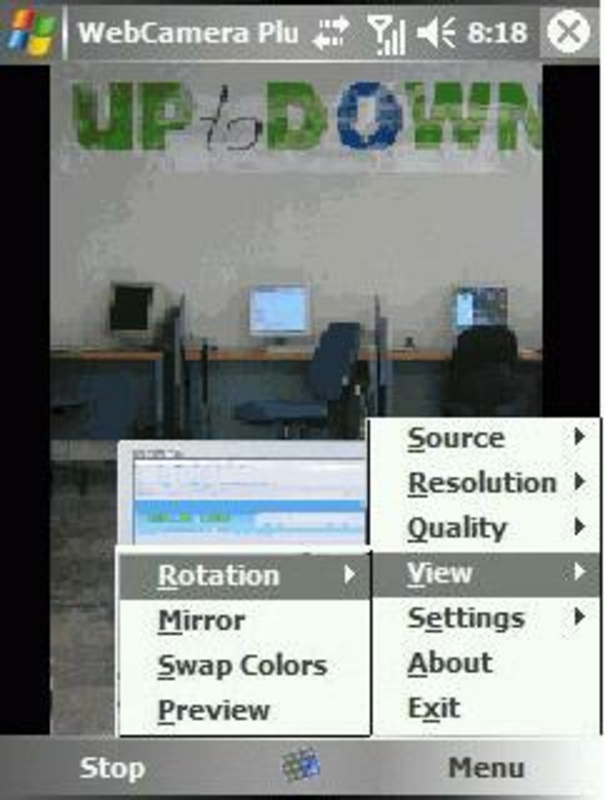
The user interface of WebCamera Plus appears designed with simplicity and functionality in mind, prioritizing intuitive navigation for users of varying technical experience. The layout likely centers around core controls such as connection setup, resolution adjustment, and screenshot capture, allowing users to perform essential tasks with minimal effort. Navigation is expected to follow a linear flow—initiating setup, selecting connection type, and activating the webcam—ensuring a smooth onboarding process. The app’s responsiveness is presumed to be consistent, particularly given its focus on real-time video transmission. Although the developer did not list formal performance metrics, the app’s compatibility with multiple connection types suggests optimization for varying network conditions. Stability is likely maintained through efficient resource management, especially when operating over USB or WiFi. Performance across different device categories, including older smartphones and PDAs, may vary, but the app’s lightweight design supports broader accessibility. The user experience is further enhanced by the app’s ability to adapt to different use cases without requiring complex configuration. Overall, the interface reflects a practical approach to mobile utility, focusing on delivering core functionality without unnecessary complexity.Platform Compatibility & Technical Requirements
WebCamera Plus is designed for mobile platforms with integrated camera capabilities, though the specific operating system was not disclosed. The app supports a range of connection methods, including USB, WiFi, Bluetooth, and 3G, indicating compatibility with devices that can handle these protocols. The file size is not specified, but given the app’s functionality, it likely remains within a reasonable range for mobile deployment. The developer did not provide minimum OS requirements or version details, nor did they list specific hardware prerequisites. As such, compatibility with individual devices cannot be confirmed. Users should verify that their device supports the required connection types and has sufficient processing power to handle real-time video streaming. The app’s release date is listed as July 15, 2009, which suggests it may have been developed during the early mobile era. Despite its age, the app remains relevant for users seeking a lightweight, functional tool for repurposing mobile cameras.Pros and Cons
- Transforms smartphones and PDAs into functional webcams without additional hardware.
- Supports multiple connection methods for flexible setup across environments.
- Compatible with popular communication platforms like Skype and Yahoo Messenger.
- Allows customization of resolution and direct screenshot capture.
- Simple setup process with minimal technical requirements.
- Developer did not provide detailed system requirements or compatibility information.
- App release date is from 2009, which may affect modern device support.
- Specific file size and OS version details were not disclosed.
- Limited information on performance under varying network conditions.
- No mention of ongoing updates or long-term maintenance.


