
Is Windows 11 Doing Enough for Users in Incognito Mode?
Windows 11 hasn’t exactly had the best time. From the KB5064081 update from August 2025, causing the password option to be hidden on the sign-in…

In a time when access to the Internet is just as important as a power supply when using a PC, a browser becomes your means of communication with the World Wide Web. That being the case, it should come as no surprise that you may be interested in discovering everything there is to know about these amazing tools.
? Best browsers to enhance your experience
❓ Quick answers to all your questions
?️ Useful fixes for common browser issues
Take a look at: Chrome | Firefox | Opera | Edge | Internet Explorer | UC Browser | TOR Browser | Vivaldi
Windows 11 hasn’t exactly had the best time. From the KB5064081 update from August 2025, causing the password option to be hidden on the sign-in…

If your browser stops restoring tabs after a reboot, you can fix it by adjusting the session settings. Every major browser lets you reopen previous…

Windows 11 supports many browsers besides the popular options most users already know. If you want faster performance or a cleaner interface, lesser known browsers…

Recover lost favorites in Microsoft Edge using built-in recovery folders, sync tools, and backup files. If your bookmarks disappeared after an update or profile issue,…

If you want to make Google your homepage in Chrome, the process is quick and easy. This guide shows you how to set Google as…

If you want to keep your browsing data private, Microsoft Edge includes built-in privacy tools that let you control tracking, cookies, and data sharing. Follow…

Microsoft Edge extensions let you personalize your browser, block ads, manage passwords, or boost productivity. If you want to customize your browsing experience, here’s how…

Learn how to change your homepage in any browser to open your favorite website every time you start it. Whether you use Chrome, Edge, or…

The Wallet in Microsoft Edge lets you securely store your credit cards, debit cards, and billing information for faster online checkouts. Here’s how to set…

If you ever lose your Internet connection or just want to kill some time, Microsoft Edge has a hidden surf game built right into the…

If you use Find on Page in Microsoft Edge and see extra words highlighted, the Related Matches feature is turned on. This can make searches…

Sometimes you come across a webpage in a language you don’t understand. Luckily, Edge makes this simple with its built-in translator. In this guide, you’ll…

If you are wondering how to allow pop ups in Edge, this guide will show you the exact steps on desktop, mobile, and for specific…

Knowing how to set homepage in Edge helps you open your favorite site right away and skip the default start page. If you don’t know…
Finding the best browser for Windows 11 can be tricky, even for those who try out lots of options. Finding the perfect browser for Windows…

Autocomplete is a feature that helps your browser automatically fill in information for you. This can be useful if you often forget your passwords. However,…

Want MSN back as your homepage? Here’s how to restore https://www.msn.com as your default homepage in Chrome, Edge, Firefox, Safari, and mobile browsers. 🧭 What…

Hitting the X button when you close Google Chrome can mean different things but for most people, you can continue running background apps when closed.…

Many users are wondering if you can have multiple profiles in Firefox, and the answer is yes. This is simpler than you think, and in…

If you see Edge Webview2 Runtime in the Task Manager app and wonder what it is, this guide can help! What is Edge Webview2 Runtime?…
If you’re using Edge, you might want to learn how to work with saved Edge passwords in Windows 11. It’s easier than you think, and…

Editing PDFs can be very complicated, and most of the time, you need a PDF editor app or make the changes using the online version.…

When it comes to user privacy, Firefox is one of the best choices, but what if you could make it more private? This is what…

If you’re working with crypto, you might be familiar with Phantom. The service is available on different browsers, and today we’re going to show you…

If you’re tired of dealing with redirects on your PC, there is a useful application called Skip Redirect that can help you with that, and…
Getting a custom cursor for Google Chrome is relatively straightforward, and there are two main methods to achieve this: using a Chrome extension or customizing…

Syncing your browsing data is important, and if you get Your account has been locked for security reasons message in Firefox, you won’t be able…

If you get An unexpected error occurred please try again while trying during Dashlane login, you won’t be able to access your saved passwords, and…
If you’re using crypto, you might be familiar with a service called Coinbase. The service is available as a browser extension, but many are wondering…

By now you already know blocking ads on YouTube has become harder but ads are not the only annoying thing and with BlockTube, you can…

Your browser serves as the perfect entrance for cyber hijackers so to cushion yourself from these attacks, you need a fighter and an antivirus extension…
Looking for the best Microsoft Edge video downloader? We’ve got you covered! We found a few reliable extensions and apps that support multiple video formats…

Everyone desires an uninterrupted and smooth browsing experience and if Microsoft Edge is your browser of choice, you’ll need the best adblocker to stay focused.…
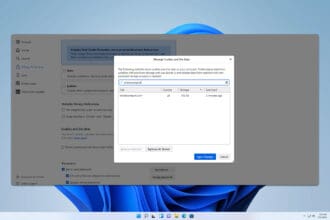
Sometimes you need to clear the cache just for a specific page, and in today’s guide, we’re going to show you how to clear the…
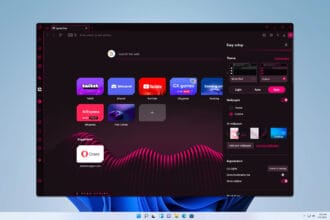
Opera GX allows you to adjust certain settings on the fly, and if you’re not familiar with this feature, in today’s guide we’re going to…

From PowerPoint slides to Google slides, presenting requires you to keep time while keeping the audience engaged and this is where Chrome’s slides timer extension…
