Screenshots
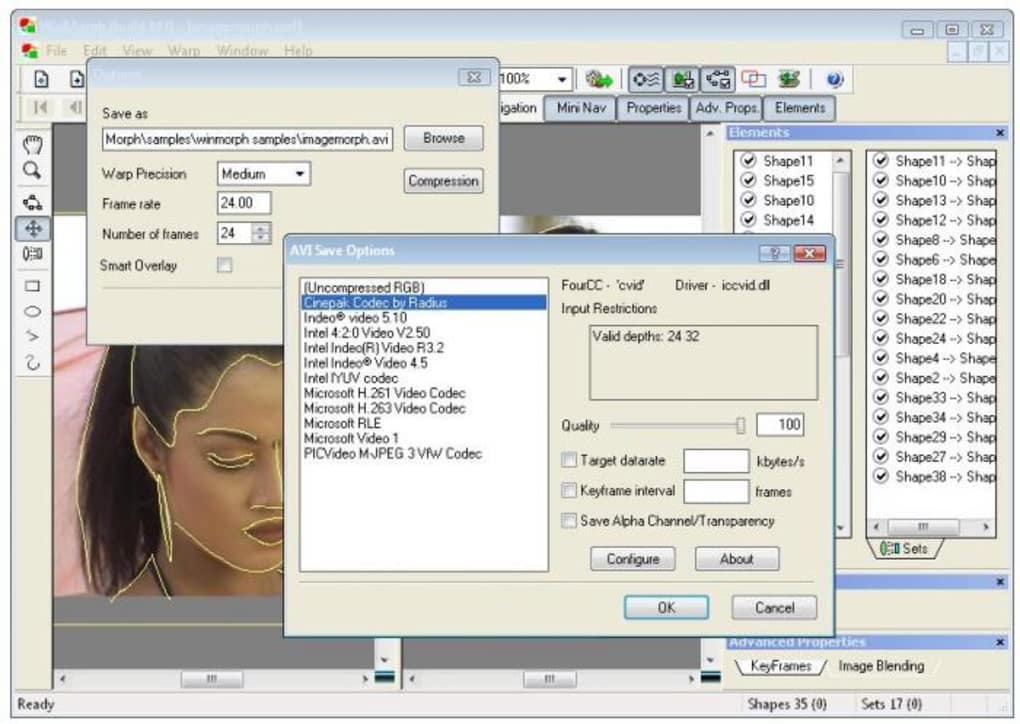
App details
- Version
- 3.01
- Size
- 4.47 MB
- Updated
- January 28, 2008
- Requires
- Windows 95
- Language
- English
- License
- Free
- Developer
- Debugmode
- Category
- Windows OS
About WinMorph
Download WinMorph – Free Image Morphing & Warping Tool for Windows
Overview & Core Capabilities
WinMorph is a dedicated desktop application that lets you turn ordinary photos into eye‑catching morphing and warping animations. Whether you’re a hobbyist looking to add a fun transition between two portrait shots, a designer needing a smooth shape‑change for a marketing video, or an educator wanting a visual illustration of gradual change, WinMorph provides a compact set of tools that focus on the core task—creating high‑quality morphs without the overhead of a full‑blown video editor. The program follows a shape‑based approach rather than the traditional dot‑grid system, which means you define control points on the outlines of objects, giving you more precise control over how features blend. While the interface may feel a little dated compared to modern drag‑and‑drop apps, the learning curve flattens quickly thanks to built‑in tutorials and sample projects. Once your morph is ready, WinMorph can export to popular video formats like AVI, MPEG, and even Flash (SWF), making it easy to embed the result into presentations, websites, or social media. The software runs on Windows platforms and is offered as a free download, with optional paid upgrades for advanced features. Overall, WinMorph strikes a balance between simplicity and creative flexibility, offering a solid foundation for anyone who wants to explore image transformation without diving into complex compositing suites.
Key Features
- Shape‑based morphing engine for precise control over object outlines.
- Supports both morphing (smooth transition between two images) and warping (altering expression or shape within a single image).
- Export options include AVI, MPEG, and SWF (Flash) for broad compatibility.
- Built‑in tutorials and sample projects to help beginners start quickly.
- Ability to import multiple image formats (JPG, PNG, BMP, GIF) for flexible workflows.
- Adjustable frame rate and timing controls for fine‑tuning animation speed.
- Lightweight footprint; runs comfortably on older Windows PCs.
- Free version available for personal use; upgrade path for commercial licensing.
Installation, Usage & Compatibility
Getting started with WinMorph is straightforward. First, visit the official website and click the Download WinMorph button. The installer is a single .exe file, roughly 6 MB in size, which means it downloads quickly even on slower connections. Once the file is saved, run it and follow the wizard prompts: accept the license agreement, choose an installation folder (the default works for most users), and decide whether you’d like a desktop shortcut. After the installation finishes, launch the application from the Start menu or desktop icon.
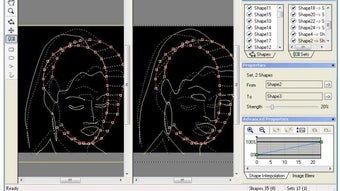
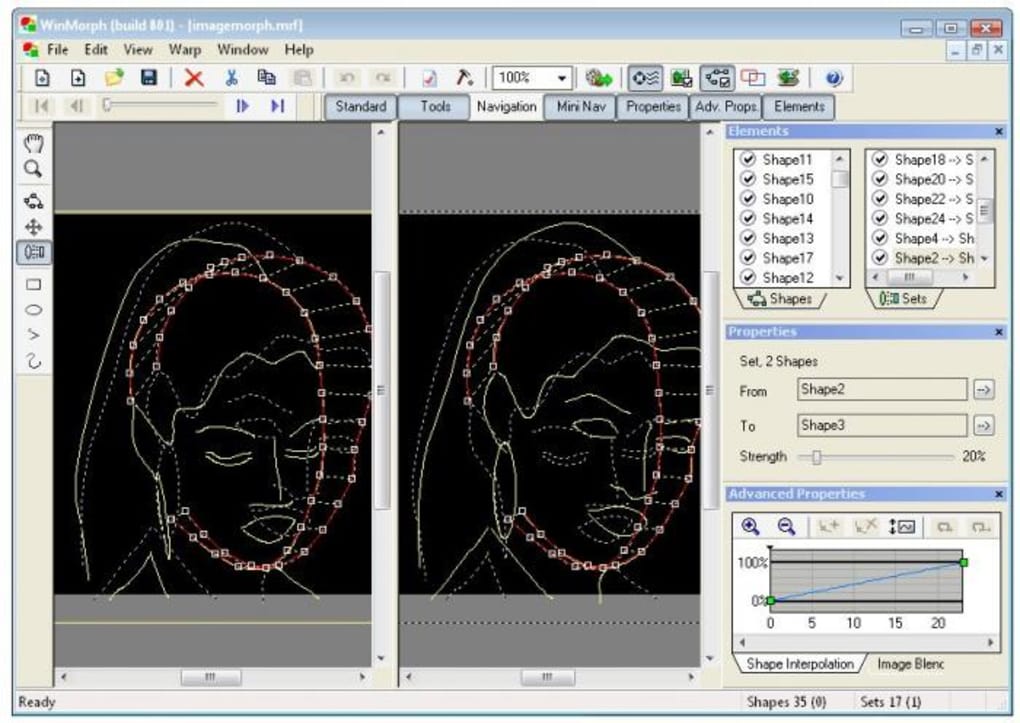
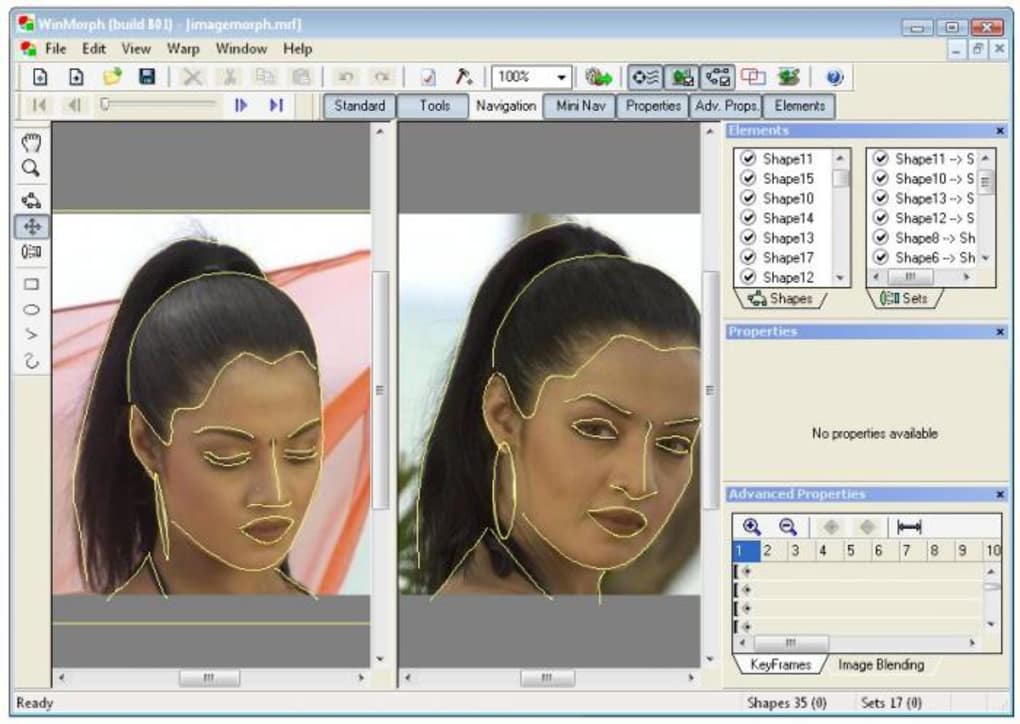
When you open WinMorph for the first time, you’ll be greeted by a simple welcome screen that offers three entry points: New Morph Project, Open Existing Project, and View Tutorials. Selecting “New Morph Project” prompts you to load the first source image; you can then add a second image to define the endpoint of the morph. The interface consists of a main preview window, a side panel for point‑placement tools, and a timeline at the bottom where you can set the number of frames and playback speed.
The shape‑based workflow requires you to draw corresponding outlines on each image. Click the “Add Shape” button, then click around the object’s edge to create a series of control points. WinMorph will automatically connect these points, forming a mesh that can be edited later. Once both images have matching meshes, click “Generate Morph” and watch the preview animate the transition. You can fine‑tune the result by moving individual points, adjusting the interpolation curve, or adding intermediate keyframes.
Compatibility-wise, WinMorph is built for Windows 7, 8, 10, and 11 (both 32‑bit and 64‑bit). The software relies on standard Windows graphics libraries, so no additional runtime packages are required. While there is no native macOS, Linux, Android, or iOS version, you can run WinMorph on a Mac using a virtual machine or compatibility layer like Wine, though performance may vary. System requirements are modest: a dual‑core CPU, 2 GB RAM, and at least 50 MB of free disk space for installation and temporary files. Because the program works locally, you don’t need an internet connection after the initial download, making it a secure option for privacy‑conscious users.
Pros, Cons & Frequently Asked Questions
Pros
- Free version provides all essential morphing and warping tools.
- Shape‑based control offers higher precision than dot‑grid methods.
- Multiple export formats (AVI, MPEG, SWF) increase flexibility.
- Lightweight and fast on older hardware.
- Built‑in tutorials help beginners get results quickly.
Cons
- Interface feels dated and can be unintuitive for first‑time users.
- No native support for macOS, Linux, Android, or iOS.
- Advanced features (e.g., batch processing) require a paid upgrade.
- Lack of real‑time preview; you must render to see final quality.
- Export to modern formats like MP4 requires external conversion.
FAQ
Is WinMorph completely free to use?
WinMorph offers a free version that includes all core morphing and warping functions. A paid upgrade is available for commercial licensing and additional features such as batch processing.
Which video formats can I export my morph to?
The software supports AVI, MPEG, and SWF (Flash). For newer formats like MP4, you’ll need to convert the exported file with a third‑party converter.
Can I use WinMorph on a Mac?
WinMorph is a Windows‑only application. Mac users can run it via a virtual machine (e.g., Parallels) or compatibility layer such as Wine, though performance is not guaranteed.
How much RAM does WinMorph need?
The minimum requirement is 2 GB of RAM, but 4 GB or more is recommended for smoother handling of high‑resolution images and longer animations.
Is there a tutorial included with the program?
Yes, WinMorph ships with basic step‑by‑step tutorials and sample projects that guide you through importing images, placing control points, and exporting your first morph.
Review Summary: WinMorph delivers solid morphing capabilities for free, though its dated UI may deter some users. The shape‑based approach gives precise control, making it a worthwhile choice for hobbyists and educators.
Conclusion & Call to Action
WinMorph remains a niche yet powerful tool for anyone who wants to experiment with image morphing and warping without the expense of premium video suites. Its free version provides all the essential functions, and the shape‑based workflow ensures you can achieve professional‑looking transitions with a modest learning curve. While the interface could benefit from a modern redesign and native support for non‑Windows platforms, the core engine is reliable, lightweight, and secure—making it an excellent addition to a Windows‑centric creative toolbox.
If you’re ready to create captivating morph animations for presentations, social media, or personal projects, simply click the download button below, install WinMorph, and start shaping your visual stories today. Remember to explore the built‑in tutorials for quick tips, and consider the paid upgrade if you need commercial licensing or advanced batch features.
Download WinMorph now and unleash your imagination with free, secure, and easy‑to‑use morphing software.
Guides & Tutorials
How to install WinMorph
- Click the Download button above.
- Once redirected, accept the terms and click Install.
- Wait for the WinMorph download to finish on your device.
How to use WinMorph
This software is primarily used for its core features described above. Open the app after installation to explore its capabilities.
User Reviews
No reviews yet. Be the first to share your experience.
You may also like
more
Llama 2
Free-to-use large language model As the new addition to Meta’s arsenal of langua...

NotebookLM
Revolutionizing the note-taking and idea-generation process NotebookLM is an exp...

Github co pilot
AI-inspired software development and coding platform GitHub Copilot is a browser...

Google Gemma
Google’s lightweight AI models Introducing Google Gemma , a family of cutting-ed...

AI Image Enlarger
A free app for Windows, by ai-image-larger. AI Image Enlarger is a free software...

DALL E
AI-driven text-to-image transformation engine DALL·E is a free graphic and desig...
