
Download Word Warp – Space-Themed Typing Adventure, Word Game, Productivity Tool
Overview
Word Warp is a dynamic mobile application designed to merge the thrill of gaming with the practical skill of typing. Set in a vibrant space-themed environment, the app transforms everyday keyboard use into an interstellar defense mission. Players assume the role of a pilot defending their ship from incoming enemy vessels by typing accurate words of specific lengths. This innovative approach turns typing practice into an engaging, fast-paced experience that appeals to users seeking both entertainment and personal development. The app targets individuals interested in improving their typing speed, accuracy, and vocabulary, particularly students, remote workers, and casual gamers looking to enhance their digital fluency.
By integrating real-time word challenges with a visually immersive setting, Word Warp addresses common challenges in skill acquisition—such as monotony and lack of motivation—by embedding learning within gameplay. The app’s core value lies in its ability to make repetitive typing exercises enjoyable through a narrative-driven interface. It fills a niche in the mobile productivity and educational gaming space by offering a tool that’s both functional and entertaining. Although the developer did not provide additional background information, the app’s structured design and clear purpose suggest a focused development effort aimed at users who value efficiency and engagement.
Key Features & Functionality
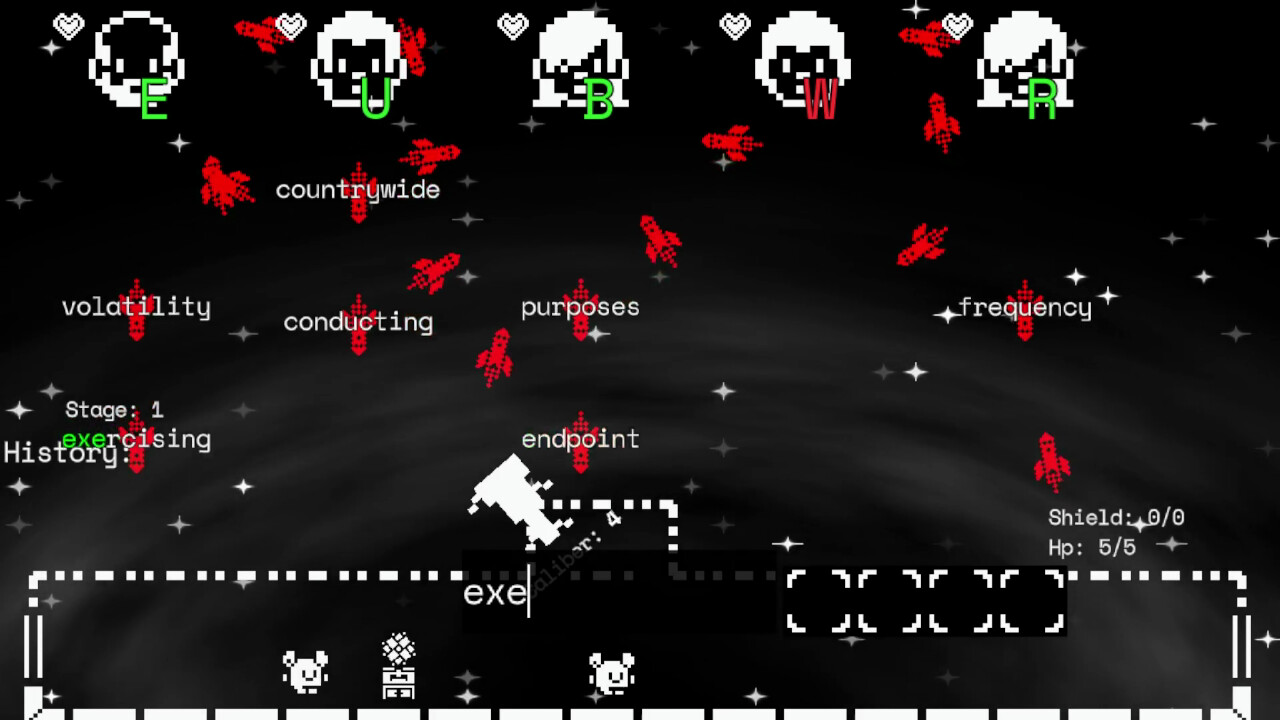
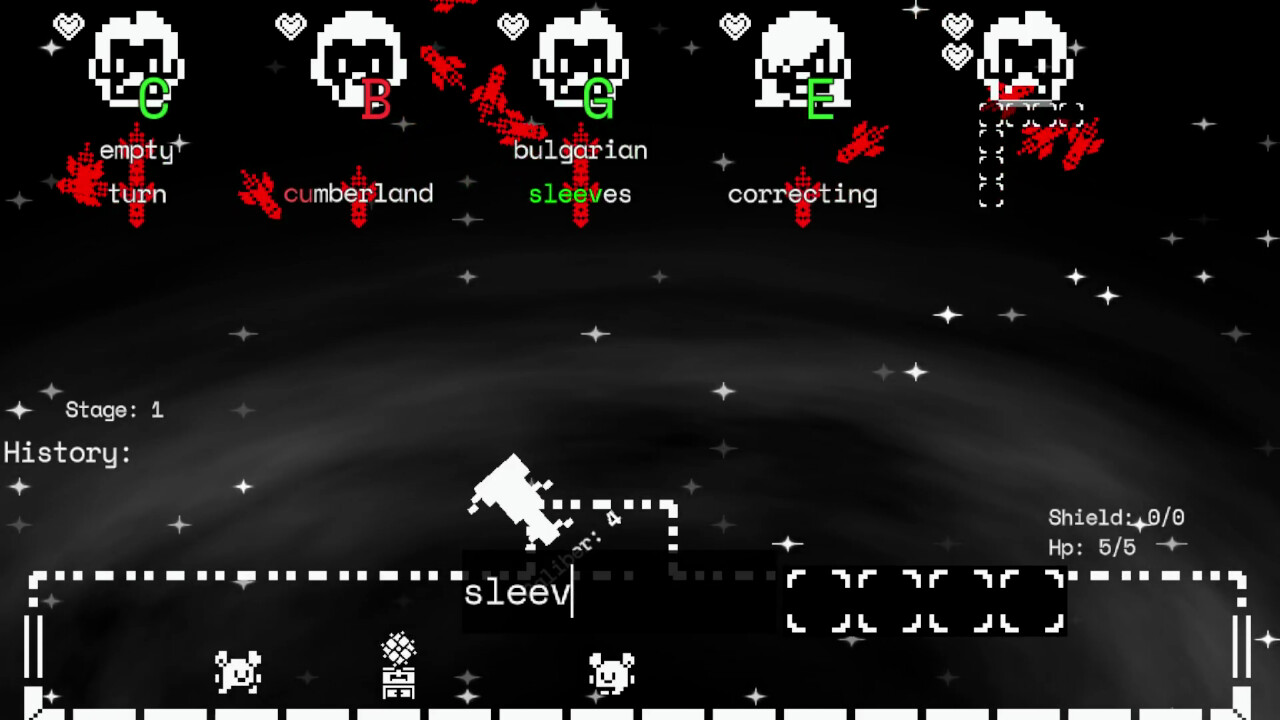
- Space-Themed Typing Gameplay: Players defend their spacecraft from waves of enemy projectiles by typing words of correct length. Each successful word clears an incoming threat, combining action with language skill.
- 20,000 Word Library: The app includes a substantial base of common English words, ensuring variety and challenge across multiple sessions. As users progress, they can unlock additional words, expanding their vocabulary in a gamified way.
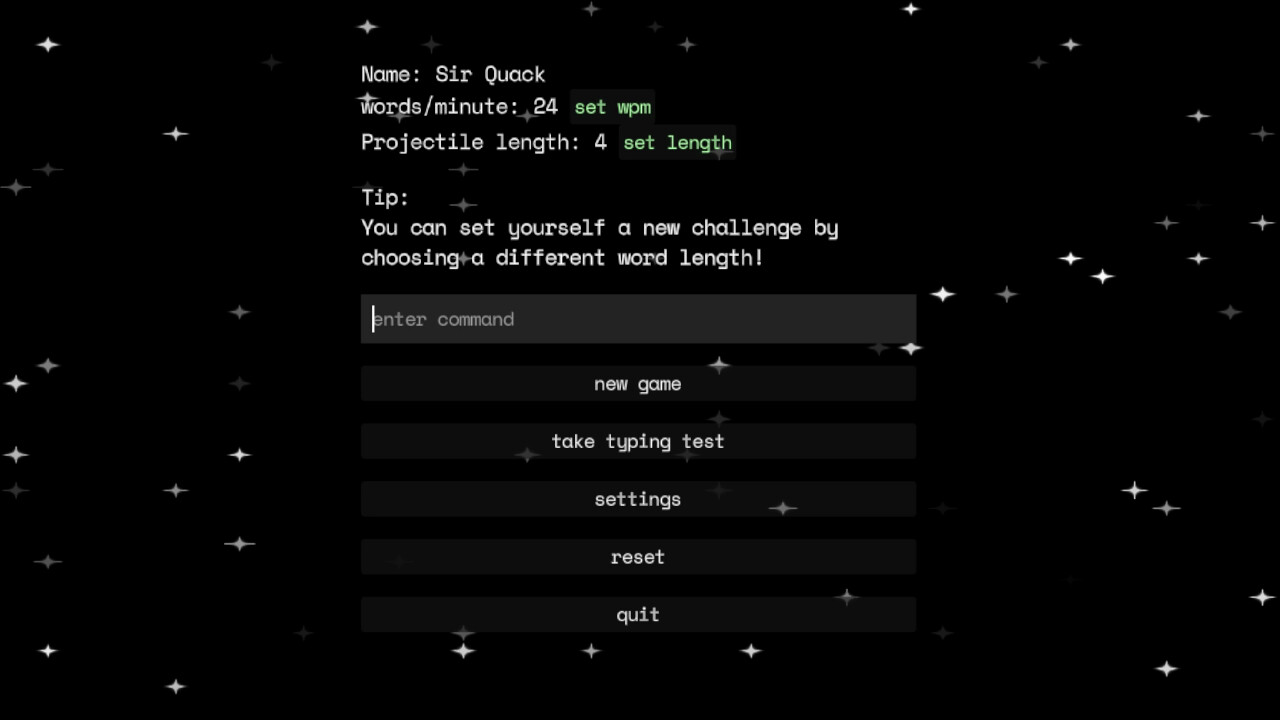
- Adjustable Difficulty Levels: Users can tailor the game’s pace and word complexity to match their typing proficiency. This flexibility supports both beginners learning keyboard layout and advanced typists aiming to maximize speed.
- Typing Rhythm and Feedback: The app delivers tactile satisfaction through responsive keyboard feedback, reinforcing correct keystrokes and encouraging rhythmic, accurate typing habits.
- Daily Practice Integration: Designed as a short, repeatable session tool, Word Warp fits easily into daily routines, making consistent typing improvement achievable without long commitments.
For example, a student preparing for timed exams might use Word Warp during breaks to sharpen their keyboard reflexes. A remote professional could play a few rounds before starting work to warm up their typing muscles. The app’s structure supports micro-learning, turning idle moments into productive ones.
Interface, UX & Performance
The user interface of Word Warp is designed around clarity and responsiveness, featuring a sleek space environment with animated projectiles and a central ship interface. Navigation is intuitive, with the main gameplay area centered on the screen, where word prompts and enemy movement are clearly visible. The layout minimizes distractions, ensuring users focus on typing accuracy and timing. Visual cues, such as color-coded word lengths and animated enemy patterns, enhance situational awareness without overwhelming the user.
Although the developer did not list formal performance metrics, the app’s design suggests optimization for smooth operation across a range of mobile devices. The gameplay appears to run fluidly, with minimal lag between keystrokes and on-screen responses. The interface adapts well to different screen sizes, maintaining readability and touch target accessibility. Stability is implied through the consistent flow of gameplay, though no crash reports or error logs were provided.
Users can expect a stable experience during short to medium-length sessions. The app does not require excessive battery or memory usage, making it suitable for daily use. While specific device compatibility details were not disclosed, the design reflects a mobile-first philosophy, prioritizing touch efficiency and visual clarity.
Platform Compatibility & Technical Requirements
Word Warp is available on Android and iOS platforms. The app’s current version is 1.0, with a file size of 45.6 MB. The developer did not specify minimum OS requirements or device compatibility details. As such, users should verify system compatibility through their respective app stores. The app’s lightweight size suggests it is optimized for devices with moderate storage and processing capabilities.
Pros and Cons
Pros
- Engaging space-themed gameplay that turns typing practice into an enjoyable experience.
- Large word library supports diverse challenges and long-term replayability.
- Customizable difficulty levels accommodate users of all skill levels.
- Encourages daily typing habits through short, rewarding sessions.
- Lightweight file size ensures easy download and storage on mobile devices.
Cons
- Specific technical requirements and device compatibility were not disclosed.
- No visible offline mode or progress sync across devices was mentioned.
- Limited information about in-app purchases or monetization strategy.
- Developer background and support details were not provided.
- Performance on older devices remains unverified due to lack of technical specifications.
FAQ
Is Word Warp available for free?
Yes, Word Warp is available for free download. However, the developer did not specify whether in-app purchases or premium features are included.
Can I play Word Warp offline?
The app’s offline functionality was not confirmed. Users should check the app store description or in-app settings for access details.
Is Word Warp safe to download?
As with any mobile app, users should download Word Warp only from official app stores to ensure security and authenticity.
How often should I play to see improvement?
For best results, consistent daily practice of 5–10 minutes is recommended. The app is designed to support micro-learning habits.
Does Word Warp track my typing speed or accuracy?
While the app includes real-time feedback during gameplay, specific performance tracking features were not detailed in the provided information.
Final Thoughts
Word Warp stands out as a fresh and innovative approach to typing practice, blending entertainment with skill development in a way that feels natural and rewarding. Its space adventure theme adds depth and immersion, transforming a routine task into an exciting challenge. The customizable difficulty and large word pool ensure that users of all levels can benefit, making it a versatile tool for students, professionals, and casual learners alike.
While some technical and support details remain unclear, the app’s core functionality is strong and well-executed. Its lightweight design and focus on daily engagement make it ideal for users seeking a productive yet fun way to improve their typing. With its unique blend of action and education, Word Warp delivers real value in a compact, accessible package.
Download Word Warp now


