
Download Wordmax – AI‑Powered Writing Assistant for Faster Content Creation
Overview
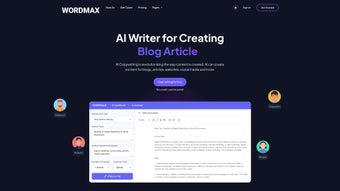
Wordmax is a cloud‑based, AI‑driven writing assistant that promises to eliminate writer’s block and accelerate the content creation process for bloggers, marketers, freelancers, and anyone who regularly publishes online. Built on advanced natural‑language generation models, the platform can spin up fresh article ideas, draft long‑form blog posts, craft product descriptions, and even generate eye‑catching social‑media ad copy in seconds. What sets Wordmax apart is its multilingual capability – the engine supports more than 40 languages, making it a truly global solution for multilingual teams and agencies. Users interact with a clean, distraction‑free interface that houses a library of pre‑built templates ranging from SEO‑focused blog outlines to e‑commerce product sheets. The built‑in rewriter tool enables quick paraphrasing, allowing creators to refresh existing content without sacrificing originality. Export options include direct publishing to popular CMS platforms, copy‑to‑clipboard, and downloadable formats such as .docx and .pdf. Wordmax follows a subscription model, but a free trial is available so potential users can test the AI’s quality before committing. In short, Wordmax aims to be the “one‑stop shop” for anyone looking to boost productivity, maintain a steady flow of ideas, and keep content fresh across multiple channels.
Core Features & How They Boost Productivity
- AI Idea Generator: Instantly produces dozens of topic ideas based on a keyword, industry, or content goal.
- Multi‑Language Support: Generates content in over 40 languages, including English, Spanish, German, Mandarin, and Arabic.
- Template Library: Pre‑built structures for blog posts, product descriptions, landing pages, email newsletters, and social‑media ads.
- Content Rewriter: Paraphrases existing text while preserving meaning, ideal for SEO‑friendly rewrites.
- Summarization Engine: Condenses long articles into concise bullet points or executive summaries.
- SEO Optimization Suggestions: Real‑time recommendations for keyword placement, meta descriptions, and readability scores.
- Export & Publishing Options: Direct export to Word, PDF, or copy‑to‑clipboard; integration with WordPress and HubSpot via API.
- Collaboration Mode: Team members can comment, suggest edits, and approve drafts within the platform.
- Secure Cloud Storage: All drafts are saved in encrypted servers, ensuring data privacy and compliance with GDPR.
- Regular Updates: Monthly AI model improvements and new template releases keep the tool fresh.
Each feature is designed with a specific productivity bottleneck in mind. The AI Idea Generator cuts research time dramatically; writers no longer need to spend hours brainstorming topics. The multilingual engine removes the need for separate translation services, letting global teams produce localized content from a single dashboard. Templates act as skeletons that guide structure, ensuring that every piece follows best‑practice formatting without manual effort. The rewriter and summarizer help repurpose existing assets, turning a single blog post into a series of tweets, LinkedIn snippets, and a concise email newsletter. SEO suggestions keep the content search‑engine friendly from the outset, reducing the need for after‑the‑fact optimization. Finally, the collaboration tools keep teams aligned, cutting the email back‑and‑forth that traditionally slows down approval cycles. In practice, users report a 40‑60 % reduction in time‑to‑publish, allowing them to focus on strategy rather than grunt work.
Installation, Usage Workflow, and Compatibility
Getting Started – No Download Required
Wordmax is delivered as a web‑app, so there is no traditional installation process. To begin, visit the official website, click “Start Free Trial,” and create an account using an email address or single‑sign‑on (SSO) with Google or Microsoft. After email verification, you are directed to the dashboard where the AI engine is ready to receive prompts.
Step‑by‑Step Usage Guide
- Select a Template: Choose from the library based on the content type you need (e.g., “Long‑Form Blog Post”).
- Enter Your Prompt: Provide a keyword, headline, or brief description. For multilingual content, select the desired language from the dropdown.
- Generate Draft: Click “Generate.” The AI returns a complete outline or full draft within seconds.
- Edit & Refine: Use the built‑in editor to tweak tone, adjust headings, or add custom sections. The AI can also suggest improvements in real‑time.
- Apply SEO Tips: Review the on‑screen SEO suggestions and incorporate them to boost search visibility.
- Export or Publish: Choose to download the file, copy it to clipboard, or push it directly to WordPress via the API integration.
Supported Operating Systems
- Windows 10 and later (via any modern browser – Chrome, Edge, Firefox)
- macOS 11 (Big Sur) and later (Safari, Chrome, Firefox)
- Linux distributions with up‑to‑date browsers
- Android 8.0 and later (mobile web browsers)
- iOS 13 and later (Safari or Chrome)
Because Wordmax runs entirely in the cloud, it works on any device that can access a web browser with JavaScript enabled. The platform is fully responsive, offering a touch‑optimized experience on tablets and smartphones. Security‑focused users will appreciate that no data is stored locally; all content resides on encrypted servers that meet ISO 27001 standards.
Pros, Cons, FAQ, and Final Verdict
Pros
- Instant idea generation saves research time.
- Supports 40+ languages – ideal for global teams.
- Rich template library accelerates drafting.
- Built‑in SEO suggestions improve rankings from the start.
- Cloud‑only architecture means no software updates for users.
- Secure, GDPR‑compliant data handling.
Cons
- Subscription pricing may be steep for occasional freelancers.
- Heavy reliance on internet connectivity – offline work is not possible.
- AI-generated content sometimes requires human polishing for brand voice consistency.
Frequently Asked Questions
Is there a free version of Wordmax?
Wordmax offers a 7‑day free trial with full access to all features. After the trial, you must choose a paid plan to continue using the service.
Can Wordmax create completely original content?
Yes. The AI model is trained on a vast dataset and generates unique text each time. However, it is recommended to run the output through a plagiarism checker if absolute originality is required.
What payment methods are accepted?
Credit cards (Visa, MasterCard, American Express), PayPal, and bank transfers for enterprise plans are supported.
Does Wordmax integrate with my existing CMS?
Wordmax provides API endpoints and native plugins for WordPress, HubSpot, and Joomla. You can also use Zapier to connect to other platforms.
How secure is my data?
All data is stored on encrypted servers compliant with ISO 27001 and GDPR. Access is protected by two‑factor authentication (2FA) for all accounts.
Conclusion & Call to Action
Wordmax delivers on its promise of faster, smarter content creation. By combining AI‑generated ideas, multilingual output, and a robust set of templates, it removes many of the tedious steps that traditionally slow down publishing cycles. While the subscription cost may be a barrier for occasional users, the productivity gains—especially for agencies and high‑volume marketers—often justify the expense. If you’re ready to eliminate writer’s block, improve SEO compliance, and streamline collaboration across borders, click the button below to start your free trial and experience the power of AI‑assisted writing.
Start Your Free Trial


.png)




