

Description
Raina Image Compression is a powerful WordPress plugin that automatically optimizes images during upload while giving full control over compression, output format, and metadata. It is designed for site owners who want fast-loading pages, SEO-friendly images, and a reliable system that prevents users from uploading huge, unoptimized files.
The plugin works with the built-in GD library and intelligently handles JPG, PNG, and WebP formats. It can also convert non-transparent PNGs to JPG, achieving better compression without visible quality loss.
Ideal for multi-author sites or blogs managed by non-technical users, Raina Image Compression operates automatically in the background, optionally sends Telegram notifications, and keeps your image sizes under control.
Key Features
Smart Image Optimization
– Automatically compresses JPG and PNG images.
– Converts non-transparent PNGs to JPG for better performance.
Output Mode Selection (4 available modes)
Choose how your images are generated after upload:
– 1. JPG/PNG ONLY Compresses only JPG and PNG files.
– 2. WEBP ONLY Creates only a WebP version.
– 3. JPG/PNG PRIMARY + WEBP COPY Keeps the original JPG/PNG as the main file and creates a WebP copy in the media library.
– 4. WEBP PRIMARY + JPG/PNG COPY Sets the WebP image as the primary file while retaining a JPG/PNG copy for compatibility.
Maximum Width Control
Set a maximum pixel width for uploaded images to automatically resize large photos from cameras or smartphones.
Smart JPG Size Reduction (by KB Limit)
When enabled, the plugin will try to reduce a JPG’s file size to stay below a specific kilobyte (KB) limit by dynamically lowering the quality level until the target is reached. ( ONLY FOR JPG and No transparent PNG )
Compress Only from Post Editor (Optional)
Option to limit compression to images uploaded directly from the WordPress post editor, excluding other uploads from plugins or themes or media library.
Post Type Filter
Added a new option to select which post types the plugin should apply to. If none are selected, all post types will be processed.
Keep Original File Copy
Option to create a full-size copy of the original uploaded image in the media library for backup or archival purposes.
Disable WP Auto-Generated Thumbnails
Option to disable WP Auto-Generated Thumbnails. Save disk space by preventing WordPress from creating unnecessary image files.
Automatic Metadata Filling
Automatically fills ALT, Description, and Caption (Excerpt) fields using the parent post information — ideal for improving SEO with no extra effort.
Admin Bar Toggle
Easily enable or disable compression from the WordPress admin bar without entering the settings page, handy when you want to upload images related to the theme or the builder, basically content not associated with any post type.
Telegram Notifications (Optional)
If the “Notifications for Telegram” plugin is installed, you will receive a message for each processed image containing:
– File name
– Format
– Compression ratio
Logging
Can Records all compression events to the WordPress debug log (wp-content/debug.log) for debugging or performance tracking.
Lightweight & Compatible
– Works entirely on your server with no external API, CDN or remote requests.
– Fully compatible with shared hosting environments.
– No third-party dependencies.
Ideal Use Cases
- Websites managed by non-technical users who often upload large, unoptimized images.
- Site owners and developers who want full control over compression settings.
- Blogs or news sites that require consistent image optimization without external services.
Summary
Raina Image Compression was built to solve a common problem: users uploading excessively large images that slow down websites.
It works quietly in the background, optimizing every image for size, speed, and SEO — so your site stays fast, clean, and professional.
License
This plugin is free software; you can redistribute it and/or modify it under the terms of the GNU General Public License as published by the Free Software Foundation; either version 2 of the License, or (at your option) any later version.
Screenshots
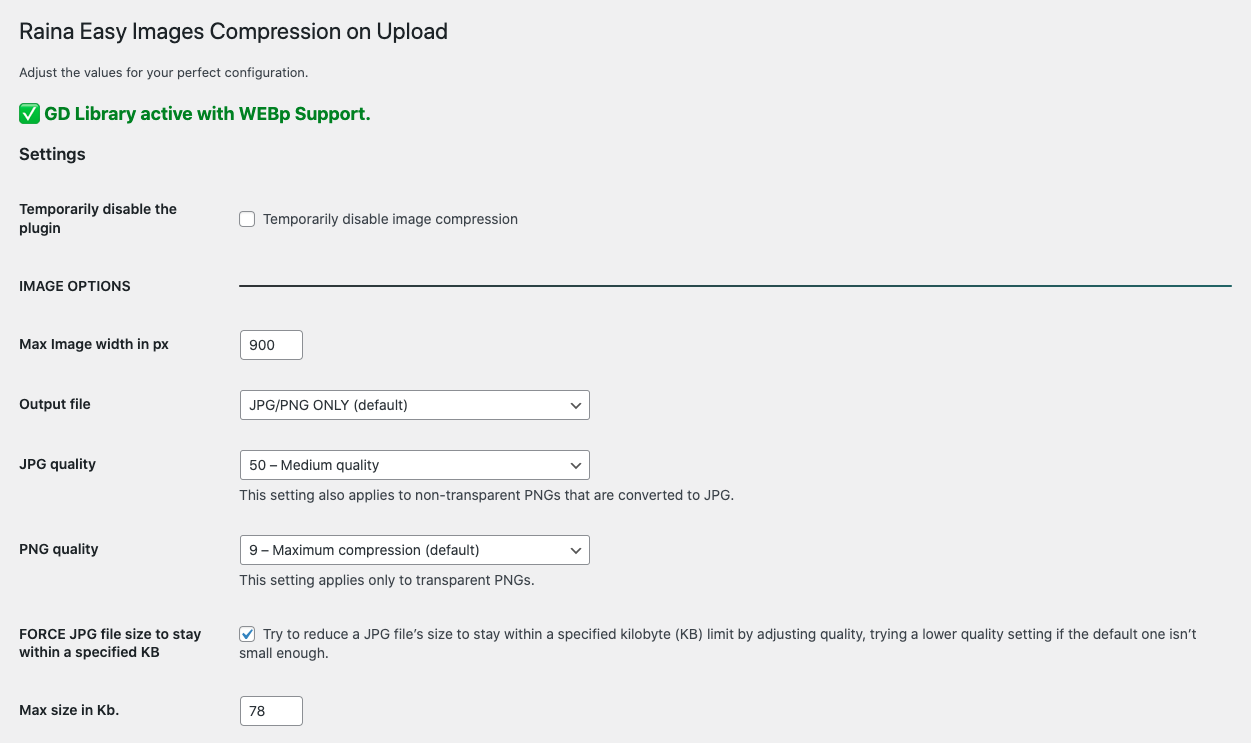
Plugin settings page with compression controls. 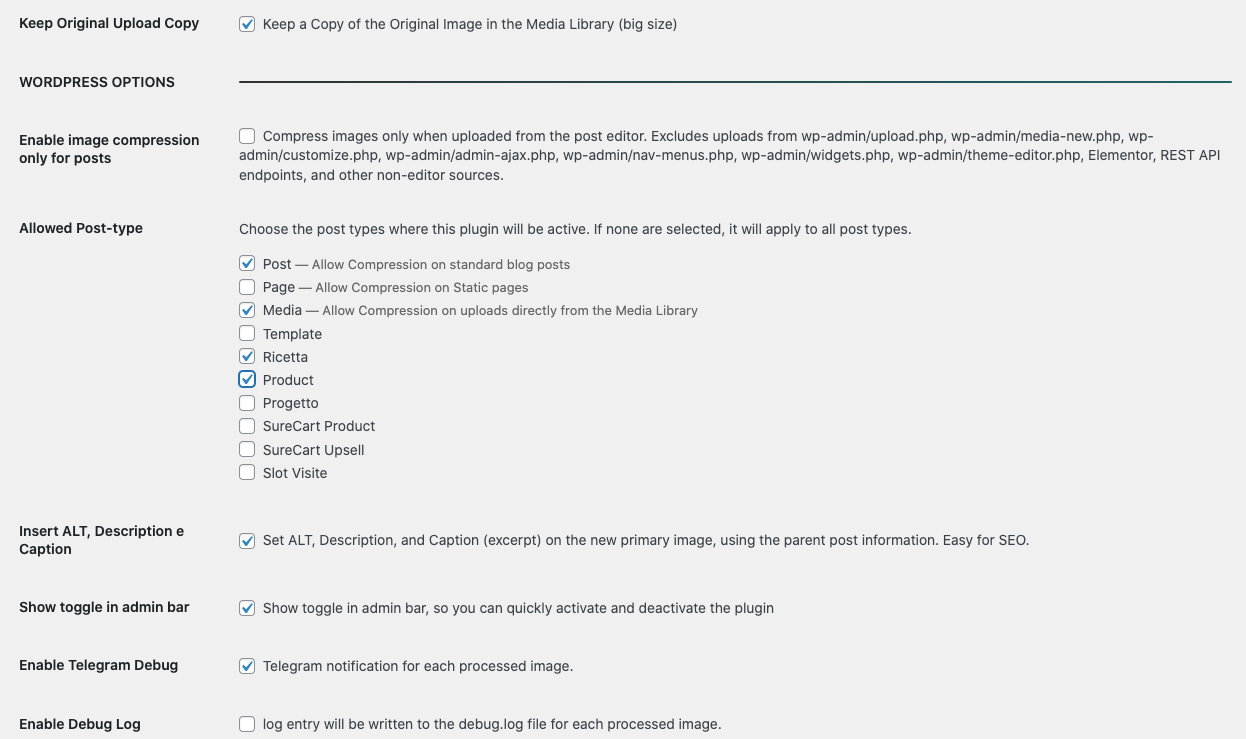
Plugin settings page with compression controls. 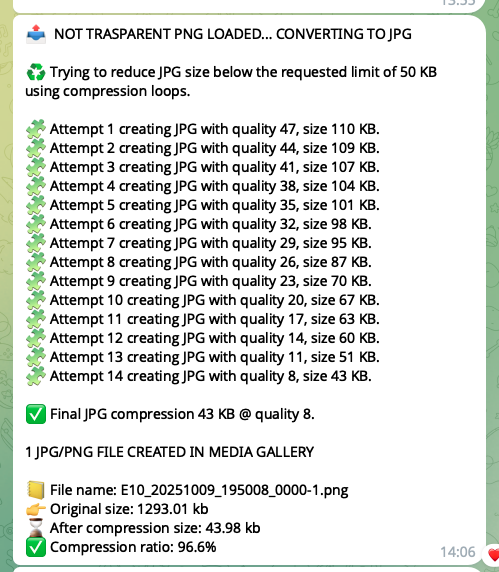
Example Telegram notification for a compressed image. 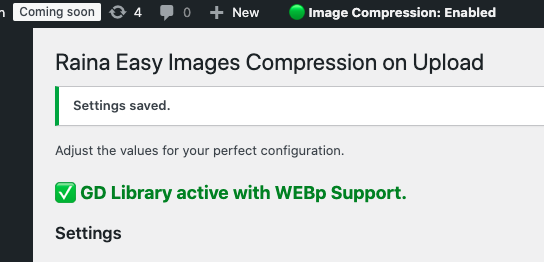
Admin bar toggle for quick enable/disable. 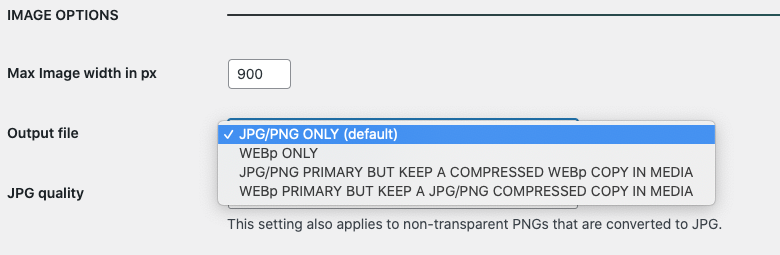
Outputfile Options 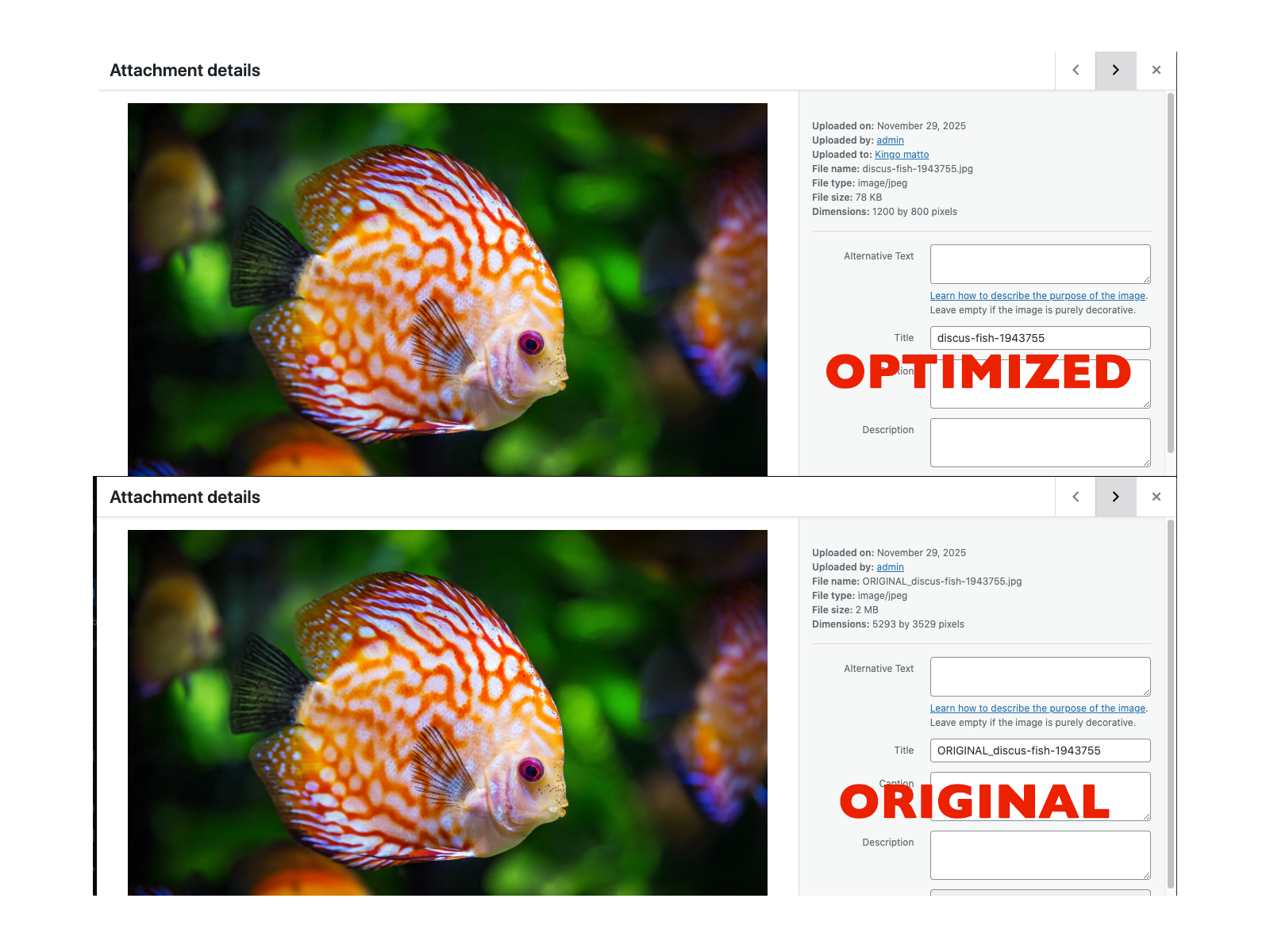
Comparison between the original image 2Mb and the optimized version 79kb. Image width px: 1200, JPG quality 70. 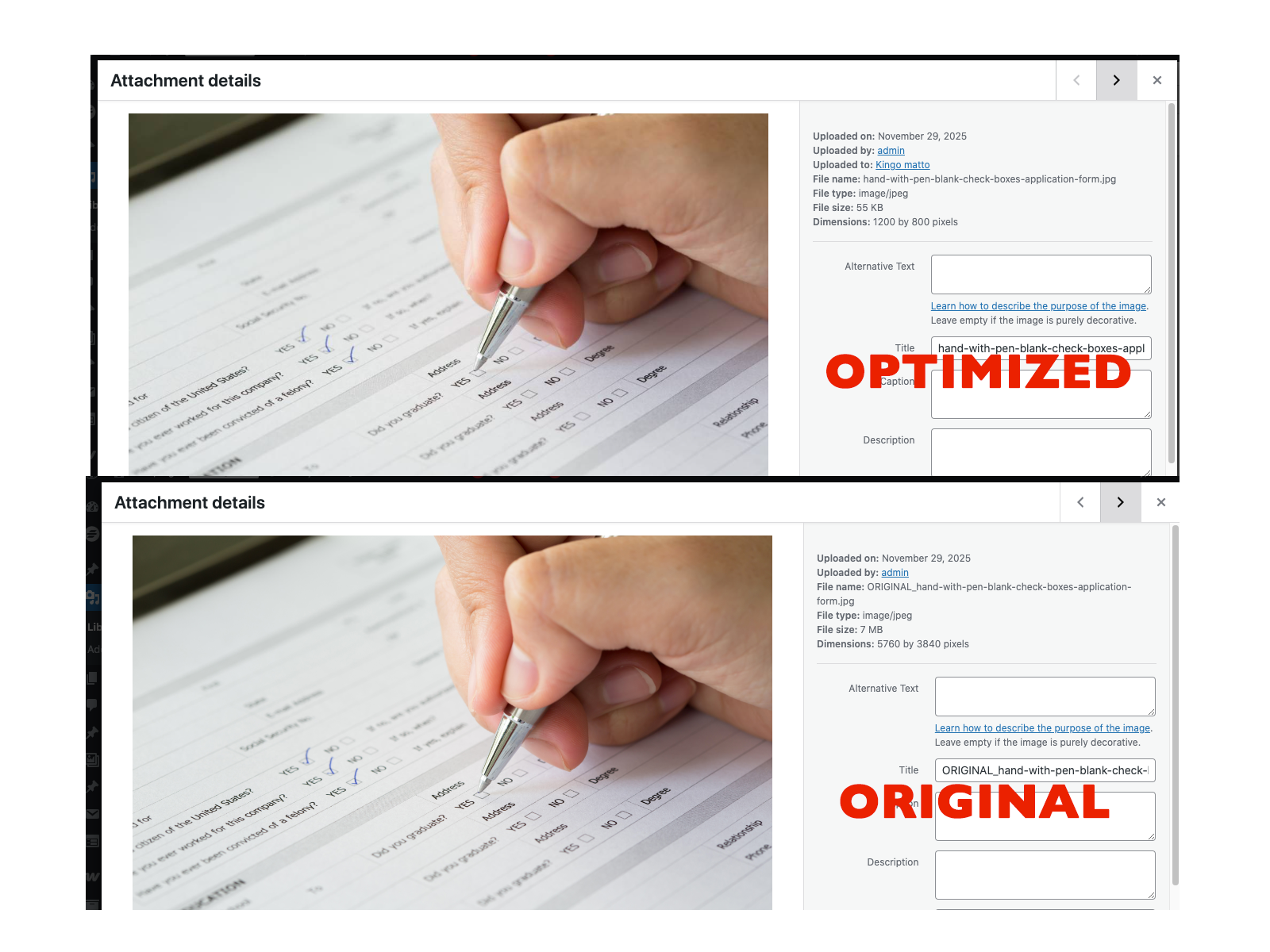
Comparison between the original image 7Mb and the optimized version 55kb. Image width px: 1200, JPG quality 70. 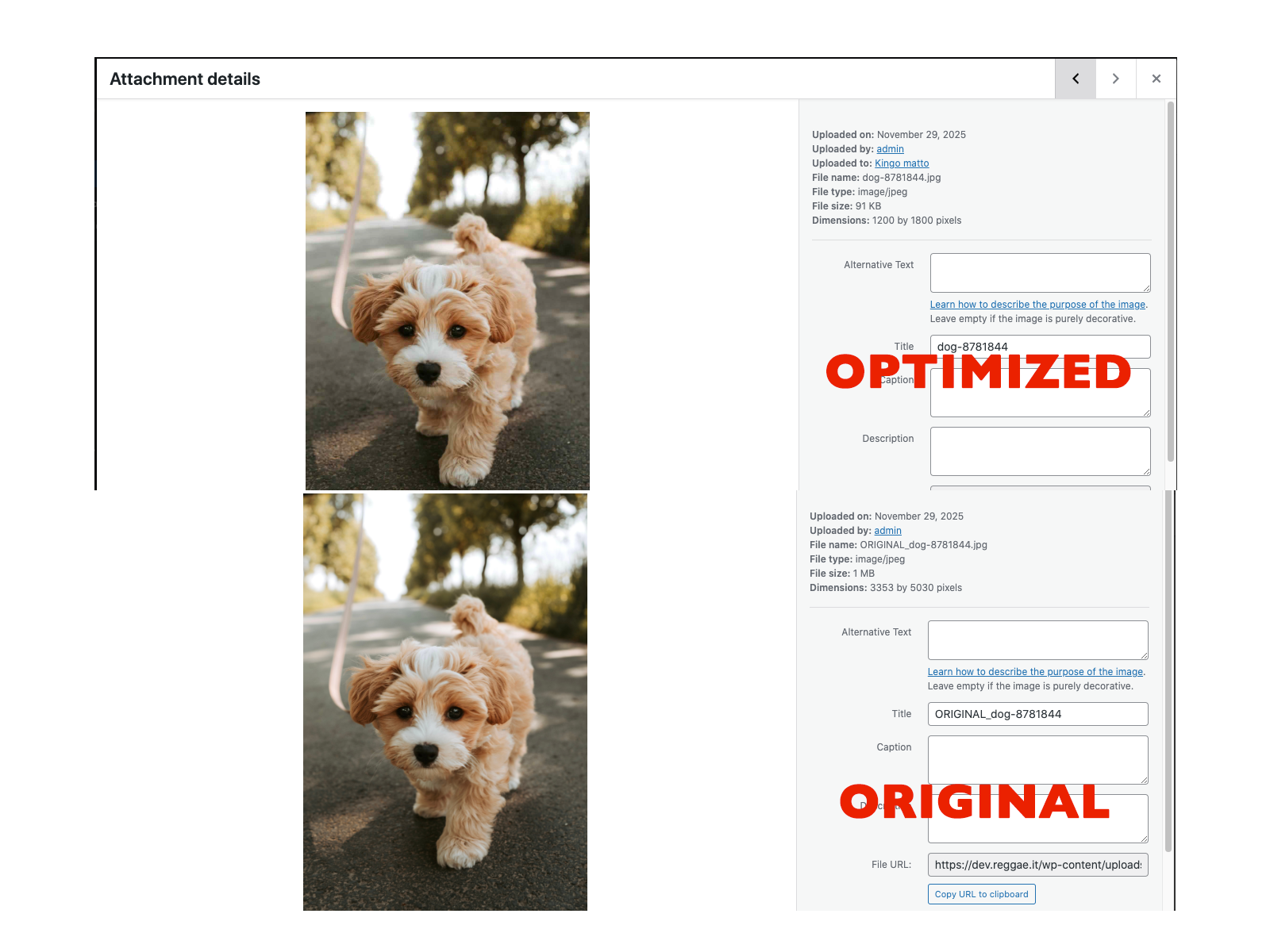
Comparison between the original image 1Mb and the optimized version 91kb. Image width px: 1200, JPG quality 70.


Installation
- Upload the plugin files to the
/wp-content/plugins/raina-image-compression/directory, or install it directly from the WordPress Plugin Directory. - Activate the plugin through the Plugins screen in WordPress.
- Go to Settings Raina Image Compression to configure your compression options.
- Optionally, install the Notifications for Telegram plugin to receive Telegram alerts for image compression events.
FAQ
-
Does this plugin require an external API or cloud service?
-
No. Raina Image Compression works entirely on your own server using WordPress’s built-in GD library. No data leaves your site.
-
Does it support WebP?
-
Yes. You can choose between JPG/PNG, WebP only, or hybrid modes that create both versions.
-
Can it automatically fill ALT text and captions?
-
Yes. When enabled, the plugin automatically sets ALT, Description, and Caption fields using the parent post title.
-
Will it change existing images?
-
It only compresses new uploads.
-
Yes. The plugin is lightweight and compatible with all common hosting environments that support the PHP GD library.
-
How does the Telegram notification feature work?
-
If you have the “Notifications for Telegram” plugin installed and configured, Raina Image Compression will send a Telegram message each time an image is processed, showing the filename, format, size reduction.
Reviews
There are no reviews for this plugin.
Contributors & Developers
“Raina Image Compression” is open source software. The following people have contributed to this plugin.
Contributors
Translate “Raina Image Compression” into your language.
Interested in development?
Browse the code, check out the SVN repository, or subscribe to the development log by RSS.
Changelog
1.8.2
- Fixed an issue where non-transparent images were incorrectly detected as transparent.
- Updated some Text in Option Page
1.8
- Added a new option to select which post types the plugin should apply to.
- Added a new option to create a copy of the original uploaded image.
- Added a new option to disable WP Auto-Generated Thumbnails.
- Removed some unuseful Telegram logs
- FIX some Warnings on option page.
- Removed all inline CSS in admin option page
- Header & Donation button
1.7
- Initial release.
- Added Output Mode selection with 4 formats (JPG/PNG only, WebP only, dual modes).
- Added JPG compression by target KB limit.
- Added PNG-to-JPG automatic conversion for non-transparent images.
- Updated description and compliance with WordPress coding standards.
- Added optional Telegram notifications.
- Added admin bar toggle for compression control.
- Improved metadata automation (ALT, caption, description).
