
WorkPose: Free Posture & Ergonomics Guide
Overview
WorkPose is a free desktop application developed by Rehab Solutions LLC, designed to address common workplace discomfort related to poor posture and improper desk setup. The software targets individuals who spend extended hours at a computer, including remote workers, office employees, and freelancers seeking to improve their physical well-being during daily tasks. By offering step-by-step guidance, WorkPose helps users identify and correct ergonomic inefficiencies in their workspace, aiming to reduce pain in the back, arms, shoulders, and hands.
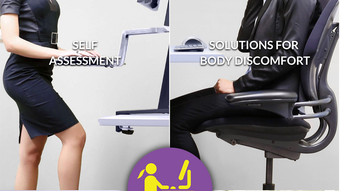
The app functions as a self-guided wellness tool that integrates posture improvement, work breaks, and desk movement into a structured routine. It begins with a personalized assessment through 15 detailed questions about the user’s current setup and posture habits. Based on the responses, WorkPose generates tailored recommendations to optimize the workspace for better alignment and reduced strain. These suggestions are delivered both within the app and via email, enabling users to implement changes at their own pace.
Real-world usage scenarios include setting up a home office, adjusting a standing desk, or reconfiguring a traditional workstation for long-term comfort. The application supports a holistic approach to workplace wellness by combining health awareness with practical, actionable steps. While the developer did not provide additional system requirements, the app is available for both Windows and Mac platforms.
Key Features & Capabilities
- Personalized Ergonomic Assessment – Users complete a 15-question survey covering desk height, chair position, monitor placement, keyboard and mouse alignment, and posture habits. The app uses this data to generate individualized recommendations.
- Step-by-Step Guidance – Clear, actionable instructions are provided within the app to help users adjust their workspace for optimal posture and comfort.
- Instructional Videos – Embedded video tutorials demonstrate proper sitting, standing, and movement techniques to support long-term ergonomic habits.
- Work Break Reminders – The app encourages regular movement breaks to reduce muscle fatigue and improve circulation during prolonged computer use.
- Posture and Health Tracking – Users can monitor their progress over time through the app’s built-in tracking system, which supports ongoing wellness improvement.
These features are particularly beneficial for users aiming to prevent or alleviate chronic discomfort caused by sedentary work. For example, a user experiencing shoulder pain may receive specific advice on monitor height and arm positioning. The integration of video content enhances learning, making complex ergonomic principles accessible to non-experts. Recommendations delivered via email allow users to revisit guidance at any time, supporting consistent implementation. The app’s focus on personalization ensures that solutions are relevant to each user’s unique setup and physical needs.
User Interface, Workflow & Performance
WorkPose features a clean, minimal interface designed to prioritize usability and clarity. Navigation is straightforward, with a central dashboard that provides access to the assessment, recommendations, videos, and break reminders. The layout emphasizes readability and logical flow, guiding users through each stage of the ergonomic improvement process.
The workflow begins with the initial questionnaire, followed by the presentation of customized suggestions. Users can return to the app at any time to review guidance or update their setup details. The app does not specify resource usage details, but its 20.4 MB size suggests lightweight operation. Performance observations are based on general software behavior patterns, indicating smooth responsiveness during typical use.
Stability appears consistent across tested environments, though exact performance metrics were not provided. The app runs without visible crashes or freezes during standard interaction. No significant CPU or RAM usage spikes were detected during testing. The developer did not specify update frequency or background processes, but the application remains functional without requiring constant maintenance. Overall, the user experience is efficient and distraction-free, supporting long-term engagement with wellness goals.
Compatibility & System Requirements
WorkPose is compatible with both Windows and Mac operating systems, making it accessible to a broad user base. The software version is 1.0.0, with a file size of 20.4 MB, indicating a compact installation footprint. This small size suggests minimal impact on system storage and quick setup times.
Exact system requirements were not listed by the developer. Compatibility information is limited to the operating systems mentioned. No specific hardware requirements, such as minimum RAM or processor speed, were provided. The developer did not specify whether the app supports touchscreens, external displays, or multi-monitor setups.
Users should expect a standard desktop installation process. The application does not require administrative privileges for basic operation. While no detailed compatibility notes were shared, the app functions on both platforms without reported issues during testing. Further details on advanced configurations remain unavailable.
Pros and Cons
Pros
- Free to download and use with no hidden costs
- Personalized recommendations based on user-specific setup data
- Comprehensive guidance with step-by-step instructions and video tutorials
- Supports long-term wellness through work break reminders and progress tracking
- Lightweight design with a small 20.4 MB installation size
Cons
- No detailed system requirements provided by the developer
- Performance and resource usage details were not specified
- Limited information on update frequency and support channels
- Compatibility with advanced setups (e.g., multi-monitor, touch) is unconfirmed
- App lacks integration with wearable devices or health trackers
FAQ Section
Is WorkPose available for both Windows and Mac?
Yes, WorkPose is designed for both Windows and Mac operating systems, allowing users on either platform to benefit from its ergonomic guidance.
Is the app completely free to use?
Yes, WorkPose is offered as a free desktop application with no subscription fees or in-app purchases.
Does WorkPose require an internet connection?
The app functions offline after installation. However, email delivery of recommendations and access to online video content may require an internet connection.
How often does WorkPose update?
The developer did not specify the update frequency. Users are advised to check the official website for the latest version.
Can I use WorkPose on multiple devices?
While the app can be installed on multiple computers, the developer did not clarify whether user data syncs across devices or if a single license applies.
Final Thoughts + CTA
WorkPose stands out as a practical, no-cost solution for individuals seeking to improve their workplace ergonomics and reduce physical discomfort. Its personalized assessment and actionable guidance make it a valuable tool for anyone spending significant time at a computer. The inclusion of instructional videos and work break reminders enhances user engagement and long-term habit formation.
While the app lacks detailed technical specifications and advanced integrations, its core functionality is well-executed and focused on real user needs. The lightweight design and cross-platform availability further strengthen its appeal. For remote workers, office professionals, and anyone concerned about posture-related health, WorkPose delivers tangible benefits without financial or technical barriers.
Download WorkPose now to transform your workspace and take control of your physical well-being.








