
Download Worldle – Free Geography Quiz Web App, Daily Country Silhouette Challenge
Overview
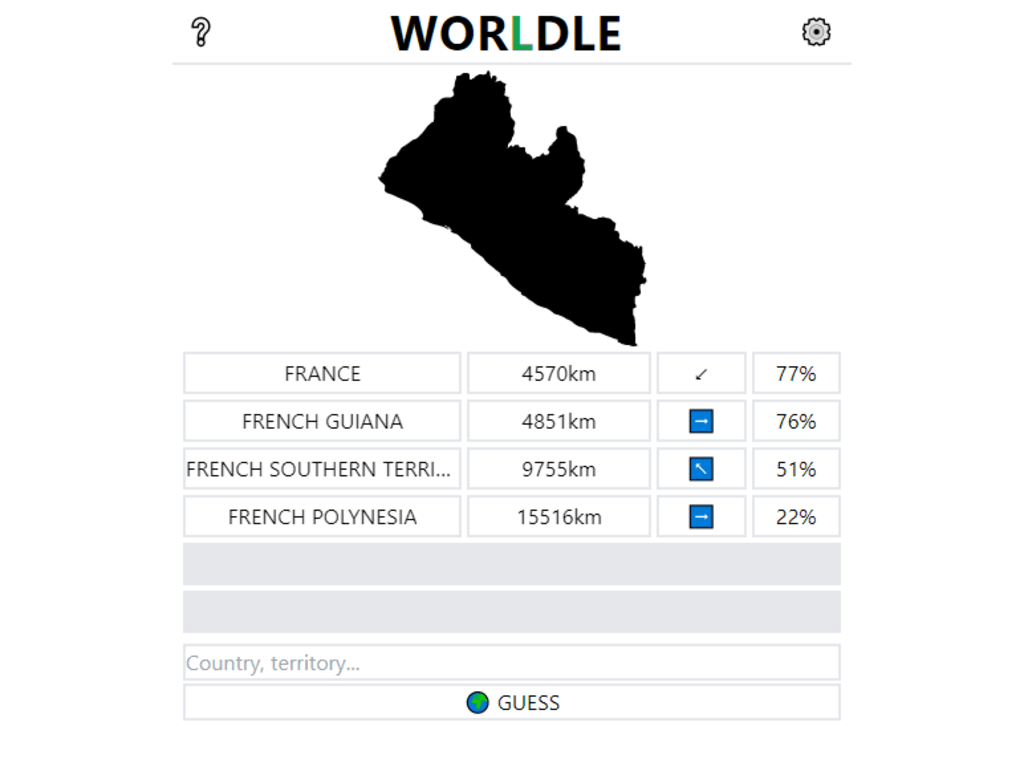
Worldle is a free‑to‑use web application that turns geography knowledge into a daily puzzle. Inspired by the viral word game Wordle, Worldle presents the silhouette of a country or territory and gives players six chances to guess the correct location. After each guess, the app displays the distance and direction from the guessed country to the mystery shape, allowing you to hone in on the answer with logical deduction. The interface is deliberately minimalist: a central map outline, a single input field that appears after each attempt, and a concise toolbar that houses a tutorial, theme selector, and measurement unit settings. Because it runs entirely in the browser, there is no need to install any software on Windows, macOS, Android, or iOS devices—just open a modern browser and start playing. The game resets once per day, offering a fresh challenge each sunrise, which makes it an ideal habit for cartophiles, teachers, and anyone who enjoys testing their spatial reasoning. While the core experience is straightforward, Worldle includes optional tweaks such as hiding the outline or rotating the map to increase difficulty, ensuring that both beginners and seasoned geography buffs stay engaged.
Key Features
- Daily Country Silhouette: A new country or territory outline appears every day, encouraging regular play.
- Six Guess Limit: You have up to six attempts, each accompanied by distance and directional feedback.
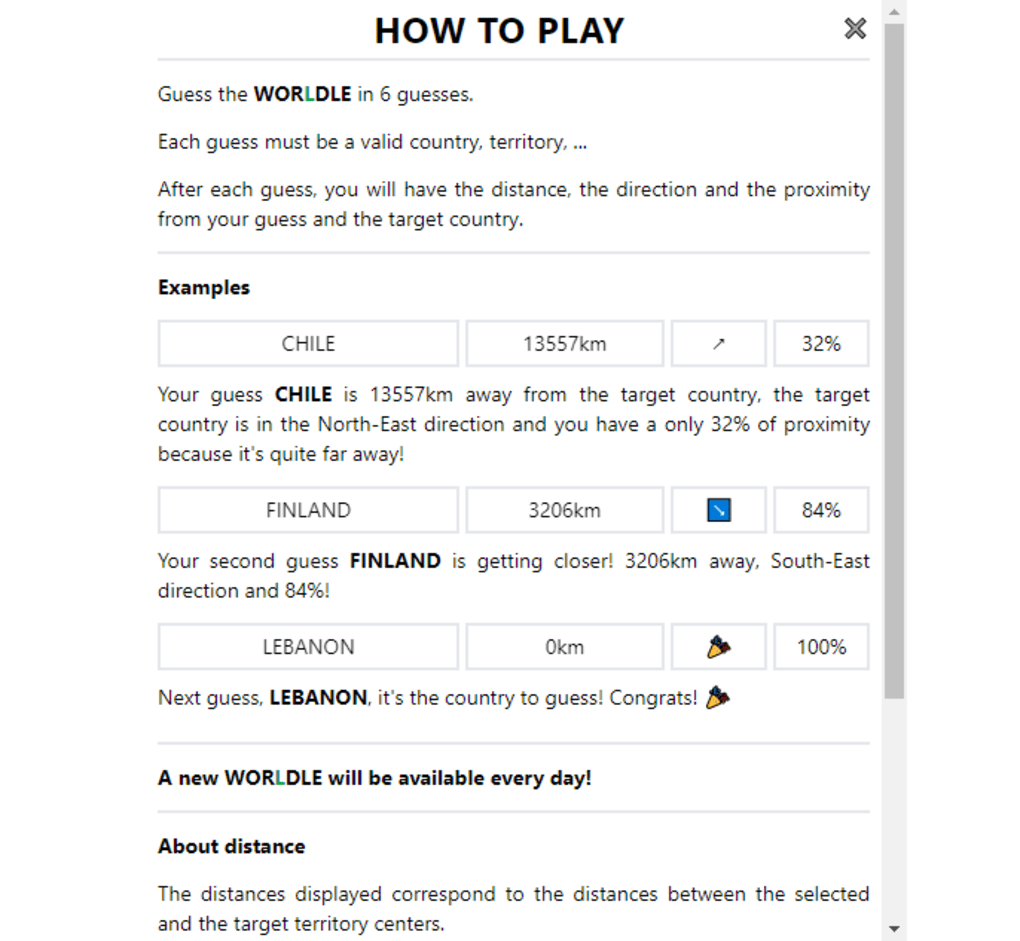
- Distance & Direction Feedback: After each guess, Worldle shows how far and in which compass direction the mystery country lies, turning each round into a logical deduction exercise.
- Customizable Theme: Choose light or dark mode to match your visual preference or ambient lighting.
- Metric & Imperial Units: Switch between kilometers and miles for distance measurements.
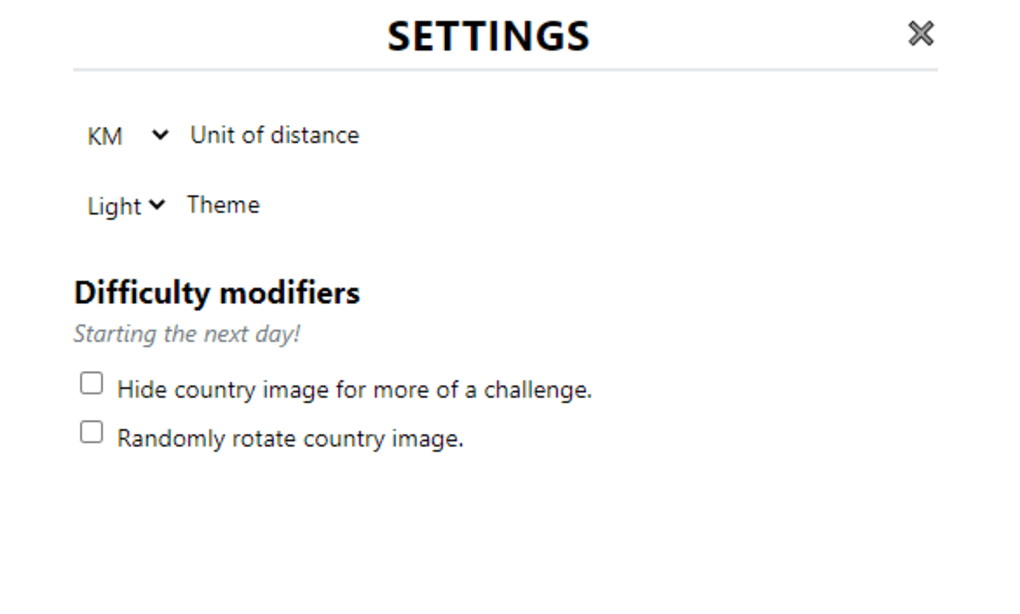
- Difficulty Modifiers: Optional settings let you hide the silhouette or rotate the map, adding extra challenge for advanced players.
- Responsive Design: Optimized for desktops, tablets, and smartphones, ensuring smooth gameplay across all screen sizes.
- Embedded Tutorial: A quick guide appears on the upper left, perfect for newcomers who need a refresher on the rules.
- Shareable Results: After completing the puzzle, you can copy a concise result summary to share on social media or with friends.
Installation & Usage Instructions
Because Worldle is a web‑based application, the installation process is essentially a single step: open your preferred browser and navigate to the official Worldle website (https://worldle.teuteuf.fr/). No download or registration is required, making the app instantly accessible on Windows, macOS, Linux, Android, and iOS platforms.
Step‑by‑step guide:
- Launch a modern browser (Chrome, Firefox, Edge, Safari, or any Chromium‑based mobile browser).
- Enter the Worldle URL into the address bar and press Enter.
- The daily silhouette loads automatically. If you’re playing for the first time, click the “Tutorial” link in the top‑left corner to review the rules.
- Begin guessing by typing the name of a country into the input field that appears beneath the silhouette. Press Enter or click the “Submit” button.
- Observe the feedback: a distance number (e.g., “1,250 km”) and a directional arrow (e.g., “NE”). Use this information to refine your next guess.
- Repeat up to six times or until you correctly identify the country. Upon success or exhaustion of attempts, a summary box displays your performance and offers a “Share” button.
- If you wish to change visual preferences, click the gear icon in the top‑right corner. Here you can toggle between light/dark themes, switch measurement units, or enable the “Hide silhouette” and “Rotate map” difficulty options for the next day’s puzzle.
The app stores your settings locally in the browser, so they persist across sessions on the same device. However, because the puzzle changes each day, any modifications you make will only affect the upcoming daily challenge—not the current one. This design encourages players to experiment with settings for future gameplay while preserving the integrity of the day’s puzzle.
Compatibility, Pros & Cons
Worldle runs entirely in the browser, which means it is compatible with any operating system that supports modern web standards. Whether you are on Windows 10/11, macOS Ventura, Linux distributions, Android 13, or iOS 17, the experience remains consistent. The only requirement is an up‑to‑date browser that supports HTML5, CSS3, and JavaScript—standard for virtually all current devices.
Pros
- Free and No Installation: Play instantly without paying or downloading anything.
- Educational Value: Strengthens geography knowledge and spatial reasoning.
- Daily Fresh Content: A new silhouette each day keeps the challenge engaging.
- Responsive UI: Works smoothly on desktops, tablets, and smartphones.
- Customizable Difficulty: Optional settings let you tailor the challenge level.
- Social Sharing: Easy to share results, fostering community interaction.
Cons
- One Puzzle Per Day: Users looking for continuous play must wait until the next day.
- Limited Offline Access: Requires an internet connection to load the daily map.
- No Multilingual Support: The interface is primarily in English, which may limit accessibility for non‑English speakers.
- Minimalist Design: While clean, some players might miss richer visual cues or additional game modes.
FAQ & Conclusion
Is Worldle completely free to use?
Yes, Worldle is 100 % free. There are no hidden fees, subscriptions, or in‑app purchases. You only need a web browser and an internet connection.Can I play Worldle on my mobile device?
Absolutely. The site uses responsive design, so it works perfectly on Android and iOS browsers. The layout adjusts to fit smaller screens without sacrificing functionality.Why does Worldle only allow one puzzle per day?
The daily‑puzzle format mirrors the original Wordle concept, encouraging a short, focused challenge that becomes a routine habit. It also ensures that each player faces the same puzzle, fostering community discussion and comparison of results.Can I change the language of the interface?
Currently, Worldle’s interface is only available in English. However, the game’s visual nature means you can still enjoy it without full language comprehension.Is there a way to track my performance over time?
Worldle itself does not store historical data, but you can manually copy the shareable result after each day. Some community members use spreadsheets or third‑party tools to log scores and monitor progress.
Conclusion
Worldle stands out as a sleek, educational, and addictive web app that brings geography to the fingertips of anyone with an internet connection. Its daily‑puzzle model, combined with clear distance and direction feedback, offers a perfect blend of challenge and learning. Because it requires no download, works on all major operating systems, and offers customization options, it’s an excellent addition to your daily routine—whether you’re a student, teacher, or just a map enthusiast. Ready to sharpen your world knowledge? Visit Worldle now, make your first guess, and join the growing community of cartophiles who start each day with a fresh slice of the globe.



.png)




