
Unlock Pro-Level Features in the Free Version of WPForms!
- Perfect for WPForms Lite users who feel limited by missing features
- Adds professional-grade tools to enhance your forms effortlessly
- Includes repeatable fields, Mailchimp integration, and more

For WPForms
#1 Form Plugin

Loved By
1k+ WP People

Plugin Updated
18 Hours Ago








Easily
Create Forms With ✨ Your Own!
In just a few clicks, create new forms. Use the code on your webpage and start getting submissions easily.

1
Install Ultra Addon for WP Form
First install the WPForms (it’s free), and then install the Ultra Addon for WPForms.
2
Use Quick Setup Wizard & Generate Form
Use the simple step-by-step quick setup wizard to create and configure your form.
3
And Sit Back to Get Submissions
Your form is ready. You will get submissions when your visitors fill out your form.
Build Better Forms with Our Free Addons
Start with powerful tools that make your forms easier to build and easier for users to complete

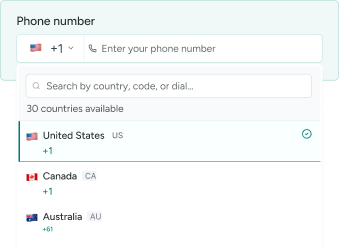
Smart Phone Field
Our Phone Field addon lets you add a country dropdown with flags, automatically populating country names in the standard phone field dropdown.

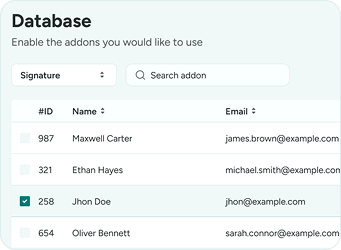
Database Addon
Store and manage all form submissions inside your WordPress dashboard with WPForms Database addon—never lose entries and access data anytime.
Date & Time Picker
Add a flexible, user-friendly date and time picker to WPForms, perfect for bookings, appointments, events, deliveries, and scheduling forms.


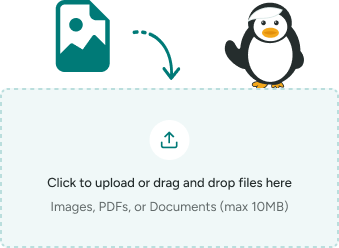
File Upload Field
The File Upload addon lets you securely collect documents, images, and media through WPForms directly from your forms.

Multi Step Forms
With our WPForms Multi-Step addon, easily split long forms into multiple steps to improve usability and completion rates.


Mailchimp Addon
The WPForms Mailchimp addon automatically adds users’ email addresses to your Mailchimp lists when forms are submitted.


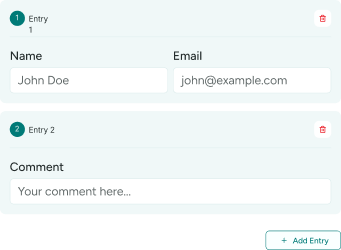
Repeater Fields
The Repeater Field addon lets users dynamically add or remove repeating fields, ideal for multiple items, team members, or lists.

Rich Text Field
The Rich Text Field addon adds a WYSIWYG editor to WPForms, letting users format text, images, links, and content easily.


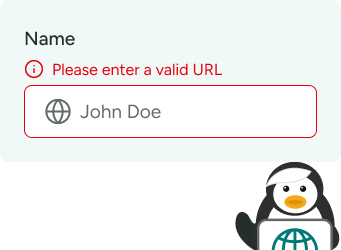
Website / URL Field
The Website URL field validates and accepts only proper links, ensuring clean, accurate website URL submissions in WPForms.
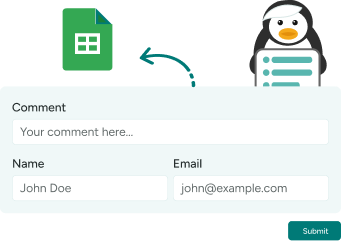
Google Sheets Addon
Connect WPForms with Google Sheets to automatically sync submissions, organize data, and easily track forms, registrations, orders, surveys, and more.

HubSpot Connector
Send WPForms leads straight into HubSpot CRM automatically. Manage contacts, deals, and follow-ups more efficiently.

New Release Bonus: Special Pricing for Early Users
Take Forms to the Next Level with Pro Addons
With Ultra Addons Pro, you can collect payments, sync data, and automate your work — all in just a few clicks.

AWeber Integration
Pro
Integrate WPForms with AWeber to automatically add new subscribers from form submissions. Simplify email marketing and list growth.

Conditional Fields
Pro
WPForms Conditional Logic addon shows or hides fields based on user selections and backend rules, making forms interactive and user-friendly.

Digital Signature Addon
Pro
Collect legally binding digital signatures directly through your WPForms no printing, scanning, or third-party tools required.

Google Calendar Addon
Pro
Automatically create Google Calendar events from WPForms submissions. Ideal for appointments, bookings, and scheduling workflows.

Google Sheets Connector
Pro
Sync WPForms entries to Google Sheets in real time with advanced control. Perfect for teams that need automated data management.

Google Drive
Pro
The Google Drive add-on is the easiest way to automatically store form entries, documents, and file uploads in your Google Drive. Keep files organized and accessible without manual downloads.

Post Submissions
Pro
WPForms Post Submissions addon lets users submit posts from the frontend, ideal for guest posts, directories, and community content.

Save and Resume
Pro
Let users save their progress and resume forms later using a secure link or email, without losing entered data at any time securely across all devices.

User Registration
Pro
WPForms User Registration addon creates WordPress accounts from form submissions, adding registration and profile management for memberships and gated content.

Webhooks Addon
Pro
Send WPForms data to any external platform using webhooks. Build custom integrations and advanced workflows effortlessly.

Zapier Integration
Pro
Connect WPForms with thousands of apps using Zapier automation. Trigger actions and workflows without writing custom code.
Be First to Experience Pro
Get ready for more control, more automation, and more results — without extra effort.
Hey, do you need help?

Ok, allow me some times to check it

Yes, you can get the API key here

Ask if You’re Stuck
No matter what your problem is, just ask us. Get a quick 5-star support for
whatever, whenever you need. Just ASK!

No problem, I just fixed your issues

Nice, now you can update the form

Hey, do you need help?
Here’s What Users Say About Our Other Plugins
Here are some real reviews from customers who’ve experienced Themefic support and innovation:
When we encountered problems with Contact Form 7 Ultimate Add Ons, we received
fast and straightforward support. And that’s despite the fact that we don’t have a premium license. We can wholeheartedly recommend the plugins we use from Themefic.

enricodelanoche (@enricodelanoche)

This plugin very usefull and comprehensive, all in one plugin. That’s great!

crakdy (@crakdy)
What is Ultra Addons for WPForms?
Ultra Addons for WPForms is a premium extension that adds powerful features and enhancements to the WPForms plugin. It lets you build more advanced, professional, and visually engaging forms without writing code.
Do I need WPForms Pro to use Ultra Addons?
No — Ultra Addons for WPForms works perfectly with the free version of WPForms.
What features are included in Ultra Addons for WPForms?
Ultra Addons offers 15+ premium-grade addons, including multi-step form design, Website fields, file upload option and more. Each addon is built to extend WPForms’ flexibility and user experience.
Is Ultra Addons for WPForms compatible with all WordPress themes?
Yes. Ultra Addons is fully compatible with most WordPress themes and page builders like Elementor, Divi, and Gutenberg, ensuring your forms always look consistent and professional.
Will Ultra Addons affect my website speed or performance?
No. Ultra Addons is optimized for performance — it only loads the necessary scripts when required, ensuring your WPForms remain lightweight and fast.
How can I get support or request a new feature?
You can reach out to our Superhero Tech Support team anytime through the Support Form. We also welcome feature requests — your feedback helps us make Ultra Addons for WPForms even better.
Who Is It For?

- Business owners collecting leads and inquiries
- Business owners managing form submissions and data
- Business owners automating forms and workflows
- Business owners simplifying data collection

