Mailchimp is the most popular email marketing platform. With MetForm you can easily integrate Mailchimp and start building your email list.
Here is a video Screen-cast for you
Configure Mailchimp #
You have to create a form with MetForm. Here, make sure, the form at least one Email widget and it should be required
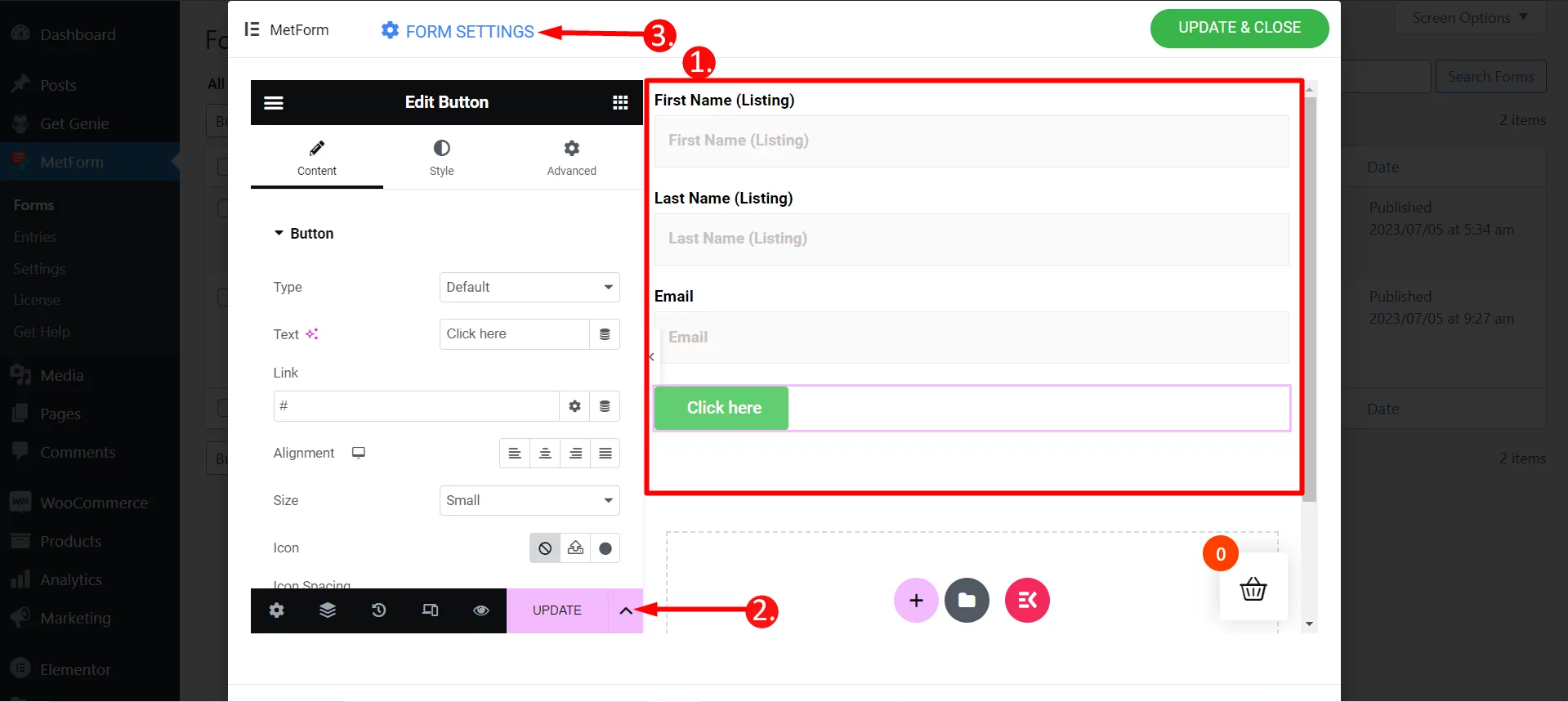
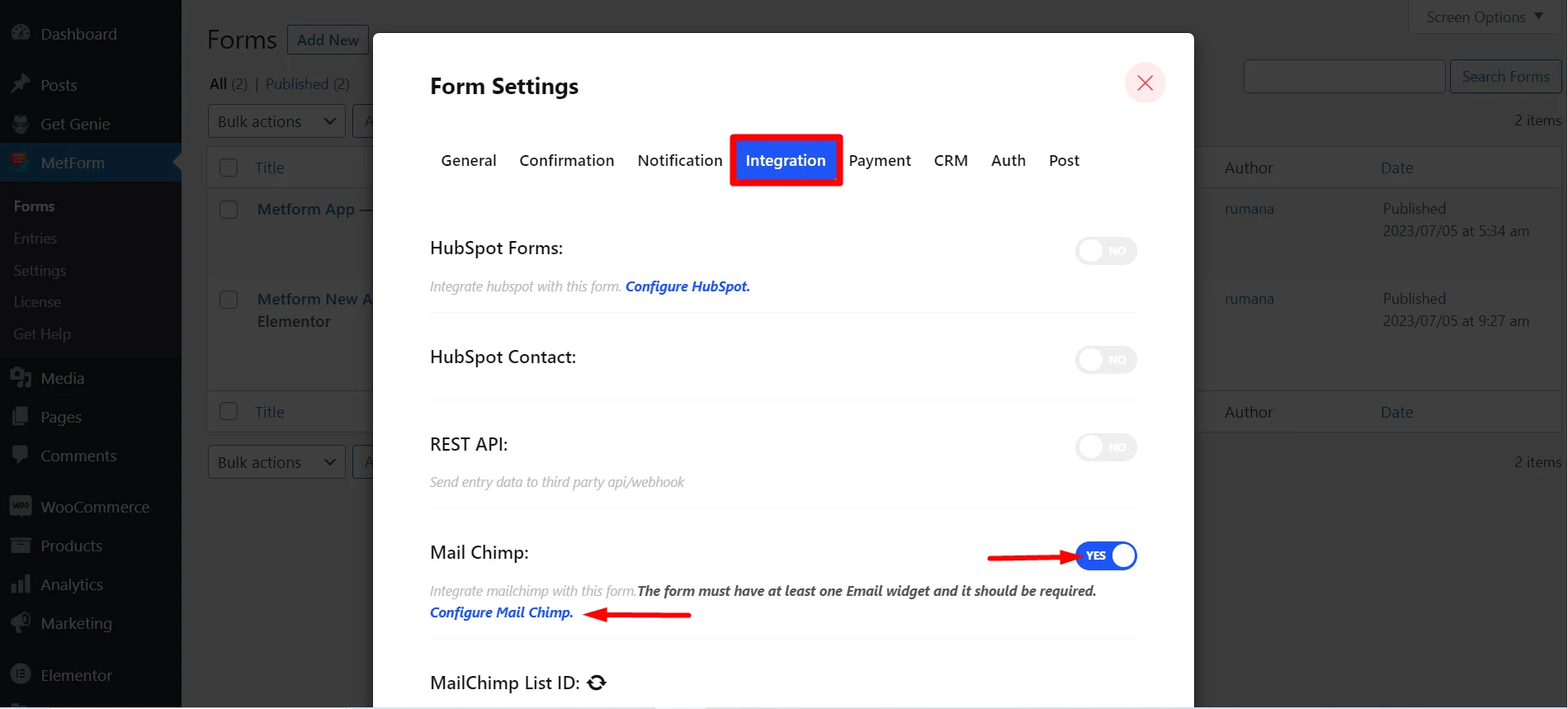
Step=>1: Navigate to Form Settings → Integration
- Toggle the Mail Chimp option
- Click on Configure Mail Chimp
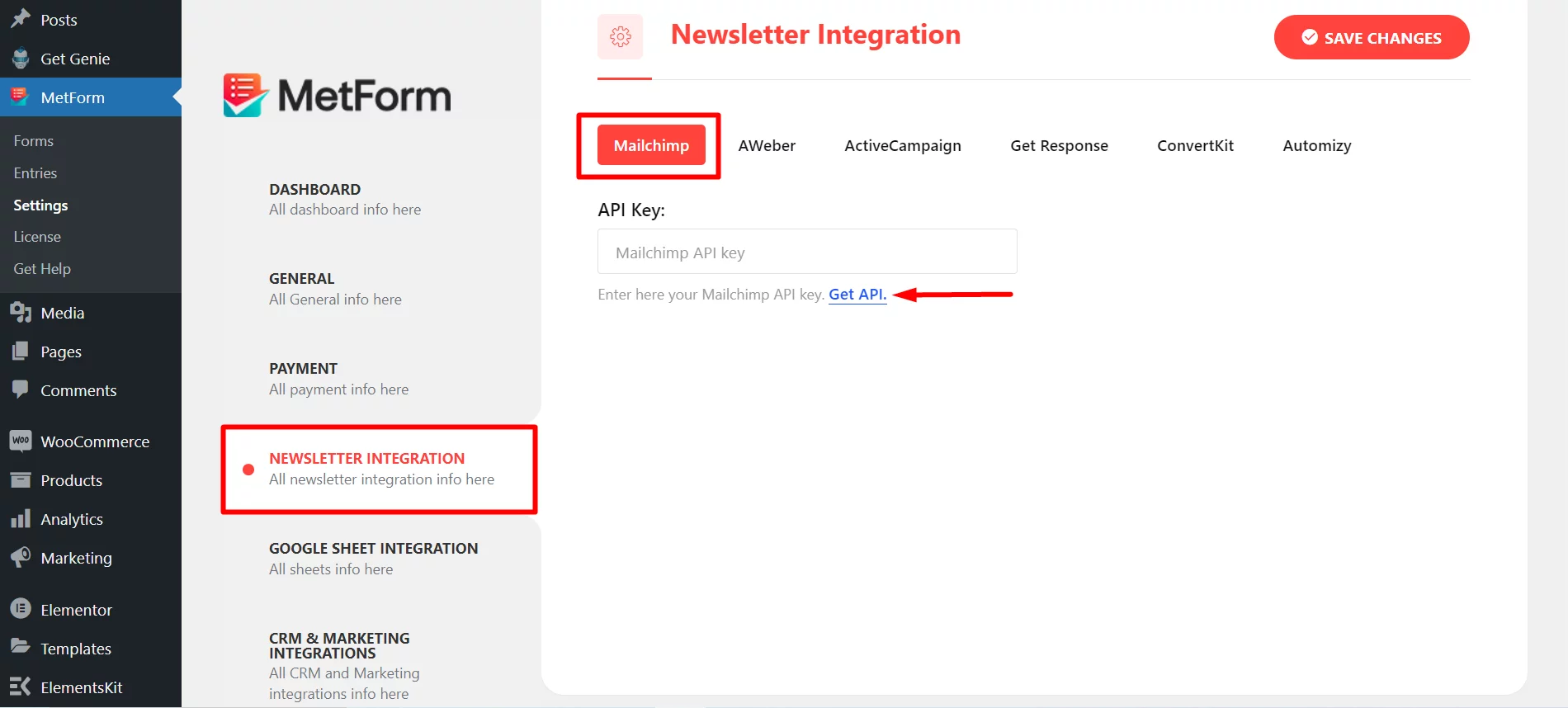
Step=>2: It Will move to MetForm=> Settings page
- Click On Mail Integration
- Then click on Get API to open page in a new tab and create/get the API key
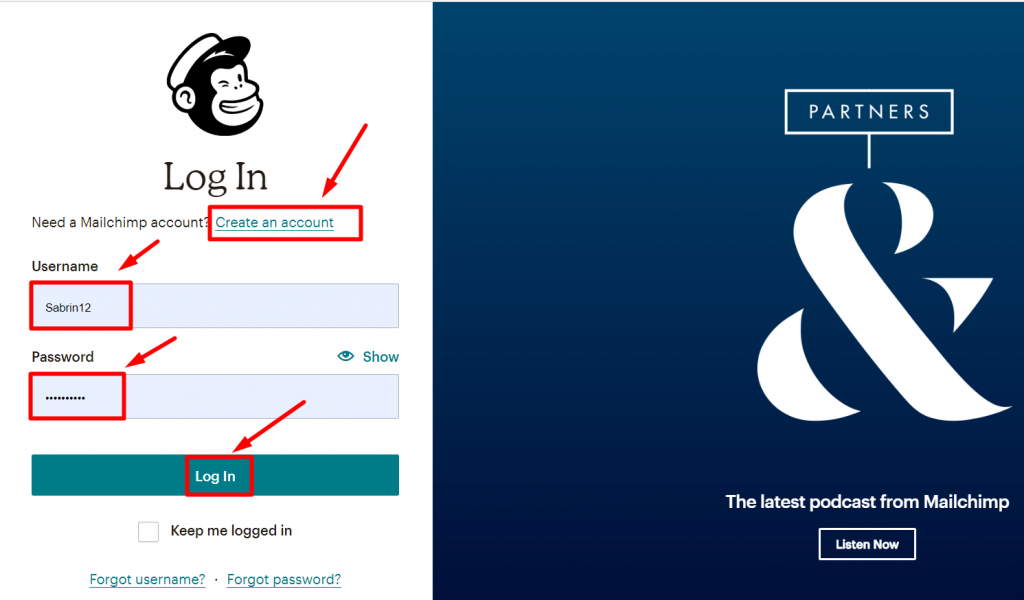
Step=>3: To get the API key Create a Mailchimp account and Log In with your Username and Password
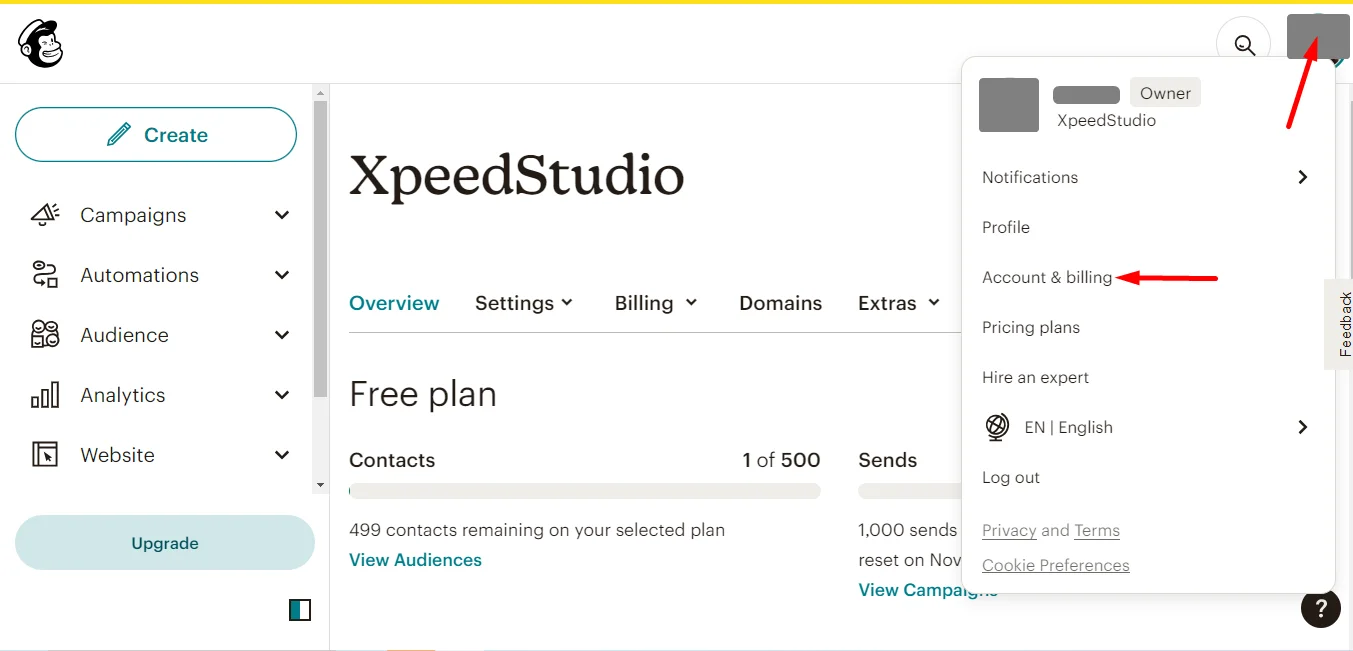
Go to your account photo and click Account & Billing
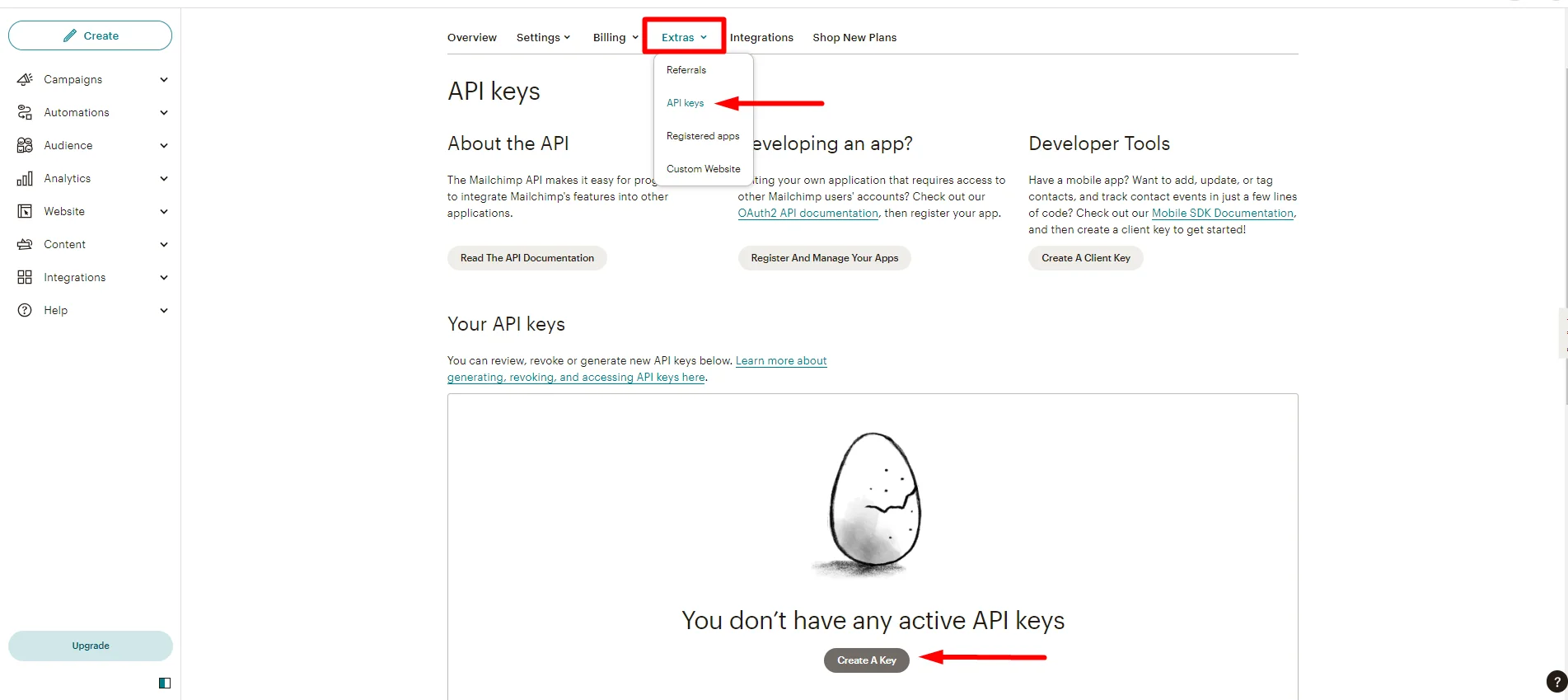
- Find Extras
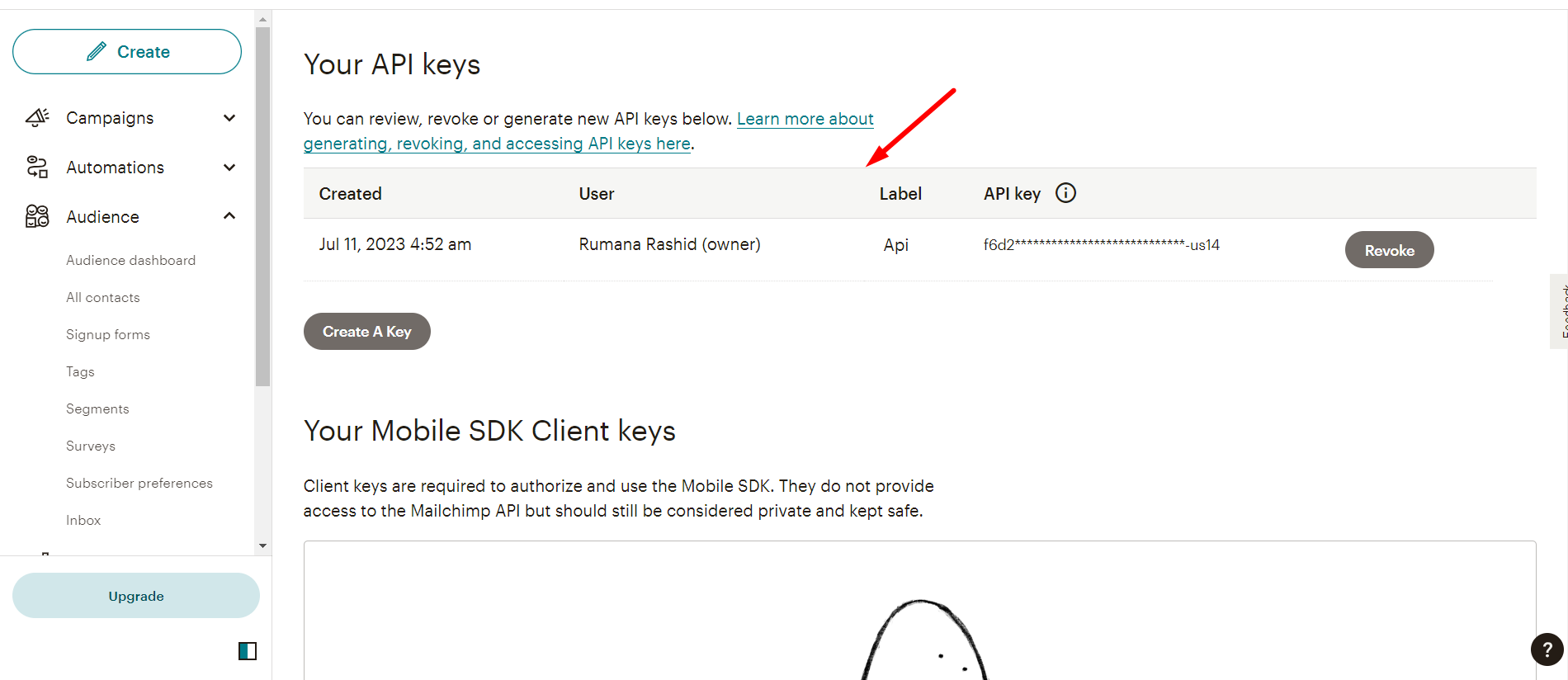
- API keys
- Click Create A key
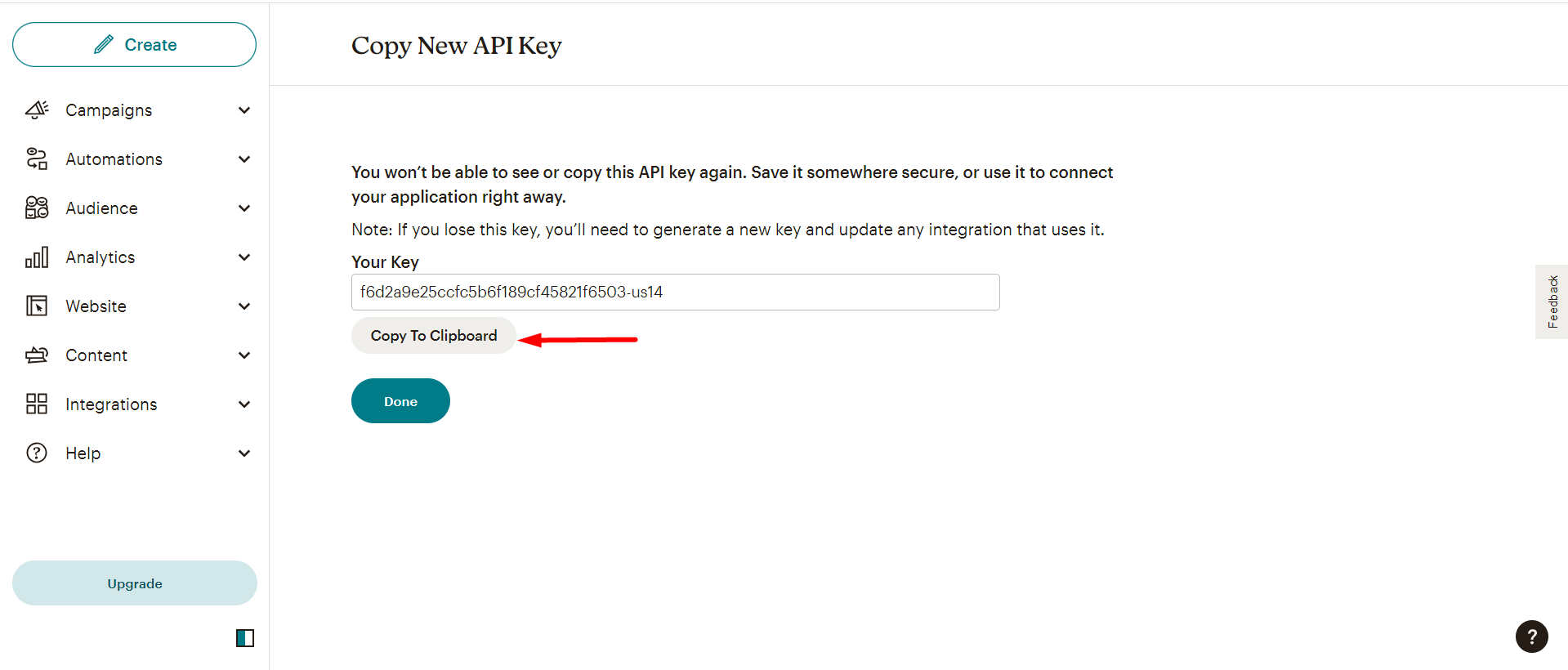
Now, copy the Key
However, you can check the created list like this –
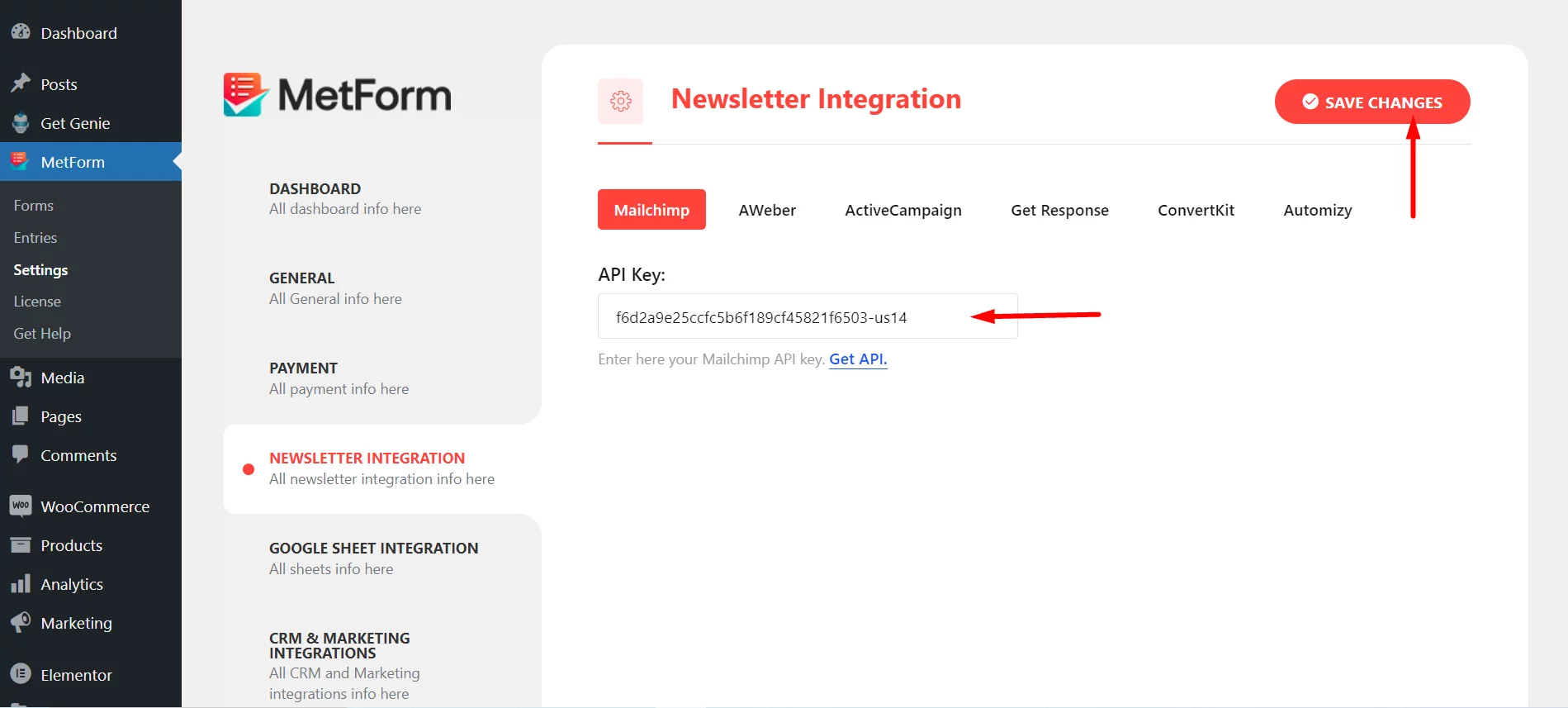
Step=>4: Now, return back to Newsletter Integration and utilize the copied Key
- Paste the Key Here
- Save Changes
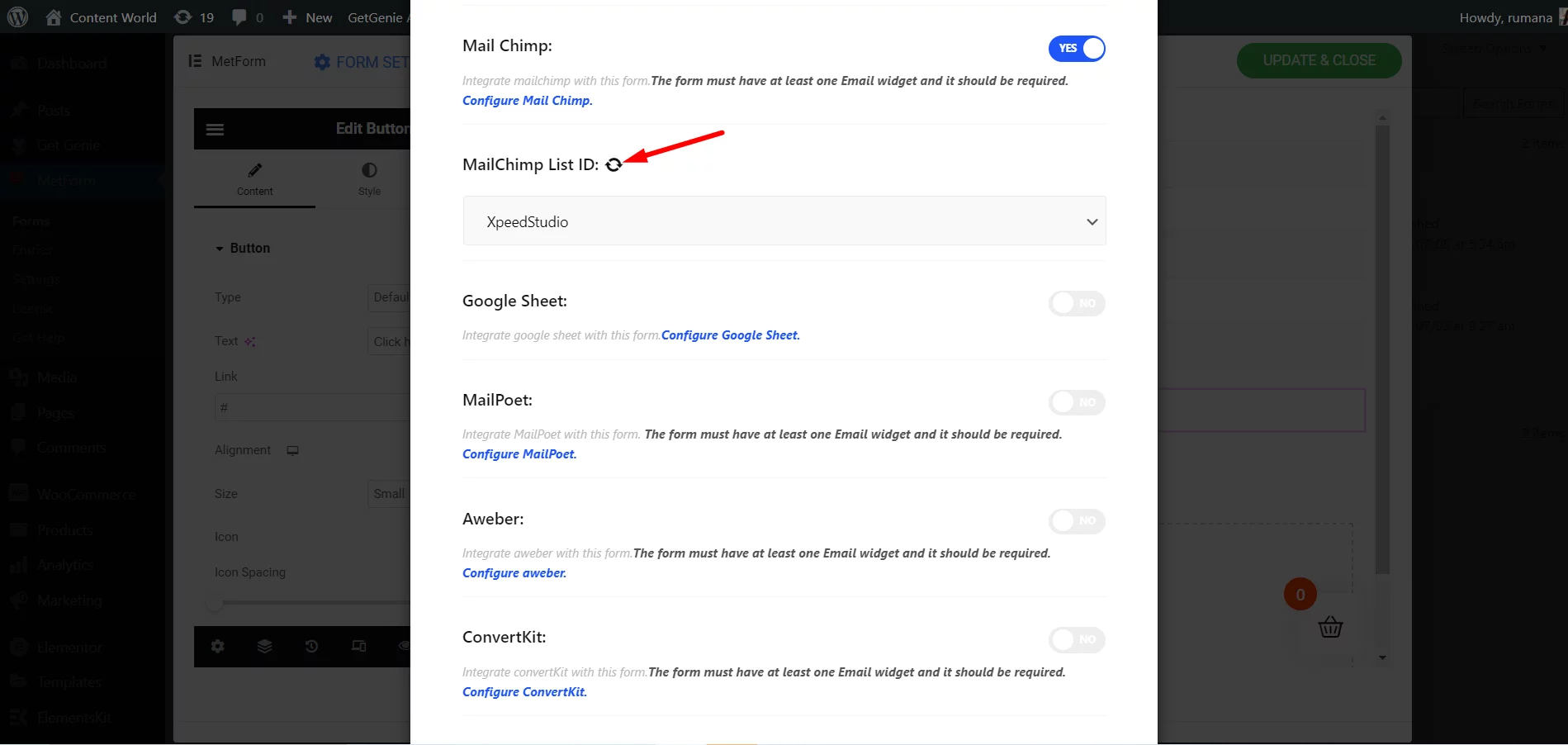
Step=>5: Go to Integration section of your form
Refresh by Clicking the Refresh Icon
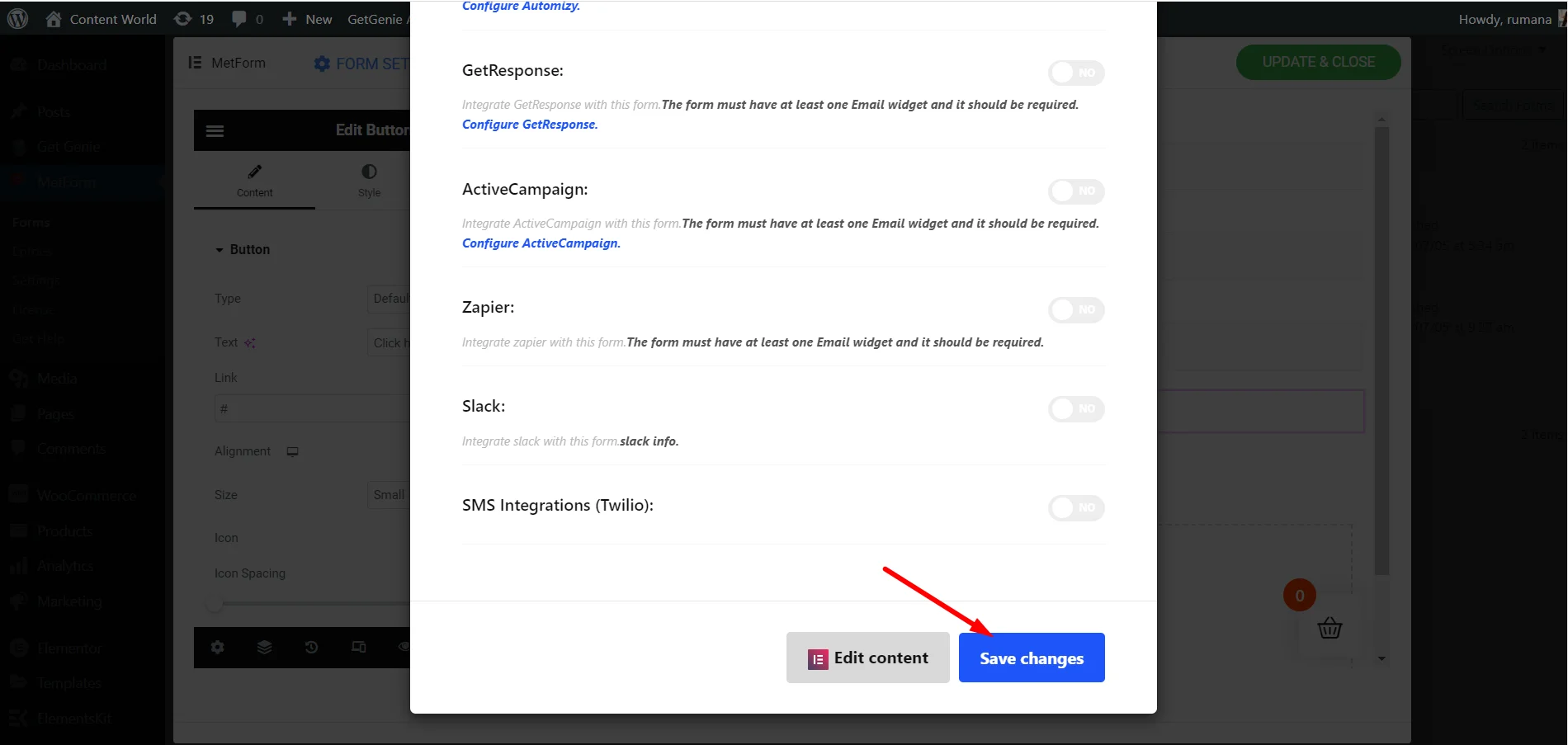
Finally, save the Form
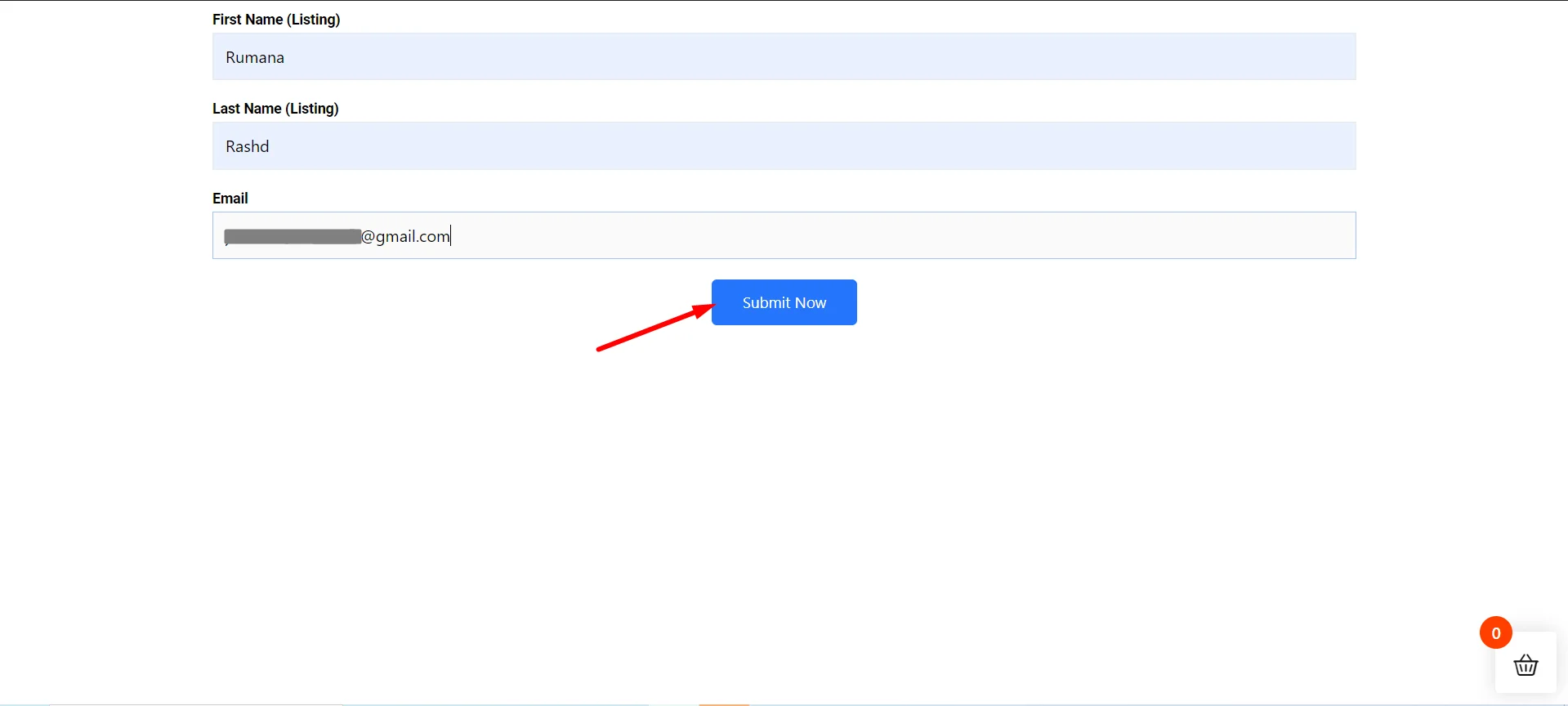
Go to Site=> Fill the Form and Click on Submit Button
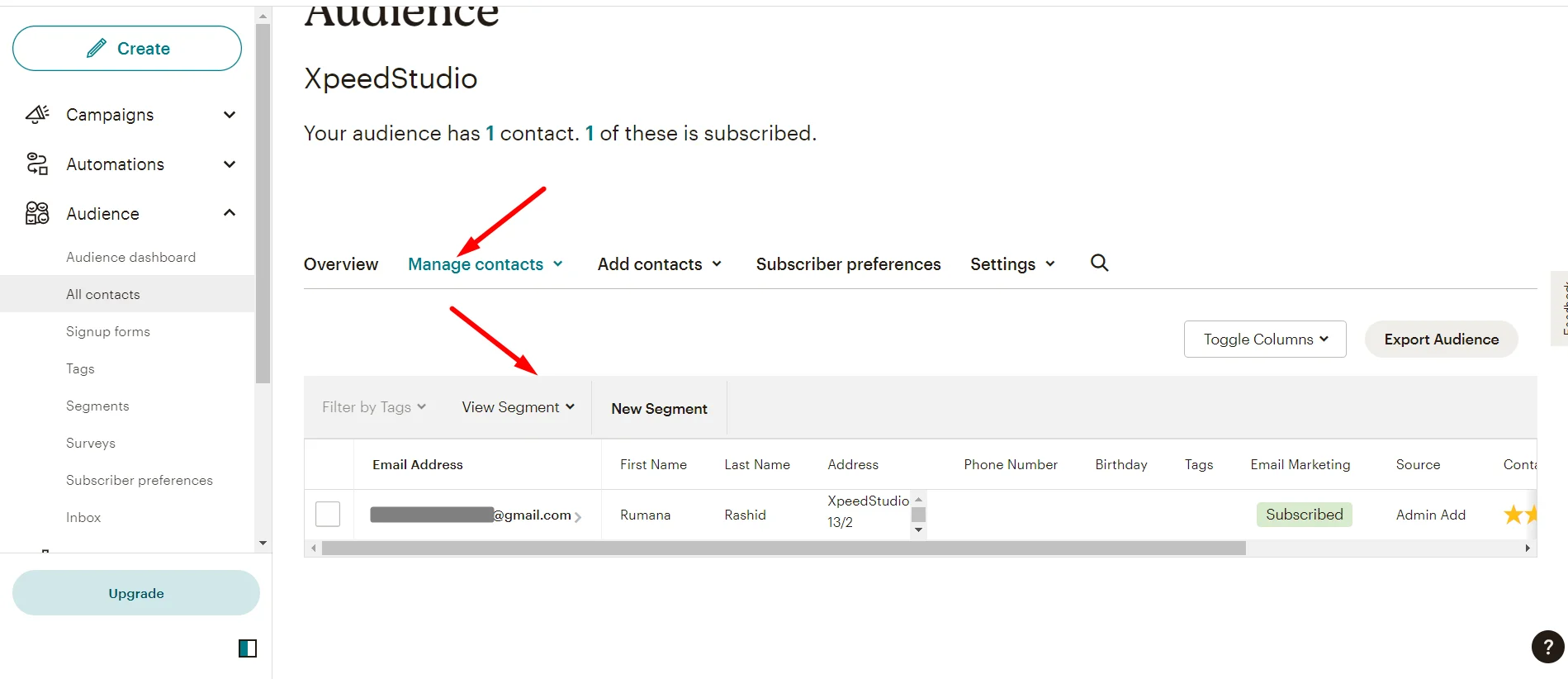
Showing the Metform Submitted Data in the Mailchimp Audience list
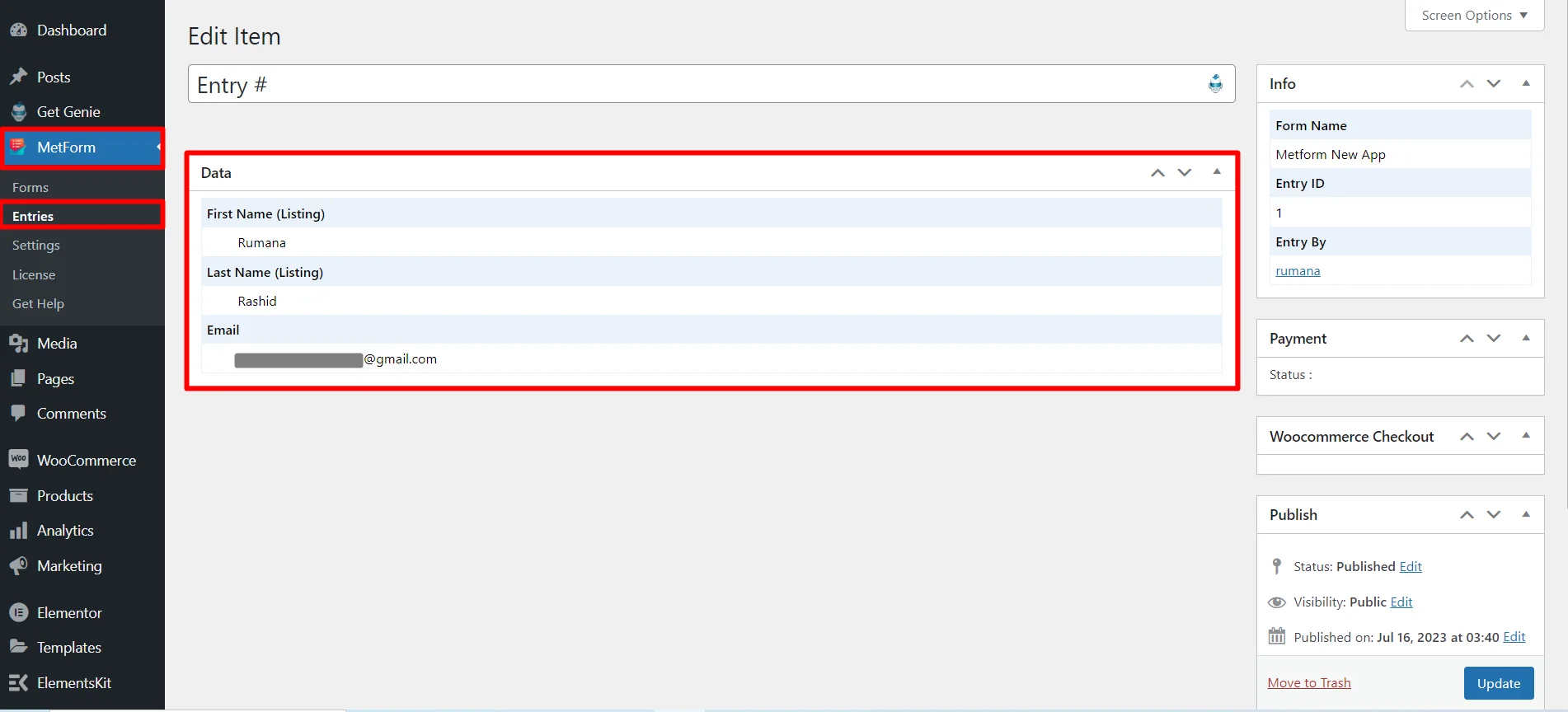
You can also see the Submitted Data in the Metform Entry List