
Screenshots
App details
- Updated
- August 13, 2024
- Requires
- Chrome
- License
- Full
- Developer
- Writecream
- Category
- Web Apps
About Writecream
Download Writecream – AI Script Generator for Videos & Podcasts
Overview of Writecream’s AI Script Generator
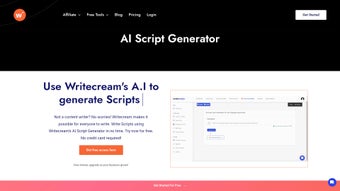
Writecream is a cloud‑based AI script generator specifically designed for video creators, podcasters, and marketers who need fast, high‑quality written content. By leveraging state‑of‑the‑art natural language processing models, Writecream transforms a simple topic or keyword into a fully‑fledged script in seconds. The tool lives inside the Writecream dashboard under “Command Mode,” where a clean, distraction‑free interface lets users type a prompt, select a script style (e.g., tutorial, interview, sales pitch), and receive a polished draft ready for recording. Because the platform runs on modern web standards, there is no need to install heavyweight software on a local machine; everything is processed securely on Writecream’s servers, which also means regular updates and continuous improvements are delivered automatically.
For creators who struggle with writer’s block, endless brainstorming sessions, or costly copy‑writing services, Writecream offers a free tier that produces a limited number of scripts per month, while premium plans unlock unlimited generation, advanced tone controls, and integration with popular video editing suites. The AI engine is trained on millions of publicly available scripts, ensuring that the output is both contextually relevant and stylistically consistent. Whether you are a solo YouTuber, a podcast network, or an agency managing multiple client channels, Writecream’s scalable pricing model and API access make it a versatile addition to any content workflow.
Compatibility: Writecream runs on any modern operating system that supports a web browser, including Windows 10/11, macOS Ventura and later, Linux distributions, as well as mobile platforms such as Android 8+ and iOS 13+. The responsive design adapts seamlessly to desktop monitors, tablets, and smartphones, allowing you to generate scripts on the go without sacrificing functionality.
Key Features & Benefits
- Instant script generation from a single keyword or brief description.
- Multiple script formats: video ads, explainer videos, interview scripts, podcast outlines, and more.
- Tone and style selector (formal, casual, persuasive, storytelling).
- Built‑in SEO suggestions to help you rank higher on YouTube and podcast platforms.
- Collaboration tools – share drafts with teammates, leave comments, and export to Google Docs or Word.
- API access for automation within existing production pipelines.
- Secure cloud storage with end‑to‑end encryption for all generated content.
- Regular model updates that incorporate the latest language trends and industry best practices.
These features translate into tangible benefits for creators. The speed of generation cuts down research time by up to 80 %, letting you focus on filming, editing, and promotion. The tone selector eliminates the guesswork of matching your brand voice, while SEO hints boost discoverability without extra effort. Collaboration features streamline feedback loops, which is especially valuable for agencies handling multiple clients. Finally, the API enables you to embed Writecream directly into your content management system, turning script creation into a repeatable, automated step.
Writecream also offers a “Free Usage” mode that provides 5 script generations per month, perfect for hobbyists testing the waters. Premium subscriptions start at $19 /month and include unlimited scripts, priority processing, and advanced integrations with tools like Descript, Adobe Premiere, and HubSpot.
Installation & Usage Guide
Step‑by‑Step Setup
- Visit writecream.com and click the “Sign Up” button.
- Register using an email address or single sign‑on via Google or Microsoft accounts.
- Confirm your email, then log in to the Writecream dashboard.
- Navigate to the “Command Mode” tab – this is the dedicated workspace for the AI Script Generator.
- Choose your preferred script type from the dropdown menu (e.g., “YouTube Tutorial” or “Podcast Interview”).
- Enter a concise prompt: a topic, keyword, or a short description of the content you need.
- Click “Generate Script.” Within seconds, the AI produces a fully formatted draft.
- Review the output, edit directly in the editor if needed, and use the “Export” button to download as .docx, .pdf, or copy to clipboard.
- For team collaboration, click “Share” and send a secure link to colleagues; they can comment or suggest changes in real time.
- If you require bulk generation, enable the API key from the “Integrations” page and follow the documentation to connect Writecream with your video editing software.
Because Writecream is a web application, there is no traditional installation process. However, you may want to create a desktop shortcut or add the site to your browser’s favorites for quick access. Mobile users can install the progressive web app (PWA) by tapping “Add to Home Screen” in Chrome or Safari, which provides an app‑like experience without consuming device storage.
Tips for optimal results: keep prompts clear and specific; include the desired length (e.g., “2‑minute intro”), target audience (“beginners”), and any mandatory keywords. The AI model thrives on context, so the more detail you provide, the more polished the script will be. Additionally, make use of the “Tone” selector to align the output with your brand personality before generating the final draft.
Pros, Cons, and Frequently Asked Questions
Pros
- Lightning‑fast script generation saves hours of manual writing.
- Supports a wide range of content formats and tones.
- Fully cloud‑based – no local installation, automatic updates.
- Free tier available for casual creators.
- Collaboration and export options streamline workflow.
- API enables seamless integration with existing production pipelines.
Cons
- Advanced features require a paid subscription.
- Dependence on an internet connection; offline usage is not possible.
- AI-generated scripts may need human polishing for highly technical topics.
- Limited customization of formatting beyond the built‑in templates.
FAQ – Writecream AI Script Generator
Can Writecream generate scripts for languages other than English?
Yes. Writecream currently supports Spanish, French, German, and Portuguese in addition to English. Select the desired language in the “Settings” panel before generating the script.
Is there a limit to how many scripts I can generate per day on the free plan?
The free tier allows up to five script generations per month. If you need more, upgrading to a premium plan removes this limitation.
How secure is my data when using Writecream?
Writecream uses TLS 1.3 encryption for all data in transit and AES‑256 encryption at rest. Your scripts are stored securely on GDPR‑compliant servers, and you can delete them at any time from the dashboard.
Can I integrate Writecream with my existing video editing workflow?
Absolutely. Writecream offers native integrations with Descript, Adobe Premiere Pro, and Final Cut Pro via its API. You can push generated scripts directly into these tools for seamless editing.
What kind of customer support does Writecream provide?
All users have access to a knowledge base and community forum. Premium subscribers receive priority email support and live chat assistance during business hours.
Writecream strikes an excellent balance between speed and quality. The AI produces scripts that are ready for recording with minimal tweaks, and the collaboration tools make teamwork a breeze. The only drawback is the lack of offline mode, but for most cloud‑centric creators this isn’t a deal‑breaker.
Conclusion & Call to Action
Writecream’s AI Script Generator delivers a powerful, user‑friendly solution for anyone who needs to produce video or podcast scripts quickly and consistently. Its cloud‑based architecture, multilingual support, and deep integration options make it a future‑proof tool for both solo creators and large production teams. While the free tier is generous enough for occasional use, serious marketers will benefit from the premium plans that unlock unlimited scripts, advanced tone controls, and priority support.
If you’re ready to eliminate writer’s block, cut research time, and focus more on the creative aspects of content production, download Writecream today and start generating scripts in seconds. Click the button below to create a free account, explore the features, and see how AI can transform your workflow.
Guides & Tutorials
How to install Writecream
- Click the Download button above.
- Once redirected, accept the terms and click Install.
- Wait for the Writecream download to finish on your device.
How to use Writecream
This software is primarily used for its core features described above. Open the app after installation to explore its capabilities.
User Reviews
No reviews yet. Be the first to share your experience.
You may also like
more
3D AI Studio
3D AI Studio Overview 3D AI Studio is a web-based AI-powered tool developed by S...

3D textures by Polycam
Generate Realistic 3D Textures Effortlessly 3D Textures by Polycam is an innovat...

3DAiLY
Customizable 3D Modeling Tool: 3DAiLY 3DAiLY is an online platform that harnesse...

3DFY
Revolutionizing 3D Model Creation: 3DFY Review 3DFY is an AI-powered service, de...

AI Dungeon
AI Dungeon: Deep Learning Text Adventure AI Dungeon is an artificial intelligenc...

Alpha3D
A subscription-based program for Web apps, by alpha3d. Alpha3D is a subscription...
