
WS Form can transform the case of text entered into fields as well as transforming the case of text using WS Form variables.
Demo
Transform Fields
Text based fields have a Transform setting that can be used to force the text to be either:
- Uppercase
- Lowercase
- Capitalized
- Sentence Case
The following field types support the transform functionality:
To apply a transformation, first click the edit icon on any field.
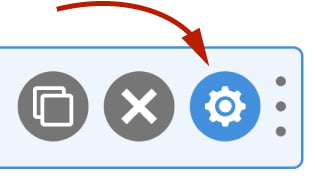
Next, click on the Advanced tab and then change the Transform setting.

Then click Save.
Now any text entered into that field will be transformed as it is typed according to the setting you choose.
Note that when the field is submitted it will retain the text transformation.
Transform Variables
It is also possible to transform strings using WS Form variables.
For example:
#upper(#field(123))
This would convert the value of field ID 123 to uppercase.
You can use this in conjunction with the #text variable to update a field in real time.
For example, putting the following in the default value of a text field:
#text(#upper(#field(123)))
Would insert the value of field ID 123 as an uppercase string.
The following variables can be used to transform strings (client-side and in actions):
| Variable | Name | Description | Usage |
|---|---|---|---|
#capitalize("string") | Capitalize a string | Returns the capitalized version of an input string. | Client-side & Actions |
#lower("string") | Lowercase | Returns the lowercase version of the input string. | Client-side & Actions |
#name_first("string") | Return the first name | Returns the first name from a full name. For more information about this variable, click here. | Client-side & Actions |
#name_last("string") | Return the last name | Returns the last name from a full name. For more information about this variable, click here. | Client-side & Actions |
#name_middle("string") | Return the middle name | Returns the middle name from a full name. For more information about this variable, click here. | Client-side & Actions |
#name_prefix("string") | Return the name prefix | Returns the prefix from a full name. For more information about this variable, click here. | Client-side & Actions |
#name_suffix("string") | Return the name suffix | Returns the suffix from a full name. For more information about this variable, click here. | Client-side & Actions |
#sentence("string") | Sentence case a string | Returns the sentence cased version of an input string. | Client-side & Actions |
#slug("string") | Convert a string to a slug | Returns the string as a slug suitable for URLs. | Client-side & Actions |
#trim("string") | Trim a string | Returns the trimmed string. | Client-side & Actions |
#ucfirst("string") | Uppercase first letter | Returns the uppercase first letter version of the input string. | Client-side & Actions |
#ucwords("string") | Uppercase words | Returns the uppercase words version of the input string. | Client-side & Actions |
#upper("string") | Uppercase | Returns the uppercase version of the input string. | Client-side & Actions |
#wpautop("string") | Apply wpautop to a string | Returns the string with wpautop applied to it. | Client-side & Actions |
