


Jump to:
Redefine the way you create


Design and code with AI
Turn ideas into reality at the speed of conversation with the power of AI.
Build interactive experiences — no coding required — and easily add them to any design.
Create, iterate, and refine with a creative partner to bring ideas to life effortlessly.
Discover the latest AI tools

New
AI-powered photo editor
Point and click editing has arrived. Refine your photos with precision and ease, and create designable images in an instant. Click any object and AI will detect key subjects so you can recolor, adjust, replace, duplicate, or remove them

New
Background Generator
Generate a picture-perfect background. Describe the scene with a text prompt and watch as it comes to life before your eyes.


New
PRO
AI Voice
Transform your words into natural-sounding audio in seconds. Simply enter a text prompt and choose from a range of AI voices. No equipment or voice talent necessary.

New
PRO
Create an image
Captivate your audience with AI-generated visuals that feature objects, aesthetics, or textures from your favorite reference images. Simply upload a style you like and watch as your images are reimagined or matched. Refine with edits through AI prompting and seamlessly bring your vision to life

New
PRO
Custom mockup templates
Imagine what your photos could look like in real-life placements. Turn an image into a Mockup template in seconds.

New
PRO
Enhance voice
Eliminate background noise and create high-quality, compelling videos with clear audio.

New
PRO
Highlights
Instantly generate snappy clips from your footage when editing videos.
Transform your content
PRO
Magic Resize™
Swap formats, languages, and dimensions in a snap. Transform your decks to different kinds of docs, instantly reformat any design for multiple platforms, or auto-translate them without leaving the page.
Turn ideas into images and videos with Magic Media™
Dream it up, then add it to your design. Watch your words transform into beautiful images and videos with Magic Media. You'll stand out with visual content that perfectly fits your project.
PRO
BETA
Text to Video
Visualize your video and turn it into reality. Describe what you're after and watch Magic Media generate short videos that suit your design, powered by Runway.

PRO
Text to Image
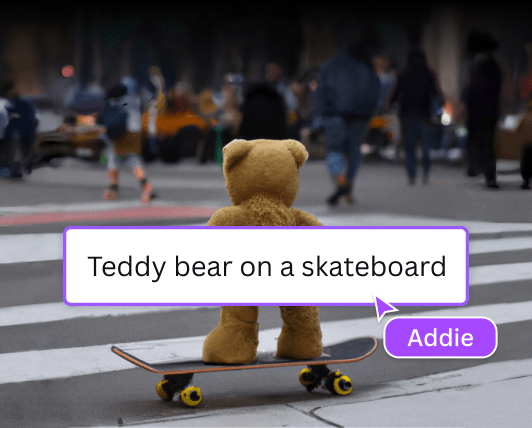
Turn any idea into an image. Write a text prompt and watch as Magic Media generates an image that fits your design.

PRO
Text to Graphic
Describe your vision to Magic Media, and it'll generate unique graphics, icons, stickers, and illustrations.
Edit visuals effortlessly

PRO
Magic Expand
Seamlessly extend an image in any direction for the perfect shot. Fix awkward framing, save zoomed-in images, or turn a vertical shot into a horizontal one in seconds.
PRO
Magic Expand
Seamlessly extend an image in any direction for the perfect shot. Fix awkward framing, save zoomed-in images, or turn a vertical shot into a horizontal one in seconds.

PRO
Magic Grab
Effortlessly select any element in your photo to move, reposition or resize it.
PRO
Magic Edit
Reimagine your image and add to, replace, or edit it with a short written prompt. Simply select where you want to see the change, write your wish, and watch as your image transforms.

PRO
Magic Eraser
Make your subject stand out. Simply click or brush to remove unwanted details and distractions from your photos.

PRO
Background Remover
Bye-bye background. Remove backgrounds from images and videos in a single click.

PRO
Magic Animate
Bring your designs to life with motion. Automatically apply the perfect animations and transitions to your entire design.


Magic Morph
Turn ordinary into extraordinary in seconds. Transform words and shapes with a simple written prompt. Magic Morph applies effects to text and shapes to quickly create patterns and textures.
Make words come easily
PRO
Magic Write™
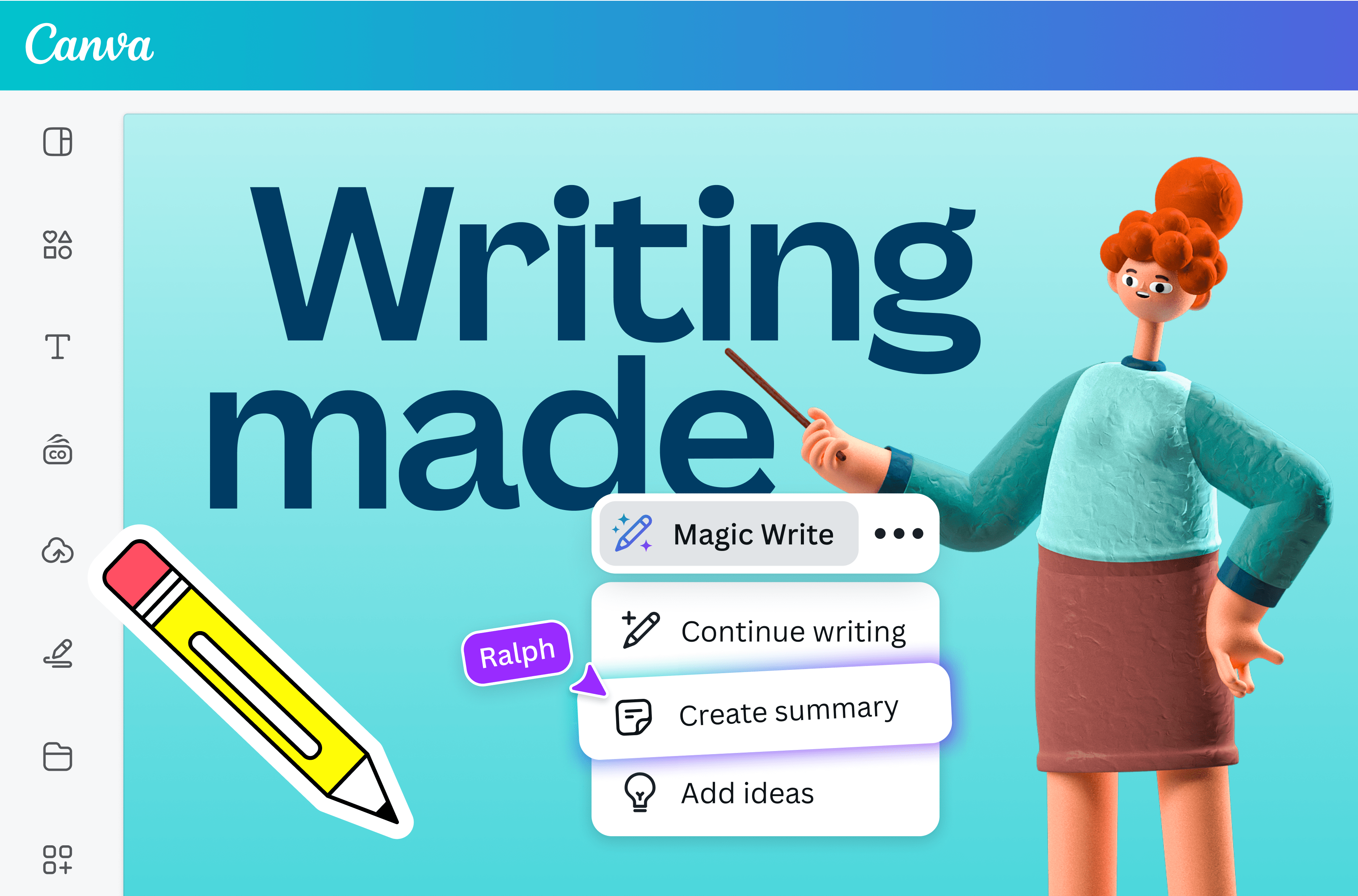
Get your message across with words that sound just like you. Upload a sample, and Magic Write will generate text in your unique tone. Spend less time editing and more time communicating effectively.

Weave Canva's AI apps into your workflow
Power up your creative process with the best AI-powered design and productivity tools from our Apps Marketplace.


Advanced AI safety with Canva Shield
AI trust and safety, built with enterprises in mind.
Scaled AI controls and protection
Manage your team's access to Magic Studio products with administrator controls. Canva Shield's advanced privacy and security tools, plus indemnification for enterprise accounts with over 100 seats at no extra cost, will keep your business safe.
Privacy Controls
Canva doesn’t use user content to improve AI-powered features unless that is consistent with the user’s Privacy Controls. This setting is disabled for Enterprise users and cannot be turned on.
What Magic Studio can do for you
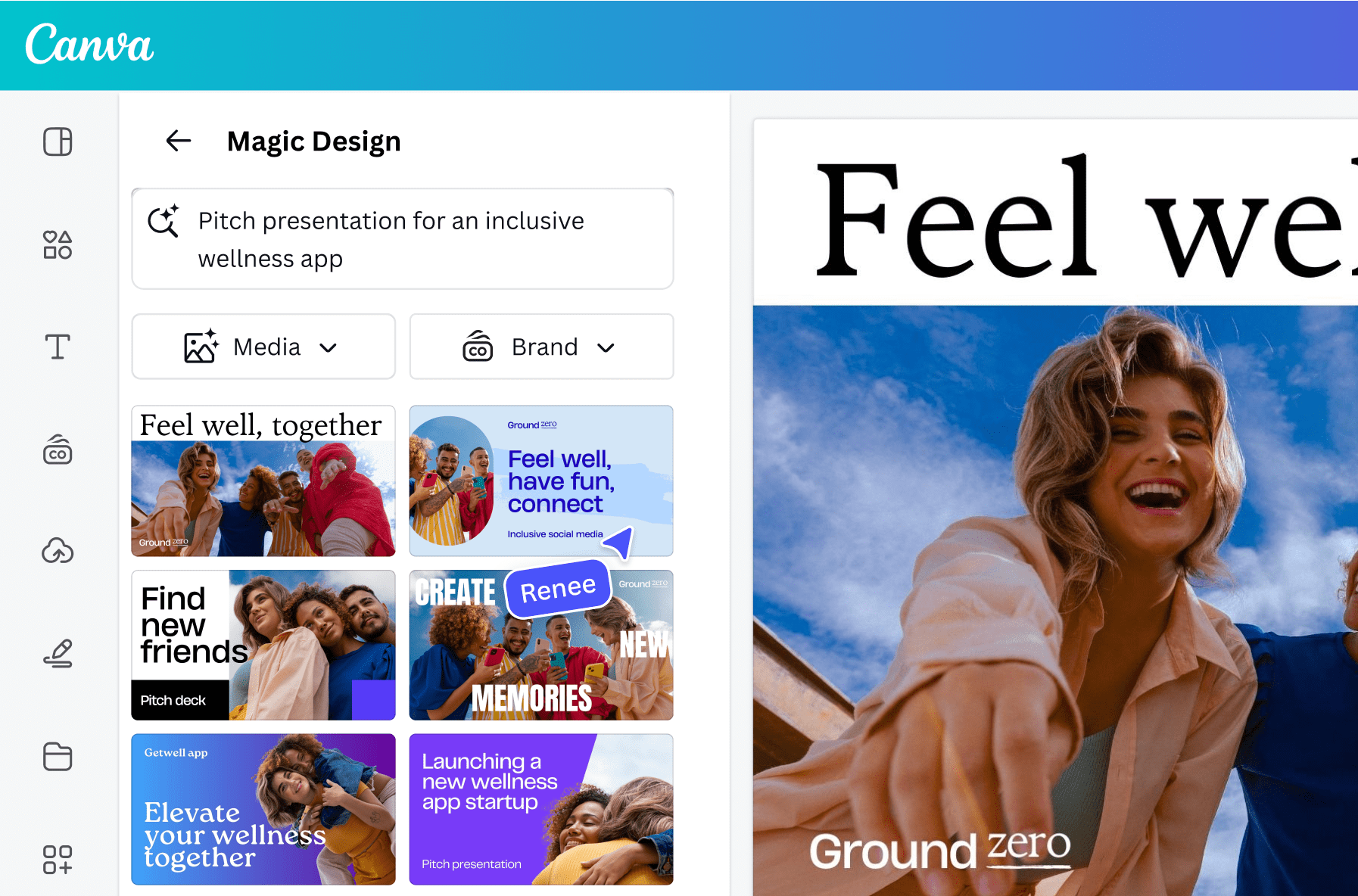
Make an impact with Canva's AI tools for every design need. With Magic Studio, you can explore even more ways to design. From rapid content creation to on-brand scalability – the possibilities are endless.

Enterprise
Empower every employee to communicate visually
Turn everyone in your business into a creator. Our AI-powered tools will help your team streamline workflows and create impactful content with ease.
An all-in-one design solution
Forget onboarding and deploying multiple platforms or licences. Bring your design and AI tools together in one platform.
Harness the power of AI safely
Utilize AI confidently and efficiently. Advanced security, privacy and controls will keep you safe while you explore a new world of creative productivity. Contact sales(opens in a new tab or window) to learn more.


Frequently asked questions
It’s all the power of Canva's AI, all in one place. Magic Studio brings together the best AI-powered features for you and your team right inside Canva to help you move from your first brainstorm to your finished product with more ease, speed, and creativity than ever before.
If a Magic Studio feature is available in your country and in your language, it'll be automatically available in your existing Canva account. Some features are only available to Canva Pro, Canva for Teams, Canva for Nonprofits, and Canva for Education.
If you don’t have a Canva account yet, create a free one(opens in a new tab or window) to try our AI-powered tools, or start a free trial of Canva Pro or Canva for Teams to get higher usage limits, plus additional features like Brand Kit, Content Planner, and team features, too.
Canva’s premium AI tools unlock some of our most advanced features — from image, video, and design generation to Canva Code — giving you the power to create original content in entirely new ways. Your AI access depends on your plan. You can read our pricing and usage limits here(opens in a new tab or window).
One of Canva’s values is to “Be A Good Human,” and we ask you to keep this in mind when using Magic Studio features. Do not use it to generate harmful content, infringe any third-party rights, or harass or threaten anyone. Remember to tell anyone who's reading the text that it's AI-generated.
You can read the full AI Product Terms here(opens in a new tab or window) as well as our Acceptable Use Policy(opens in a new tab or window).
Our values define how we build our product, treat our community, and impact the world. We want to ensure our community feels safe when creating and interacting with content on our platform.
We’ve put layers of moderation in place so you can use Magic Studio features safely and responsibly. These include automated reviews of input prompts for terms that might generate inappropriate content. If you do come across unsafe content, let us know and report unsafe content here(opens in a new tab or window).
We won’t tolerate any use of our AI-powered features that violate our Terms(opens in a new tab or window) or Acceptable Use Policy(opens in a new tab or window).
Canva’s privacy controls allow you to be in control of how Canva uses your data to improve our AI-powered features. For more information, visit our Trust Centre(opens in a new tab or window) to learn more.
Creators receive AI royalties payment when Canva uses their content to improve AI-powered features. Creators can opt out of this at any time.
You can use the content you create, including AI-generated text and images for personal or commercial projects, as long as you follow our terms.
If you're going to use Canva’s Magic Studio features for commercial purposes, please note that you may not have exclusive rights to the generated outputs. This means other people may also use it. Read more in our AI Product Terms(opens in a new tab or window).
Please be mindful that Canva doesn’t provide any guarantee that the content you generate is cleared for use (particularly if the output reproduces text and images from existing works). If you're going to use the output for any commercial purpose (e.g., selling a book written partly by Magic Write), seeking legal advice may be a good idea.
Canva Shield is an advanced collection of safety, privacy, and security controls. Designed to keep your business safe and give you peace of mind, enterprise customers with over 100 seats have an extra layer of protection with indemnification. Contact sales(opens in a new tab or window) and discover the benefits of an enterprise contract.
