

pingnoo
The open-source cross-platform application for analysing network latency and routing problems visually.
The open-source cross-platform free analysis tool.




Measure
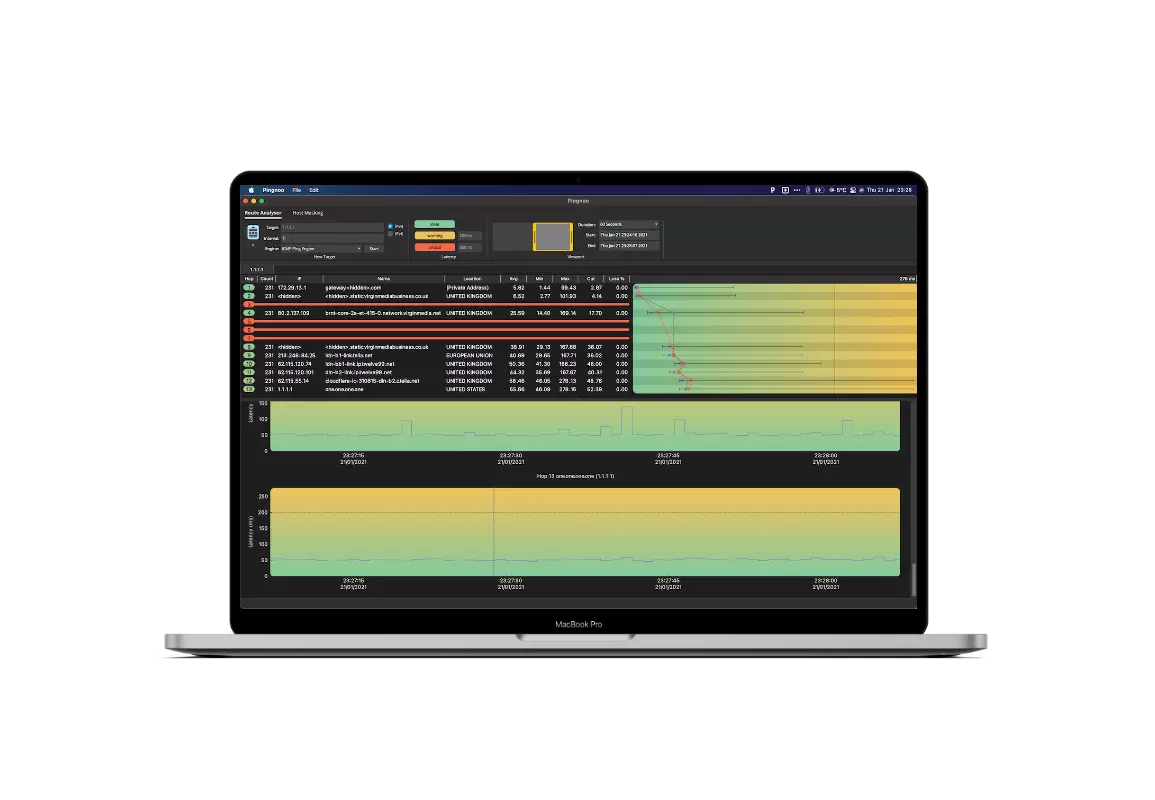
Set up as many concurrent analysis sessions as you need, measure latency through all hops to the endpoints.

Visualize
View the results on a timeline, move back and forward in time to see the historical data over any time period.

Identify
Drill down the captured data, compare data sets and use the results to find the source of latency or packet loss issues.
What is routing?
Understanding how data passes through the internet is crucial when investigating the performance of a network connection.
A route is a map of how to get from A to B, just like a physical map which gives you directions to a destination, the internet is made up of intermediate points (known as hops) which control the flow of data from your computer (or network) to a destination.
What is latency?
Latency is a measurement of the delay between initiating a request and the request being actioned. Gamers are particularly affected by network latency, which is more often referred to as lag.
What is packet loss?
Packet loss usually occurs when a part of a route is overloaded or misconfigured, the effect is that parts of data never make it to their destination, the effect of this varies, but generally you will see page timeouts or very slow connections as retries are sent.

How can pingnoo help me?
Pingnoo allows the latency to be visualised in an easy to understand manner and can be used to instantly discover network issues anywhere along a route, latency issues and packet loss are graphed for each hop.
The resulting data can be used as evidence of wider network issues and can be used as proof to internet service providers to show underlying network issues.
Most operating systems come with a command-line tool called “traceroute” which displays metrics such as latency and packet loss but as they are terminal tools, they lack the friendly user interface that pingnoo provides and are suited for power users or system administrators.


100% open-source
The source code for pingnoo is hosted on GitHub, and everyone is free to review, audit, and contribute to the pingnoo codebase.
We hope that by open-sourcing pingnoo that others will be motivated to use, audit and contribute code to the project.
we have already split parts of the codebase off into their own repositories so that other developers can make use of these libraries.

macOS
Requires macOS 10.13 (High Sierra) or later.
Available as a standard DMG file, installing is as simple as opening the DMG file and dragging the icon to the Applications folder.
(pingnoo is a universal binary and runs natively on Apple Silicon and Intel macs.)

Windows
Requires Windows 7 or later..
Available as a classic installer or optionally as a portable edition which will run stright from a memory stick without requiring installation, ideal for keeping on a memory stick for fast for network troubleshooting.


Linux
Binaries for popular Linux distributions are available for download.
Additionally, pingnoo is available as a self-contained AppImage* file that requires no installation and includes all necessary dependencies in a single file.
(*Built and tested under Ubuntu 16.04 it will run on all major distributions.)


