
Download Xledger – finance app, time tracking, expense reporting, secure login, SSO, device pairing, employee management, manager dashboard, receipt upload, real-time data, financial workflow, business productivity
Overview
Xledger is a dedicated business application designed to streamline financial workflows for employees and managers within the finance industry. Developed by Xledger Labs AS, the app enables users to manage essential daily tasks such as time tracking, expense reporting, and receipt uploading with ease and security. Its primary purpose is to provide instant access to critical financial data and operational tools, allowing users to stay productive regardless of location. The app supports real-time data synchronization, ensuring that both employees and managers have up-to-date information at their fingertips.
Target users include finance professionals, accounting staff, and managerial personnel who require secure, efficient tools to handle time entries, travel expenses, and payment approvals. The application is especially suited for organizations already using Xledger’s core services, as access to the app is contingent upon employer enrollment. Real-world usage scenarios include field-based employees logging hours on the go, managers approving timesheets remotely, and finance teams uploading receipts directly from mobile devices.
With support for 21 languages, Xledger ensures accessibility across diverse teams. The app integrates secure login methods through device pairing and SSO via Microsoft, enhancing data protection. While the developer did not provide additional details on user onboarding or integration processes, the app is designed to work out-of-the-box with standard finance roles, minimizing setup complexity.
Key Features & Capabilities
- Time Tracking: Employees can record work hours directly from the app, with support for start/stop timers and manual entry, enabling accurate payroll and project billing.
- Expense Reporting: Users can log travel expenses and other business costs with detailed categorization and automatic currency conversion where applicable.
- Receipt Upload: A built-in camera feature allows users to capture and upload receipts instantly, reducing manual data entry and improving audit readiness.
- Manager Dashboard: Supervisors gain access to a centralized view of employee timesheets, expense claims, and payment requests, enabling remote approval and oversight.
- Real-Time Data Access: All financial updates, including bank balance checks, are synchronized in real time, supporting informed decision-making across teams.
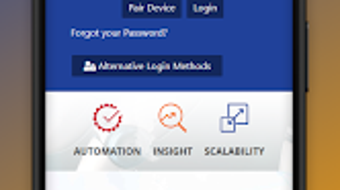
- Secure Authentication: The app uses device pairing and Microsoft SSO to ensure only authorized users can access sensitive financial data.
- Multi-Language Support: Available in 21 languages, enhancing usability for global teams and multinational organizations.
These features collectively enhance workflow efficiency by reducing administrative overhead and minimizing delays in approval cycles. For example, a field accountant can upload a receipt immediately after a business meal, while a manager can approve it during a commute. The integration of secure login methods ensures compliance with data protection standards, making Xledger suitable for regulated financial environments.
User Interface, Workflow & Performance
The user interface of Xledger is designed with clarity and functionality in mind, prioritizing intuitive navigation for both employees and managers. Core functions such as time tracking, expense logging, and receipt upload are accessible through a streamlined dashboard, minimizing the number of steps required to complete common tasks. The app’s workflow is optimized for mobile use, allowing users to perform actions quickly without switching between multiple tools.
Navigation is consistent across roles, with role-based access ensuring that employees see only the features relevant to their responsibilities. Managers, for instance, are directed to a dashboard displaying pending approvals and financial summaries. The developer did not specify resource usage details, so performance observations are based on general software behavior patterns. However, the app’s 25.5 MB size suggests a lightweight footprint, which typically correlates with efficient memory and CPU usage.
Stability is expected to be reliable, given the app’s focus on secure, real-time data handling. No reported crashes or performance issues were mentioned in the provided data. The use of SSO and device pairing likely contributes to a stable session management system, reducing login failures and session timeouts. Users can expect consistent responsiveness during data entry and approval workflows, though exact benchmarks were not provided.
Compatibility & System Requirements
Xledger is designed for Android 13.0 and above, ensuring compatibility with modern mobile devices. The app has a file size of 25.5 MB, which indicates a lightweight installation that does not place significant strain on device storage. This makes it accessible even on mid-range Android smartphones and tablets.
Exact system requirements were not listed. The developer did not provide details on minimum RAM, CPU specifications, or storage space beyond the total file size. Compatibility information was partially provided, focusing only on the operating system version. Users should ensure their device runs Android 13.0 or higher to install and use the application. No additional hardware dependencies were mentioned, suggesting standard mobile device capabilities are sufficient.
For organizations deploying the app across teams, it is recommended to verify that all employee devices meet the minimum OS requirement. The app’s out-of-the-box functionality with standard finance roles implies minimal configuration is needed post-installation.
Pros and Cons
Pros
- Free to download and use, reducing entry barriers for teams.
- Supports real-time data access for up-to-date financial insights.
- Integrates secure login via device pairing and Microsoft SSO.
- Offers multi-language support in 21 languages.
- Enables instant receipt upload and expense logging on mobile.
- Provides a dedicated manager dashboard for remote approvals.
- Lightweight at 25.5 MB, suitable for low-storage devices.
Cons
- Available only on Android, limiting cross-platform access.
- Requires employer to be an existing Xledger customer to use.
- OS compatibility limited to Android 13.0 and above.
- No information on offline functionality or data sync behavior.
- Performance data and resource usage were not specified.
FAQ Section
Is Xledger available for iOS devices?
Based on the provided information, Xledger is currently available only for Android 13.0 and above. There is no mention of iOS compatibility.
How do I get access to Xledger?
Access to Xledger requires that your employer is a customer of Xledger. The app is not available for individual download or standalone use.
Is the app secure?
Yes, Xledger uses secure login methods including device pairing and SSO via Microsoft, which help protect sensitive financial data from unauthorized access.
Can I use Xledger offline?
The developer did not specify whether the app supports offline mode or data synchronization when connectivity is restored.
How often does the app update?
Information about update frequency was not provided. Users should check the app store for the latest version.
Final Thoughts + CTA
Xledger delivers a focused, secure, and efficient solution for finance teams seeking to digitize and simplify core workflows. Its integration of time tracking, expense reporting, and receipt uploading within a single mobile application enhances productivity and reduces administrative burden. The inclusion of a manager dashboard with real-time approval capabilities strengthens oversight and accelerates financial processing.
While the app is limited to Android and requires employer enrollment, its free model, lightweight design, and robust security features make it a compelling choice for organizations already using Xledger’s services. The multi-language support further broadens its appeal across international teams.
For finance professionals and managers looking to improve workflow efficiency and data accuracy, Xledger offers a practical, mobile-first tool. Download Xledger now to streamline your financial operations and gain instant access to real-time business insights.




.png)



