-
-
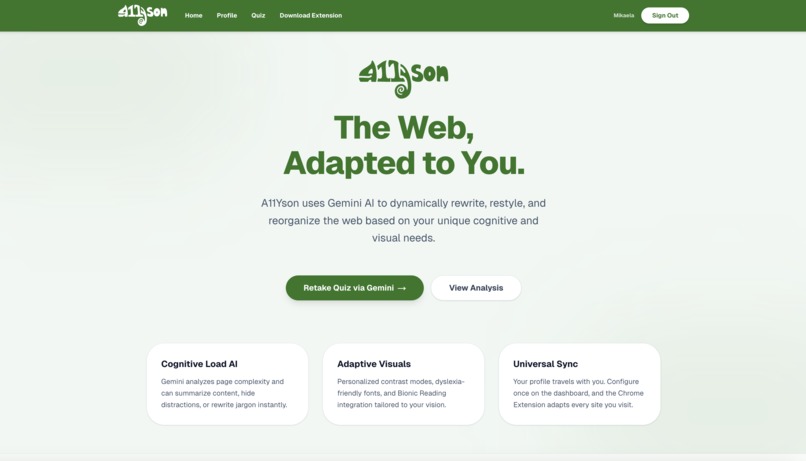
Landing Page
-
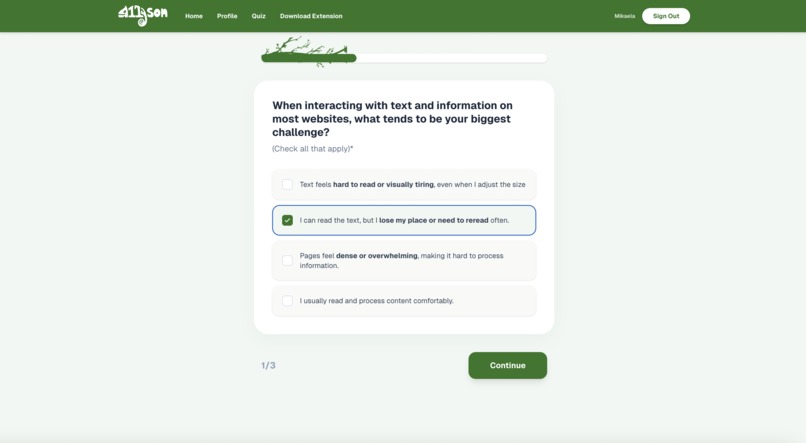
Questionnaire Q1
-
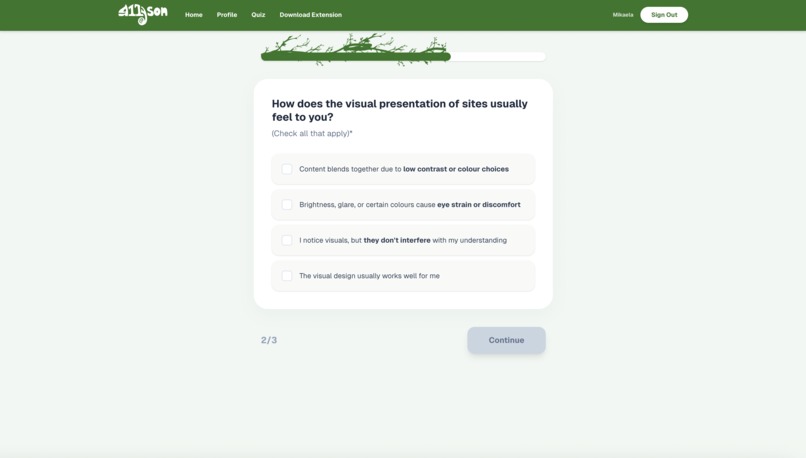
Questionnaire Q2
-
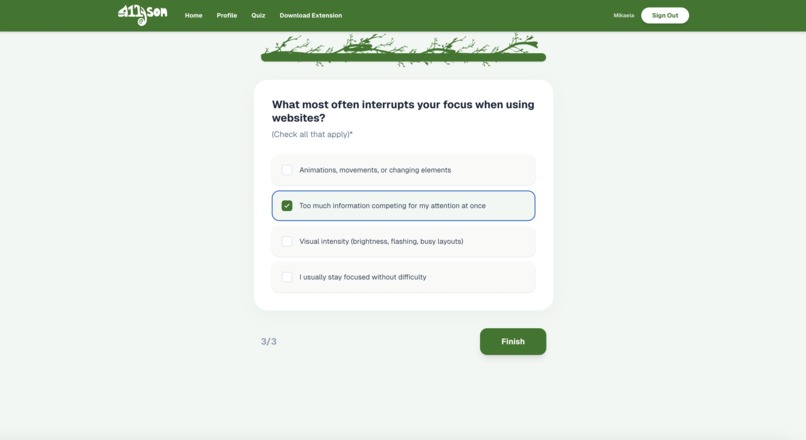
Questionnaire Q3
-
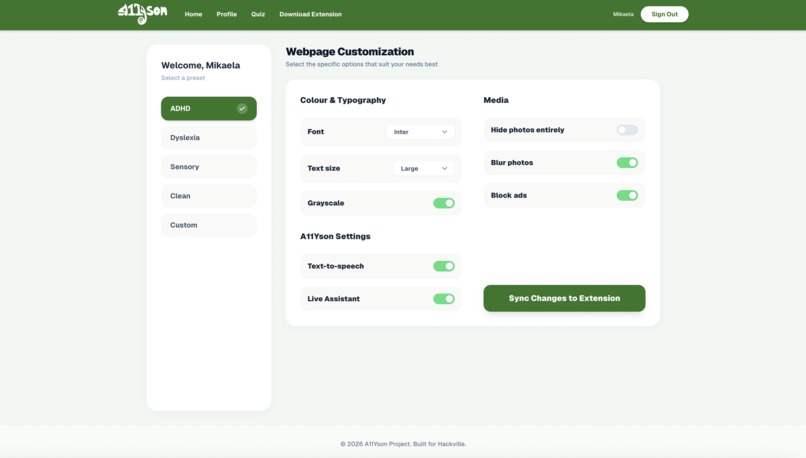
Profile Preset 1
-
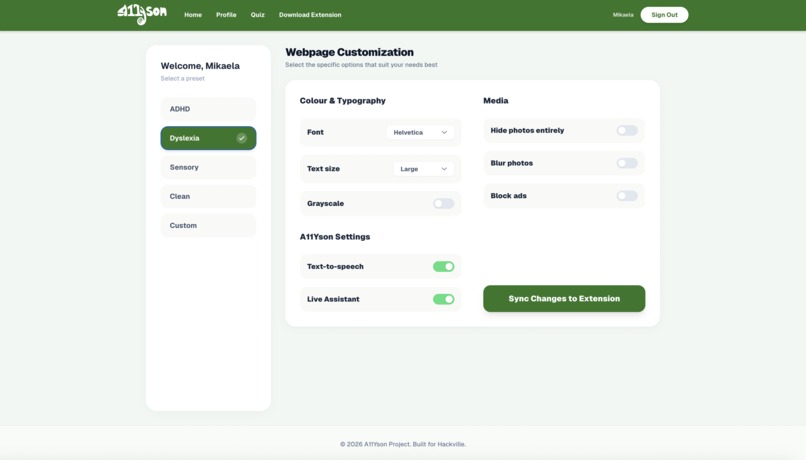
Profile Preset 2
-
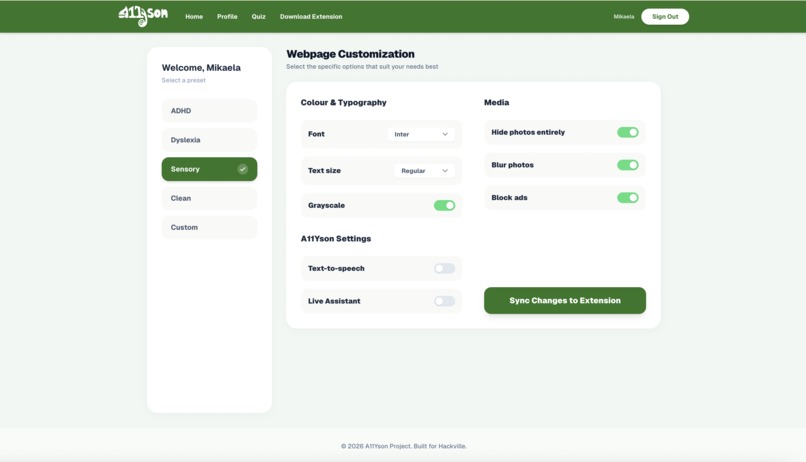
Profile Preset 3
-
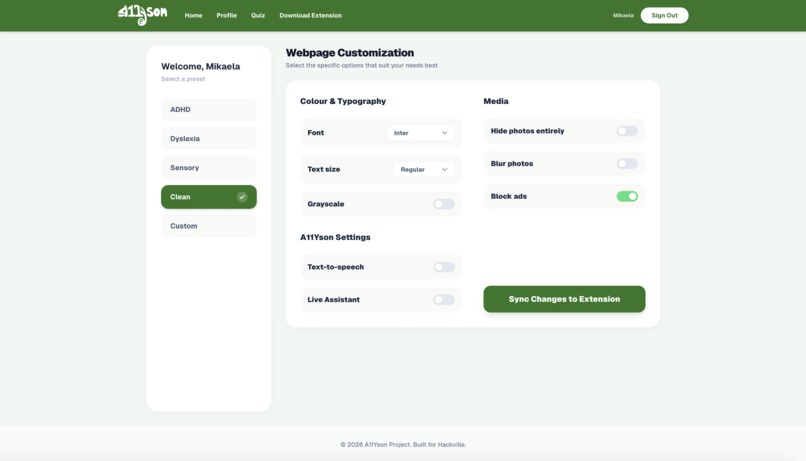
Profile Preset 4
-
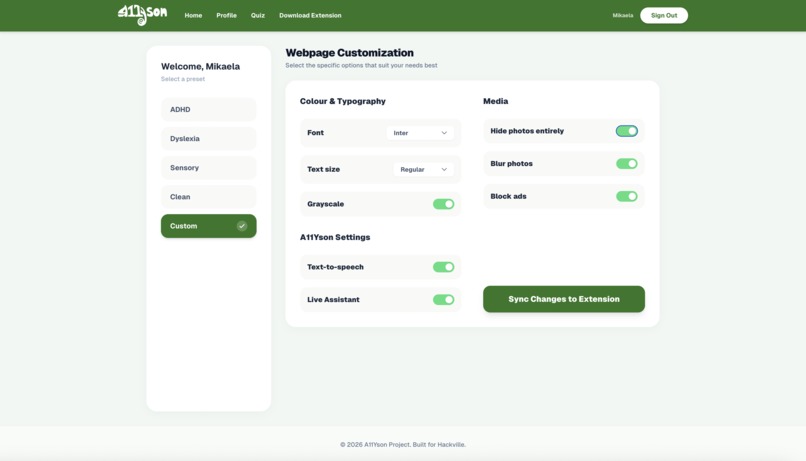
Profile Preset 5
-
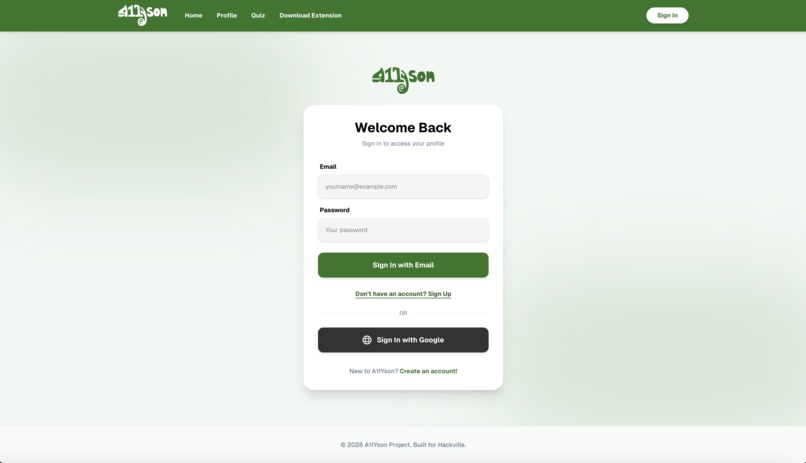
Sign-in Page
-
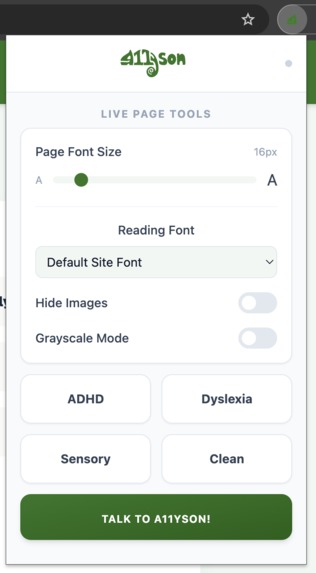
Extension Menu
-
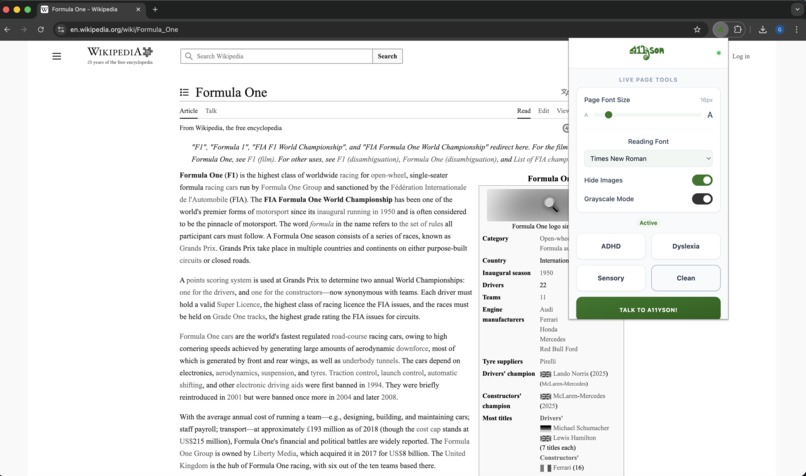
Hide Images + Grayscale Mode
-
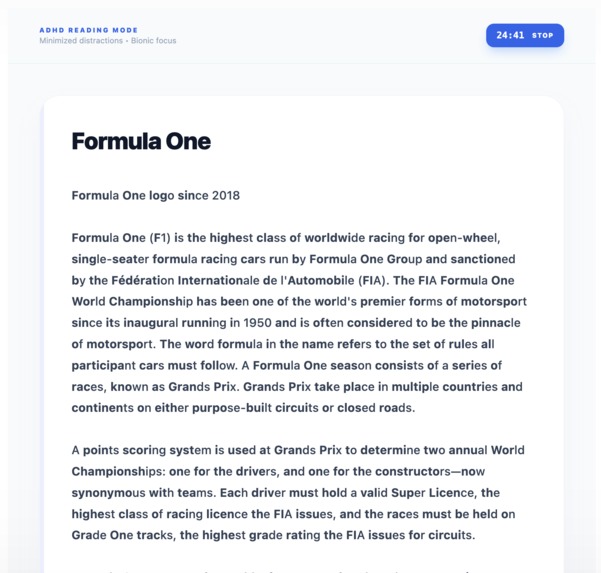
ADHD Toggle
-
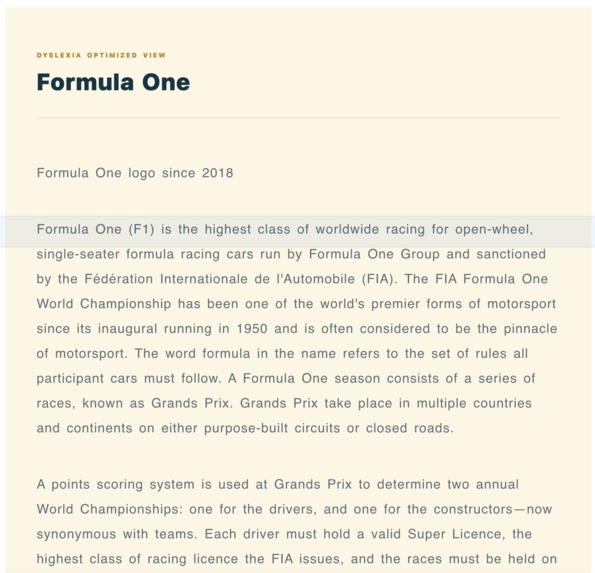
Dyslexia
-
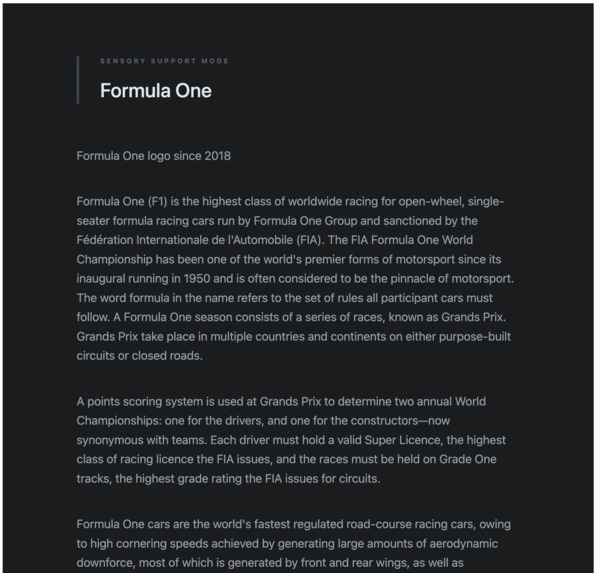
Sensory
-
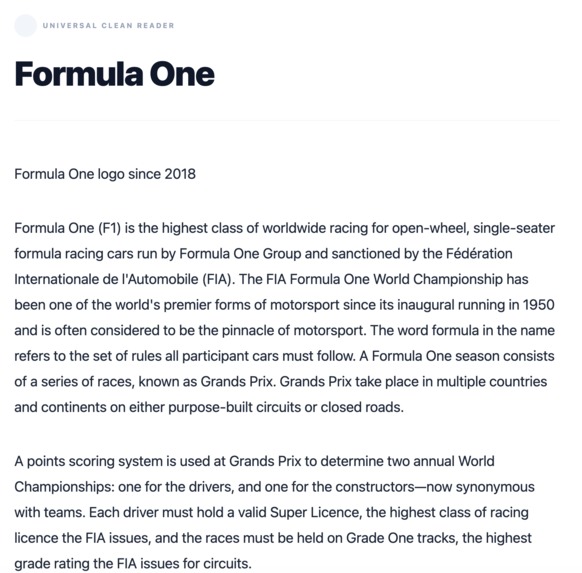
Clean
-
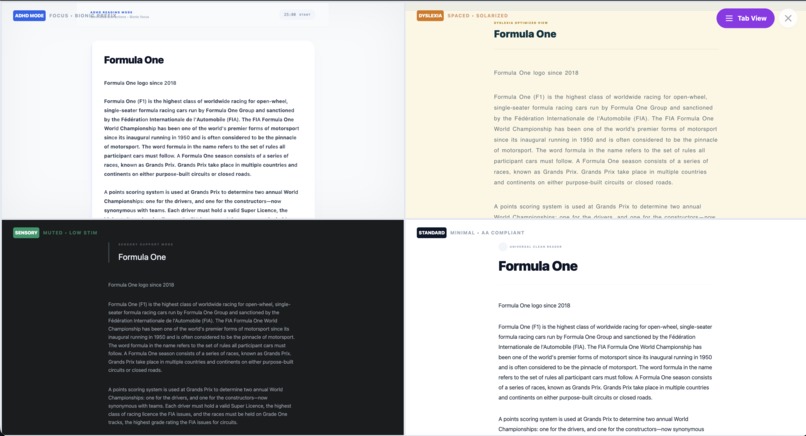
All Presets


Inspiration
The inspiration for A11Yson came from a simple observation: the web is technically accessible in many places, but still deeply uncomfortable for a large number of people.
Through research into WCAG guidelines and inclusive design principles, we noticed a recurring gap between compliance and experience. Many websites meet accessibility standards on paper, yet still overload users visually and cognitively through dense layouts, harsh contrast, motion, and cluttered interfaces.
We weren’t interested in “fixing” users or creating a charity-style accessibility tool. Instead, we wanted to explore how accessibility could act as a level-setter, removing unnecessary friction so everyone starts from the same baseline. That mindset led us to A11Yson.
What it does
A11Yson is a cognitive-first accessibility engine delivered as a Chrome extension.
It dynamically adapts how any website is presented based on a user’s needs, without removing content, rewriting meaning, or breaking the original layout. A11Yson focuses on presentation, not control.
Users can choose from four research-informed presets:
- ADHD – reduces cognitive load and visual distractions
- Dyslexia – optimizes typography and spacing for reading clarity
- Sensory – softens contrast, reduces motion, and limits visual intensity
- Clean – a universally accessible, minimal baseline
A11Yson also includes an AI conversational companion that can summarize page content, answer questions, or read information aloud, giving users multiple ways to access the same content.
How we built it
A11Yson was built as a three-layer accessibility ecosystem:
Intelligence Layer (FastAPI + Gemini 2.0 Flash) We use LLM-driven analysis to interpret user onboarding responses and generate structured accessibility profiles. Gemini also powers real-time summarization to reduce information density.
Command Center (Next.js 15) The dashboard acts as the source of truth for user profiles and settings, syncing changes across tabs and sessions using secure browser messaging and cloud storage.
Execution Engine (React Chrome Extension) The extension performs real-time DOM mutation using CSS injection and JavaScript logic. This allows us to adjust fonts, contrast, spacing, motion, and imagery instantly on any webpage.
Our system was designed to be modular, scalable, and respectful of existing web content.
Challenges we ran into
One of the biggest challenges was balancing technical power with restraint.
It’s easy to over-modify a page and accidentally remove meaning, context, or functionality. We had to be intentional about making changes that reduce friction without taking control away from the user.
We also navigated technical hurdles like Content Security Policy (CSP) restrictions, cross-tab state synchronization, and ensuring low-latency AI interactions that felt seamless rather than disruptive.
Design-wise, avoiding a “medical” or patronizing tone while still communicating accessibility clearly was an ongoing challenge.
Accomplishments that we're proud of
Building a real-time accessibility system that works across any website
Framing accessibility as equity, not accommodation
Successfully integrating AI in a way that supports WCAG’s “multiple means of access” principle
Creating visible, dramatic before-and-after transformations without altering content
Designing presets that are grounded in research rather than stereotypes
What we learned
We learned that accessibility is not a checklist, it’s a relationship between humans and systems.
Small visual decisions compound quickly, and cognitive load is just as important as visual clarity. We also learned that inclusive design becomes more powerful when users remain in control, with the ability to opt in, opt out, and customize freely.
From a technical standpoint, we learned how to architect systems that bridge static content with dynamic human needs, and how to responsibly integrate AI into that process.
What's next for A11Yson
Next, we want to expand A11Yson beyond presets into context-aware adaptation.
Future plans include:
Automatically detecting cognitively demanding pages and suggesting support
Image understanding and description for visual content
Smarter, adaptive profiles that evolve with user behavior
Additional presets for other access needs, including low vision and motor impairments
Our long-term goal is to make accessibility invisible until it’s needed, and powerful when it is.
Built With
- api
- crxjs
- css3
- elevenlabs
- fastapi
- firebase
- gemini
- html5
- javascript
- next.js
- python
- render
- tailwind
- typescript
- vercel
- vite


Log in or sign up for Devpost to join the conversation.