








A quick file search and app launcher for Windows with community-made plugins.
Dedicated to making your work flow more seamless. Search everything from applications, files, bookmarks, YouTube, Twitter and more. Flow will continue to evolve, designed to be open and built with the community at heart.
Remember to star it, flow will love you more :)

Getting Started • Features • Plugins • Hotkeys • Sponsors • Questions/Suggestions • Development • Docs
Windows 10+ Installer or Portable Version
winget install "Flow Launcher"
scoop install Flow-Launcher
choco install Flow-Launcher
When installing for the first time Windows may raise an issue about security due to code not being signed, if you downloaded from this repo then you are good to continue the set up.
Or download the early access version.

- Search for apps, files or file contents.
- Supports Everything and Windows Index.

- Support search using environment variable paths.


- Provides system related commands. shutdown, lock, settings, etc.
- System command list

- Do mathematical calculations and copy the result to clipboard.

- Run batch and PowerShell commands as Administrator or a different user.
- Ctrl+Shift+Enter to Run as Administrator.

- Save file or folder locations for quick access.

- Search for Windows & Control Panel settings.

- Search for a file/folder and quickly jump to its path in the Open/Save As dialog window.
- Use Alt+G to quickly jump the Open/Save As dialog window path to the path of the active file manager.

- Drag a file/folder to File Explorer, or even Discord.
- Copy/move behavior can be change via Ctrl or Shift, and the operation is displayed on the mouse cursor.

- Prioritise the order of each plugin's results.

- Use F1 to toggle the preview panel.
- Media files will be displayed as large images, otherwise a large icon and full path will be displayed.
- Turn on preview permanently via Settings (Always Preview).
- Use Ctrl++/- and Ctrl+[/] to adjust search window width and height quickly if the preview area is too narrow.

- Window size adjustment, animation, and sound
- Color Scheme (aka Dark Mode)

- There are various themes and you also can make your own.

- Display date and time in search window.
- Supports languages from Chinese to Italian and more.
- Supports Pinyin (拼音) search.
- Crowdin support for language translations.
Supported languages
- English
- 中文
- 中文(繁体)
- Українська
- Русский
- Français
- 日本語
- Dutch
- Polski
- Dansk
- de, Deutsch
- ko, 한국어
- Srpski
- Српски
- Português
- Português (Brasil)
- Spanish
- es-419, Spanish (Latin America)
- Italiano
- Norsk Bokmål
- Slovenčina
- Türkçe
- čeština
- اللغة العربية
- Tiếng Việt
- עברית
- Fully portable.
- Type
flow user datato open your saved user settings folder. They are located at:- If using roaming:
%APPDATA%\FlowLauncher - If using portable, by default:
%localappdata%\FlowLauncher\app-<VersionOfYourFlowLauncher>\UserData - Type
open log locationto open your logs folder, they are saved along with your user settings folder.
- If using roaming:

- Pause hotkey activation when you are playing games.
- When in search window use Ctrl+F12 to toggle on/off.
- Type
Toggle Game Mode
- Support wide range of plugins. Visit here for our plugin portfolio.
- Publish your own plugin to flow! Create plugins in:


......and more!
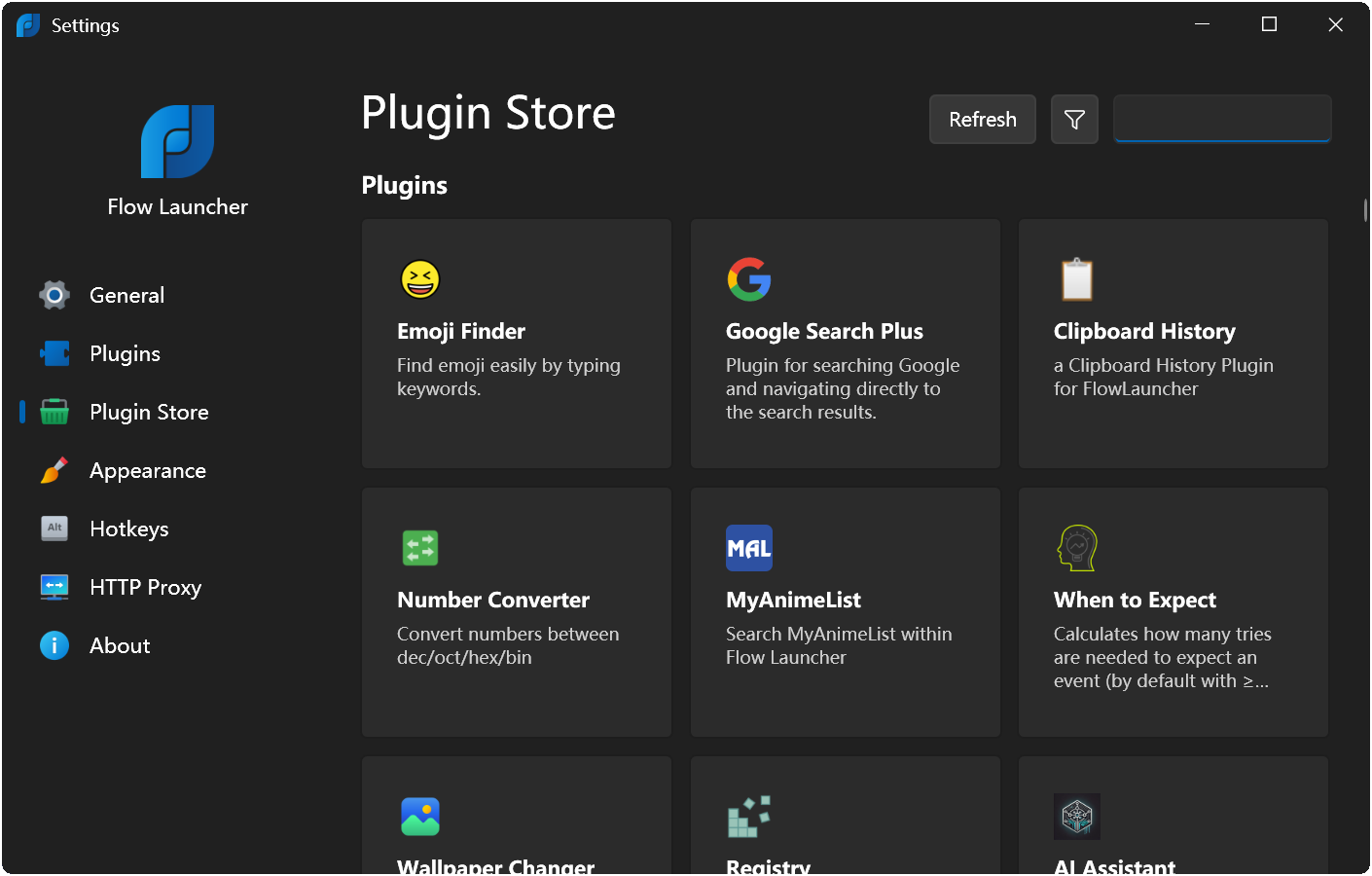
-
You can view the full plugin list or quickly install a plugin via the Plugin Store menu inside Settings
-
or type
pminstall/uninstall/update+ the plugin name in the search window,
| Hotkey | Description |
|---|---|
| Alt+Space | Open search window (default and configurable) |
| Enter | Execute |
| Ctrl+Enter | Open containing folder |
| Ctrl+Shift+Enter | Run as admin |
| ↑/↓, Shift+Tab/Tab | Previous / Next result |
| ←/→ | Back to result / Open Context Menu |
| Ctrl+O , Shift+Enter | Open Context Menu |
| Ctrl+Tab | Autocomplete |
| F1 | Toggle Preview Panel (default and configurable) |
| Esc | Back to results / hide search window |
| Ctrl+C | Copy folder / file |
| Ctrl+Shift+C | Copy folder / file path |
| Ctrl+I | Open Flow's settings |
| Ctrl+R | Run the current query again (refresh results) |
| F5 | Reload all plugin data |
| Ctrl+F12 | Toggle Game Mode when in search window |
| Ctrl++,- | Adjust maximum results shown |
| Ctrl+[,] | Adjust search window width |
| Ctrl+H | Open search history |
| Ctrl+Backspace | Back to previous directory |
| PageUp/PageDown | Previous / Next Page |
| Command | Description |
|---|---|
| Shutdown | Shutdown computer |
| Restart | Restart computer |
| Restart With Advanced Boot Options | Restart the computer with Advanced Boot option for safe and debugging modes |
| Log Off/Sign Out | Log off |
| Lock | Lock computer |
| Sleep | Put computer to sleep |
| Hibernate | Hibernate computer |
| Empty Recycle Bin | Empty recycle bin |
| Open Recycle Bin | Open recycle bin |
| Exit | Close Flow Launcher |
| Save Settings | Save all Flow Launcher settings |
| Restart Flow Launcher | Restart Flow Launcher |
| Settings | Tweak this app |
| Reload Plugin Data | Refreshes plugin data with new content |
| Check For Update | Check for new Flow Launcher update |
| Open Log Location | Open Flow Launcher's log location |
| Index Option | Open Windows Search Index window |
| Flow Launcher Tips | Visit Flow Launcher's documentation for more help and how to use tips |
| Flow Launcher UserData Folder | Open the location where Flow Launcher's settings are stored |
| Toggle Game Mode | Toggle Game Mode |
| Set Flow Launcher Theme | Set the Flow Launcher Theme |





Yes please, let us know in the Q&A section. Join our community on Discord!
Our project localization is based on Crowdin. If you would like to change them, please go to https://crowdin.com/project/flow-launcher.
Our UI library is using iNKORE.UI.WPF.Modern.

All changes to flow are captured via pull requests. Some new changes will have been merged but still pending release, this means while a change may not exist in the current release, it may very well have been accepted and merged into the dev branch and available as a pre-release download. It is therefore a good idea to search through the open and closed pull requests before you start to make changes to ensure the change you intend to make is not already done.
Each of the pull requests will be marked with a milestone indicating the planned release version for the change.
Contributions are very welcome, in addition to the main project (C#) there are also documentation (md), website (html/css) and others that can be contributed to. If you are unsure of a change you want to make, let us know in the Discussions, otherwise feel free to submit a pull request.
You will find the main goals of flow placed under the Projects board, so feel free to contribute on that. If you would like to make small incremental changes, feel free to do so as well.
Get in touch if you would like to join the Flow-Launcher Team and help build this great tool.
-
Flow Launcher's target framework is .Net 9
-
Install Visual Studio 2022 (v17.12+)
-
Install .Net 9 SDK
- via Visual Studio installer
- via winget
winget install Microsoft.DotNet.SDK.9 - Manually from here


![@dependabot[bot]](https://avatars.githubusercontent.com/in/29110?s=64&v=4)


